


Claude 3.5 Sonnet Agentic Coding: How 49% on SWE-bench Rewrote the Rules for AI Developer Tools
June 6, 2025
Samsung Galaxy Z Flip7: The Slimmest Foldable Yet With AI Camera and Edge-to-Edge FlexWindow
June 6, 2025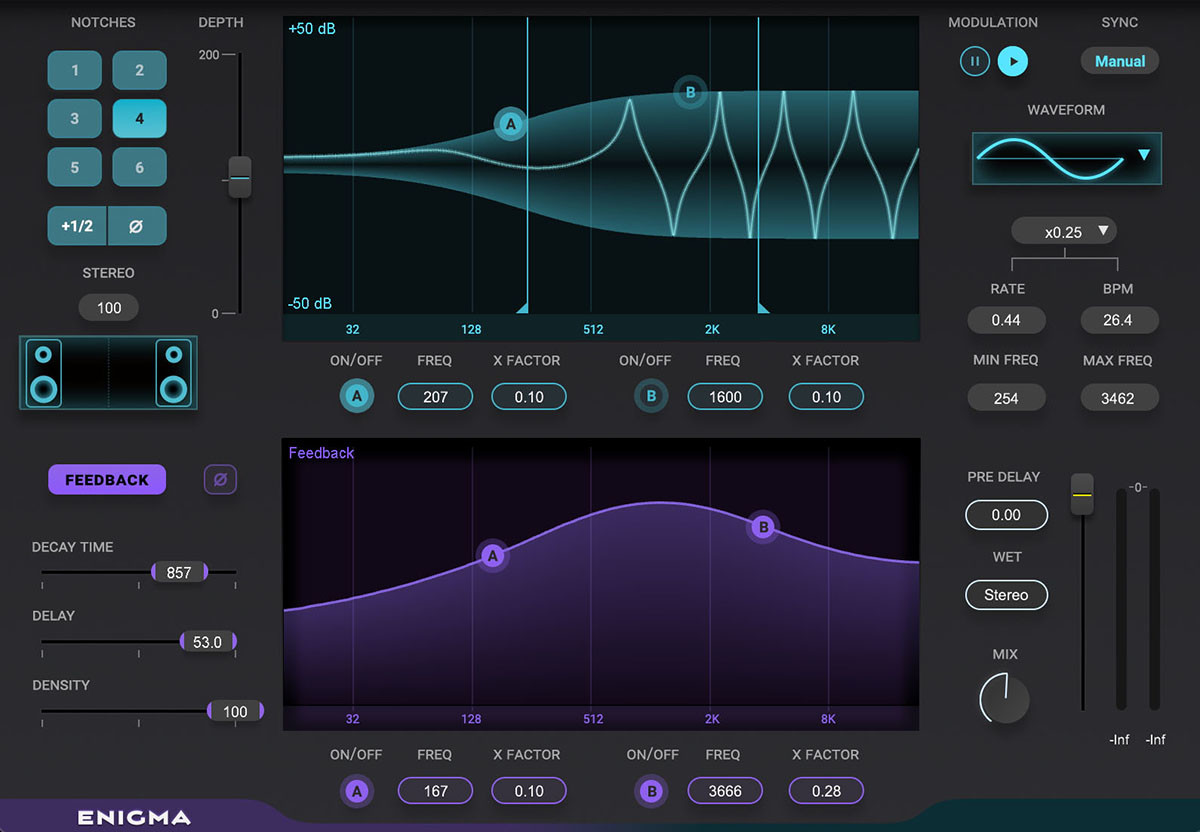
Open a session from two years ago in your DAW right now. How many Waves plugins do you see? If the answer is “a lot,” you need to read this before updating to V15.
Waves Audio’s V15 update, which rolled out in June 2024, made a decision that sent shockwaves through the production community: VST2 support has been completely removed. No toggle, no legacy mode, no option to keep your old WaveShell. The moment you install V15, every VST2 instance in your DAW disappears. For producers running mixed plugin ecosystems — Waves alongside Plugin Alliance, iZotope, FabFilter, and others — this creates a compatibility puzzle that demands immediate attention.
What Exactly Changed in Waves V15’s Plugin Format
The headline feature of Waves V15 isn’t the redesigned StudioVerse, the new MIDI mapping capabilities, or even the SSL G-Master Buss Compressor’s sidechain filter. It’s the complete abandonment of VST2. Previous versions maintained dual format support — VST2 and VST3 coexisted peacefully through the WaveShell system. V15 eliminates the VST2 WaveShell entirely.
Here’s what that means in practice: when you update from V14 to V15, the installer removes all VST2 components. Your DAW’s VST2 scan path still points to where the old WaveShell lived, but there’s nothing there anymore. Every session that referenced a Waves plugin via VST2 now shows a missing plugin error.
Waves’ official position is clear: VST2 will not return in any future release. The company has committed fully to VST3, AAX, and AU formats going forward. This aligns with Steinberg’s own push to deprecate VST2 across the entire SDK, but Waves is among the first major plugin developers to enforce it this aggressively.
The Plugin Alliance Factor: Why Cross-Ecosystem Compatibility Matters
Here’s where things get interesting for studios running both Waves and Plugin Alliance plugins. As of mid-2025, Plugin Alliance still fully supports VST2 alongside VST3, AAX, and AU. Their Brainworx, Lindell Audio, and SPL plugins continue to install both VST2 and VST3 versions. This creates a format mismatch in mixed sessions.
Consider a typical mixing session: you’ve got an SSL E-Channel from Waves on your vocal bus, a Brainworx bx_console from Plugin Alliance on your mix bus, and iZotope Ozone on your master. Before V15, all three might have been loaded as VST2 instances. After updating Waves to V15, only the Waves plugin breaks — the others remain functional in their VST2 format. But your DAW may now scan the session differently, causing cascade loading failures even for non-Waves plugins in the same chain.
The broader industry trend is clear. Steinberg forced all developers using the current VST SDK to discontinue VST2 support. iZotope has also moved to VST3-only in recent versions. Plugin Alliance hasn’t announced a timeline for dropping VST2, but it’s a matter of when, not if. Understanding this migration path now saves you from a bigger headache later.
Which DAWs Handle the VST2-to-VST3 Migration Best
Not all DAWs handle this transition equally. Based on community reports from the Waves forum and production communities, here’s how the major DAWs stack up:
- Logic Pro — Unaffected. Logic uses AU format exclusively, so the VST2/VST3 change doesn’t apply. If you’re on Logic, Waves V15 is a straightforward update.
- Pro Tools — Unaffected. Pro Tools uses AAX, so no VST-related issues.
- Ableton Live — Mixed results. Ableton already required VST3 for Waves since version 12, so recent sessions should be fine. Older sessions from Live 10/11 era may have VST2 references.
- FL Studio — Problematic. FL Studio’s plugin database combines VST2 and VST3 entries, and when VST2 versions disappear, the references break even if VST3 versions exist at different paths.
- Studio One — Moderate. PreSonus has decent VST2-to-VST3 remapping, but it’s not automatic for all plugins. Manual intervention required per session.
- Reaper — Best handling. Reaper’s flexible plugin management lets you manually remap VST2 to VST3 instances, and the community has shared scripts to automate the process.
- Cubase/Nuendo — Good. As Steinberg products, they handle VST3 natively and have built-in migration paths. But older Cubase projects from pre-VST3 era still need manual plugin replacement.
A 5-Step Migration Checklist Before You Hit Update
After watching dozens of producers lose hours to broken sessions, here’s the checklist I recommend before touching that V15 update button:
Step 1: Audit Your Active Sessions
Open every session you’re actively working on. Note which Waves plugins are loaded and whether they’re VST2 or VST3 instances. In most DAWs, you can see this in the plugin manager or by checking the plugin info on each insert.
Step 2: Pre-Migrate to VST3 While You Can
While still on V14, swap every Waves VST2 instance to its VST3 equivalent. Copy your settings first — take a screenshot or save a preset. This is tedious but far less painful than doing it after V15 breaks everything.
Step 3: Back Up Your Plugin Folders
Before installing V15, make a complete backup of your VST2 plugin folders. On Windows, that’s typically C:\Program Files\VstPlugins and C:\Program Files\Common Files\VST2. On macOS, check /Library/Audio/Plug-Ins/VST. This gives you a rollback path.
Step 4: Update One Machine First
If you run multiple studio machines, update only your secondary system first. Test your most complex sessions before committing your primary production rig to V15.
Step 5: Verify Plugin Alliance and Third-Party Plugins
After the V15 install, open a test session and verify that your Plugin Alliance, FabFilter, iZotope, and other third-party plugins still load correctly. The Waves V15 installer shouldn’t touch these, but DAW scan behaviors can be unpredictable when plugin paths change.
The Bigger Picture: VST2 Is Dying Across the Industry
Waves V15 isn’t an isolated event. Steinberg, who created the VST standard, has been pushing developers toward VST3 for years. The current VST SDK effectively forces discontinuation of VST2 for new plugin builds. Here’s what the major plugin companies are doing:
- Plugin Alliance — Still supports VST2 + VST3. No announced deprecation timeline.
- FabFilter — Supports VST2 + VST3. Known for conservative, reliable update practices.
- iZotope — Recent versions have moved toward VST3-only, similar to Waves.
- Native Instruments — Kontakt 7+ is VST3, but older Kontakt versions maintained VST2.
- Soundtoys — Still supports VST2 in current versions.
- Universal Audio — UAD plugins use their own format; UAFX pedal plugins support VST3.
The writing is on the wall. Within the next two to three years, VST2 will likely be unsupported by most major plugin developers. The studios that migrate proactively will avoid the panic sessions that come with forced updates.
What V15 Actually Brings to the Table
It’s not all bad news. Waves V15 does deliver legitimate improvements that justify the migration pain. According to Sound On Sound’s coverage, the update includes:
- Universal MIDI Mapping — Nearly every Waves plugin now supports MIDI controller mapping. Save and recall assignments per plugin. This alone changes how you interact with Waves in live mixing scenarios.
- Parameter Locking — Fix input, output, and mix controls when browsing presets. No more readjusting your levels every time you A/B a StudioVerse preset.
- SSL G-Master Buss Compressor Sidechain Filter — A high-pass filter on the sidechain input. Essential for bus compression that doesn’t pump on low-end heavy material.
- H-Delay Dual Mode — Run two independent delay lines with separate settings. Turns H-Delay into a genuinely more versatile tool.
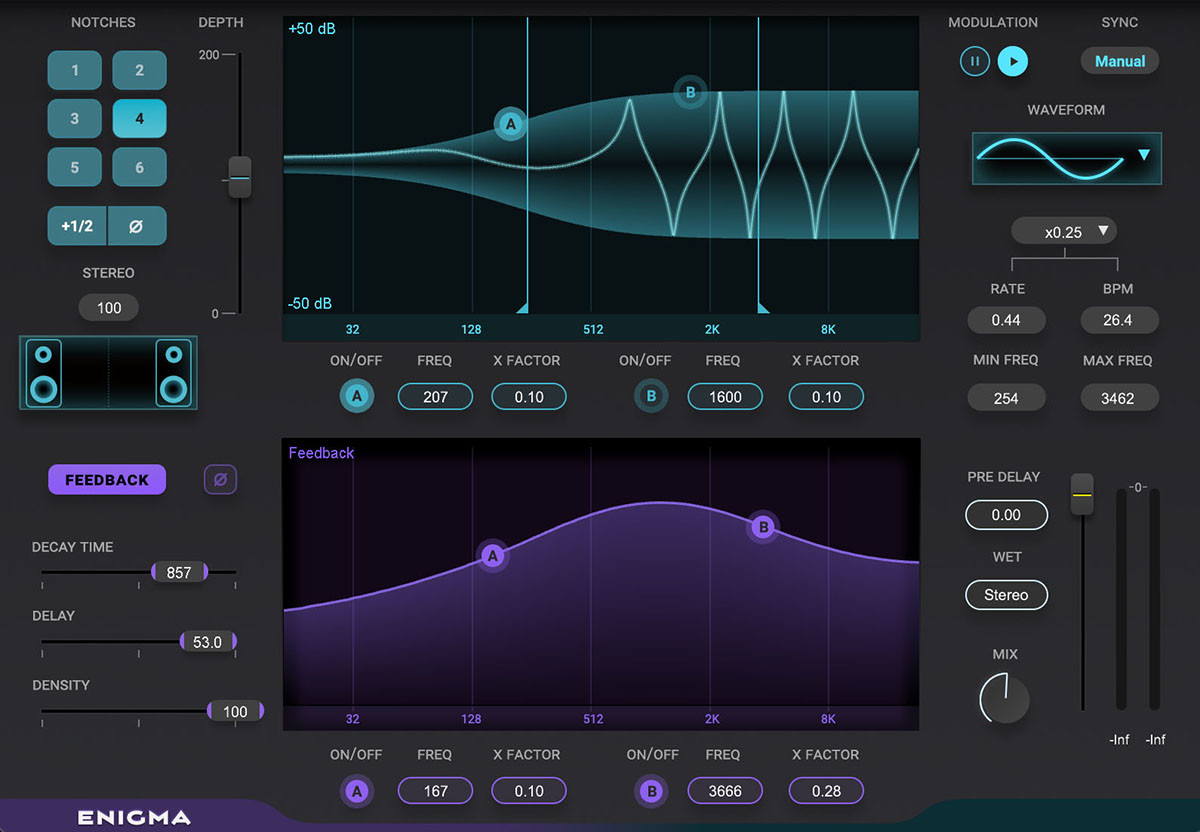
- HiDPI GUI Redesigns — Doubler, SuperTap, and Enigma got modernized interfaces. Better readability on high-resolution displays.
- StudioVerse Instruments — Browse and play virtual instrument presets directly from the StudioVerse ecosystem.
For an in-depth look at the broader V15 feature set, audioXPress published a comprehensive overview of the December 2024 update wave.
The Bottom Line for Working Producers
Waves V15’s VST2 removal isn’t just a Waves problem — it’s a preview of where the entire plugin industry is heading. If you’re running a mixed ecosystem with Plugin Alliance, FabFilter, iZotope, and Waves, the compatibility gap between VST2-supporting and VST3-only plugins will only widen. The best time to migrate your sessions is now, while you still have the choice to do it on your own schedule.
Don’t wait until your favorite Plugin Alliance bundle drops VST2 support too. Audit your sessions, migrate proactively, and treat this as an opportunity to clean up years of accumulated plugin cruft in your template sessions.
Need help optimizing your plugin workflow or setting up a reliable mixing template? Sean Kim has been navigating plugin ecosystems for 28+ years.
Get weekly AI, music, and tech trends delivered to your inbox.






