Best USB-C Monitors for MacBook: August 2025 Picks with 90W+ Charging
August 28, 2025
How to Record Acoustic Guitar: 7 Microphone Placement Techniques That Actually Work
August 29, 2025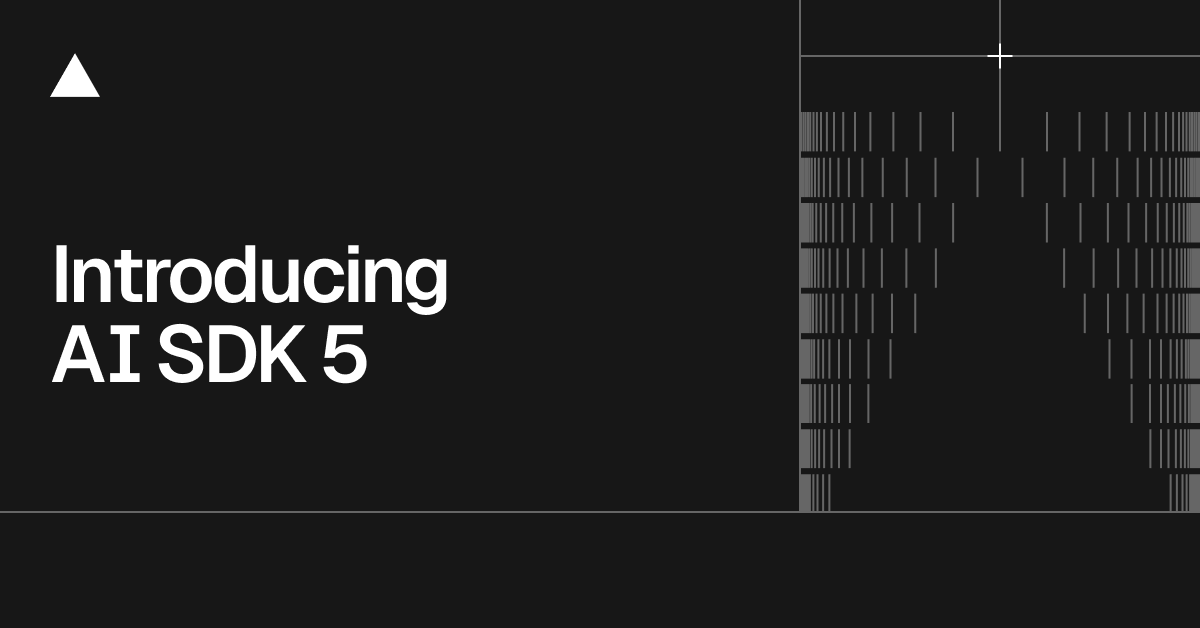
A month ago, Vercel AI SDK 5 landed — and if you’ve been building AI-powered apps with Next.js, this is the release that finally makes streaming tool calls feel production-ready. After nearly two years of experimental RSC integration and incremental streaming improvements, the SDK team essentially rewrote the playbook. Here’s why it matters and what you need to change in your codebase.
The Road to Vercel AI SDK 5: From Experimental RSC to Production Streaming
Let’s set the stage. The Vercel AI SDK has evolved rapidly through 2025. In January, AI SDK 4.1 introduced non-blocking data streaming and enhanced tool execution with context access. March brought AI SDK 4.2, which promoted Tool Call Streaming from experimental to stable — a significant milestone. And then on July 31, 2025, AI SDK 5 arrived with a complete architectural redesign.
The pattern here is clear: each release has been building toward a unified, type-safe streaming architecture. But AI SDK 5 doesn’t just iterate — it rethinks fundamental assumptions about how AI applications should handle data flow between server and client.
Streaming Tool Calls: What Actually Changed in Vercel AI SDK 5
Tool calling has been possible since AI SDK 3.x, but the developer experience was rough. You’d define tools, handle invocations, and pray the types lined up. AI SDK 5 changes three critical things.
Type-Specific Tool Invocation Parts
Previously, all tool calls came through as generic tool-invocation parts. In AI SDK 5, each tool generates a specific part type like tool-TOOLNAME. This means TypeScript catches mismatches at compile time, not at runtime when your users are staring at a broken UI.
// AI SDK 5: Type-safe tool invocations
const { messages } = useChat({
  tools: {
    getWeather: {
      inputSchema: z.object({ city: z.string() }),
      output: z.object({ temp: z.number(), condition: z.string() }),
    },
  },
});

// Each tool gets its own typed part
messages[0].parts.filter(p => p.type === 'tool-getWeather')
// ^ TypeScript knows the exact shape
Automatic Input Streaming with Lifecycle Hooks
Tool call inputs now stream by default. As the model generates arguments, you get partial updates through new lifecycle hooks: onInputStart, onInputDelta, and onInputAvailable. This means you can show users a loading skeleton that progressively fills in — instead of waiting for the entire tool call to complete before rendering anything.
The practical impact is massive for complex tools. If your agent is generating a database query or a multi-parameter API call, users see the arguments being constructed in real-time. It transforms the UX from “waiting for magic” to “watching the AI think.”
Explicit Error States Per Tool
Tool execution errors are now scoped to the individual tool, not the entire response. A failed weather lookup doesn’t kill your entire chat flow. The error can be resubmitted to the LLM, which can retry or adjust its approach. This is table stakes for building reliable agentic applications.
The RSC Question: Why Vercel Paused React Server Components for AI
Here’s the elephant in the room. The AI SDK RSC package (@ai-sdk/rsc) — which let you stream React Server Components directly from LLM responses — is still marked experimental, and development is officially paused. Vercel recommends migrating to AI SDK UI for production.
Why? The RSC approach with streamUI and createStreamableUI was elegant in demos but created real challenges in production:
- State management complexity — managing both
useUIStateanduseAIStateacross server boundaries introduced subtle bugs - Serialization constraints — RSC requires all props to be serializable, which conflicts with complex tool outputs
- Debugging difficulty — streaming server-rendered components through an AI pipeline made error tracing painful
- Framework lock-in — RSC tied the SDK to React and Next.js, while the team wanted framework parity across Vue, Svelte, and Angular
AI SDK 5’s answer is the UIMessage/ModelMessage separation. Instead of streaming React components, you stream typed data parts and render them on the client. The server sends structured data; the client decides how to display it. This is arguably a better separation of concerns, even if it requires more client-side code.
SSE Protocol: The Streaming Infrastructure Upgrade
AI SDK 5 replaces the custom streaming protocol with standard Server-Sent Events (SSE). This might sound like a minor implementation detail, but it has significant practical benefits:
- Browser DevTools compatibility — you can now inspect AI streaming data in the Network tab like any other SSE connection
- No custom parsing — SSE is natively supported in all major browsers
- Edge runtime compatibility — SSE works seamlessly with Vercel Edge Functions and other edge runtimes
- Proxy-friendly — load balancers and CDNs handle SSE better than custom binary protocols
For developers who’ve debugged streaming issues by staring at raw bytes in the Network tab, this alone justifies the upgrade. The new Data Parts system lets you stream arbitrary typed data — status updates, partial results, tool progress — through the same SSE connection with full TypeScript safety.
Agentic Loop Control: stopWhen and prepareStep
AI SDK 5 introduces first-class primitives for controlling agent execution loops. Two new options change how you build multi-step AI workflows:
stopWhen lets you define termination conditions declaratively. Instead of counting steps manually or checking tool call results, you specify when the loop should end — after a certain number of steps, when a specific tool is called, or based on custom logic.
prepareStep runs before each iteration, letting you adjust the model, system prompt, available tools, and message history dynamically. This enables patterns like escalation (switch to a more powerful model if the first attempt fails) or progressive tool availability (unlock advanced tools only after initial analysis).
// Agentic loop with dynamic control
const result = await streamText({
  model: openai('gpt-4o'),
  messages,
  tools: { search, analyze, summarize },
  stopWhen: maxSteps(5),
  prepareStep: async ({ stepNumber, previousResult }) => {
    if (stepNumber > 3) {
      return { model: openai('gpt-4o-mini') }; // Downgrade for cost
    }
    return {};
  },
});
Combined with streaming tool calls, this creates a powerful pattern: users see each step of the agent’s reasoning in real-time, with the ability to intervene or redirect.
Migration Guide: What You Need to Do Right Now
If you’re on AI SDK 4.x, here’s the practical migration checklist:
- Run the codemod:
npx @ai-sdk/codemod upgradehandles most breaking changes automatically - Rename tool parameters:
parameters→inputSchema,result→output - Update tool invocation handling: switch from generic
tool-invocationparts to typedtool-TOOLNAMEparts - If using RSC: start migrating
streamUItouseChatwith Data Parts — there’s a dedicated migration guide - Update streaming: the new SSE protocol is the default, but verify your middleware and proxies support it
- Adopt UIMessage/ModelMessage: separate your persistence layer (UIMessage) from your LLM communication (ModelMessage)
The codemod handles about 80% of the work. The remaining 20% — especially around tool invocation rendering and state management — requires manual attention. Budget a day for a medium-sized project.
What This Means for the AI Developer Ecosystem
Vercel AI SDK 5 represents a maturation point. The move from experimental RSC streaming to production-grade typed streaming isn’t just a Vercel story — it reflects where the entire AI framework ecosystem is heading. LangChain, LlamaIndex, and others are all converging on similar patterns: typed tool interfaces, streaming-first architectures, and agent loop abstractions.
The SDK now has over 2 million weekly npm downloads, making it the de facto standard for TypeScript AI development. With framework support across React, Vue, Svelte, and Angular, plus the new global provider string syntax ('openai/gpt-4o'), the barrier to entry has never been lower.
For developers building production AI features in August 2025, the message is clear: AI SDK 5 is the foundation to build on. The streaming tool calls are production-ready, the agentic primitives are sound, and the migration path from RSC is well-documented. The question isn’t whether to upgrade — it’s how quickly you can ship the improved UX to your users.
Building AI-powered applications or need help architecting your streaming infrastructure? Let’s talk about your tech stack.
Get weekly AI, music, and tech trends delivered to your inbox.