


AirPods Max USB-C Lossless Audio Review: What 28 Years in Audio Taught Me About Apple’s $549 Update
June 30, 2025
OpenAI ChatGPT Agent Launch: Unified Agentic System That Browses and Codes
July 3, 2025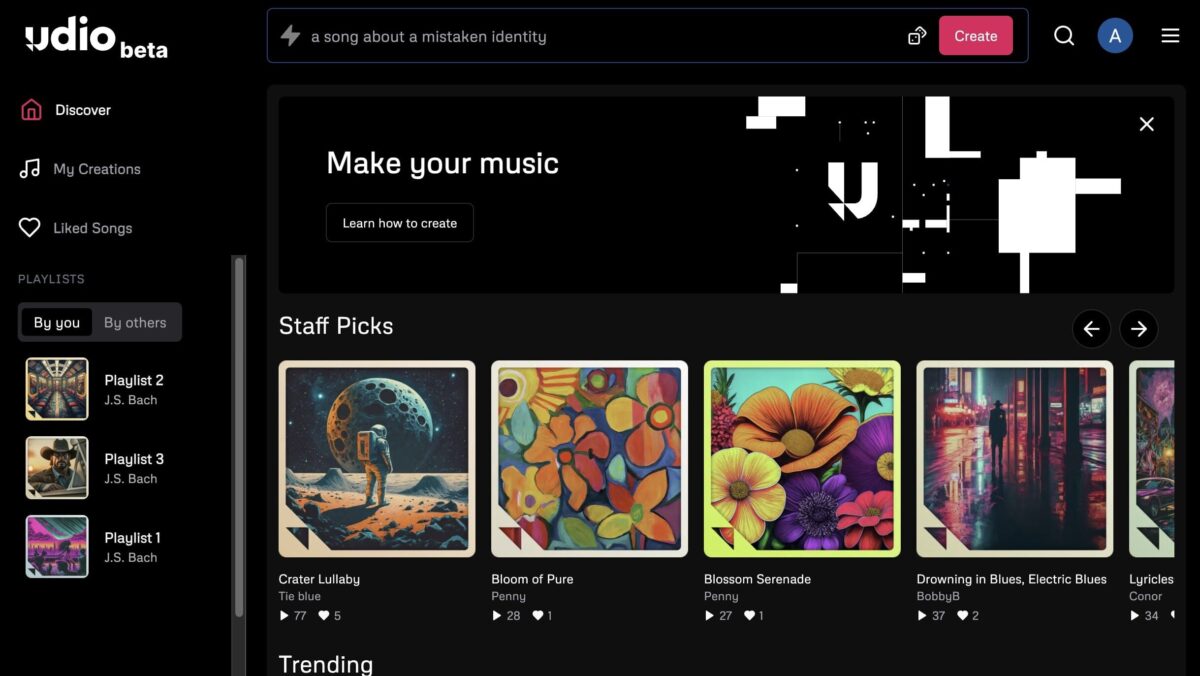
Finally — an AI music generator that lets you edit instead of just regenerate. Udio Sessions, which dropped on June 26, 2025, brings a full DAW-style timeline interface to AI-generated music, and honestly, it might be the single biggest UX leap any AI music platform has made this year. If you’ve been frustrated by the “generate, pray, repeat” cycle that defined AI music tools in 2024, this is worth your attention.
What Is Udio Sessions — and Why It Matters for AI Music Producers
Udio Sessions is a timeline-based editing environment built directly into the Udio platform. Instead of treating each AI generation as a sealed black box, Sessions breaks your song into visual sections on a waveform timeline — and lets you manipulate each one independently. Think of it as non-destructive editing for AI music, a concept borrowed straight from traditional DAWs like Ableton Live or Logic Pro.
The feature is available now for Standard ($8/month) and Pro ($24/month) subscribers. Free tier users don’t have access yet, which signals Udio’s bet that serious creators — the ones willing to pay — want deeper control, not just faster output.

Udio Sessions Core Features: Inpainting, Replace, Extend, and Takes
Inpainting: Regenerate Specific Sections Without Touching the Rest
This is the headline feature. Udio’s inpainting lets you select up to 4 specific regions of your song and regenerate just those sections — while keeping everything else completely intact. If your verse is perfect but the bridge falls apart, you no longer need to re-roll the entire track. Select the bridge, hit Replace (or press R), and Udio regenerates only that section.
As Music Business Worldwide reported, Sessions automatically identifies musical elements like choruses, verses, and bridges from waveform analysis. This means you’re not manually slicing audio — the system understands your song’s structure and offers intelligent edit points.
Extend Mode: Build Your Song Section by Section
Extend mode (keyboard shortcut: E) lets you add new sections to any point in your song — intro, middle, or outro. Instead of generating a full track and hoping the arrangement works, you can build iteratively. Start with a chorus you love, extend an intro before it, then add a bridge after. This section-by-section approach mirrors how actual producers work in a DAW, and it’s a fundamentally different workflow from the “prompt and pray” approach.
The Takes System: Compare, Choose, Undo
Every time you replace or extend a section, Udio Sessions generates multiple takes. You can flip between Take 1 and Take 2, compare them in context with the rest of your song, and pick the one that fits best. Don’t like either? CMD-Z (undo) brings you back instantly. This non-destructive workflow means you’re never locked into a decision — experimentation is built into the process.
Lyric Panel: Edit Words In-Place
The integrated lyric panel displays your song’s lyrics alongside the timeline. You can edit lyrics in-place, and clicking any word jumps the playback to that exact point. For anyone who’s tried to sync lyric changes with regenerated audio in other AI music tools, this alone is a significant quality-of-life improvement.
Keyboard Shortcuts for Speed
Udio clearly designed Sessions for power users. The keyboard shortcuts feel native to anyone who’s spent time in a DAW:
- R — Replace selected section
- E — Extend from a point
- Spacebar — Play/Pause
- CMD-Z — Undo last action
These shortcuts reduce friction dramatically. When you’re deep in a creative session comparing takes and swapping sections, mouse-only workflows kill momentum. Udio gets that.
The Bigger Picture: v1.5 Allegro and Styles
Sessions didn’t arrive in isolation. Udio has been on an aggressive feature release schedule in 2025. Two earlier updates set the stage for where the platform is now.
v1.5 Allegro (launched March 2025) uses model distillation to deliver 4x faster generation with no quality loss. According to Udio’s official blog, many testers actually ranked Allegro outputs higher in quality than the previous model. Faster generation matters enormously when your workflow involves iterating on sections — you don’t want to wait 30 seconds between each take comparison.
Styles (also March 2025, Pro-only) lets you upload an audio reference and have Udio match its sonic identity — instrumental makeup, vocal tone, tempo, sound color, and song structure. As MusicTech covered, the Style Blend feature even lets you mix genre references together. Combined with Sessions, this means you can lock in a sonic direction via Styles and then fine-tune individual sections via inpainting. That’s a genuinely professional workflow.
Udio Sessions vs. Suno: The Producer Control Gap Widens
The AI music generator landscape in mid-2025 essentially comes down to two players: Udio and Suno. And with Sessions, the philosophical split between them has never been clearer.
Suno optimizes for speed and simplicity. Type a prompt, get a full song. It’s brilliant for quick ideation, social media content, and users who don’t want to think about arrangement or mixing. Suno’s strength is accessibility — anyone can make a song in 30 seconds.
Udio, especially post-Sessions, is positioning itself as the tool for producers who want granular control. The DAW-style timeline, section-level inpainting, take comparison, and keyboard shortcuts all signal that Udio is chasing a different user: someone who already thinks in terms of verses, bridges, and arrangement — and wants AI to accelerate their existing workflow rather than replace it.
Industry observers have noted that Udio tends to produce stronger results on instrumentals and production detail, while Suno excels at vocal-forward pop tracks generated quickly. Sessions reinforces this positioning. If you’re using AI music for background scores, production music libraries, or serious creative projects, Udio’s iterative approach is increasingly compelling.
The Copyright Cloud: Lawsuits Still Hanging Over Udio
No honest assessment of Udio in July 2025 can ignore the legal context. Sony Music, Universal Music Group, and Warner Music Group have active copyright lawsuits against the platform, alleging that Udio’s training data included copyrighted recordings without permission. CEO Andrew Sanchez has maintained that Udio’s technology constitutes fair use, but the cases remain unresolved.
This legal uncertainty doesn’t diminish the technical achievement of Sessions, but it does mean commercial users should understand the risk landscape. If you’re generating AI music for commercial release or client work, staying informed on these proceedings is essential.
Who Should Try Udio Sessions — and Who Should Wait
Sessions is genuinely impressive, but it’s not for everyone. Here’s a quick breakdown:
Try it now if you’re a music producer exploring AI-assisted workflows, a content creator who needs production music with specific arrangement control, or a sound designer who wants to iterate on specific sections without losing work you already like.
Wait if you’re on Udio’s free tier (Sessions requires Standard or Pro), if you just need quick background music with minimal editing (Suno might be more efficient for you), or if the unresolved copyright situation is a dealbreaker for your commercial use case.
What’s clear is that AI music generation has moved past the “novelty” phase. Tools like Udio Sessions represent a shift toward genuine creative control — where AI handles the sound generation and the human handles the artistic decisions. That’s the future of this space, and Udio just took a significant step toward it.
Exploring AI music pipelines, automation workflows, or need help integrating tools like Udio into your production process? Sean Kim offers consulting on AI-powered creative systems.
Get weekly AI, music, and tech trends delivered to your inbox.






