


xAI Grok 4 Launch: Real-Time Reasoning with Live Data Integration Changes Everything
July 30, 2025
Amazon Prime Day 2025: 15 Best Tech Deals on Laptops, Monitors, and Gadgets Worth Every Dollar
July 30, 2025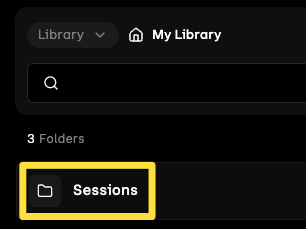
Finally — an AI music generator that lets you actually edit your tracks instead of rolling the dice and hoping for the best. Udio’s one-two punch of Inpainting and the brand-new Sessions timeline editor has quietly turned this platform into something that actually resembles a production tool, not just a novelty generator. If you’ve been stuck regenerating entire songs just to fix one weak chorus, your workflow is about to change dramatically.
What Is Udio Inpainting and Why It Matters for AI Music Production
Udio inpainting, launched in January 2025, introduced a concept borrowed from image AI into the music generation space: targeted regeneration. Instead of regenerating an entire track when one section falls flat, you select a specific region and let the AI rebuild just that portion — while preserving everything around it.
Here’s how the mechanics work. You define a 28-second context window that frames the section you want to modify. Within that window, you mark the exact region — down to specific bars or beats — that needs replacement. The AI then regenerates only that marked region, using the surrounding audio as context to ensure seamless transitions. You can process up to four regions simultaneously, and the context length extends up to 2 minutes for maintaining consistency across longer passages.
For lyric changes, the system uses an asterisk-based markup: add three or more asterisks to indicate which lyrics should be rewritten, and the AI generates new vocal content that matches the existing melody and style. This is particularly powerful for fixing awkward phrasings or replacing placeholder lyrics without touching the instrumental arrangement.

Sessions: Udio’s DAW-Like Timeline Editor Changes the Game
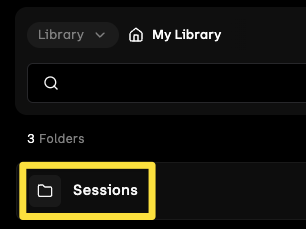
If Udio inpainting was the scalpel, Sessions is the entire surgical suite. Launched on June 26, 2025, Sessions introduces a timeline-based editing view that transforms Udio from a one-shot generator into something that genuinely resembles a simplified Digital Audio Workstation.
The interface lays out your song as a series of waveform blocks on a horizontal timeline — similar to what you’d see in GarageBand or Ableton Live’s arrangement view. You can drag sections around, reorder them, and get a bird’s-eye view of your entire composition. Sessions automatically identifies structural elements like choruses, verses, and bridges directly from the waveform analysis.
Extension: Building Out Your Track Structure
The Extension feature lets you add content at the beginning or end of your track. You choose the extension type — intro, new section, or outro — and optionally trim the extend segment before generation. This eliminates the old workflow of manually stitching together separate generations.
Replacement: Precision Section Editing
Replacement is where Sessions truly shines for section-level editing. You highlight a specific waveform section, refine the boundaries by dragging edges, and the corresponding lyrics panel displays the words in that region. Adjust the lyrics if needed, then generate — the AI rebuilds that exact section while maintaining continuity with the surrounding audio.
The Takes System: Experiment Without Fear
Every extension or replacement generates multiple takes. You toggle between Take 1 and Take 2, comparing outputs before committing to either. You can upvote or downvote each take, building a preference history. Combined with full undo functionality (CMD-Z on Mac, CTRL-Z on Windows), this creates a genuinely non-destructive editing environment.
Keyboard shortcuts make the workflow feel surprisingly fluid: R for replace mode, E for extend mode, spacebar for play/pause. It’s not Pro Tools, but for an AI music platform, this level of interaction design is unprecedented.
Udio Inpainting vs Sessions: When to Use Which Tool
Understanding when to use Udio inpainting versus Sessions is crucial for an efficient workflow. They solve different problems:
Use Inpainting when:
- You need to fix a specific vocal line or instrumental passage within a section
- The track structure is perfect but one region sounds off
- You want to swap lyrics in a specific spot without changing the surrounding audio
- You need fine-grained control over a small portion (bars or beats level)
Use Sessions when:
- You want to restructure the entire song — reorder sections, add intros/outros
- You need to compare multiple variations of a section side-by-side
- You’re building a track from scratch and want a visual overview of the arrangement
- You want non-destructive editing with full undo history
In practice, power users are combining both: use Sessions for structural arrangement and macro-level editing, then switch to Inpainting for surgical fixes within individual sections. This two-layer approach mimics how professional producers work in traditional DAWs — arrangement first, then detail work.
How Udio Compares to Suno in July 2025: The Editing Gap
The AI music generation space in July 2025 is essentially a two-horse race between Udio and Suno, and the editing capabilities create the clearest differentiation. Suno v4 introduced intelligent lyric refinement and multi-track mixing, but its approach remains fundamentally “generate and iterate” — you create a full track and tweak parameters for the next generation.
Udio’s combination of Inpainting and Sessions offers something Suno currently lacks: true non-linear editing. You can work on section A, jump to section C, come back to B, compare takes, undo changes — a workflow that’s conceptually closer to how producers actually work in Ableton or Logic Pro.
Audio quality tells a similar story. According to multiple benchmark comparisons from mid-2025, Udio delivers superior sound fidelity with clearer instrument separation, more precise timbre reproduction, and richer harmonic layers. Suno excels at generating commercially viable complete songs with minimal editing — the “set it and forget it” approach. But for anyone who wants to refine and iterate, Udio’s editing toolset is currently unmatched.
Practical Workflow: Building a Complete Track with Inpainting and Sessions
Here’s a real-world workflow that leverages both tools for maximum creative control:
Step 1: Generate your initial seed. Start with a prompt that captures your core idea — genre, mood, instrumentation, tempo. Don’t worry about perfection; you’re creating raw material.
Step 2: Open Sessions. View your track on the timeline. Identify structural issues: does the intro drag? Is the chorus too short? Does the bridge feel disconnected?
Step 3: Structure first. Use Sessions’ Extension feature to add or lengthen sections. Generate an intro if the track starts too abruptly. Add an outro for a proper resolution. Compare takes for each structural addition.
Step 4: Replace weak sections. Use Sessions’ Replacement on any sections that don’t meet your standards. Adjust lyrics in the replacement panel, generate, compare takes.
Step 5: Surgical fixes with Inpainting. Now switch to Inpainting for detail work. Fix that one vocal line in verse 2 that sounds pitchy. Regenerate the guitar fill between chorus and verse. Use the asterisk markup to swap specific lyrics.
Step 6: Final review. Play the full track in Sessions’ timeline view. Check transitions between sections. Use undo if any edit created an unexpected artifact.
This workflow typically produces significantly more polished results than simple regeneration, and it mirrors the non-linear editing approach that professional producers have used in DAWs for decades.
Pricing and Access: What You Need to Know
Both Inpainting and Sessions are subscriber-only features — free tier users cannot access either tool. The Standard plan provides access to both features, while the Pro plan adds experimental features like Styles within Sessions. All extensions and replacements in Sessions consume credits at the same rate as standard generations.
For serious music creators, the subscription is essentially a requirement at this point. The editing capabilities alone justify the cost — spending credits on targeted fixes is far more efficient than burning through generations trying to get a perfect track on the first try.
The Bottom Line: AI Music Production Just Got Real Editing Tools
Udio’s Inpainting and Sessions represent a fundamental shift in what AI music generators can do. We’re moving past the era of “prompt and pray” into something that actually respects the creative process — iteration, experimentation, and precision editing. The combination of surgical inpainting for detail work and Sessions’ timeline editor for structural arrangement gives creators a workflow that, while still simplified compared to a full DAW, offers genuine creative control over AI-generated music.
For music producers and content creators who’ve been skeptical of AI music tools, this is the update worth paying attention to. The question is no longer whether AI can generate decent music — it’s whether you can shape that music into exactly what you need. With Udio inpainting and Sessions, the answer is getting closer to yes every day.
Looking to integrate AI music tools into your production workflow, or need professional mixing and mastering for your AI-assisted compositions?
Get weekly AI, music, and tech trends delivered to your inbox.






