

Best Obsidian AI Plugin Tools: Smart Note Linking and Auto-Tagging with Local LLMs (2025)
June 25, 2025
Framework Laptop 16 AMD Radeon Edition: Modular Gaming Laptop Review
June 25, 2025
Have you ever been mid-mastering session and realized your meters were lying to you? I have. After 28 years in the audio industry, I’ve lost count of how many times a metering discrepancy forced me to redo an entire master. That’s exactly why Steinberg’s complete metering overhaul in WaveLab Pro 13 matters more than any other feature on the changelog.
Released on January 30, 2026, WaveLab Pro 13 isn’t just another version bump. MasterRig 2 has been rebuilt from the ground up, TruePeak normalization now works across ADM files, Dolby Atmos mastering gets dedicated montage support, and multicore rendering delivers up to 10x faster processing. At $499.99 USD (with a 15% launch discount currently available), Steinberg is making a clear statement about where professional mastering is headed.
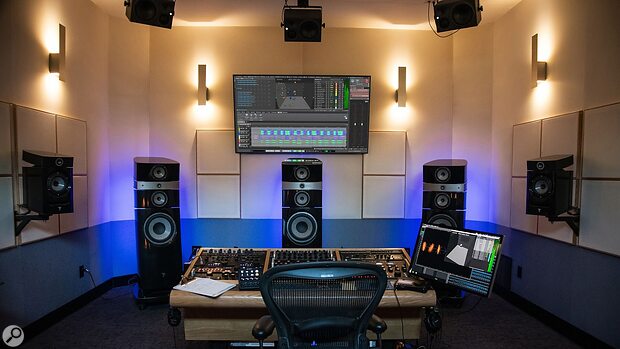
” alt=”WaveLab Pro 13 MasterRig 2 interface with metering display”/>
MasterRig 2: A Complete Redesign of WaveLab Pro 13’s Core Mastering Engine
If you’ve used the original MasterRig, you know the frustrations — a cramped UI, awkward module switching, and limited scalability on high-resolution displays. Steinberg addressed every single one of these pain points with MasterRig 2.
The interface is now fully scalable, which means it finally looks crisp on 4K and 5K monitors without any blurriness or element misalignment. The HDPI waveform outlines have been improved across the entire application, not just within MasterRig. For engineers who spend 8-12 hours a day staring at waveforms and meters, this isn’t cosmetic — it’s a fatigue-reduction feature that directly impacts decision-making quality over long sessions.
Under the hood, MasterRig 2 features enhanced EQ, compression, limiting, and stereo imaging modules. Each module has been refined with updated algorithms and more granular parameter control. The addition of sidechain support is particularly significant for mastering engineers. Being able to reference an external source while applying dynamic processing — whether that’s multiband compression keyed to a reference track or frequency-specific limiting triggered by a particular element in the mix — opens up workflows that were previously only possible with complex routing in a DAW.
Consider a practical scenario: you’re mastering a vocal-heavy track and want your limiter to respond differently when the vocal peaks versus when the instrumental peaks. With sidechain support in MasterRig 2, you can route a vocal stem as the sidechain input and shape the limiting behavior accordingly. This level of control within a dedicated mastering application is something engineers have been requesting for years.
According to Steinberg’s official feature page, WaveLab Pro 13 also brings wider VST 3 compatibility and improved plugin interface scaling. This means third-party plugins within your MasterRig 2 chain will render correctly regardless of display scaling, eliminating those annoying situations where a plugin’s GUI appears either tiny or blurry. The broader VST 3 support also means that more niche mastering plugins — the kind that specialized engineers rely on — are now fully compatible within the WaveLab environment.
TruePeak Normalization in WaveLab Pro 13 — Essential for the Streaming Era
Every major streaming platform — Spotify, Apple Music, YouTube Music, Amazon Music, Tidal — applies loudness normalization. The industry has largely moved past the loudness war. But there’s a subtler, more insidious problem that many mastering engineers still grapple with daily: inter-sample peaks (ISP).
Standard peak meters don’t catch ISPs. These invisible peaks only manifest during digital-to-analog conversion, when the reconstruction filter interpolates between samples and produces a value that exceeds 0 dBFS. The result is clipping artifacts that degrade audio quality in ways that are difficult to diagnose after the fact. You might deliver a master that looks perfectly clean on your meters, only to discover distortion artifacts on certain playback systems.
WaveLab Pro 13’s TruePeak normalization tackles this head-on, and not just for individual files. As Sound On Sound reported, the TruePeak normalization works across ADM (Audio Definition Model) files, ensuring consistent levels across multiple immersive audio deliverables. This is particularly crucial for Dolby Atmos content, where maintaining loudness consistency across an entire album’s worth of ADM files has traditionally been a manual, time-consuming process that required checking each deliverable individually.
In practical terms, this means you can normalize an entire album montage to a specific TruePeak ceiling — say, -1.0 dBTP as recommended by most streaming platforms — in one pass. No more bouncing individual tracks and checking each one against your target. No more discovering that track seven is 0.3 dB hotter than the rest after you’ve already delivered. WaveLab Pro 13 handles the entire batch with mathematical precision, and the results are verifiable through the built-in metering.
Dolby Atmos Mastering — Immersive Audio Gets a Proper Home
This is where WaveLab Pro 13 makes its boldest move. Steinberg has introduced dedicated Master Montages and Album Montages specifically designed for immersive audio. Until now, mastering Dolby Atmos content typically required jumping between multiple applications or relying on Dolby’s own tools for the final stage.
WaveLab Pro 13 integrates the entire Atmos mastering workflow into a single environment. The stereo reference A/B comparison feature lets you instantly switch between your Atmos mix and its stereo downmix, which is essential for ensuring translation between formats. Sound On Sound confirmed that this comparison happens in real-time, with no rendering required.
The addition of MixerDelay and Bass Manager for immersive monitoring means you can properly calibrate speaker delays and manage subwoofer routing directly within WaveLab. For mid-size studios that have invested in immersive monitoring setups but lack dedicated hardware controllers, this is a significant capability upgrade.
According to Production Expert’s analysis, the Atmos mastering workflow becomes truly powerful when combined with TruePeak normalization across ADM files. You can master an entire immersive audio album within a single project while maintaining consistent loudness — something that previously required multiple tools and manual verification at each step.
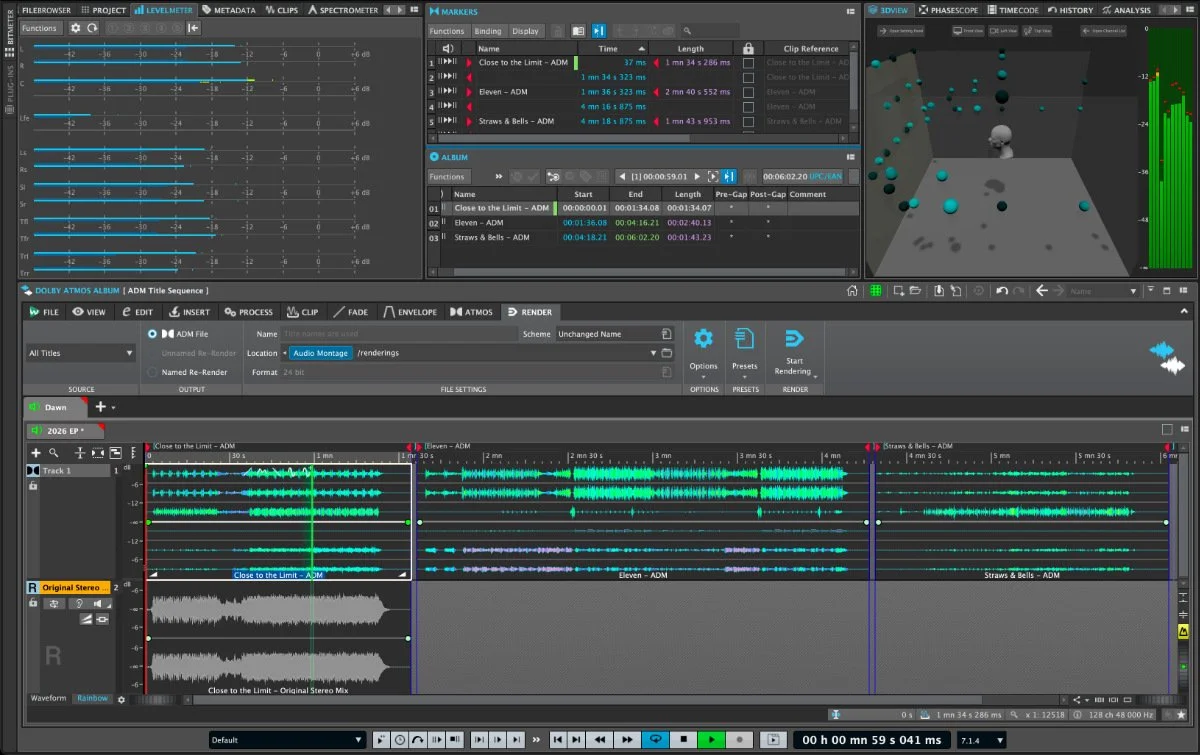
” alt=”WaveLab Pro 13 Dolby Atmos mastering montage interface”/>
Multicore Rendering — Up to 10x Faster Processing
Steinberg claims up to 10x faster offline rendering with WaveLab Pro 13’s multicore support, and based on the architecture change, that number is entirely plausible. Previous versions relied on single-core processing for offline renders, which meant that complex plugin chains or high-resolution 96kHz/32-bit float audio files could take painfully long to process — sometimes longer than real-time.
With multicore rendering, simultaneous processing distributes the workload across all available CPU cores. This changes the economics of batch processing entirely. Consider a typical album delivery: you need 16-bit/44.1kHz for CD, 24-bit/96kHz for hi-res streaming platforms, MQA-compatible renders, and perhaps AAC previews for approval. What used to require stepping away for 30-40 minutes can now complete in a fraction of that time.
For studios that handle multiple mastering projects per day, this isn’t just a convenience improvement — it fundamentally changes how many projects you can turn around. Time saved on rendering is time available for critical listening, client revisions, and the creative aspects of mastering that actually require human judgment.
The new Audio Processing Load Bar displays resource usage in real-time as a percentage, giving you immediate feedback on how close you are to maxing out your system. This visibility is surprisingly useful when building complex processing chains — you can monitor CPU load as you add each plugin and make informed decisions about where to optimize. If you’re running a particularly demanding chain with linear-phase EQ, multiband compression, and a brickwall limiter, knowing exactly how much headroom your system has prevents those frustrating moments when a render fails mid-process due to CPU overload.
Audio File Comparer and Workflow Improvements
Critical listening and comparison are the backbone of mastering, and WaveLab Pro 13 gives engineers better tools for both. The Audio File Comparer now reports residual peak levels between two files, letting you quantify differences with hard data rather than relying solely on your ears. This is invaluable for revision comparisons — when a client asks “what changed between version 3 and version 4,” you can show them exactly what changed and by how much, down to the sample level.
This capability also serves as a quality control mechanism for format conversions. When you’re converting a 24-bit master to 16-bit with dithering, the Audio File Comparer can tell you precisely what the residual difference is. If something looks off — say, the residual peak level is higher than expected — you know immediately that something in your conversion chain needs attention.
The Audio Montage workflow has also been refined with enhanced envelope functions and improved editing efficiency. These may sound like incremental changes on paper, but for studios processing dozens of tracks daily, small friction reductions compound into significant time savings. When you multiply a 30-second improvement per track by 20 tracks per day, 5 days a week, you’re looking at hours of recovered productivity each month.
What WaveLab Pro 13 Means for Mastering Engineers — A Veteran’s Perspective
Having worked in the music and audio industry for over 28 years, I’ve seen mastering software evolve through several generational shifts. What makes WaveLab Pro 13 noteworthy isn’t the feature count — it’s the fact that Steinberg identified the actual workflow bottlenecks that mastering engineers face daily and addressed them systematically.
- Metering reliability — TruePeak normalization eliminates inter-sample peak issues at the source
- Immersive audio readiness — Dedicated Dolby Atmos mastering environment positions studios for the market’s direction
- Processing speed — Multicore rendering transforms batch workflow efficiency
- Precision comparison — Audio File Comparer enables data-driven quality verification
- Extensibility — Improved VST 3 compatibility strengthens the third-party plugin ecosystem
Since its world premiere at NAMM 2026, the Steinberg forums community has been actively discussing the metering and mastering improvements with largely positive feedback. With the current 15% launch discount, this is an opportune time for studios considering the upgrade.
The mastering landscape is shifting — streaming normalization, immersive audio formats, and higher resolution deliverables are the new baseline. WaveLab Pro 13 positions itself squarely at the center of that evolution. The days of redoing a master because your meters weren’t telling the whole truth? Those should finally be behind us.
Need professional mastering or help building a Dolby Atmos mixing workflow? Greit Studios can help you get there.
Get weekly AI, music, and tech trends delivered to your inbox.






