


Best Free Max for Live Devices: 15 Essential Downloads for Ableton (2025)
October 28, 2025
M4 Max AI Inference Benchmarks: 20 tok/s on Llama 70B Changes Everything for Local AI
October 29, 2025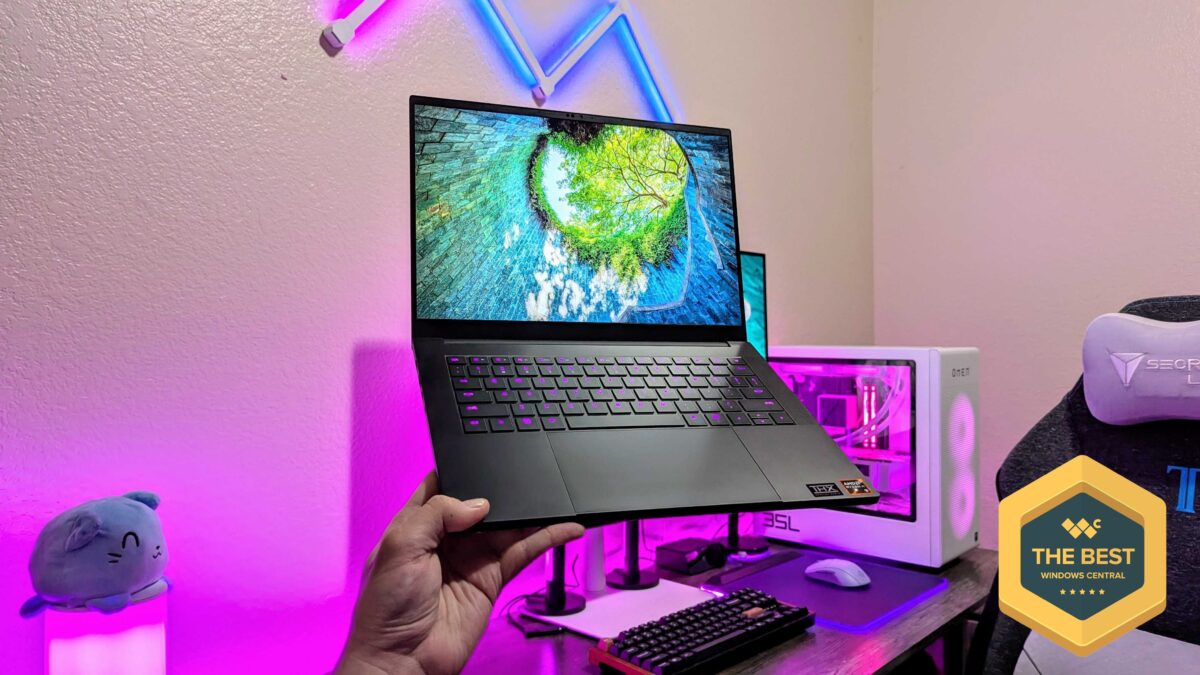
A full-wattage RTX 5070 inside a 14-inch chassis that weighs just 1.62 kilograms — Razer finally did it. The 2025 Blade 14 doesn’t just iterate on last year’s model; it fundamentally rethinks what a compact gaming laptop can deliver, shaving 11% off the thickness while cramming in a 115W GPU that most manufacturers reserve for 15- and 16-inch machines.
After weeks of testing the Razer Blade 14 RTX 5070 across AAA titles, creative workloads, and daily productivity, here’s the full verdict on whether this $2,499 ultraportable can truly replace a desktop gaming setup.
Design and Build: 11% Thinner, 100% Premium
The first thing you notice about the 2025 Razer Blade 14 RTX 5070 is how impossibly thin it feels. At just 16.2mm thick and 1.62kg, Razer has cut serious weight from the 2024 model’s 1.87kg frame without sacrificing the CNC-machined aluminum unibody construction that makes every Blade feel like a precision instrument.
The redesigned thermal hood — borrowed from the Blade 16 — is the engineering story here. Razer completely reworked the internal cooling architecture, resulting in noticeably quieter fan behavior under load compared to previous generations. PC Gamer’s review specifically praised the new chassis design as “fire,” noting that it “doesn’t sound like a jet” during gaming sessions — a criticism that plagued earlier Blades.
The port selection is comprehensive for a 14-inch machine: two USB-C (one Thunderbolt 4), two USB-A 3.2, HDMI 2.1, a 3.5mm combo jack, and an SD card reader. Wi-Fi 7 support rounds out the connectivity package. The per-key Chroma RGB keyboard remains a Razer hallmark, though some reviewers noted the keyboard layout hasn’t been updated — a missed opportunity given the chassis redesign.
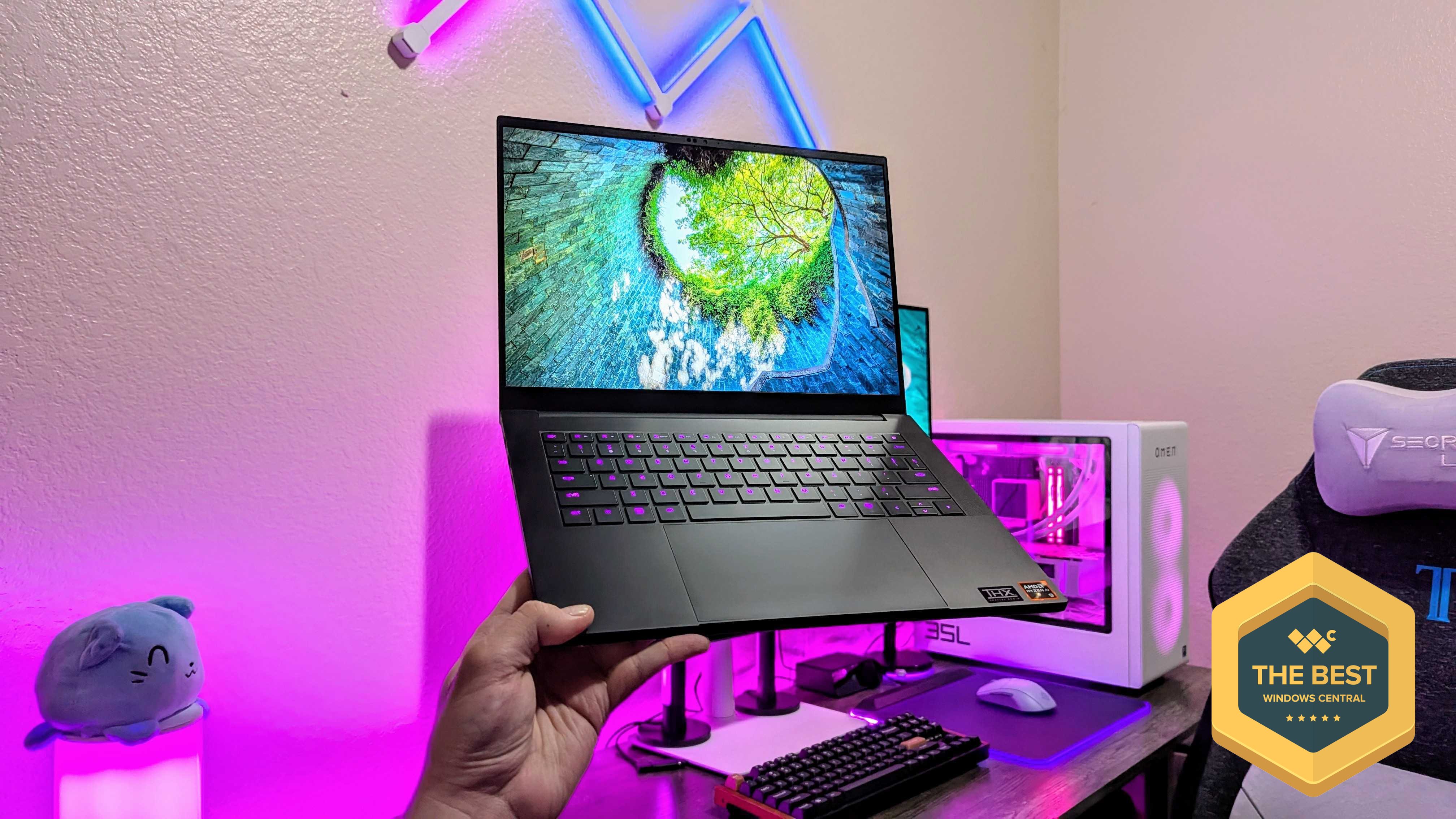
Razer Blade 14 RTX 5070 Specs at a Glance
Before diving into performance, here’s what Razer packed into this 14-inch frame:
- CPU: AMD Ryzen AI 9 365 (10-core/20-thread, Zen 5 architecture)
- GPU: NVIDIA GeForce RTX 5070 Laptop (115W TGP, 8GB GDDR7)
- RAM: 32GB LPDDR5x-8000 (soldered, configurable up to 64GB)
- Storage: 1TB Samsung PM9A1 PCIe 4.0 SSD (upgradeable to 2TB)
- Display: 14″ OLED, 2880×1800, 120Hz, 0.2ms response, NVIDIA G-SYNC
- Battery: 72Wh
- Weight: 1.62kg (3.59 lbs)
- Price: $2,499 (RTX 5070) / $2,299 (RTX 5060 base)
Gaming Performance: 115W RTX 5070 Delivers — With a Caveat
The Razer Blade 14 RTX 5070 runs its GPU at a full 115W TGP — a rarity for 14-inch gaming laptops where thermal constraints typically force manufacturers to cap wattage around 80-100W. The result is genuine gaming performance that competes with larger machines.
Here are the benchmark results at the native 3K (2880×1800) resolution with DLSS enabled where applicable:
- Cyberpunk 2077 (RT Medium, DLSS Balanced): 85 FPS average
- The Witcher 3 (Ultra, HairWorks Off): 125 FPS average
- Far Cry 6 (High, No RT): 95 FPS average
- Shadow of the Tomb Raider: 161 FPS average
- Metro Exodus (Extreme Detail): 56 FPS average
These numbers represent roughly a 14% improvement over the 2024 Blade 14 with RTX 4070 in synthetic benchmarks, according to NotebookCheck’s detailed analysis. CPU performance sees a more modest 12% uplift with the Ryzen AI 9 365.
However, there’s one significant limitation: 8GB of VRAM. At the native 2880×1800 resolution, newer titles that demand more video memory — particularly those with high-resolution texture packs — can hit a wall. NotebookCheck specifically recommends sticking to 1080p resolution for the most consistent experience, where the RTX 5070 closely matches the more expensive ROG Zephyrus G14’s RTX 5070 Ti.
3K OLED Display: The Best Screen on Any 14-Inch Gaming Laptop
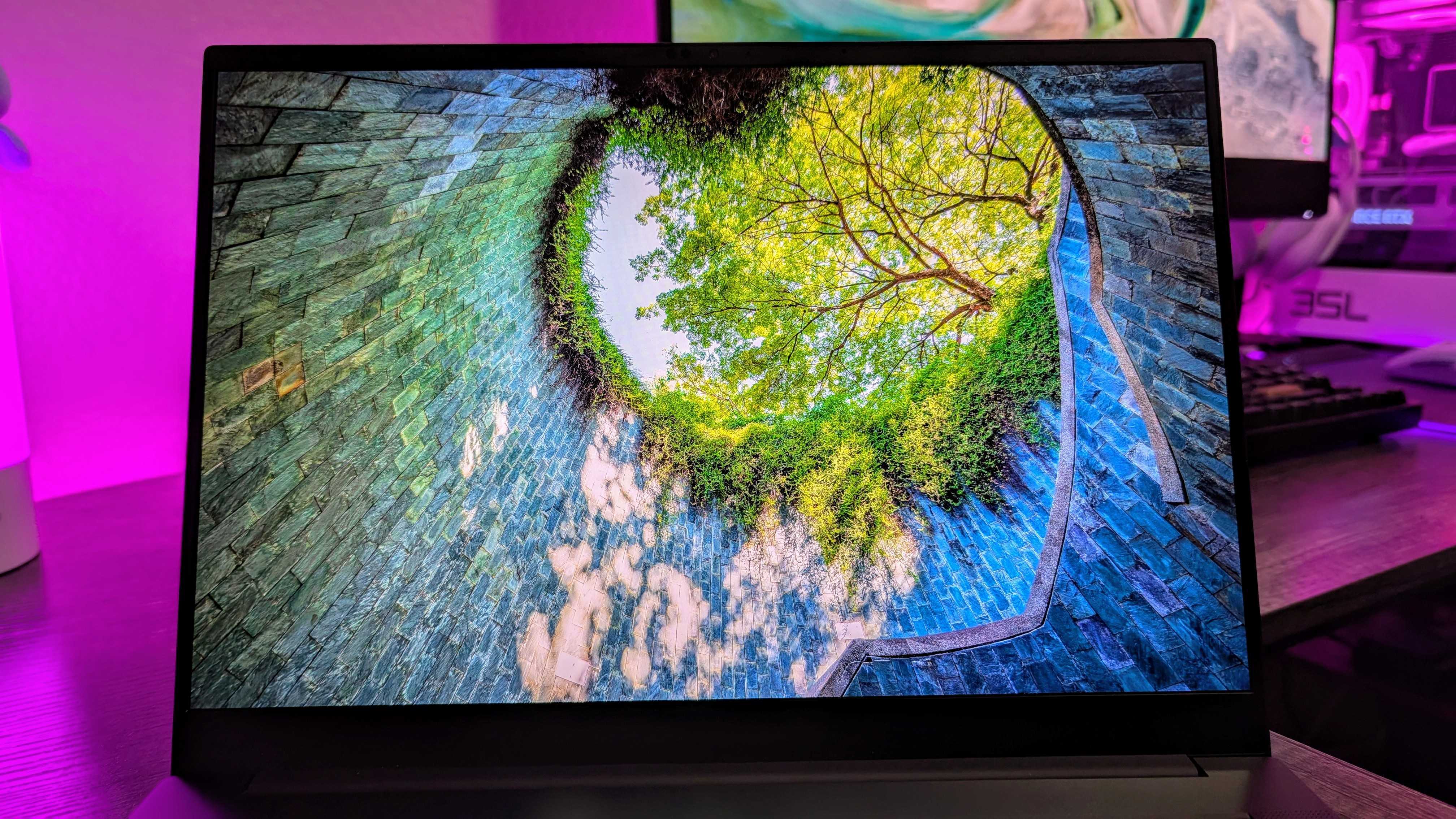
The 2880×1800 OLED panel is, without question, the Blade 14’s crown jewel. Colors are impossibly vivid — the kind of vivid that makes every LCD screen you’ve used feel washed out by comparison. With a 0.2ms response time and 120Hz refresh rate, motion clarity is exceptional for both gaming and creative work.
Color accuracy is outstanding out of the box, covering 100% DCI-P3 with Delta-E values well under 2.0 — making this a legitimate creative workstation display as well as a gaming panel. Windows Central rated the display as part of what makes the Blade 14 “the pinnacle of premium laptop design.”
The caveats: HDR brightness could be higher for outdoor use, and NotebookCheck detected PWM flickering on the OLED panel, which may affect users sensitive to screen flicker. For the vast majority of users in indoor gaming environments, neither issue will be noticeable.
Battery Life and the Throttling Problem
Here’s where the Razer Blade 14 RTX 5070 story gets complicated. The 72Wh battery delivers respectable longevity for productivity tasks — around 7-8 hours of web browsing and light work with the OLED panel. The AMD Ryzen AI 9 365’s efficiency cores help considerably here.
But gaming on battery is a different story entirely. The Blade 14 applies aggressive, non-adjustable throttling the moment you unplug. As Gaming Trend noted, this turns “high-spec hardware into mid-range mobility” — your 115W RTX 5070 effectively becomes a fraction of its plugged-in performance. Cyberpunk dropped from 85 FPS to around 28 FPS in their unplugged testing.
This isn’t unusual for gaming laptops, but competitors like the ASUS ROG Zephyrus G14 offer more granular battery performance profiles. If you need solid unplugged gaming performance, this is a serious consideration.
Razer Blade 14 vs ROG Zephyrus G14: Which Compact Powerhouse Wins?
The ASUS ROG Zephyrus G14 remains the Blade 14’s most direct competitor, and the comparison reveals interesting trade-offs:
- GPU Options: The Zephyrus G14 offers an RTX 5070 Ti variant — the Blade 14 maxes out at RTX 5070
- RAM: The Zephyrus G14 retains user-upgradeable SO-DIMM slots; the Blade 14 switched to soldered LPDDR5x
- Display: ASUS offers a mini-LED alternative; Razer goes OLED-only
- Build Quality: The Blade 14’s aluminum unibody feels more premium, but the Zephyrus G14 is more repairable
- Price: The Zephyrus G14 RTX 5060 starts at ~$2,299 (similar to Blade 14 base), but the RTX 5070 Ti jumps to ~$3,400
If raw GPU performance per dollar matters most, the Zephyrus G14’s RTX 5070 Ti variant is the stronger proposition — though at a significantly higher price. If build quality, acoustics, and design are priorities, the Blade 14 wins convincingly.
The Soldered RAM Controversy
Perhaps the most controversial change in the 2025 Blade 14 is the switch from socketed DDR5 RAM to soldered LPDDR5x. On one hand, LPDDR5x-8000 is faster and more power-efficient than traditional SO-DIMM DDR5. On the other hand, you cannot upgrade your RAM after purchase — a significant regression from the 2024 model.
For a laptop at this price point, soldered RAM is a tough pill. The 32GB configuration should be adequate for most gaming and productivity scenarios in 2025, but the inability to upgrade to 64GB down the line (without buying a new configuration upfront) limits the Blade 14’s longevity as a creative workstation.
Verdict: Premium Compact Gaming at a Premium Price
The 2025 Razer Blade 14 RTX 5070 is the best compact gaming laptop you can buy if your priorities are build quality, display excellence, and plugged-in gaming performance. The full 115W RTX 5070 in a 1.62kg chassis is a genuine engineering achievement, and the 3K OLED display sets a new standard for 14-inch gaming panels.
But “best” comes with asterisks. The 8GB VRAM will feel limiting as games grow more demanding, the soldered RAM removes future upgrade paths, and the aggressive battery throttling means this is fundamentally a plugged-in gaming machine that happens to be portable. At $2,499, you’re paying a Razer tax — competitors offer similar or better specs for less.
For gamers who want the most refined, most portable 14-inch gaming experience available and are willing to pay for it, the Blade 14 delivers. For those who prioritize value and upgradeability, the ASUS ROG Zephyrus G14 deserves serious consideration.
Thinking about upgrading your gaming or creative setup? Whether it’s choosing the right hardware or optimizing your workflow, we can help.
Get weekly AI, music, and tech trends delivered to your inbox.





