GDC 2026 Game Audio AI Shock: 52% of Developers Say AI Hurts the Industry — 5 Reasons Sound Designers Lead the Revolt
March 28, 2026
I thought it would be a simple copy-paste of a Docker Compose file. Two minutes later, my server was completely unresponsive — SSH wouldn’t even connect. What followed was a week-long journey through OOM crashes, version downgrades, and OAuth configuration nightmares while setting up Postiz n8n Docker self-hosting on an AWS Lightsail 2GB instance. Here’s every mistake I made and exactly how I fixed each one.
Why Postiz + n8n — Building an Automation Pipeline for 36 SNS Accounts
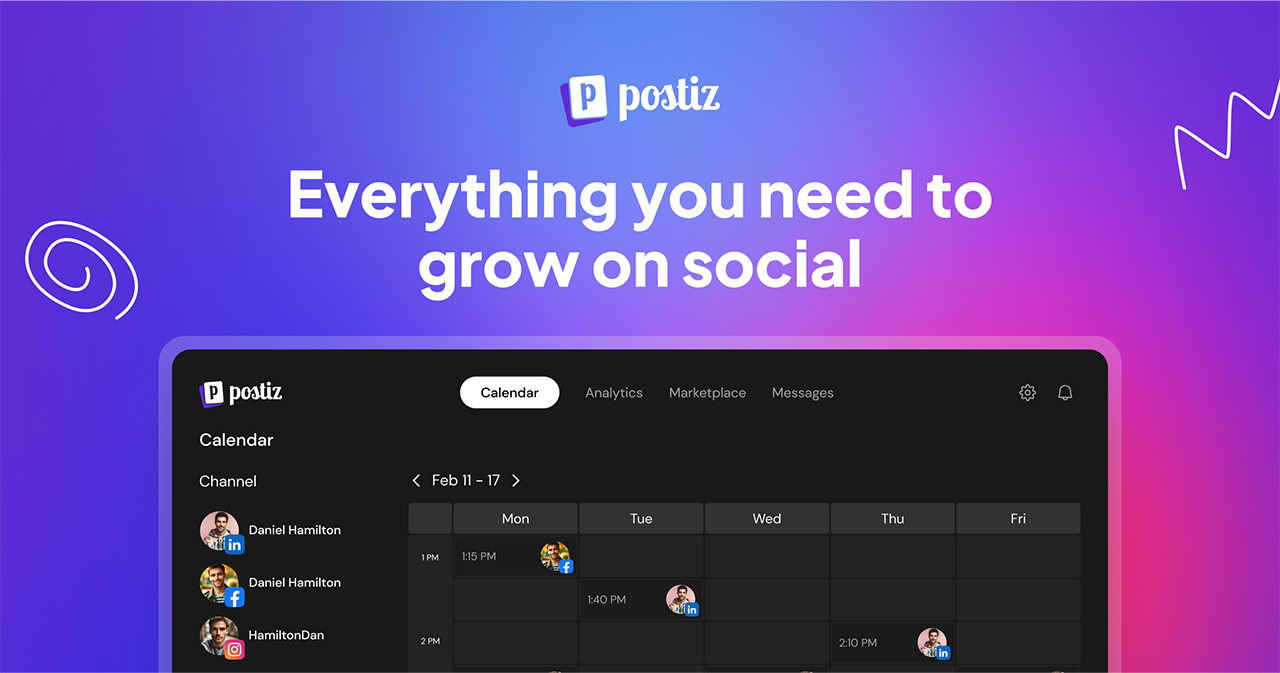
Managing social media manually stops being viable once you’re running more than a handful of accounts. Across multiple projects, I’d accumulated 36 SNS accounts — Instagram, X (Twitter), LinkedIn, TikTok, YouTube, and more. The vision was straightforward: AI bots generate content, Notion and NAS handle storage and approval, n8n orchestrates the workflow, and a social media scheduler handles the actual publishing.
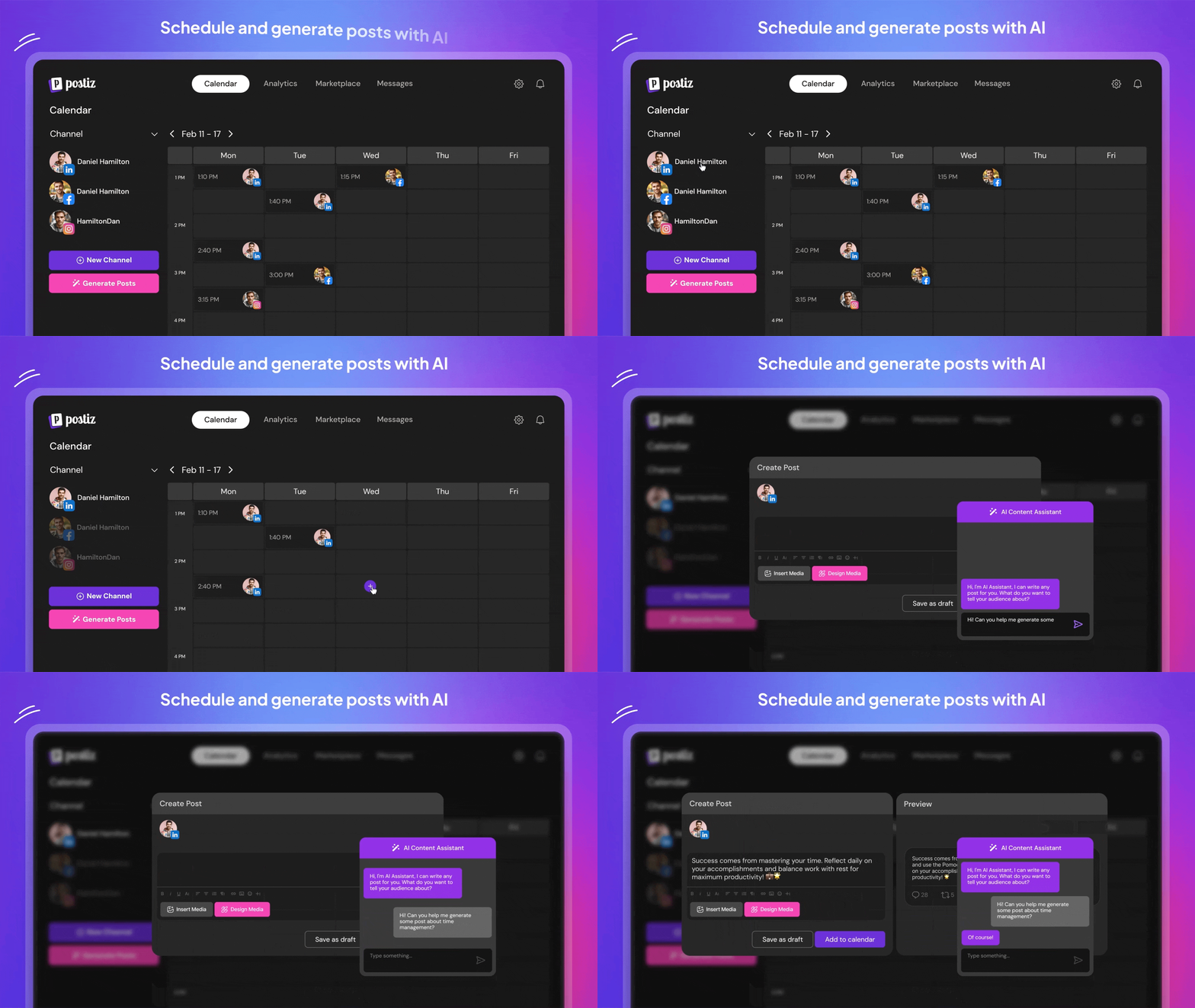
Postiz checked every box. It’s an open-source, self-hosted social media scheduler that supports 36 platforms and provides a REST API — making it a perfect fit for integration with n8n automation workflows. Unlike Buffer or Hootsuite, which charge per-seat monthly fees that add up fast at scale, Postiz’s self-hosting cost is essentially zero beyond the server itself. Since I already had n8n running on an AWS Lightsail instance, adding Postiz to the same server seemed like the most cost-efficient path to completing the entire pipeline.
AI Bots (Content Generation)
    ↓
Notion / NAS (Content Storage & Approval)
    ↓
n8n (Automation Workflows)
    ↓
Postiz (Social Media Scheduler)
    ↓
36 SNS Accounts (Auto-publish)
Failure #1: 8 Containers With Temporal — Server Down in 2 Minutes
A colleague shared their docker-compose.yml file, and I dropped it onto the server without much thought. The file included the full Temporal workflow engine stack alongside Postiz itself: the Postiz app, PostgreSQL, Redis, plus Elasticsearch, Temporal Server, Temporal’s own PostgreSQL instance, Temporal Admin Tools, and Temporal UI — eight containers in total.
I ran docker compose up -d and waited. About two minutes later, the SSH connection dropped. Repeated reconnection attempts timed out. I had to force-reboot the instance from the AWS Lightsail console.
Root Cause: OOM on a 2GB Server
The server specs were AWS Lightsail’s $10/month tier: 2GB RAM, 2 vCPU. Here’s the estimated memory breakdown of those eight containers:
- temporal-elasticsearch: ~1.0 GB (Elasticsearch’s default heap is aggressive)
- temporal + temporal-postgresql + temporal-ui: ~500 MB
- postiz + postiz-postgres + postiz-redis: ~400 MB
- Total: ~1.9 GB — instant OOM on a 2GB machine
When Docker containers exhaust available memory, the Linux OOM Killer starts terminating processes. If the SSH daemon gets killed in the process, remote access becomes impossible. The only recovery path is a console-level reboot. Lesson learned: always calculate total memory requirements before running docker compose up on a constrained server.
What Is Temporal and Why Small-Scale Self-Hosters Don’t Need It
Temporal is a workflow orchestration engine designed for large-scale distributed systems. It handles task queue management, retry logic, and state tracking — essential features when you’re running a SaaS platform serving thousands of users managing hundreds of social accounts simultaneously.
For a solo operator or small team, though, it’s massive overkill. Postiz’s built-in scheduler combined with Redis handles job queuing and scheduling perfectly well at this scale. Temporal’s Elasticsearch component alone consumes 1GB of RAM — more than enough to schedule posts for 36 accounts many times over without the orchestration overhead.
The Fix: A Lean 3-Container Postiz n8n Docker Compose Setup
I created a fresh 2GB instance from a snapshot of my existing n8n server — keeping the original intact as a safety net. Then I added only three Postiz services to the existing docker-compose.yml that was already running n8n.
services:
  # Existing n8n service (unchanged)
  n8n:
    image: n8nio/n8n
    # ...

  # Postiz services (only 3 containers)
  postiz:
    image: ghcr.io/gitroomhq/postiz-app:v2.11.3
    container_name: postiz
    restart: unless-stopped
    environment:
      MAIN_URL: "https://postiz.yourdomain.com"
      FRONTEND_URL: "https://postiz.yourdomain.com"
      NEXT_PUBLIC_BACKEND_URL: "https://postiz.yourdomain.com/api"
      JWT_SECRET: "${POSTIZ_JWT_SECRET}"
      DATABASE_URL: "postgresql://postiz:${POSTIZ_DB_PASSWORD}@postiz-db:5432/postiz"
      REDIS_URL: "redis://postiz-redis:6379"
      BACKEND_INTERNAL_URL: "http://localhost:3000"
      IS_GENERAL: "true"
      STORAGE_PROVIDER: "local"
      UPLOAD_DIRECTORY: "/uploads"
      NEXT_PUBLIC_UPLOAD_STATIC_DIRECTORY: "/uploads"
      TEMPORAL_ADDRESS: ""
    volumes:
      - postiz_uploads:/uploads
    ports:
      - "5000:5000"
    depends_on:
      postiz-db:
        condition: service_healthy
      postiz-redis:
        condition: service_healthy

  postiz-db:
    image: postgres:17-alpine
    container_name: postiz-db
    restart: unless-stopped
    environment:
      POSTGRES_DB: postiz
      POSTGRES_USER: postiz
      POSTGRES_PASSWORD: "${POSTIZ_DB_PASSWORD}"
    volumes:
      - postiz_db_data:/var/lib/postgresql/data
    healthcheck:
      test: ["CMD-SHELL", "pg_isready -U postiz -d postiz"]
      interval: 10s
      timeout: 5s
      retries: 5

  postiz-redis:
    image: redis:7.2
    container_name: postiz-redis
    restart: unless-stopped
    healthcheck:
      test: ["CMD", "redis-cli", "ping"]
      interval: 10s
      timeout: 5s
      retries: 5
For the reverse proxy, Caddy makes HTTPS trivially simple. Just add the domain-to-port mapping and Caddy handles certificate provisioning and renewal automatically:
# Caddyfile
n8n.yourdomain.com {
    reverse_proxy n8n:5678
}

postiz.yourdomain.com {
    reverse_proxy postiz:5000
}
Measured Memory Usage
Here’s the actual memory consumption from docker stats --no-stream:
CONTAINER       CPU %   MEM USAGE / LIMIT     MEM %
postiz          0.5%    280MiB / 1.953GiB     14.0%
postiz-db       0.1%    85MiB / 1.953GiB      4.2%
postiz-redis    0.1%    8MiB / 1.953GiB       0.4%
n8n             0.2%    120MiB / 1.953GiB     6.0%
caddy           0.0%    15MiB / 1.953GiB      0.7%
Total: ~508MiB / 2GB — plenty of headroom
From ~1.9GB with the full Temporal stack down to ~500MB with five containers (including n8n and Caddy). The server runs smoothly with over 1.4GB of free memory as a buffer.
Failure #2: The Postiz “latest” Tag Trap — Temporal Becomes Mandatory
Even after stripping Temporal from the stack, Postiz kept crashing in a restart loop. The logs told the story immediately:
docker logs postiz --tail 50

# Error: TEMPORAL_ADDRESS is required
# Failed to connect to Temporal server at :7233
# Connection refused
Starting from v2.12.0, Postiz made Temporal a hard dependency. Setting TEMPORAL_ADDRESS to an empty string doesn’t help — the latest image unconditionally attempts to connect to a Temporal server on startup. There’s no environment variable bypass.
Solution: Pin to v2.11.3
After checking the Postiz GitHub repository release notes, I confirmed that v2.11.3 is the last stable version that runs without Temporal.
# docker-compose.yml change
postiz:
  # Before
  image: ghcr.io/gitroomhq/postiz-app:latest

  # After — version pinning is essential
  image: ghcr.io/gitroomhq/postiz-app:v2.11.3

# Pull the specific version and restart
docker compose pull postiz
docker compose up -d postiz
Once docker logs postiz --tail 20 showed “Server is running on port 5000,” the application was stable. This is a critical lesson in self-hosting: never use :latest tags in production. A single upstream update can introduce breaking changes without warning.
X (Twitter) OAuth Setup — The Native App vs Web App Gotcha
Connecting X (Twitter) to Postiz required creating an app on the X Developer Portal. The most critical decision comes early in the setup: choosing the App Type.
- Native App (correct choice): Configures OAuth 1.0a and provides Consumer Key / Consumer Secret — which is exactly what Postiz requires.
- Web App (the trap): Locks the app to OAuth 2.0 and provides Client ID / Client Secret — which Postiz cannot use for posting.
Set the Callback URI to https://postiz.yourdomain.com/integrations/social/x and App Permissions to Read and write. If permissions are set to Read only, posting will silently fail.
X API Pricing in 2026
X’s API has moved to a pay-per-use model. Posting costs $0.01 per tweet with a minimum credit purchase of $5. At 100 posts per month, that’s roughly $1 — negligible for any automation setup. The free tier only covers read-only API access; write operations (posting) require credits.
My Take: What 28 Years in Audio Taught Me About Self-Hosting
After 28 years working across music, audio engineering, and tech, one principle holds universally true: never trust spec sheets alone. Whether you’re setting up a studio signal chain or deploying Docker containers, the only way to know actual resource consumption is to measure it in your specific environment. This Postiz + n8n project was a textbook example of that principle.
Calculating per-container memory usage before hitting docker compose up is fundamentally the same discipline as checking per-plugin CPU load before adding another insert to a Pro Tools session. Resources have hard limits. When you exceed them, the system doesn’t degrade gracefully — it just stops. Whether that’s a server going unresponsive or a DAW producing audio dropouts, the pattern is identical.
The version pinning issue was perhaps the most instructive part of this whole experience. Open-source projects evolve based on their maintainers’ priorities, which don’t always align with individual self-hosters’ needs. Postiz making Temporal mandatory in v2.12.0 makes perfect sense for their SaaS ambitions, but it’s a breaking change for anyone running lean infrastructure. The lesson is the same one every studio engineer learns: when something works in production, don’t update it without a rollback plan. Pin your versions. Test upgrades in isolation. And never, ever use :latest in a production Docker Compose file.
Final Stack Summary and What’s Next
AWS Lightsail (2GB / 2 vCPU / Seoul Region)
├── Caddy (Reverse Proxy + Auto HTTPS)
├── n8n (Automation Workflows)
├── Postiz v2.11.3 (SNS Scheduler)
├── postiz-db (PostgreSQL 17)
└── postiz-redis (Redis 7.2)

Memory Usage: ~450-500 MB / 2 GB
Domains: n8n.yourdomain.com, postiz.yourdomain.com
The current setup’s limitations are clear. Pinning to v2.11.3 means missing out on security patches and new features. The long-term plan is to migrate to Oracle Cloud’s Always Free tier — 4 ARM OCPUs, 24GB RAM, 200GB storage, permanently free — and upgrade to the latest Postiz with full Temporal support. With 24GB, running Elasticsearch alongside everything else won’t even make a dent.
5 Key Takeaways
- Calculate memory before deploying — Elasticsearch alone eats 1GB
- Skip Temporal for small-scale self-hosting — the built-in scheduler + Redis is enough
- Pin Postiz to v2.11.3 — last stable version without mandatory Temporal
- Choose Native App for X OAuth — Web App forces OAuth 2.0, which Postiz can’t use
- Oracle Cloud Free Tier is the endgame — 24GB RAM for the full stack, zero cost
Postiz n8n Docker self-hosting involves real troubleshooting, but once stabilized, you get a complete SNS automation pipeline for 36 accounts at just $10/month in Lightsail costs. Compared to Buffer or Hootsuite subscriptions that can run into hundreds of dollars monthly, the ROI is overwhelming — and you own your entire stack.
Need help building automation systems or optimizing your self-hosted infrastructure? Let’s design the right solution together.
Get weekly AI, music, and tech trends delivered to your inbox.