


PS VR2 PC Adapter: Complete SteamVR Setup Guide with 7,000+ Games (2025)
May 15, 2025
Apple M4 Ultra: 5 Reasons the Dual-Die Chip May Never Arrive
May 16, 2025
The days of toggling between your web browser and internal document search are officially over. Perplexity AI Internal Knowledge Search just dropped, and it does something deceptively simple but genuinely powerful: it lets teams search the open web and their private documents in a single query. NVIDIA, Databricks, Dell, Bridgewater Associates, and Latham & Watkins are already on board. Here is why this matters more than another enterprise AI feature announcement.
What Is Perplexity AI Internal Knowledge Search?
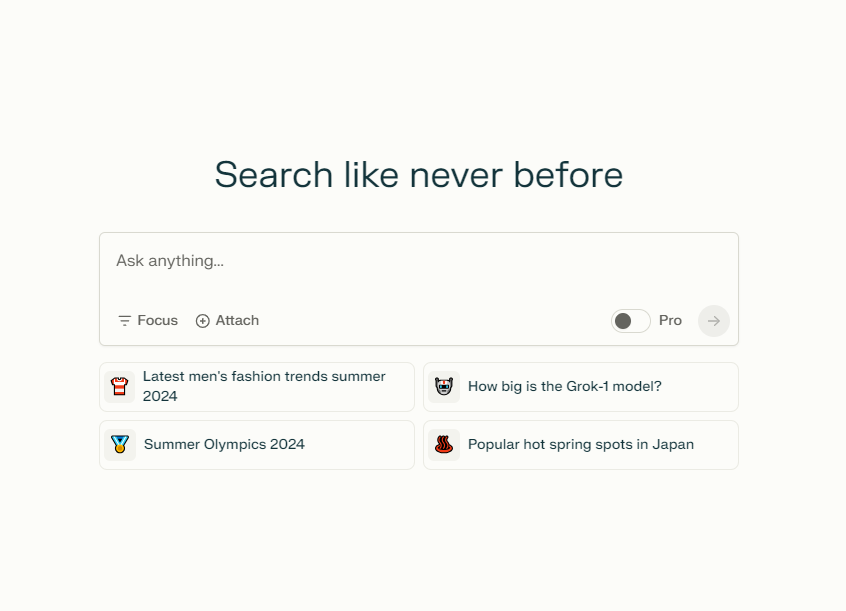
Internal Knowledge Search is Perplexity’s answer to a problem every knowledge worker knows too well: you need information scattered across the internet and your company’s internal files, but you have to use two completely different tools to find it. Perplexity CEO Aravind Srinivas put it bluntly — businesses previously needed two separate products to handle web research and internal document retrieval. Now they need one.
Available to Pro and Enterprise Pro subscribers, the feature allows teams to upload and index up to 500 files in formats like Excel, Word, and PDF. When you run a search, you can choose from four modes: Web only, Org Files only, Web + Org Files combined, or None (pure AI reasoning). The combined mode is where the magic happens — ask a question and get answers that synthesize your company’s internal data with the latest information from the web, all with source citations.
Perplexity Spaces: Beyond File Storage
Launched alongside Internal Knowledge Search, Perplexity Spaces represents Perplexity’s vision for AI-powered team collaboration. Think of Spaces as project-specific knowledge hubs where teams can organize, share, and search information by topic or initiative. Admins upload files to a central repository, and the entire team gains instant search access.
Frank te Pas, Perplexity’s head of enterprise, shared an insight that resonated: businesses typically have 90% low-value files cluttering their systems. Critical information gets buried under layers of outdated documents, redundant copies, and files nobody remembers creating. Spaces addresses this by using AI to surface the most relevant content, regardless of how deeply it is buried in your organization’s file structure.
Each Space can be customized with specific instructions that guide how the AI assistant responds within that context. A sales team’s Space might be configured to prioritize competitive analysis and pricing data, while an engineering team’s Space focuses on technical documentation and API references. You can assign Viewer, Editor, or Admin roles to control who sees what, and you can choose which AI model powers responses within each Space. This level of granularity means different departments can have fundamentally different AI experiences tailored to their workflows, all within the same platform.
Enterprise Pro Features That Actually Matter
The Perplexity AI Internal Knowledge Search feature is impressive on its own, but the surrounding enterprise infrastructure is what makes it viable for serious organizations. According to the official help center, all Enterprise Pro files and searches are excluded from AI training by default. This is not an opt-out toggle buried in settings — it is the default behavior.
Here is what the enterprise package includes:
- SSO (Single Sign-On): Integrates with existing corporate authentication systems — no separate credentials required
- Admin Controls: Centralized management of file access permissions, user roles, and search scope
- Data Privacy: All internal files and queries completely excluded from AI model training
- Third-Party Integrations: Crunchbase and FactSet integrations planned for financial and business data enrichment
- 500 File Uploads: Support for Excel, Word, PDF, and other common enterprise formats

Who Is Using It: NVIDIA, Databricks, Dell, and Beyond
The early adopter list tells a story. NVIDIA uses it for rapid access to vast technical documentation and research papers across teams. Databricks leverages it for structuring internal data engineering knowledge, accelerating new hire onboarding. Dell has deployed it across sales and HR departments for product information retrieval and internal policy searches.
The practical use cases reveal how different teams extract value from the same platform. Sales and business development teams accelerate the RFP process by combining past proposals with the latest market intelligence from the web — a query like “what pricing did we offer to similar clients in Q4” returns internal data enriched with current market benchmarks. HR teams use it to help employees quickly find answers about benefits, wellness programs, and internal policies without waiting for email responses or digging through SharePoint folders.
Perhaps more telling is the presence of Bridgewater Associates and Latham & Watkins on the client list. When a major hedge fund and an elite law firm trust an AI platform with their internal documents, it signals a level of security and reliability that goes beyond marketing claims. These are organizations where information accuracy and data protection are not optional — they are existential. For law firms, the ability to cross-reference case precedents stored internally with the latest legal developments from public sources in a single query represents a genuine productivity multiplier.
How It Stacks Up Against ChatGPT Teams and Microsoft Copilot
May 2025 is peak enterprise AI competition season, with Google I/O and Microsoft Build announcements creating a crowded landscape. ChatGPT Teams excels at conversational AI but requires additional configuration for internal document search. Microsoft Copilot offers deep Office 365 ecosystem integration, which is its strongest selling point for organizations already embedded in the Microsoft stack.
Perplexity’s differentiation comes down to one thing: unified search with source attribution. When you run a combined Web + Org Files query, the results clearly distinguish between information sourced from your internal documents and information pulled from the web. This source transparency is not just a nice feature — it is critical for decision-making. Knowing whether a data point comes from your Q3 report or from a TechCrunch article fundamentally changes how you should weight that information.
There is also the simplicity factor. Perplexity does not require you to rethink your entire workflow or migrate to a new productivity suite. You upload files, and they become searchable alongside the web. That low-friction adoption path is a strategic advantage, especially for organizations suffering from tool fatigue after years of digital transformation initiatives.
Google’s Gemini for Workspace is another competitor worth watching, especially after the announcements at I/O. But Google’s approach ties you deeper into the Workspace ecosystem, while Perplexity operates as an independent layer that sits on top of whatever tools you already use. For teams that are not fully committed to a single vendor’s ecosystem — and most are not — that independence is a meaningful advantage. The question is not which platform has the most features; it is which one integrates into your existing workflow with the least disruption.
My Take: What This Means in Practice
After 28 years working across music production, audio engineering, and tech consulting, I have learned that the tools that actually transform workflows are rarely the flashiest ones. They are the ones that eliminate a daily friction point so seamlessly that you forget you ever had the problem. Perplexity AI Internal Knowledge Search targets exactly this kind of friction.
In my own studio and consulting work, I constantly need to cross-reference internal documents — project specs, technical manuals, client briefs — with external information like the latest product updates or industry trends. Until now, that meant searching Notion for internal docs and then separately querying Perplexity for web results. The ability to do both in a single search is not a revolutionary concept, but it is a genuinely useful one that adds up over dozens of daily queries.
That said, I see some practical limitations worth noting. The 500-file cap works fine for small teams, but medium to large enterprises with thousands of documents will hit that ceiling fast. The planned Crunchbase and FactSet integrations are still in the “planned” stage — not shipped — which means financial sector teams considering adoption should verify the timeline before committing. And while the data privacy guarantees are strong on paper, organizations in regulated industries will still need to run their own compliance reviews.
One more thing that does not get enough attention: the Spaces customization model. Being able to set different AI instructions per Space means your marketing team and your engineering team are not fighting over a one-size-fits-all AI configuration. In my experience managing cross-functional projects that span creative production and technical implementation, this kind of contextual AI behavior is exactly what teams need. The AI should adapt to the team, not the other way around.
The bottom line: Perplexity’s move from personal AI search tool to enterprise platform is the right strategic play at the right time. The unified search approach — combining web and internal knowledge in one query with clear source attribution — solves a real problem that ChatGPT Teams and Copilot have not fully addressed. If your team spends significant time context-switching between internal docs and web research, Perplexity Enterprise Pro deserves a serious look. Pay particular attention to Spaces as a collaboration framework and the data privacy defaults — those two elements are what separate this from being just another enterprise AI checkbox feature.
Looking for help with AI workflow automation or team productivity tools? Let’s talk about what fits your setup.
Get weekly AI, music, and tech trends delivered to your inbox.






