


Best PC Builds Under $1000 for Back-to-School 2025: 3 Gaming & Study Rigs Compared
August 22, 2025
SSL 500-Series Modules 2025: Best Preamps and EQs for Your Lunchbox
August 25, 2025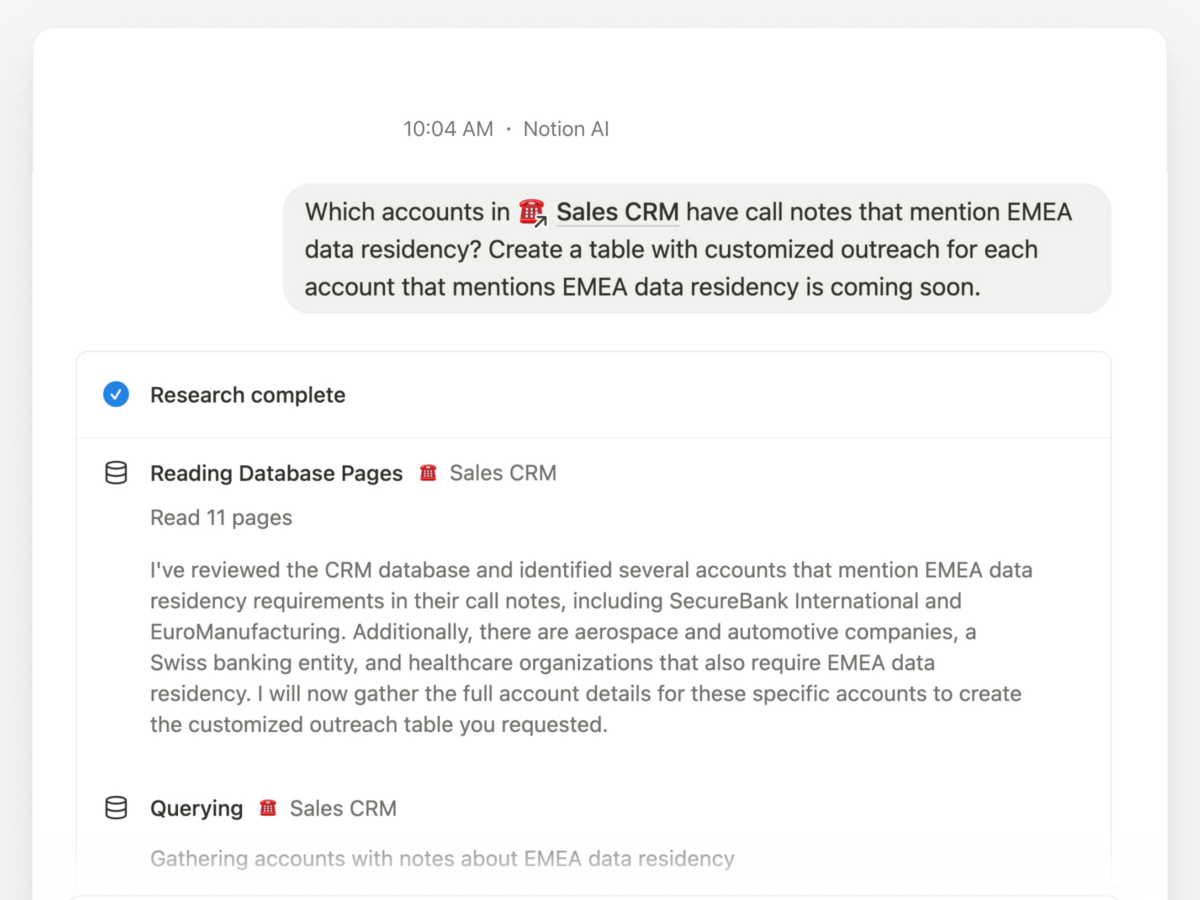
“Which accounts in our Sales CRM have call notes mentioning European data residency?” — That’s the kind of question Notion AI can now answer in seconds, pulling data across every property and page note in your database. If you’re still manually tagging, summarizing, and categorizing your Notion databases, you’re leaving the most powerful feature of 2025 untouched.
Notion 2.52’s Database Revolution: “Everything Is Database”
Notion’s 2.52 update, released July 10, 2025, wasn’t just another incremental patch — it fundamentally reframed how AI interacts with your data. The headline feature, Database Research Mode, lets Notion AI answer complex, multi-property questions by scanning across your entire database structure — properties, relations, and even the notes buried inside individual pages.
To try it, head to Home, select the Research tab, and @-mention any database. Ask something like “What are the highest-priority tasks assigned to the design team that were updated this week?” and Notion AI will cross-reference assignees, priority levels, dates, and page content to give you a synthesized answer with citations.
This isn’t basic search. This is AI-powered analysis that understands the relationships between your data points.
The 4 Types of Notion AI Database Autofill (And When to Use Each)
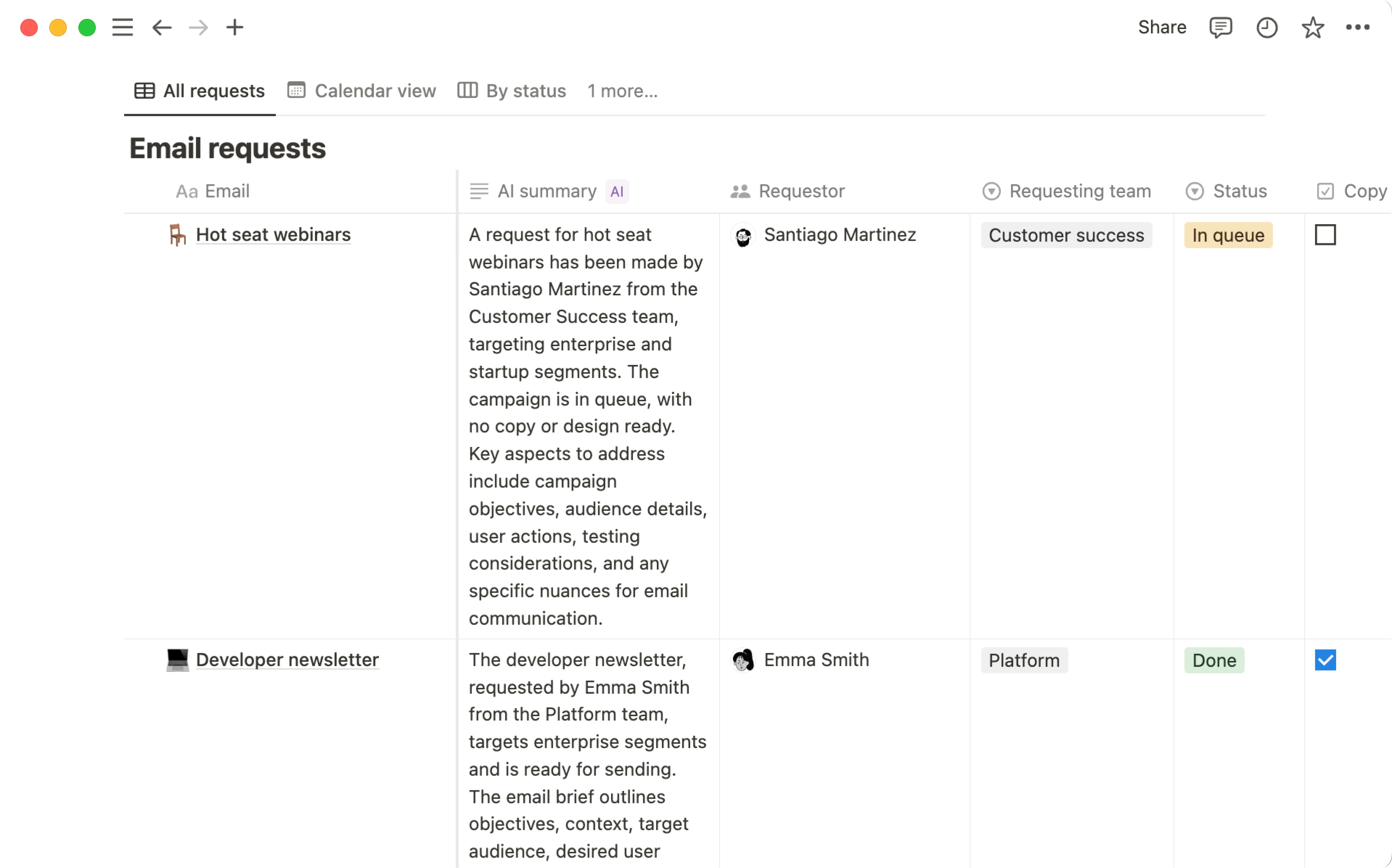
Notion AI database autofill eliminates the tedious work of manually populating database properties. Here’s how each type works and where it shines:
1. AI Summary — Meeting Notes on Autopilot
The Summary autofill scans the full content of a database page and generates a concise overview. For teams running weekly standups or client meetings in Notion, this means every page automatically gets a TL;DR without anyone having to write one. I’ve been using this across our project databases at Montadecs, and it’s saved roughly 15 minutes per meeting note — multiply that across a team and the time savings compound fast.
2. AI Key Info — Extracting What Matters
Key Info goes deeper than Summary. Instead of a general overview, it extracts specific actionable information: deadlines mentioned in the text, names of stakeholders, budget figures, or technical requirements. Think of it as an AI analyst reading every page and flagging the important bits for you.
3. AI Translate — Multilingual Teams, Zero Friction
If your team operates across languages, the Translate autofill automatically converts page content into your target language. For a Korean-English bilingual workflow like ours, this means every knowledge base entry is accessible in both languages without manual translation passes.
4. Custom Autofill — The Real Power Move
Custom Autofill is where Notion AI database autofill gets truly transformative. You write your own prompt, and AI generates content based on the page data. Examples that actually work well:
- Generating SEO meta descriptions from blog drafts
- Extracting action items as checklists from meeting notes
- Running sentiment analysis on customer feedback entries
- Creating social media captions from long-form content
- Identifying risk factors in project documentation
The custom prompt field accepts natural language instructions, so you don’t need any technical knowledge to set it up. Just describe what you want extracted or generated, and Notion AI handles the rest.
Select and Multi-Select Autofill: Automatic Categorization That Actually Works
One of the most underrated Notion AI database autofill features is its ability to auto-assign Select and Multi-select properties. Enable “Generate new options” and Notion AI will read each page’s content, then assign relevant tags — while intelligently reusing existing options to prevent duplicate categories like “Marketing” and “marketing” from cluttering your database.
Practical use case: I set up a content database where every new article draft automatically gets tagged with relevant topics, content type (tutorial, news, review), and target audience. Before this, manual tagging took 3-5 minutes per entry. Now it’s instant and more consistent than human categorization.
Notion 2.53: MCP Server Opens the AI Integration Floodgates
The August 19, 2025 update (Notion 2.53) added a feature that most users overlooked but developers immediately recognized as a game-changer: the Model Context Protocol (MCP) server.
Notion’s MCP server lets external AI tools — ChatGPT, Claude, Cursor — securely reference, create, and update content within your Notion workspace. This means you can:
- Ask Claude to analyze your Notion project database and suggest priority changes
- Have ChatGPT generate new pages based on templates in your workspace
- Use Cursor to update task statuses as you code
- Build custom AI pipelines that read from and write to Notion databases
Combined with the AI autofill features, the MCP integration turns Notion from a productivity app into a programmable AI-powered data layer. We’re already using this in our blog pipeline — Claude Code reads from our Notion database, generates content, and writes results back automatically.
5 Practical Workflows: Notion AI Database Autofill in Action
Theory is great, but here are five workflows you can set up today:
Workflow 1: Automated Content Pipeline
Create a content database with Custom Autofill properties for “SEO Title Suggestion,” “Meta Description,” and “Social Media Hook.” Every time you add a draft, AI generates all three instantly. Add a Multi-select autofill for topic tags, and your content is categorized before you finish your coffee.
Workflow 2: Customer Feedback Analyzer
Pipe customer feedback into a Notion database. Set up Custom Autofill for sentiment (positive/neutral/negative), Key Info for extracting specific feature requests, and Summary for quick scanning. Use Database Research Mode to ask: “What are the top 3 feature requests from enterprise customers this month?”
Workflow 3: Meeting Notes to Action Items
After each meeting, the Summary autofill creates a TL;DR, Custom Autofill extracts action items with assignees, and Key Info pulls out any mentioned deadlines. Your team gets a structured follow-up without anyone having to parse through raw notes.
Workflow 4: Research Database with AI Analysis
For anyone doing competitive analysis, market research, or academic work: store your sources as database pages, use Key Info to extract methodology and findings, Custom Autofill to generate comparison notes, and Research Mode to ask cross-cutting questions like “Which studies found results contradicting the mainstream view?”
Workflow 5: Multilingual Knowledge Base
For global teams, set up Translate autofill properties for each target language. Combined with Summary (so translated summaries appear in table view), your team gets instant access to every document in their preferred language — no translation bottleneck.
Limitations You Should Know About
Notion AI database autofill isn’t perfect. Before you redesign your entire workflow around it, here are the current constraints:
- No internet access: Autofill can only analyze content within the page — it can’t pull in external data or verify facts online
- File blindness: AI cannot read attached PDFs, images, or text files in File properties
- Auto-update delays: The “auto-update on page edits” feature triggers roughly 5 minutes after changes, and some users report it being unreliable
- No automation creation: Autofill can populate data but can’t create new pages, forms, or automations within the database
- Plan requirements: Full AI features require Business or Enterprise plans, though basic database creation with AI is free
These are real limitations, not dealbreakers. For most workflows, the time saved by AI autofill far outweighs the occasional manual intervention needed for edge cases. The fact that Notion 2.52’s Research Mode can now query across properties — including notes inside pages — addresses what was previously the biggest gap in database AI analysis.
What This Means for Your Productivity Stack
Notion’s August 2025 position is clear: databases aren’t just storage anymore — they’re intelligent, queryable, and increasingly autonomous. With AI autofill handling categorization, summarization, and data extraction, plus Research Mode enabling natural-language analysis across your entire database, the gap between “data entry” and “data insight” is collapsing.
The MCP server addition makes this even more significant. Notion is no longer a walled garden — it’s becoming the central node in AI-powered workflows that span multiple tools and platforms. If you’re building any kind of automated pipeline, Notion’s database AI features deserve a serious look.
Building an AI-powered automation pipeline or looking to integrate AI tools into your workflow? Let’s talk about what’s possible.
Get weekly AI, music, and tech trends delivered to your inbox.






