


Plugin Alliance February Sale: Brainworx SSL, Lindell 80 Series, and Custom Bundles Up to 90% Off
February 5, 2026
FabFilter Pro-R 2 Update: 3 Algorithms, Dolby Atmos Support, and a New Standard for Reverb
February 6, 2026
“Create a presentation about last quarter’s results” — and it actually builds one. Complete with charts, brand-compliant slides, and data pulled from your emails. Microsoft’s February 2026 Copilot update isn’t just another feature drop. It’s the moment Office apps stopped being tools and started becoming Microsoft Copilot agents that work for you.
What Are Microsoft Copilot Agents?
Starting February 9, 2026, Microsoft rolled out dedicated Word, Excel, and PowerPoint agents in Microsoft 365 Copilot. While previous Copilot features acted as assistants — suggesting edits, summarizing content — these new Microsoft Copilot agents are autonomous. They plan, research, draft, and review documents end-to-end from a single natural language prompt.
The core philosophy is “chat-first, app-second.” You type a prompt in Copilot Chat, the agent generates a complete document, spreadsheet, or presentation, and you refine it in the native app. Microsoft calls this solving the “blank page problem” — and based on the February demos, they’re not wrong.
PowerPoint Agent: Conversational Presentation Building
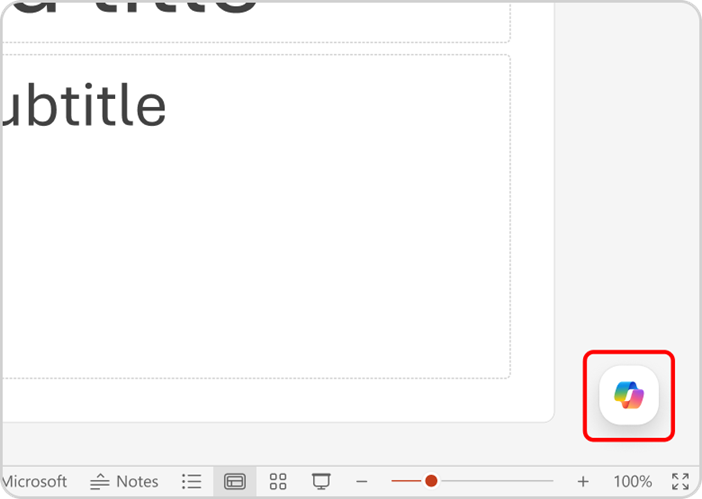
The PowerPoint agent is the headline feature of this update. Now available on PowerPoint for the Web, it enables full conversational creation and editing of presentations. This isn’t Copilot suggesting slide layouts — it’s an agentic system that can:
- Generate slides referencing existing presentations’ styles and formatting
- Pull content from SharePoint libraries, OneDrive folders, emails, and Teams meetings
- Connect to brand kits for template application, approved images, and compliance checking
- Improve layouts, polish designs, and create executive summary slides automatically
Here’s a practical example: say “Build a 10-page executive report based on last week’s earnings emails” and the Microsoft Copilot agents analyze your emails, extract key figures, and produce a brand-compliant presentation — preserving formatting, structure, and branding throughout. The difference from previous Copilot is night and day.
Excel Agent: Natural Language to Multi-Tab Workbooks
The Excel agent takes data analysis automation to another level. During the February M365 Champions Community Call, product lead Alex Yang demonstrated how a single prompt like “Create a quarterly revenue analysis workbook” triggers the agent to:
- Build multi-tab spreadsheets — data, analysis, and chart sheets in one go
- Auto-generate formulas — including complex VLOOKUP, pivot calculations, and structured models
- Run validation loops — the agent verifies calculation logic before producing the final sheet
- Support local files — agent mode now works with locally stored modern workbooks, not just cloud files
That last point matters more than it sounds. Many enterprises haven’t fully migrated to cloud storage. Local file support means they can leverage AI-powered analysis without changing how they store workbooks — removing a major adoption barrier.
Word Agent: AI That Thinks Like a Consultant
The Word agent specializes in long-form, structured documents — guides, reports, proposals. According to Microsoft’s technical architecture documentation, it uses a multi-turn reasoning process that mirrors how a human consultant works:
- Planning — designing document structure and outline
- Researching — retrieving relevant emails, notes, and shared docs via Microsoft Graph
- Drafting — generating content matched to target audience and tone
- Reviewing — checking logical consistency and quality
Starting with the February update, Word’s default Copilot experience switches to direct editing mode. Every change is fully reversible, so there’s no risk of the AI destroying your work. Open a blank document and “Edit with Copilot” activates automatically — zero friction to start creating.
Under the Hood: Enterprise-Grade Security Architecture
What makes Microsoft Copilot agents enterprise-ready isn’t just the AI — it’s the security architecture. Three design principles stand out:
- Isolated execution containers — agents run in locked-down environments with no direct internet access. All interactions go through secure APIs and brokered WebSocket connections
- Office-native generation — content is created using real Office applications, not approximations. Sensitivity labels are preserved, and unsafe elements like macros are blocked
- Intermediate representation — instead of creating files directly, agents produce an intermediate format that’s transformed into fully compatible Office documents
Generated files automatically inherit your organization’s retention policies, sensitivity labels, encryption, access controls, and audit logging. For IT admins, this means deploying AI capabilities without compromising security posture.
GPT 5.2 Engine + 36 New Features: The Full February Picture
The Office agents are just part of a massive 36-feature update. Here are the highlights that complement the agent launch:
- GPT 5.2 engine — enhanced reasoning and answer quality across all Copilot experiences
- Thinking Mode selector — choose whether Copilot prioritizes speed, creativity, or caution for each task
- M365 Copilot Memory — context persists across sessions, eliminating repetitive prompts
- Teams Consecutive Interpretation — bilingual turn-by-turn meeting support
- Outlook Smart Scheduling — AI-optimized meeting time recommendations
- Microsoft Purview DLP — blocks Copilot from processing files with sensitive labels
- Multi-agent coordination — agents can call other agents as tools (March rollout)
- Federated connectors — real-time data from Canva, HubSpot, Notion, Linear, and more
The Thinking Mode selector combined with Memory is particularly powerful. Use speed mode for quick email replies, caution mode for complex analysis reports, and let Memory carry context across conversations so you never repeat yourself.
Real-World Use Cases: Who Benefits Most
Here are four real-world scenarios where Microsoft Copilot agents will have the biggest impact on daily workflows:
1. Weekly Reporting Automation (Excel + PowerPoint)
Sales teams feed CRM data to the Excel agent, which generates analysis workbooks automatically — complete with revenue breakdowns, trend charts, and quarter-over-quarter comparisons across multiple tabs. The PowerPoint agent then converts those into executive-ready slide decks with data visualizations and key takeaways highlighted. What used to take half a day of manual spreadsheet work and slide formatting now takes two prompts and a quick review. For organizations with weekly reporting cadences, this compounds into hundreds of hours saved per quarter.
2. Proposal Writing (Word)
Consulting teams say “Write a project proposal for Client X based on our previous proposals and last month’s meeting notes” — and the Word agent retrieves relevant documents from Microsoft Graph, cross-references past deliverables, and produces a contextually rich proposal draft. The agent even asks clarifying questions about target audience and tone before generating, mimicking the workflow of a senior consultant who gathers requirements before writing. This is where the multi-turn reasoning architecture truly shines.
3. Brand Consistency at Scale (PowerPoint)
Marketing teams connect brand kits once, and every presentation — regardless of who creates it or which department they belong to — uses the same templates, colors, fonts, and approved imagery. The AI pre-checks brand guideline compliance before you even review the slides. For global organizations managing dozens of regional teams, this eliminates the “off-brand deck” problem that has plagued marketing departments for years.
4. Financial Modeling (Excel)
Finance teams describe a scenario — “Build a three-year projection model with optimistic, baseline, and pessimistic scenarios based on our current revenue data” — and the Excel agent produces a structured workbook with interconnected formulas, conditional formatting, and sensitivity analysis tables. The validation loop ensures formulas are internally consistent before delivering the final output, reducing the risk of spreadsheet errors that cascade through financial decisions.
Current Limitations and What’s Next
This update is impressive, but it’s not without constraints:
- PowerPoint agent mode is web-only for now (desktop app support coming later)
- GA rollout started February 9 but full tenant coverage expected by mid-March
- Currently prioritized for Microsoft 365 Copilot Premium subscribers
- Multi-agent coordination ships in March
But the direction is unmistakable. Microsoft is transforming Office apps from tools into AI agent platforms. When multi-agent coordination arrives in March — where agents can invoke other agents as tools — automating complex cross-app workflows from a single prompt becomes reality.
For context, Google’s Gemini integration in Workspace still focuses primarily on individual task assistance — drafting emails, summarizing documents — rather than autonomous multi-step agent workflows. Apple Intelligence remains device-centric with no comparable enterprise document generation capability. Microsoft’s head start with the agentic architecture, combined with the GPT 5.2 engine upgrade and enterprise security framework, gives it a significant structural advantage in the enterprise productivity AI race.
The bottom line: the blank page problem isn’t just solved. With Microsoft Copilot agents handling the plan-research-draft-review cycle autonomously, it’s becoming obsolete. Whether you’re a solo knowledge worker or part of a 50,000-person enterprise, the February 2026 update marks the moment AI stopped assisting your work and started doing it.
Need help building AI-powered automation systems or integrating agentic workflows into your business? Let’s talk.
Get weekly AI, music, and tech trends delivered to your inbox.






