

Akai MPC Live III: 8-Core CPU, MPCe 3D Pads, and Clip Matrix Redefine Standalone Beat-Making
May 26, 2025
Groq LPU Inference at 500+ Tokens/Second: The Chip That Could Dethrone NVIDIA in Real-Time AI
May 27, 2025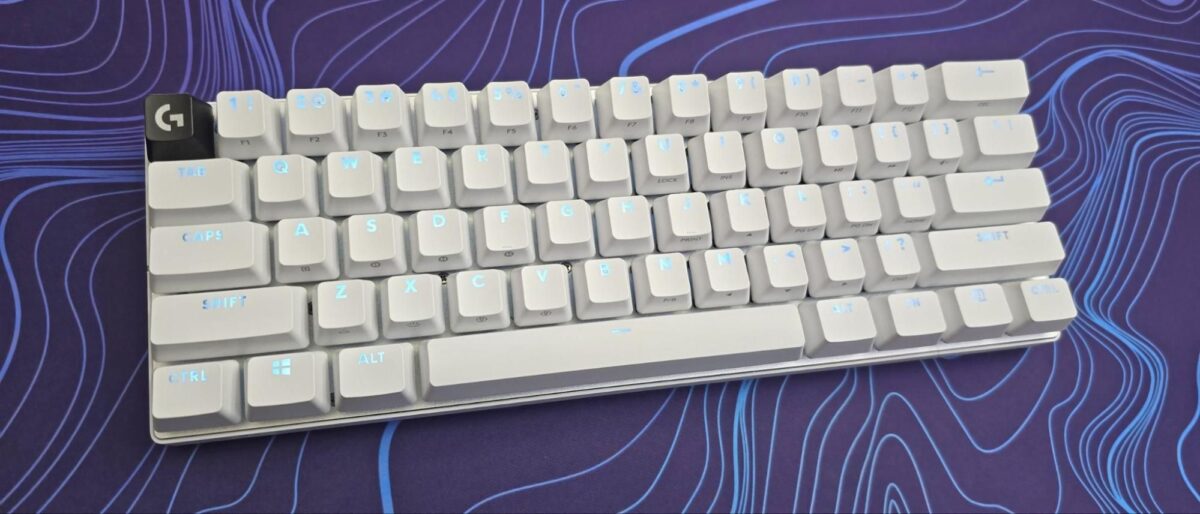
$179 for a 60% keyboard with no Rapid Trigger, no Hall Effect switches, and no hot-swap capability — Logitech must be out of their minds, right? That was my first reaction when the Logitech G Pro X 60 Lightspeed review unit landed on my desk. But after weeks of daily use, I’m not so sure the spec sheet tells the whole story.
What Makes the Logitech G Pro X 60 Lightspeed Different
Logitech didn’t just shrink a keyboard and call it a day. The G Pro X 60 Lightspeed is the company’s first-ever 60% form factor, developed through 8 rounds of prototyping with over 70 professional esports athletes. More than 30 prototypes were tested before the final design was locked in — and it shows in the details.
The headline feature is KEYCONTROL, a proprietary customization system that gives you 5 programmable layers with up to 15 functions per key. That’s not just macro keys — it’s a complete input remapping system that lives on the keyboard itself. Switch profiles on the fly without software, and your settings travel with you to any PC.
Build Quality and Design: The Details That Matter
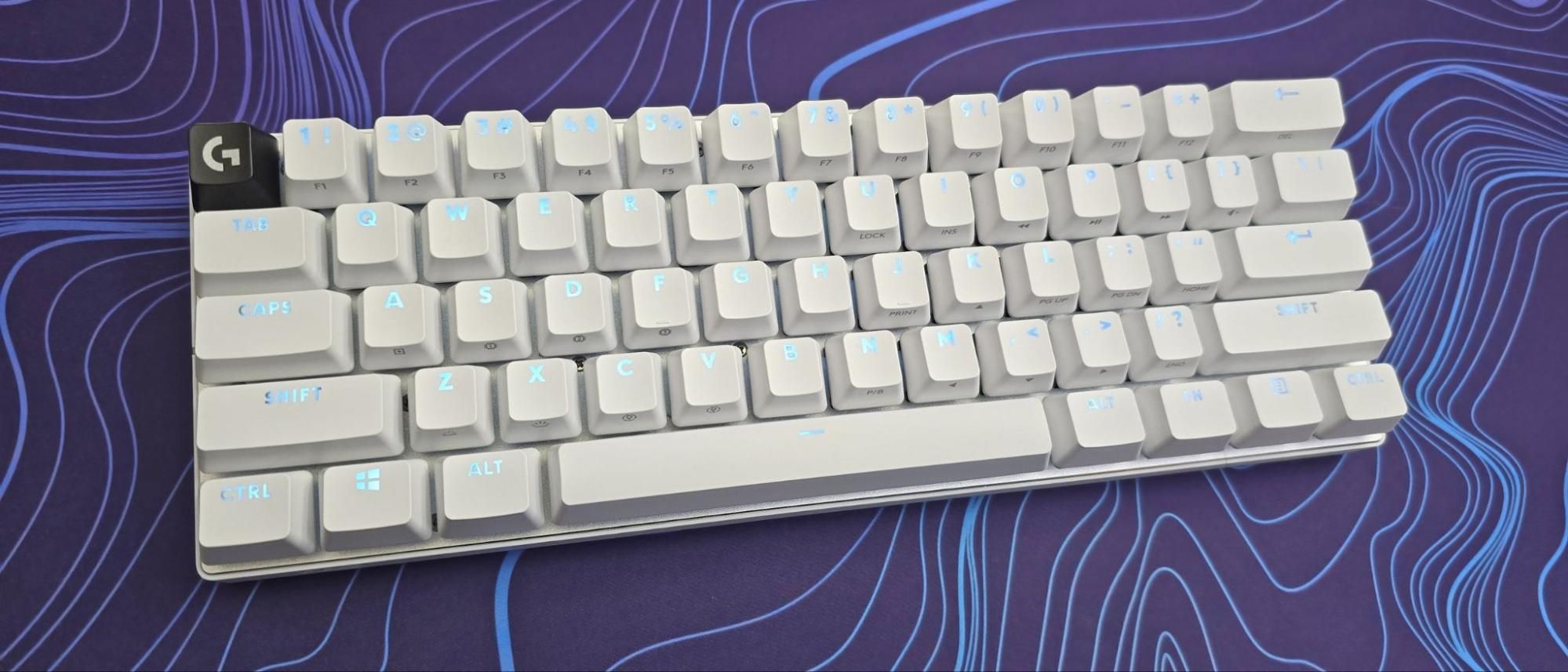
Logitech went with dual-shot PBT keycaps — a welcome upgrade from the ABS caps that plague many gaming keyboards at this price. The legends are crisp, and they won’t develop that greasy shine after months of use. Available in black, white, and pink, the overall aesthetic leans premium without the RGB-overload approach.
One genuinely clever design choice is the volume wheel placement. Instead of the typical top-right position, Logitech placed it on the left side where your pinky can reach it without leaving WASD. As PCGamesN noted, this is a small but meaningful ergonomic improvement for gamers who adjust audio mid-game. A bundled travel case rounds out the package — a nice touch that signals Logitech is targeting the tournament circuit.
The GX optical switches come in linear and tactile variants. They’re fast — blazingly fast, actually. According to Android Police’s review, the rapid actuation caused more typos during regular typing sessions. That’s a trade-off worth knowing about: what makes these switches excellent for gaming makes them twitchy for productivity.
Wireless Performance: Where Logitech G Pro X 60 Lightspeed Dominates
If there’s one area where this keyboard genuinely embarrasses the competition, it’s wireless connectivity. LIGHTSPEED delivers tournament-grade 1ms wireless that has been proven in professional esports for years. Add Bluetooth connectivity for up to 3 additional devices, and you have a keyboard that can serve as your gaming weapon and your daily driver across multiple machines.
RTINGS’ objective testing confirmed the 65-hour battery life with lighting enabled — that’s roughly 2-3 weeks of heavy daily use before reaching for the USB-C cable. With lighting off, you’re looking at even longer. This is where being wireless actually matters: you’re not just cutting a cable, you’re eliminating the charging anxiety that plagues most wireless peripherals.
Logitech G Pro X 60 vs Wooting 60HE: The Real Comparison
This is the comparison everyone wants, and it’s more nuanced than the spec-sheet warriors on forums suggest. RTINGS’ head-to-head comparison lays it out clearly: these keyboards serve fundamentally different philosophies.
The Wooting 60HE uses Hall Effect magnetic switches with true analog input and Rapid Trigger — meaning the key re-engages the instant you reverse direction, regardless of actuation point. For competitive FPS gamers, particularly in Counter-Strike 2 and Valorant, Rapid Trigger provides a measurable advantage in counter-strafing speed. The Wooting also offers hot-swap switch support and near-infinite customization of actuation points.
The Logitech G Pro X 60 counters with wireless freedom (LIGHTSPEED + Bluetooth), ecosystem integration with Logitech G HUB, the KEYCONTROL layer system, and that 65-hour battery. It’s also the only option here if you need to work wirelessly across multiple devices.
Here’s the breakdown:
- Choose Wooting 60HE if: You play competitive FPS titles and Rapid Trigger is non-negotiable. You don’t mind being wired. You want to experiment with switch customization.
- Choose Logitech G Pro X 60 if: Wireless is essential. You value KEYCONTROL’s macro and layer system. You’re already in the Logitech ecosystem. You travel to tournaments and want a single keyboard for gaming and work.
- Consider Razer Huntsman V3 Pro Mini if: You want both — Hall Effect analog switches AND wireless (though at a higher price).
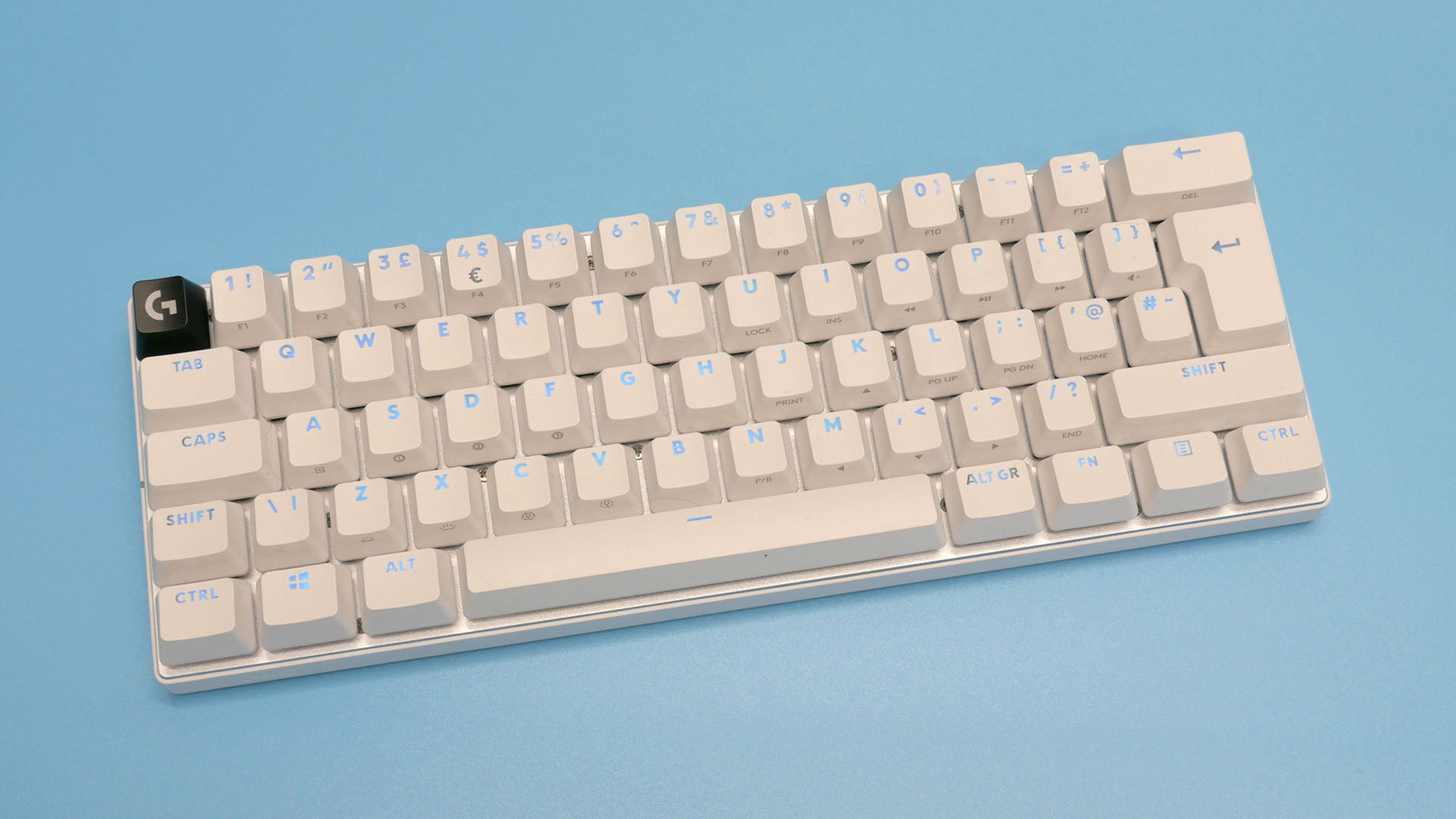
The Elephant in the Room: No Rapid Trigger at $179
Let’s address it directly. As Tom’s Hardware’s review noted, the value proposition is shaky. At $179, you’re paying premium prices but missing the feature that defines the current competitive keyboard meta. One critical reviewer put it bluntly: at this price point, the absence of Rapid Trigger, Hall Effect switches, and hot-swap capability makes it a tough sell for the spec-obsessed crowd.
But here’s the counterargument: not every gamer needs Rapid Trigger. If you’re playing League of Legends, Fortnite, or any game that doesn’t rely on frame-perfect counter-strafing, the Logitech G Pro X 60’s wireless convenience and KEYCONTROL system provide more practical daily value than a feature you’ll never fully utilize.
My Take: What 28 Years in Tech Taught Me About Spec-Sheet Wars
After nearly three decades working with professional equipment — from studio consoles to production workflows — I’ve learned that the spec sheet rarely tells the full story. The Logitech G Pro X 60 Lightspeed is a perfect example of this disconnect between specifications and real-world experience.
In my studio, I use multiple machines daily: a Mac for production, a Windows workstation for development, and occasionally a laptop for mobile work. The ability to seamlessly switch between three Bluetooth devices plus a dedicated LIGHTSPEED connection isn’t a luxury — it’s workflow architecture. The Wooting 60HE, brilliant as it is, requires a USB cable. That’s a physical constraint that no amount of Rapid Trigger performance can solve if your workflow demands wireless flexibility.
KEYCONTROL reminds me of programmable control surfaces in audio production — layers of functionality mapped to the same physical controls. Five layers with 15 functions per key means this keyboard can be a completely different input device depending on what application you’re in. For someone who bounces between a DAW, a code editor, and a game, that’s genuinely powerful. It’s the kind of feature that doesn’t wow you in a review but becomes indispensable after a month of use.
That said, Logitech priced this aggressively at $179, and the market has moved fast. If your primary use case is competitive FPS gaming, the honest answer is that the Wooting 60HE or Razer Huntsman V3 Pro Mini delivers more relevant technology for that specific need. But if you’re a multi-device user who games, works, and creates — and you value the polish of Logitech’s wireless ecosystem — the G Pro X 60 earns its place on the desk.
Final Verdict: Who Should Buy the Logitech G Pro X 60 Lightspeed?
The Logitech G Pro X 60 Lightspeed is a well-built, thoughtfully designed wireless 60% keyboard that excels at connectivity and customization through KEYCONTROL. Its 65-hour battery life and tournament-grade LIGHTSPEED wireless set it apart from every wired competitor. But the $179 price tag is hard to justify when competitors offer Rapid Trigger and Hall Effect switches at similar or lower prices.
For wireless-first gamers and multi-device users, this keyboard delivers genuine value. For competitive FPS purists who need every millisecond of advantage, the Wooting 60HE remains the better choice. And that’s perfectly fine — the best keyboard isn’t the one with the best specs, it’s the one that fits how you actually work and play.
Choosing the right peripherals for your setup — whether it’s a studio, gaming rig, or development workstation — can make or break your workflow. If you need expert guidance on building an optimized tech stack, let’s talk.
Get weekly AI, music, and tech trends delivered to your inbox.





