


Modal Labs GPU Cloud: Serverless AI Inference at 50% Lower Cost Than AWS
July 29, 2025
Best Thunderbolt 5 Docking Stations: Future-Proof Your Desk Setup in 2025
July 29, 2025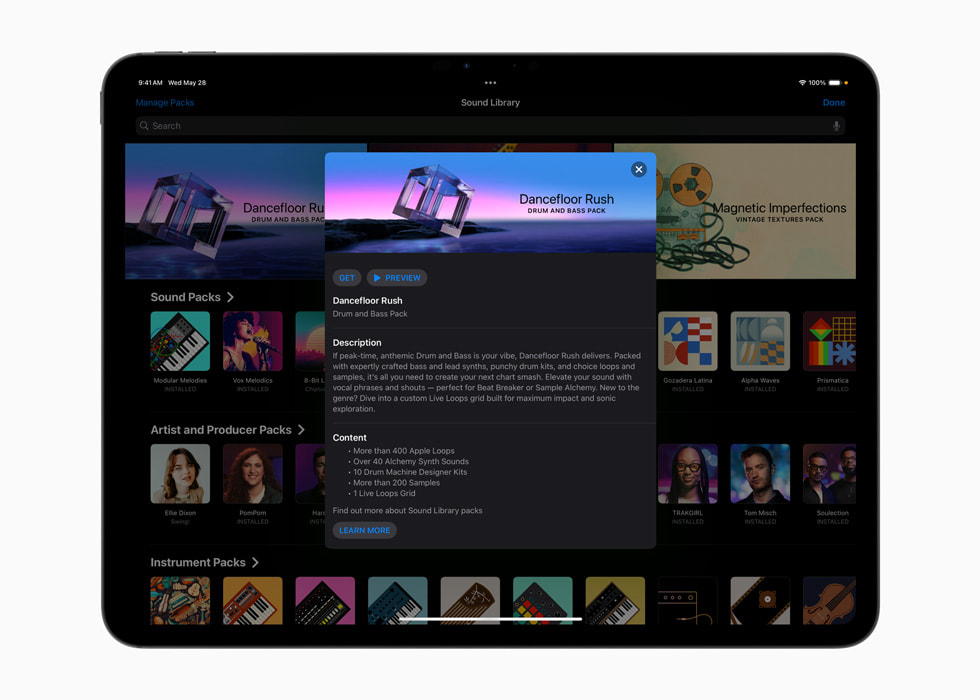
When Apple quietly dropped the Logic Pro iPad 2.2 update on May 28th, I expected the usual incremental refinements. Then I opened the Dancefloor Rush sound pack, and everything changed. Two months later, after putting every new feature through real production sessions, here are the five upgrades that genuinely transform iPad beat-making in 2025.
1. Dancefloor Rush: A 400+ Loop Arsenal Built for DnB and Beyond
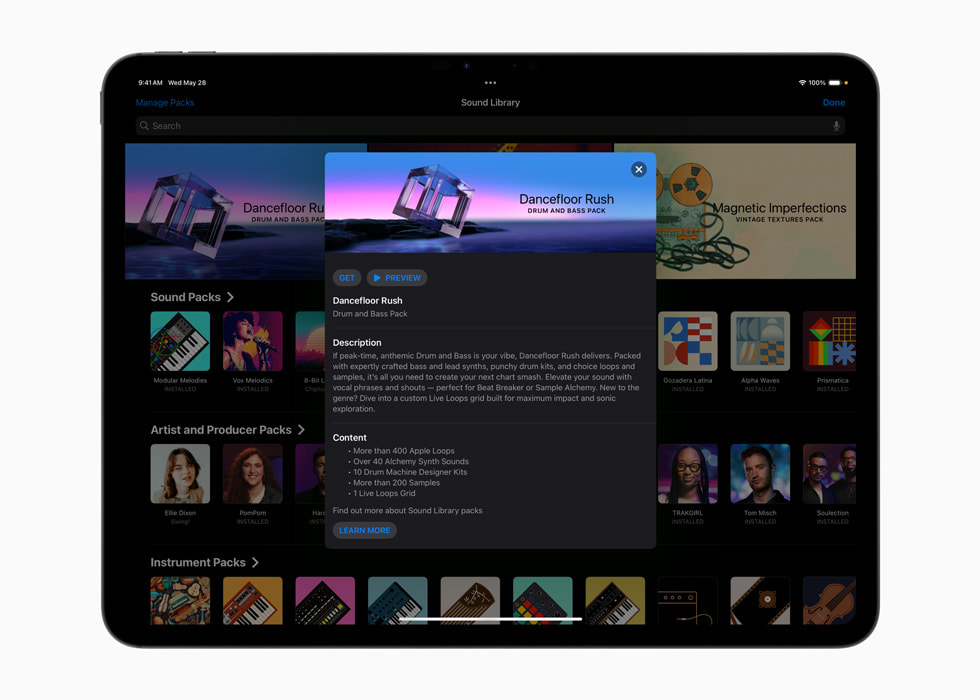
The headline addition to the Logic Pro iPad 2.2 update is undoubtedly the Dancefloor Rush sound pack. According to Apple’s official announcement, the pack includes over 400 dynamic loops, punchy drum kits, and a custom Live Loops grid designed specifically for electronic and drum-and-bass production.
Why does this matter? Until now, producing DnB on iPad meant relying on third-party sample packs or bouncing ideas back to a desktop session. Dancefloor Rush fills that gap with a curated library of high-energy loops in the 170-174 BPM range, all organized into an immediately playable Live Loops grid. You can sketch a club-ready DnB track on iPad alone, which simply was not practical before.
What impressed me most is the editing flexibility. These are not static preset loops you simply trigger and forget. Each loop can be broken out into individual tracks, letting you swap drum patterns while keeping a bassline, or drag a synth riff into an entirely different project. The loops serve as creative starting points rather than creative crutches, which is exactly how good sound packs should work.
Beyond DnB, the Dancefloor Rush grid works surprisingly well for house, techno, and even experimental electronic genres. The loop quality is characteristically Apple — polished, well-mixed, and ready for immediate use in a professional context. For producers who have been waiting for Logic Pro iPad to take electronic music seriously, this pack is a clear statement of intent.
2. Learn MIDI: Hardware Controller Mapping Finally Arrives on iPad
“Logic Pro on iPad is great, but I cannot map my MIDI controller” has been perhaps the most consistent complaint since the app launched. With the Logic Pro iPad 2.2 update, Learn MIDI finally bridges that gap, bringing hardware controller mapping to the iPad for the first time.
The workflow mirrors the desktop experience closely. Select the parameter you want to control, enable Learn mode, move a knob or fader on your external MIDI controller, and the mapping locks in automatically. Popular controllers like the Akai MPK Mini, Novation Launchpad, and KORG nanoKONTROL work immediately without any additional configuration.
The real value here is in live performance. Touchscreen control is fine for arrangement work, but when you need precise, real-time parameter manipulation — filter sweeps, volume fades, effect sends — physical knobs and faders are irreplaceable. Learn MIDI effectively positions the iPad as a legitimate centerpiece for live electronic sets, not just a sketch pad you eventually abandon for a laptop.
As MacRumors reported, this feature represents a key milestone for iPad music production. Combined with the existing touch interface, Learn MIDI creates a hybrid control environment that no other mobile DAW currently matches — physical precision where you need it, touch flexibility everywhere else.
3. Flashback Capture: Never Lose an Unrecorded Performance Again
Every producer knows the pain: you play the perfect melody, the ideal chord progression, a drum fill that just clicks — and then realize you forgot to hit record. Flashback Capture eliminates that problem entirely. Logic Pro now continuously buffers MIDI and audio input in the background, letting you retroactively capture performances after they happen.
The mechanics are straightforward. Logic Pro monitors your input signal at all times, maintaining a rolling buffer regardless of whether you are in playback or record mode. When you hear something you like, one tap on the Flashback Capture button inserts that performance as a region on the current track. No setup required, no special configuration — it just works.
This feature fundamentally changes the idea-sketching phase of production. Instead of the pressure-filled routine of hitting record and trying to recreate what you just played, you can noodle freely on your MIDI keyboard, explore ideas without commitment, and capture only the moments that matter. It removes friction from the most creatively sensitive part of the workflow.
In practice, I have found Flashback Capture most valuable during late-night sessions when creativity flows unpredictably. You sit on the couch with an iPad and a small MIDI keyboard, play whatever comes to mind, and when magic happens, you catch it. The psychological shift from “I need to record this” to “I can always capture that” is subtle but transformative.
4. Enhanced Stem Splitter: Guitar and Piano Separation Joins the Party
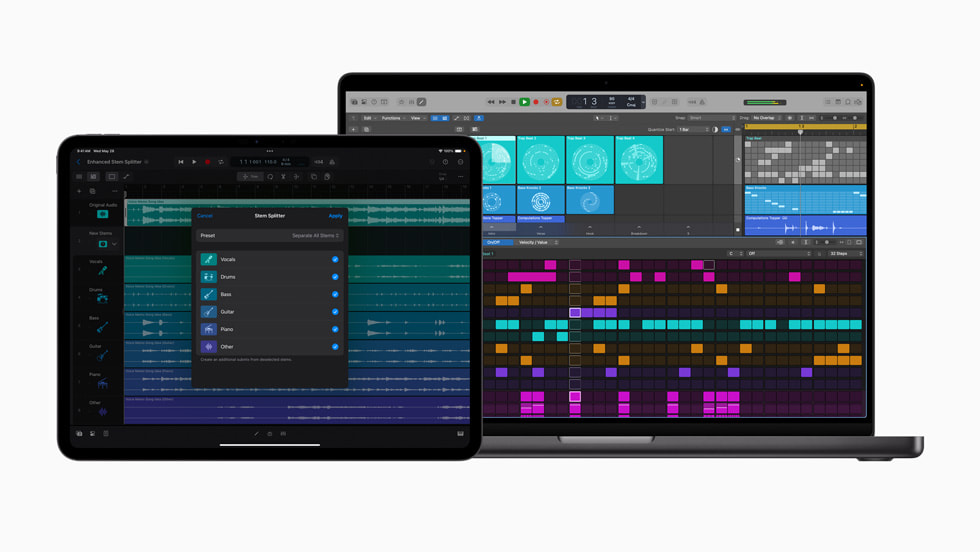
Stem Splitter existed in previous versions, but the Logic Pro iPad 2.2 update delivers a significant upgrade. Where the previous iteration separated audio into vocals, drums, bass, and “other,” the enhanced version now isolates guitar and piano as independent stems. Overall separation fidelity has improved noticeably as well.
The practical implications are clear. You can now extract piano voicings from reference tracks for analysis, study guitar tones in isolation, or cleanly separate a guitar riff from an original recording for remix work — all within the iPad. Sound On Sound highlighted the improved Stem Splitter fidelity as one of the standout improvements in this release.
A word of realism: AI-powered stem separation is not perfect, and complex arrangements can still produce artifacts. The enhanced Stem Splitter is best suited for idea-stage work and pre-production rather than final mastering applications. That said, the quality achievable on an iPad today would have been science fiction just two or three years ago. The trajectory is clear, and each iteration brings us closer to genuinely transparent separation.
For beat makers specifically, the enhanced Stem Splitter opens up sample-based workflows that previously required desktop software. Hear a piano loop you want to flip? Split it on iPad, chop the piano stem, process it through effects, and build your beat around it — all without touching a computer.
5. Workflow Refinements: Ableton Link + MIDI Clock, Region Gain Normalization, and More
The features that do not make headlines often have the biggest impact on daily productivity. The Logic Pro iPad 2.2 update includes several workflow refinements that collectively streamline the production experience.
Simultaneous Ableton Link + MIDI Clock output is a game-changer for multi-device setups. Previously, you had to choose one or the other, making it impossible to sync with Ableton Live on a laptop while simultaneously clocking hardware synthesizers via MIDI. Now, your iPad running Logic Pro can serve as the central hub, keeping both software and hardware in perfect sync.
Region Gain Normalization addresses a mundane but persistent annoyance. When working with audio regions from different sources — samples from various packs, recorded takes at different levels, bounced stems — volume inconsistencies add up. One-click normalization brings everything to a consistent level, saving significant time during vocal comping, drum sampling, and arrangement work.
Additional improvements include track search by name (finally practical for large projects), marker creation for arrangement navigation, folder and summing stack enhancements, project renaming, and an Auto Input Monitoring toggle. You can find the complete changelog in Apple’s official release notes.
None of these individually revolutionize iPad music production. Together, they eliminate dozens of small friction points that accumulate during long sessions. That matters more than most producers realize until they experience the difference firsthand.
Stability, Pricing, and the 2.2.1 Patch
The 2.2.1 patch, released on June 24th, addressed stability issues reported after the initial 2.2 launch. If you held off on updating due to early reports of crashes or performance hiccups, now is a safe time to pull the trigger. The current build runs smoothly across iPad Pro and iPad Air models running iPadOS 18.4 or later.
Logic Pro for iPad operates on a subscription model: $4.99 per month or $49 per year, with the 2.2 update included free for existing subscribers. Compared to the desktop version’s one-time $199.99 purchase, you would need to subscribe for roughly four years to reach equivalent cost — making the iPad version a reasonable value proposition for mobile-focused producers.
The Verdict: A New Baseline for iPad Beat-Making
The Logic Pro iPad 2.2 update is Apple’s strongest answer yet to the question of whether iPad can handle serious music production. The Dancefloor Rush library, Learn MIDI integration, Flashback Capture workflow, enhanced Stem Splitter, and simultaneous Ableton Link + MIDI Clock output — each upgrade is meaningful on its own, and together they fundamentally elevate what is possible on a tablet.
Does it replace a full desktop setup? Not yet, and that is fine. The iPad excels in its own domain: idea sketching, live performance, mobile production, and quick iteration. Logic Pro 2.2 pushes that domain further than ever before. If you have been on the fence about iPad as a serious production tool, this summer is the time to give it an honest try. The gap between “mobile sketch pad” and “real production environment” just got significantly smaller.
Looking for professional mixing, mastering, or studio workflow optimization? Greit Studios can help you take your production to the next level.
Get weekly AI, music, and tech trends delivered to your inbox.






