AI API Pricing War August 2025: OpenAI vs Anthropic vs Google — Who Gives Developers the Best Deal?
August 21, 2025
Sony A7R VI 80MP Leak: The Full-Frame Mirrorless That Could Kill Medium Format
August 21, 2025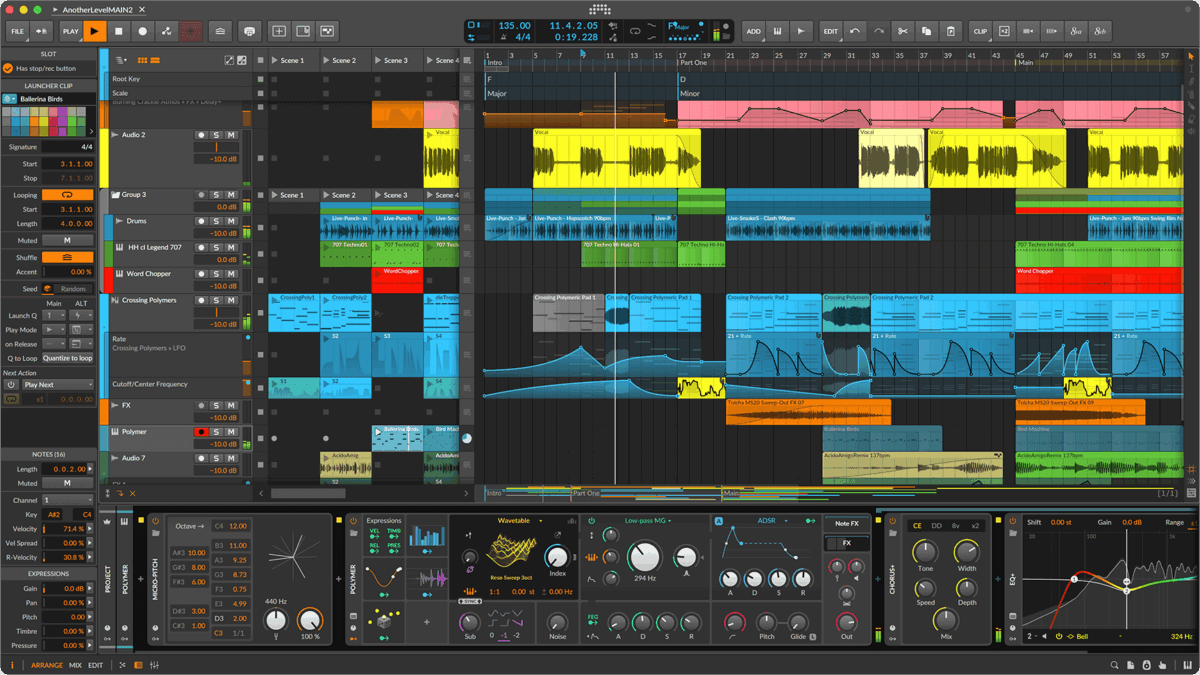
Stop paying for operating systems that fight your creative workflow. Linux music production 2025 isn’t just viable — it’s quietly becoming the preferred platform for producers who want total control over their audio stack. With PipeWire replacing the old JACK/PulseAudio mess, three powerhouse DAWs running natively, and Windows VST plugins bridging seamlessly through yabridge, the last excuses for avoiding Linux have officially expired.
This guide walks you through everything you need to build a professional Linux music production 2025 setup from scratch — from choosing your distro to configuring low-latency audio, installing your DAW of choice, and getting your favorite plugins running. Whether you’re a Bitwig power user, a REAPER scripter, or an open-source purist reaching for Ardour, you’ll find actionable steps here.
The Linux Audio Stack in 2025: PipeWire Changes Everything
If you tried Linux audio five years ago and gave up, the landscape has changed dramatically. PipeWire has emerged as the unified audio and video server, effectively merging what JACK and PulseAudio used to do separately into a single, elegant solution. Firefox streams, system notifications, and your DAW now share the same audio graph without conflicts.
The practical impact is huge. You no longer need to kill PulseAudio before launching your DAW, configure complex JACK routing just to hear audio from your browser, or maintain separate audio configurations for production and daily use. PipeWire handles it all, and most modern Linux distributions ship it as the default audio server.
Configuring PipeWire for Low-Latency Audio
Out of the box, PipeWire works well for general music production. But for tracking and real-time monitoring, you’ll want to tune the latency settings. A practical starting point is setting the quantum (buffer size) to 256 samples at 48kHz:
PIPEWIRE_LATENCY=256/48000 your-daw-commandThis gives you roughly 5.3ms of latency per buffer — comfortable for most tracking scenarios. If you need even lower latency, dropping to 128 or 64 samples is possible with a capable audio interface and a real-time kernel. Speaking of which, real-time kernel patches are now in the mainline Linux kernel, so you no longer need to compile a custom PREEMPT_RT kernel from scratch. Ubuntu Studio and Fedora both offer low-latency kernel options out of the box.
For visual routing, QPwgraph has replaced QjackCtl as the go-to patch bay. It shows your entire PipeWire audio graph — every application, every hardware port — and lets you drag connections between them. If you’ve used QjackCtl before, the workflow is nearly identical but with a cleaner interface.
One important note: while PipeWire is excellent for the vast majority of production work, experienced users have noted that JACK still offers slightly more deterministic timing for ultra-low latency scenarios below 8ms. For sub-10ms work with dedicated audio interfaces, a combination of PREEMPT_RT kernel and careful PipeWire quantum tuning gets you remarkably close to bare-metal JACK performance.
Audio Interface Compatibility
Here’s the good news: USB class-compliant audio interfaces work out of the box on modern Linux. That covers the majority of interfaces from Focusrite, Universal Audio (Apollo Twin USB), PreSonus, MOTU, and others. No drivers to install — just plug in and go. Thunderbolt interfaces are more hit-or-miss, so check compatibility before purchasing if you’re committed to Linux.
DAW Comparison: Bitwig Studio vs. REAPER vs. Ardour
The three major players in Linux music production 2025 each serve different workflows and budgets. Here’s an honest breakdown.
Bitwig Studio 6: The Linux-Native Powerhouse
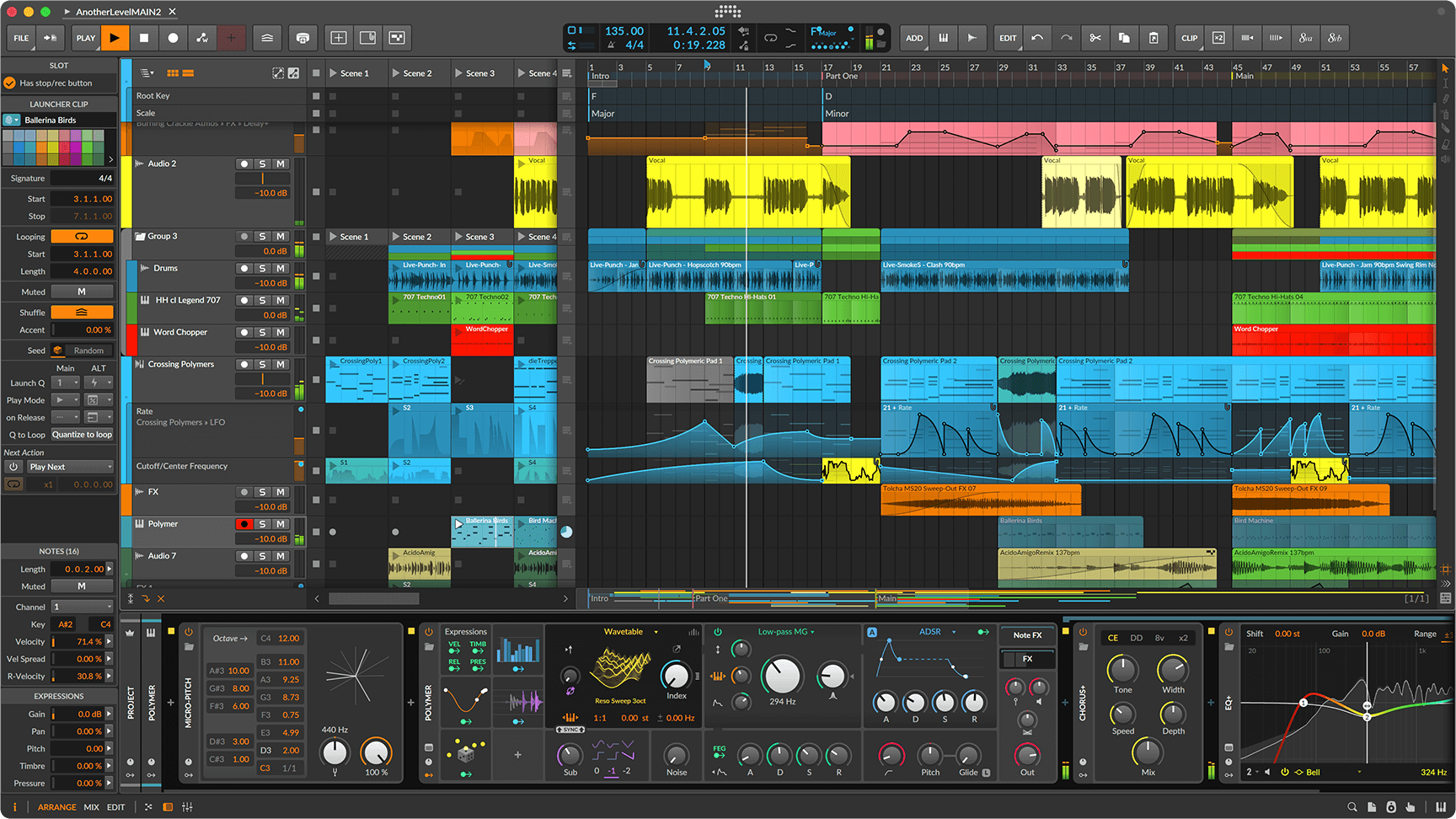
Bitwig Studio is the most Linux-native commercial DAW available. Built by former Ableton developers, it was designed from day one to run on Linux, macOS, and Windows equally. Version 6 brings native PipeWire support (added since v4.3), The Grid modular sound design environment with 40+ audio-rate modulators, and over 140 built-in instruments and effects with 20GB+ of sound content.
What makes Bitwig special on Linux is that it’s not a port — it’s a first-class citizen. Updates ship simultaneously across all platforms. The clip launcher, arrangement view, and modular Grid environment all run identically. Plugin support includes VST2, VST3, and notably CLAP — the open plugin format that Bitwig co-developed with u-he. If you’re coming from Ableton Live and want the smoothest transition to Linux, Bitwig is the answer.
Pricing: $399 (upgrade plan available). Not cheap, but you get a DAW that treats Linux as a priority platform.
REAPER 7.x: The Affordable Workhorse
REAPER is the Swiss Army knife of DAWs. Version 7.x provides native Linux builds for x86_64, i686, armv7l, and even aarch64 — meaning it runs on everything from a desktop workstation to a Raspberry Pi. It requires GTK+3 on Linux and supports ALSA, JACK, and PulseAudio backends natively.
REAPER’s plugin support is comprehensive: VST, VST3, LV2, CLAP, and its own JSFX scripting system that lets you write custom audio processors in a simple language. The 20+ built-in ReaPlugs cover essential effects, and the unlimited simultaneous recording inputs (hardware-dependent) make it a studio workhorse for tracking sessions.
But the real selling point is the price. At $60 for the discounted license (individual/small business under $20K revenue) or $225 for commercial, REAPER is astonishingly affordable. Combined with its deep customization through scripts and themes, it’s the go-to recommendation for producers who want maximum flexibility on a budget.
Ardour 9.x: The Open-Source Champion
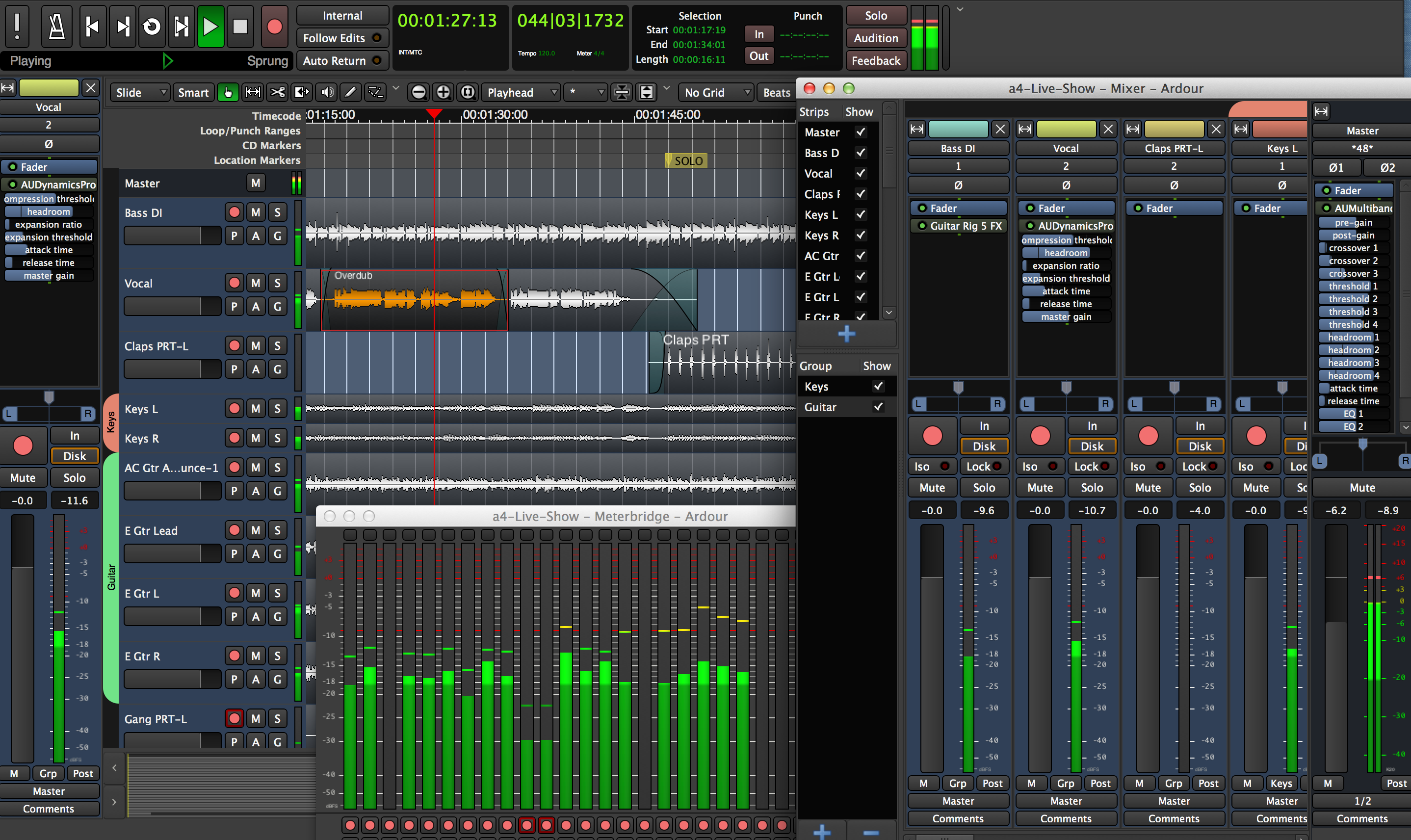
Ardour is the premier open-source DAW, released under the GPL with a pay-what-you-want model for pre-built binaries. Version 9.0 introduced piano-roll windows for MIDI editing, cue recording for live performance workflows, and a perceptual analyzer for mastering. Version 9.2 added MIDI note chase and improved duplication tools.
Ardour’s deep JACK and PipeWire integration makes it the most “Linux-native” of the three in terms of audio infrastructure. Plugin support includes LV2, VST, VST3, and LADSPA formats. Multi-touch support on Linux means you can work with touchscreen displays, and the routing flexibility rivals anything in the commercial DAW space.
The trade-off? Ardour’s MIDI workflow has historically lagged behind Bitwig and REAPER, though version 9’s piano-roll improvements have closed much of that gap. If your workflow centers on audio recording, mixing, and mastering — and you value open-source principles — Ardour is an excellent choice. The cost advantage is undeniable: free OS + free DAW + free plugins gives you a complete production environment for literally zero dollars.
Quick Comparison Table
Bitwig Studio 6 — Best for: Electronic music, sound design, Ableton refugees | Price: $399 | Plugin formats: VST2/VST3/CLAP | Strength: The Grid modular, clip launcher, first-class Linux support
REAPER 7.x — Best for: Recording, mixing, budget-conscious producers | Price: $60/$225 | Plugin formats: VST/VST3/LV2/CLAP/JSFX | Strength: Extreme customization, scripting, runs on ARM
Ardour 9.x — Best for: Audio recording/mixing, open-source advocates | Price: Pay-what-you-want | Plugin formats: LV2/VST/VST3/LADSPA | Strength: Deep PipeWire/JACK integration, zero cost
VST Plugin Setup with yabridge: Running Windows Plugins on Linux
Let’s address the elephant in the room: plugin compatibility. While native Linux plugins (LV2, CLAP, Linux VST) are growing, many producers rely on Windows-only VST plugins. That’s where yabridge comes in — a transparent bridge that lets you run 32-bit and 64-bit Windows VST2, VST3, and CLAP plugins inside your Linux DAW as if they were native.
Installing yabridge
First, install Wine Staging — version 9.21 is recommended, as versions 9.22+ have known GUI rendering issues with some plugins. On Ubuntu/Debian:
# Install Wine Staging
sudo dpkg --add-architecture i386
sudo apt update
sudo apt install wine-staging

# Install yabridge (from GitHub releases or AUR on Arch)
# Download latest .tar.gz from github.com/robbert-vdh/yabridge/releases
tar -xzf yabridge-x.x.x.tar.gz
cp yabridge-*.so ~/.local/share/yabridge/
Configuring yabridge with yabridgectl
The yabridgectl CLI tool manages your bridged plugins. Point it at your Wine VST directories:
# Add your Windows VST plugin directories
yabridgectl add ~/.wine/drive_c/Program\ Files/Common\ Files/VST3
yabridgectl add ~/.wine/drive_c/Program\ Files/Steinberg/VstPlugins

# Sync — creates bridge files for each plugin
yabridgectl sync

# Verify
yabridgectl status
After syncing, your DAW will see the bridged plugins just like native ones. yabridge works with Bitwig, REAPER, Ardour, Carla, and other Linux DAWs. Plugin groups enable inter-plugin communication, which is essential for certain instrument suites that share licensing or resources between instances.
A word of caution: some JUCE-based plugins and specific vendors (notably certain versions of Serum and ujam products) have known compatibility issues. Always check the yabridge GitHub issues page before purchasing a plugin specifically for Linux use.
Native Linux Alternatives Worth Knowing
Before reaching for yabridge, consider the growing ecosystem of native Linux audio plugins. The CLAP plugin format — co-developed by Bitwig and u-he — is gaining traction as an open alternative to VST and is natively supported by both Bitwig and REAPER. For guitar processing, Guitarix combined with Neural Amp Modeller delivers impressive amp simulation entirely within the Linux ecosystem. And tools like Carla serve as a universal plugin host, letting you chain LV2, VST, and LADSPA plugins regardless of your DAW’s native support.
Distro Recommendations for Music Production
Not all Linux distributions are created equal for audio work. Here are the top picks for Linux music production 2025:
Ubuntu Studio — Best for Beginners
Ubuntu Studio is the easiest entry point. Based on Ubuntu LTS with KDE Plasma desktop, it ships with Ardour, JACK, Carla, and dozens of audio tools pre-installed. The low-latency kernel is included by default, and the familiar Ubuntu ecosystem means most software installs without hassle. If you’re new to Linux and want to start making music immediately, this is your distro.
Fedora with Music & Audio SIG — Best for PipeWire Integration
Fedora was the first major distribution to ship PipeWire as default, and its Music & Audio Special Interest Group maintains optimized packages for music production. You get bleeding-edge PipeWire updates, excellent hardware support, and a solid RPM ecosystem. Ideal for users who want the latest audio infrastructure without manual configuration.
Arch Linux — Best for Power Users
Arch gives you complete control over your system. The AUR (Arch User Repository) has packages for virtually every audio tool, including yabridge, Bitwig, REAPER, and hundreds of LV2 plugins. Rolling releases mean you’re always on the latest versions. The trade-off is the manual setup — but for experienced Linux users who want a lean, optimized audio workstation, Arch is hard to beat.
AVLinux — Best for Dedicated Audio Workstations
AVLinux (Audio/Video Linux) is purpose-built for creative work. It comes with a real-time kernel, pre-configured JACK/PipeWire, and a curated selection of audio production tools. If you’re building a dedicated machine that does nothing but make music, AVLinux removes the configuration overhead entirely.
Putting It All Together: Your Linux Music Production 2025 Workflow
Here’s a practical workflow for getting started with Linux music production in 2025:
- Step 1: Install Ubuntu Studio or Fedora (safest starting points)
- Step 2: Verify PipeWire is running:
pw-cli info - Step 3: Install your DAW — Bitwig from the official site, REAPER from reaper.fm, or Ardour from your package manager
- Step 4: Set up your audio interface — USB class-compliant devices should appear automatically in
pw-jackor your DAW’s audio settings - Step 5: Install yabridge + Wine Staging if you need Windows VST plugins
- Step 6: Install QPwgraph for visual audio routing
- Step 7: Start making music
The beauty of this stack is that once configured, it’s remarkably stable. Linux doesn’t force updates that break your audio drivers. Your DAW sessions from last year will open identically today. And with PipeWire unifying the audio graph, you won’t encounter the “JACK is running so Firefox has no sound” problems of the past.
As MusicTech noted, Linux music production can actually be better than Windows or macOS in certain areas — the stability, customization depth, and cost advantages are real. The ecosystem has matured to the point where the question isn’t “Can you make music on Linux?” but “Which Linux DAW fits your workflow best?”
The smartest approach is to start with one of the recommended distros, install the DAW that matches your workflow — Bitwig for electronic production, REAPER for recording and mixing versatility, Ardour for open-source commitment — and expand from there. Your plugins, your audio interface, your routing — it all works in 2025. The Linux audio revolution didn’t happen with a bang. It happened one PipeWire update at a time.
Building a Linux-based production environment or need help optimizing your studio workflow for mixing and mastering? Sean Kim at Greit Studios brings 28+ years of audio engineering experience to every project.
Get weekly AI, music, and tech trends delivered to your inbox.