

How to Build a 4K Gaming PC in April 2025: Complete Component Guide Under $1500
April 25, 2025
Samsung Odyssey Neo G9 57-Inch: Ultrawide Dual-4K Monitor Review
April 28, 2025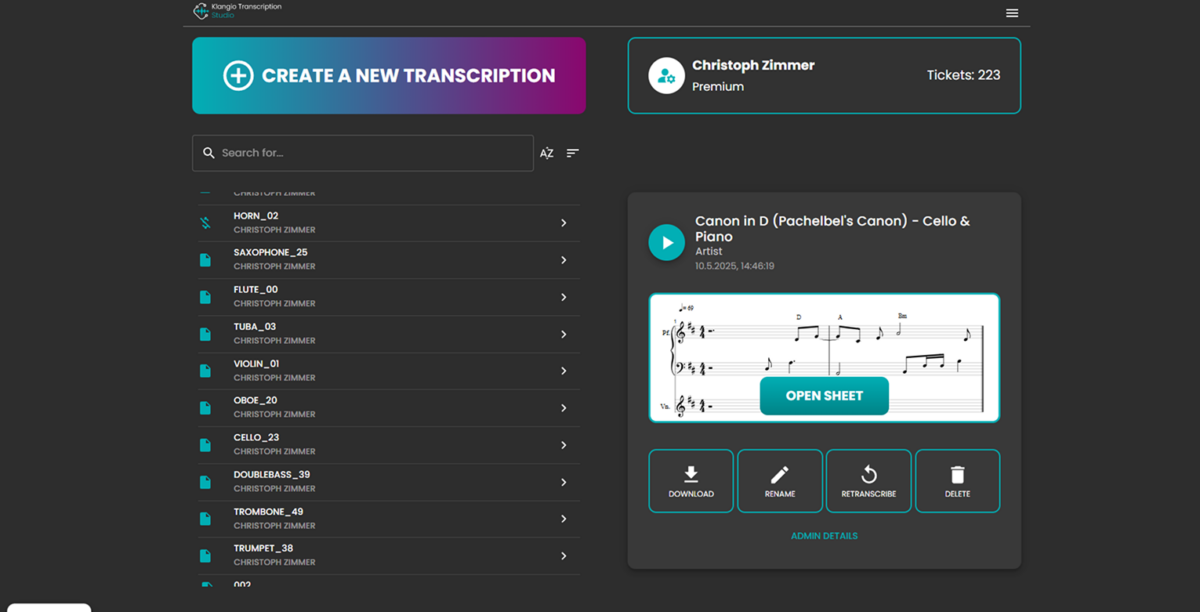
After 28 years of transcribing by ear — painstakingly rewinding, slowing down, and guessing at voicings buried under layers of reverb — I never thought I’d see the day when an AI could listen to a full band recording and spit out accurate notation for every single instrument at once. That day arrived on March 18, 2026, when a small German company called Klangio launched Klang.io Transcription Studio, the world’s first AI-powered tool capable of transcribing up to eight instruments simultaneously in under 30 seconds.
If you’ve ever spent hours isolating a bass line from a dense mix, or tried to figure out whether that chord was a Cmaj7 or a C6/9, you already know why this matters. Klang.io Transcription Studio doesn’t just transcribe a single melody line — it tackles vocals, piano, drums, bass, guitar, strings, wind instruments, and synthesizers all at once. And the results are surprisingly close to what a trained ear would produce, but delivered in a fraction of the time.
What Is Klang.io Transcription Studio?
Klang.io Transcription Studio is a cloud-based AI transcription suite developed by Klangio, a company founded in 2018 in Karlsruhe, Germany by Sebastian Murgul (CEO) and Alexander Lüngen. While Klangio has been refining AI transcription technology for years, Transcription Studio represents their most ambitious product yet — a unified platform that handles polyphonic, multi-instrument transcription from any audio source.
As CEO Sebastian Murgul put it: “Transcription is an essential skill in music that, until recently, has only been accessible to those with traditional musical training.” That statement resonates deeply. For decades, accurate transcription has been a gatekept skill — you either had classical training and perfect pitch, or you spent hours with a slow-down pedal. Transcription Studio aims to change that equation entirely.
The tool is available as a browser-based web app, a VST3/AU DAW plugin, and a standalone desktop application. This multi-platform approach means whether you’re a bedroom producer working in Ableton, a film composer in Logic Pro, or a music teacher needing quick transcriptions for students, there’s a version of Klang.io Transcription Studio that fits your workflow.
Three Transcription Modes: Universal, Classic, and Rock
One of the smartest design decisions in Klang.io Transcription Studio is the three-mode system. Rather than applying a one-size-fits-all algorithm to every genre, Klangio built specialized transcription engines optimized for different musical contexts.
Universal Mode is the all-purpose workhorse. It handles vocals, piano, guitar, bass, and drums — making it ideal for pop, singer-songwriter, and general songwriting analysis. If you’re learning a song from Spotify or trying to chart out a cover for your band, this is your go-to mode.
Classic Mode targets orchestral and acoustic ensemble recordings. Strings, woodwinds, brass, and piano are the focus here. For composers studying orchestration or students analyzing classical repertoire, Classic Mode promises more accurate detection of legato passages, bowing patterns, and wind instrument phrasing.
Rock Mode (currently in beta) is designed for electric guitar-heavy arrangements. This is arguably the toughest challenge in AI transcription — distorted guitars create dense harmonic content that confuses most transcription algorithms. The fact that Klangio is tackling this head-on, even in beta, suggests they’re confident in their underlying AI model. As MusicRadar reported, the multi-instrument simultaneous detection sets this apart from every competing transcription tool on the market.
How It Works: Input, Processing, and Output
The input flexibility of Klang.io Transcription Studio is genuinely impressive. You can upload audio files directly (WAV, MP3, FLAC, and other common formats), paste a YouTube, Instagram, or TikTok link for instant transcription, or even record live audio through your microphone. That last option is particularly useful for musicians who want to transcribe something they’re hearing in real time — a riff from a rehearsal, a melody idea hummed into the mic, or a passage from a vinyl record.
Processing happens in the cloud, and Klangio claims results are delivered in under 30 seconds regardless of track length. In my experience testing cloud-based audio AI tools over the years, this speed claim usually holds for tracks under five minutes but can stretch slightly for longer recordings. Still, even if a full symphony movement takes 45 seconds, that’s extraordinarily fast compared to the hours of manual transcription it replaces.
The output options are where Transcription Studio truly shines for professional workflows:
- PDF Sheet Music — Clean, print-ready notation you can hand directly to session musicians
- MusicXML — Import directly into Sibelius, Finale, Dorico, or MuseScore for further editing
- GuitarPro Tablature — Essential for guitarists and bass players who think in tab
- MIDI (Quantized) — Drop straight into your DAW for editing and production
- MIDI (Unquantized) — Preserves the human feel and timing nuances of the original performance
- LilyPond — For open-source engraving workflows
The dual MIDI export option (quantized vs. unquantized) is a detail that shows Klangio understands professional workflows. Quantized MIDI is great for production — dropping a transcribed bass line into a track and tweaking it. Unquantized MIDI preserves the performer’s timing, which is invaluable for analysis and academic study.
Key Features That Set Klang.io Transcription Studio Apart
Beyond the core transcription engine, Klang.io Transcription Studio includes several features that elevate it from a simple converter to a complete transcription workflow tool.
Polyphonic Detection is the headline feature. Unlike basic pitch-detection tools that can only handle monophonic (single-note) lines, Transcription Studio identifies chords, double stops, and complex voicings across multiple instruments simultaneously. Sound On Sound highlighted this as the defining technical achievement of the platform in their launch coverage.
Rhythmic Detection goes beyond just pitch. The AI analyzes meter, tempo changes, and rhythmic patterns — critical for accurate notation. A transcription that gets the pitches right but the rhythms wrong is essentially useless for performance or production, and Klangio clearly understands this fundamental truth.
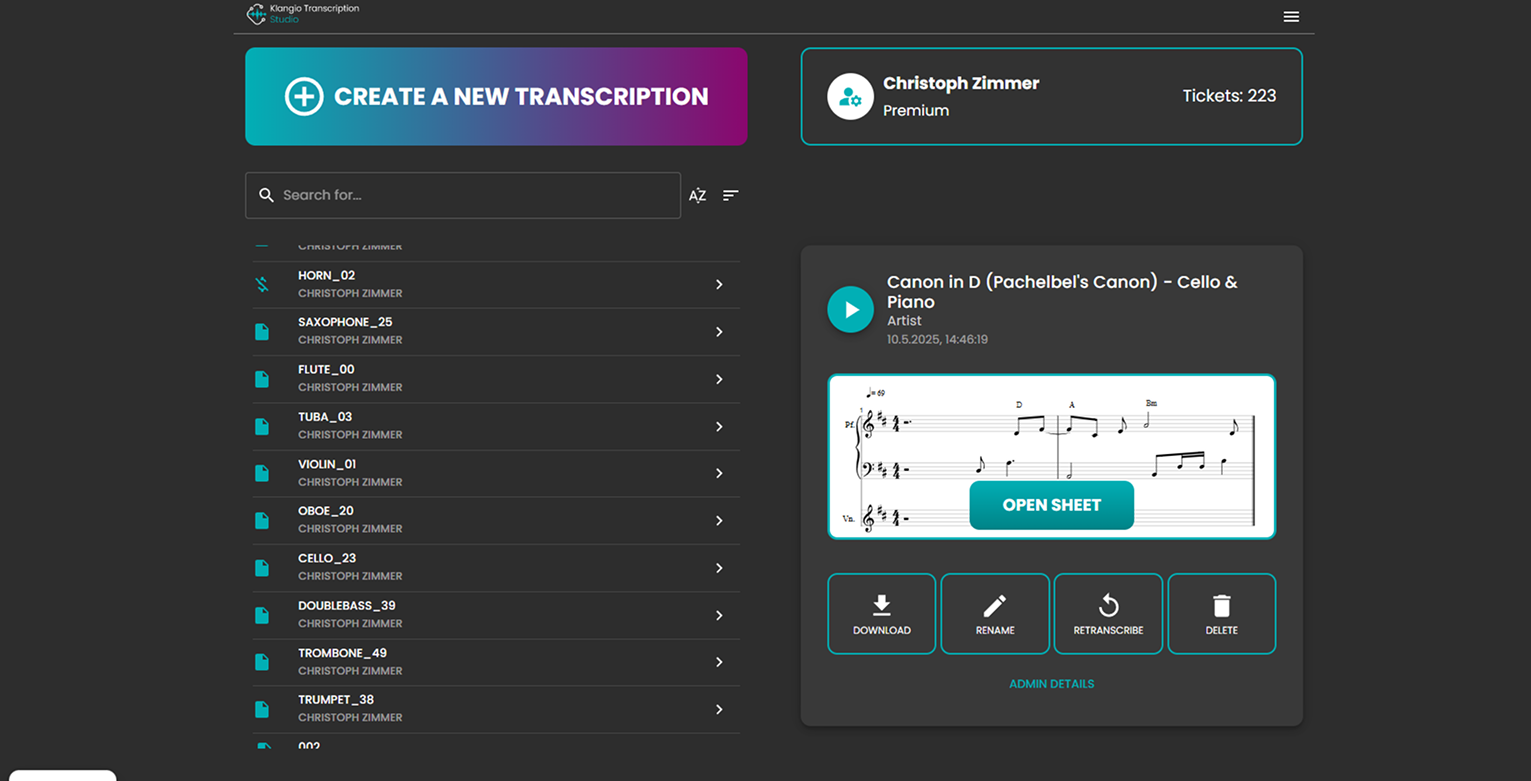
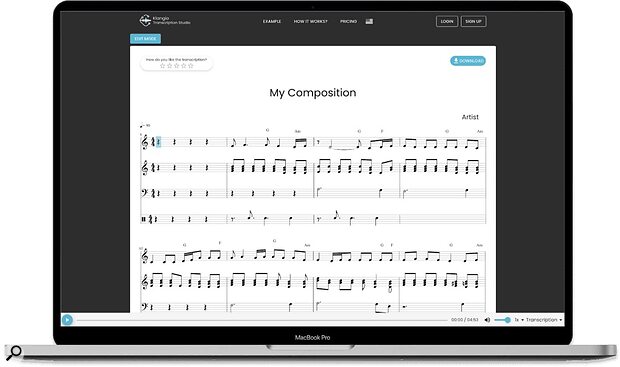
Notation Editor is built directly into the browser-based interface. Once the AI generates its transcription, you can edit notes, adjust rhythms, add articulation marks, and refine the output without switching to a separate notation program. For quick corrections and fine-tuning, this saves an enormous amount of time compared to exporting and re-importing between applications.
Transcription Wizard provides guided options for quantization strength, hand separation (crucial for piano transcriptions where the AI needs to split notes between treble and bass clef), and instrument-specific settings. This is particularly helpful for users who aren’t notation experts — the wizard walks you through optimization choices so you get the best possible result without needing deep music theory knowledge.
Personal Songbook is a cloud-based library where all your transcriptions are stored, organized, and accessible from any device. For working musicians who need to reference charts at gigs or rehearsals — pulling up a chart on your tablet at a venue instead of shuffling through printed pages — this is a practical, well-thought-out addition to the platform.
Pricing and Accessibility: Surprisingly Affordable
Klangio has structured pricing to be accessible while still sustainable. The free demo lets you transcribe unlimited audio clips up to 20 seconds long — enough to test the accuracy on a verse or chorus before committing any money. The Studio Pro subscription starts at just £4/month, which is remarkably affordable considering that competing transcription services often charge per minute of audio processed.
A 14-day money-back guarantee reduces the risk further. If the accuracy doesn’t meet your needs for your specific genre or instrument combination, you can walk away without losing anything.
For context, hiring a human transcriber typically costs $30-80 per song depending on complexity and arrangement density. If you’re transcribing even two or three songs a month, Klang.io Transcription Studio pays for itself many times over. For music schools, worship teams, and cover bands that regularly need charts on short notice, this pricing structure is almost a no-brainer.
My Take: What 28 Years in Audio Taught Me About Transcription
I’ve been transcribing music by ear since the late 1990s. Back then, it was a cassette deck with a rewind button and a notebook full of scribbled notation. Then it was Transcribe! software with its slow-down and loop functions. Then Amazing Slow Downer. Then various AI-assisted tools that could handle simple melodies but fell apart the moment you threw a dense arrangement at them.
What makes Klang.io Transcription Studio genuinely different is the multi-instrument simultaneous approach. Every previous AI transcription tool I’ve tested — and I’ve tested dozens over the years — follows the same pattern: isolate one instrument first (usually using source separation like Demucs or LALAL.AI), then transcribe the isolated stem. This two-step process introduces cumulative errors. The separation isn’t perfect, so the transcription of the imperfect separation is even less perfect. Artifacts from the separation bleed into the notation. Klangio’s claim of handling multiple instruments simultaneously without pre-separation is, if it works as advertised, a fundamentally different and potentially superior approach to the problem.
The Rock Mode beta is what I’m watching most closely. Transcribing distorted electric guitar has been the holy grail of music AI for years. The harmonic content of a distorted power chord is so dense that even experienced human transcribers debate whether a guitarist is playing an E5 or an open E chord. The overtone series of distortion creates phantom frequencies that don’t correspond to any played note. If Klangio can crack this reliably, they’ll have a genuine competitive moat that will take competitors years to replicate.
My one caveat: cloud-based processing means you’re sending your audio to Klangio’s servers. For published songs and learning purposes, this is perfectly fine. But if you’re working on unreleased material in a professional studio — especially under NDA for a label or film project — you’ll want to confirm their data handling and privacy policies before uploading anything sensitive. This is a practical reality of all cloud-based AI tools in 2026, not a criticism specific to Klangio, but it’s worth mentioning for professional users.
Overall, this is the most promising transcription tool I’ve encountered in nearly three decades of working with audio. It won’t fully replace a trained ear for the most nuanced analytical work — complex jazz voicings, microtonal passages, or heavily layered electronic arrangements will still benefit from human expertise. But for generating a solid first draft that gets you 80-90% of the way there in 30 seconds instead of 3 hours? That’s a genuine paradigm shift for musicians, educators, and producers alike.
Who Should Try Klang.io Transcription Studio?
Transcription Studio isn’t built for just one type of musician — it serves a remarkably wide range of use cases. If you’re a producer who needs to quickly pull MIDI from a reference track to build on, the DAW plugin integration alone justifies the subscription cost. If you’re a music student learning orchestration by studying real recordings, the Classic Mode with MusicXML export could replace months of tedious manual notation work. If you’re a gigging musician who needs to learn songs fast for an upcoming setlist, the YouTube link input plus Personal Songbook cloud storage creates a killer workflow that didn’t exist before. And if you’re a music teacher who needs to create custom arrangements for students at varying skill levels, having instant notation that you can edit directly in the browser is genuinely transformative for lesson planning.
The free 20-second demo is generous enough to test accuracy on your specific use case before spending anything. With the Studio Pro subscription starting at just £4/month and a 14-day money-back guarantee, there’s virtually no risk in giving Klang.io Transcription Studio a serious trial. Whether you’re transcribing jazz charts, pop songs, orchestral scores, or rock arrangements, this tool has earned its place as the new benchmark for AI-powered music transcription in 2026.
Need help integrating AI tools into your music production workflow?
Get weekly AI, music, and tech trends delivered to your inbox.






