


Claude Code Multi-Agent Orchestration in January 2026: Hidden Swarm Mode and 5 Features That Changed AI Coding
January 28, 2026
Claude Code Multi-Agent Orchestration: 1,096 Commits, a Hidden Swarm, and 5 Patterns That Changed Everything
January 28, 2026
After 28 years of running studios and watching gear evolve, the question I get asked most hasn’t changed: “What should I buy for my home studio setup guide 2026 edition?” With NAMM 2026 wrapping up just days ago and CES 2026 still fresh in our minds, I finally have a comprehensive answer — and honestly, what $300 buys you today would have cost $3,000 a decade ago.
Here’s the thing nobody tells beginners: the gear matters far less than you think, and the room matters far more. I’ve heard stunning mixes come out of $500 setups in treated rooms, and absolute garbage from $10,000 rigs in untreated bedrooms. This home studio setup guide 2026 breaks down exactly what to buy at every budget level, which NAMM 2026 releases actually matter, and the mistakes that waste the most money.
Home Studio Setup Guide 2026: Three Budget Tiers That Actually Work
The $300 Starter Setup — Just Get Started
The single most important principle for beginners: stop waiting for the perfect setup and start making music now. $300 gets you surprisingly far in 2026.
- Audio Interface: Focusrite Scarlett Solo 4th Gen ($120) — Still the most reliable entry point. Rock-solid drivers, quality preamps, and a massive online support community. There’s a reason this has been the go-to starter interface for years.
- Headphones: Audio-Technica ATH-M50x ($130) — If you can’t afford monitors yet, these will serve you well. The frequency response is balanced enough for mixing practice, and they’re built like tanks.
- Microphone: Your smartphone or a used AT2020 ($50-80) — Unless vocal recording is your primary focus, invest in the interface first. A good preamp with a mediocre mic beats a mediocre preamp with a good mic every time.
- DAW: GarageBand (free, Mac) or Cakewalk by BandLab (free, Windows) — Don’t spend money on a DAW until you’ve hit the limitations of the free options. You’ll be surprised how far they go.
One exciting development from NAMM 2026: Korg announced the microAUDIO 22, a radically simplified 2-in/2-out interface aimed squarely at beginners. Pricing isn’t confirmed yet, but Korg’s positioning suggests sub-$100. If it delivers on the promise of high-quality preamps in an idiot-proof package, it could become the new default recommendation for starters.
The $1,000 Intermediate Setup — Real Results
The $1,000 range is the sweet spot for home studios. This is where you add monitor speakers and basic acoustic treatment — the two upgrades that make the biggest difference in your output quality.
- Audio Interface: Universal Audio Volt 276 ($300) — The built-in 76-style compressor adds hardware character during tracking. If you’re recording vocals or guitar, this is the best bang for your buck in 2026.
- Studio Monitors: Yamaha HS5 pair ($350) — Carrying the spirit of the legendary NS-10, these won’t flatter your mix. They’ll tell you the truth, which is exactly what you need. For alternatives, the Adam Audio T5V ($350/pair) offers a bit more top-end detail with its ribbon tweeter.
- Microphone: Rode NT1 5th Gen ($230) — At 4dBA self-noise, this is the quietest condenser mic in its price range. Dual connectivity (XLR + USB) makes it versatile for both studio and podcast/streaming use.
- Acoustic Treatment: DIY absorption panels, 2-4 panels ($80-120) — IKEA shelf frames + rockwool panels. Treat your first reflection points and you’ll hear an immediate improvement in monitor accuracy. More on this below.
The $3,000+ Pro Setup — Commercial-Quality Output
At $3,000+, you’re building a setup capable of commercial-release quality. This is the range where I actually do client work from my home studio, and the gear I’m recommending here is what I use daily.
- Audio Interface: Universal Audio Apollo Twin X ($1,100) or the brand-new Harrison D510 (NAMM 2026, pricing TBA) — The Apollo Twin X remains king for its UAD plugin ecosystem. But Harrison’s D510, unveiled at NAMM 2026, is a game-changer: a 500-series rack that doubles as a Thunderbolt interface. If you already own 500-series modules, this eliminates the need for a separate interface entirely.
- Studio Monitors: Adam Audio A7V ($1,100/pair) — The ribbon tweeter detail combined with DSP room correction makes these particularly effective in imperfect home studio environments. The built-in room EQ adapts to your specific space.
- Microphone: Shure SM7B ($400) or Slate ML-2A (NAMM 2026 debut) — The SM7B needs no introduction. Slate’s ML-2A uses machine learning to model vintage microphone characteristics in real time — one mic that can sound like a Neumann U47, AKG C12, and dozens more.
- Headphones: Beyerdynamic DT 1990 Pro ($450) or the new HEADPHONE LAB (NAMM 2026) — Beyerdynamic’s HEADPHONE LAB measures your individual hearing profile and corrects the frequency response in real time. Think Sonarworks SoundID, but at the hardware level. For headphone-heavy workflows, this could be transformative.
- Acoustic Treatment: GIK Acoustics package ($500-800) — Bass traps, broadband absorbers, and diffusion panels as a complete system. This is where most of your money should go if you’re serious about mix translation.
NAMM 2026 Gear That Actually Matters for Home Studios
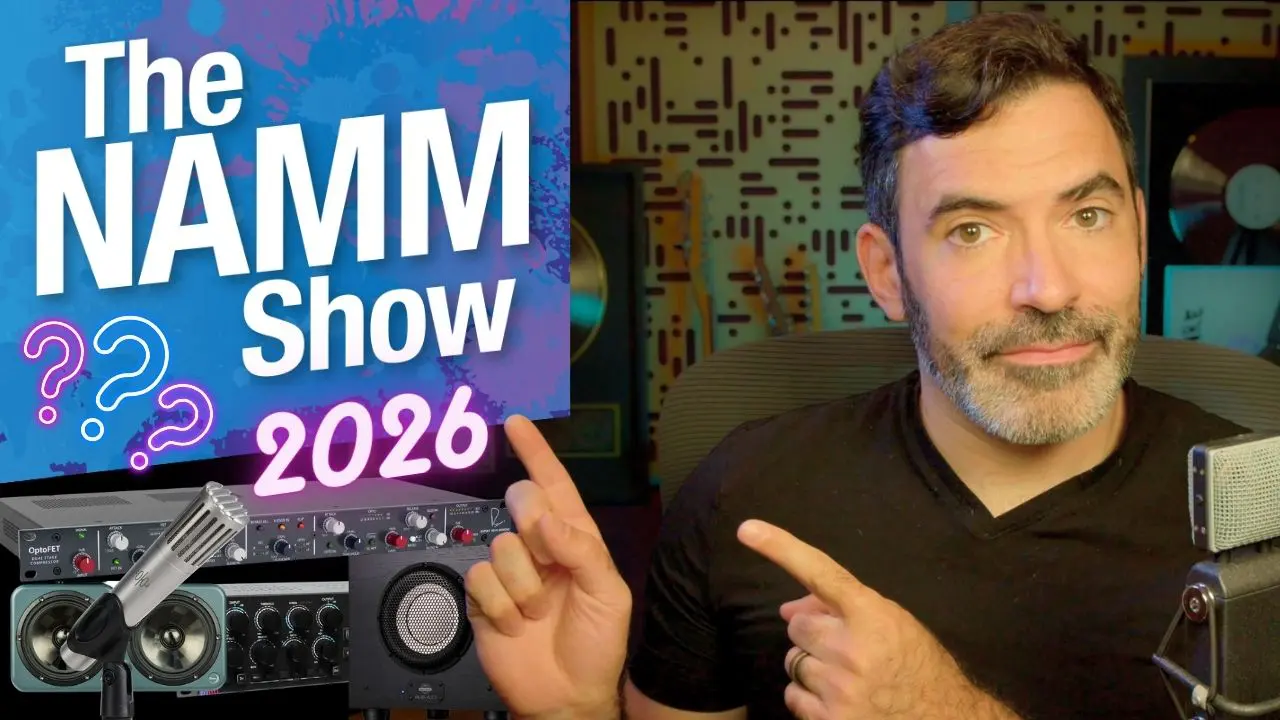
NAMM 2026 (January 20-25) was packed with announcements, but most of them won’t affect your home studio buying decisions. Here are the four that will.
- Harrison D510 (500-Series Interface/Rack Hybrid): Harrison Consoles — the company behind some of the most iconic large-format consoles in recording history — created an interface that accepts standard 500-series modules. Record through your favorite analog preamps and processors directly into your DAW via Thunderbolt. For producers who value hardware signal processing, this bridges the gap between analog and digital workflows.
- Korg microAUDIO 22 & 722: The microAUDIO 22 strips the interface down to absolute essentials — two inputs, two outputs, great preamps, zero learning curve. The 722 model adds integrated analog filters, which is a unique selling point for synth producers who want hardware filter character without a separate unit.
- Slate ML-2A (Machine Learning Microphone): Using ML algorithms to model vintage microphone characteristics in real time. The concept of owning one microphone that can convincingly emulate dozens of classic mics worth thousands each is genuinely exciting — if it delivers on the promise.
- Beyerdynamic HEADPHONE LAB: Personalized hearing measurement with real-time frequency response correction. Similar concept to Sonarworks SoundID Reference, but processed at the hardware level. For anyone doing significant work on headphones, this addresses the biggest limitation of headphone mixing.
Acoustic Treatment: More Important Than Any Piece of Gear
I’ll say this as directly as possible: a $5,000 monitor in an untreated room sounds worse than a $500 monitor in a treated room. After 28 years, this is the hill I’ll die on. As Point Blank Music School’s 2026 acoustic treatment guide reinforces, room treatment should come before any major gear upgrade.
Listening Position: The 38% Rule
Position your listening spot at 38% of the room’s length from the front wall. This minimizes the impact of room modes on your low-frequency perception. Set up your monitors in an equilateral triangle with your head, tweeters at ear height. This single adjustment will improve your monitoring accuracy more than any gear upgrade under $500.
Bass Traps and Absorption Panels
Low-frequency resonance accounts for roughly 80% of acoustic problems in home studios. Start with bass traps in the corners — minimum two, ideally four. Next, place 2-inch broadband absorbers at the first reflection points on your side walls. Finding these points is simple: sit in your listening position and have someone slide a mirror along the wall. Where you can see the monitor speaker in the reflection, that’s your first reflection point.
If DIY isn’t your thing, GIK Acoustics and Primacoustic both offer room treatment packages starting around $300-500. According to Sonarworks’ 2026 survey of 1,100+ producers, the monitoring chain was identified as the single most undervalued investment area — ahead of plugins, instruments, and even the interface itself.
DAW Selection Guide: Where Things Stand in 2026
Your DAW is like your instrument — the best one is the one that fits your workflow. But here’s how the major options stack up in early 2026:
- Ableton Live 12: Best for electronic music, beatmaking, and live performance. Session View is unmatched for sketching ideas quickly. The workflow is non-linear in the best way.
- Logic Pro X: If you’re on Mac, this is the value king at $200 (one-time purchase). Spatial Audio support and the AI-powered Drummer and Bass Player are getting remarkably good.
- FL Studio: The beatmaking and hip-hop production powerhouse. Lifetime free updates remain the best deal in the industry — buy once, get every future version free.
- Reaper: $60 for a personal license gets you professional-grade features with the highest customization ceiling of any DAW. The community scripts and extensions are incredibly powerful.
- Pro Tools: Still the industry standard for post-production and large session work. If you collaborate with commercial studios, you’ll need it eventually.
- Free Options: Start with GarageBand (Mac) or Cakewalk by BandLab (Windows). Move to paid options only when you hit their limitations. You might be surprised how long that takes.
AI Tools Integration: The New Essential Layer in 2026
CES 2026 confirmed three major audio technology trends: AI audio processing, spatial audio, and synthetic voice technology. Here’s how these translate to practical tools for your home studio right now.
- Moises (AI Stem Separation): Isolate vocals, drums, bass, and instruments from any reference track. This is revolutionary for studying mixes — pull apart your favorite songs and analyze how the pros balance elements. Pro producers are also using it for sampling and remix work.
- Sonarworks SoundID Reference: Uses a measurement microphone to analyze your room’s acoustic characteristics and calibrates your monitors and headphones in real time. For under $100, this is the single highest-impact purchase you can make after basic acoustic treatment. Combined with physical treatment, it brings home studio monitoring accuracy remarkably close to commercial studios.
- iZotope Ozone AI Mastering: The AI mastering assistant analyzes reference tracks and automatically sets up your mastering chain. It’s an excellent learning tool for beginners and useful for quick demo masters even for experienced engineers.
- LANDR / eMastered: Online AI mastering services that work well for demos and social media tracks where you don’t need full mastering polish. Quick, affordable, and increasingly competent.
Seven Mistakes That Waste the Most Money
In 28 years, I’ve watched beginners make the same mistakes over and over. Avoid these and you’ll cut your learning curve — and your wasted spending — in half.
- 1. Buying expensive monitors before treating your room: An untreated room makes any monitor sound unreliable. Allocate at least 30% of your monitor budget to acoustic treatment.
- 2. Relying entirely on presets: EQ and compressor presets are starting points, not solutions. Train your ears to adjust by listening from day one.
- 3. Gear Acquisition Syndrome (GAS): New gear doesn’t improve skills. Hold off on upgrades until you can clearly articulate what limitation you’re hitting with your current setup.
- 4. Mixing exclusively on headphones: Headphone mixing has inherent limitations in stereo imaging and low-frequency accuracy. Add monitors as soon as your budget allows.
- 5. Ignoring gain staging: Recording too hot or too cold creates problems down the chain. Aim for peaks around -18dBFS during tracking.
- 6. Mixing without reference tracks: Every professional uses references. Import a target track into your session and A/B constantly. It’s the fastest way to develop your ears.
- 7. Confusing soundproofing with acoustic treatment: Soundproofing blocks external noise. Acoustic treatment controls internal reflections. For home studios, treatment is almost always the priority. Don’t waste money on soundproofing foam — it does almost nothing for either purpose.
The bottom line for your home studio setup guide 2026: it’s not about specs — it’s about system balance. Whether you’re spending $300 or $3,000, the triangle of interface, monitoring, and acoustic treatment needs to be in proportion. The NAMM 2026 releases are exciting, but they only matter once your fundamentals are solid. Start now, upgrade as your ears grow, and remember that the room you’re in shapes your sound more than any piece of gear you’ll ever buy.
From home studio setup to professional mixing, mastering, and acoustic consulting — 28 years of hands-on experience at your service.
Get weekly AI, music, and tech trends delivered to your inbox.






