


AI Hardware 2025 Roundup: Best Chips, Devices, and Gadgets of the Year
December 18, 2025
Open Source AI 2025 Winners: 6 Models That Changed the Landscape Forever
December 19, 2025
After 28 years of building and running studios, there’s one question I hear more than any other: “I have a limited budget — what should I upgrade first?” Here’s the uncomfortable truth about your home studio 2026 upgrade plan: most of you are spending money in exactly the wrong order. If your first instinct is to buy a new plugin bundle, keep reading.
2025 has been a transformative year for audio technology. Apple Silicon M4 chips are now mainstream, USB4 and Thunderbolt 4 interfaces have become the new standard, and Dolby Atmos home production has gone from fantasy to reality. As we head into 2026, it’s time to take a hard look at your home studio and build a smart upgrade roadmap — not based on hype, but on what actually makes the biggest difference to your sound.
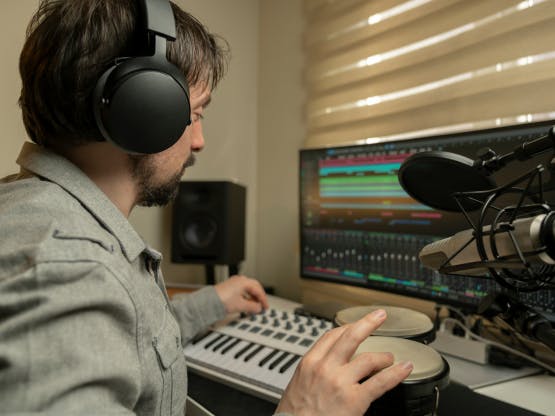
Priority #1: Acoustic Treatment — The Foundation of Every Home Studio 2026 Upgrade
I don’t care if you buy $5,000 monitor speakers. If your room sounds terrible, your mixes will sound terrible. This has been true for decades, and it’s not changing in 2026. As JH Brandt’s 2026 studio setup guide emphasizes, acoustic treatment is the foundation that everything else builds upon.
The biggest problem in untreated home studios is low-frequency buildup. Bass energy accumulates in room corners, creating nodes and nulls that completely distort your perception of the low end. You think your kick drum sounds perfect, but play it in a treated room and suddenly it’s either booming or completely missing. Here’s how to tackle it systematically:
- Bass Traps — Install these in all four vertical corners of your room. This single upgrade provides the most dramatic improvement in room response. DIY bass traps using rockwool and wooden frames can cost as little as $100-200 total.
- Broadband Absorbers — Place these at the first reflection points: the two side walls and the ceiling point between you and your speakers. These are the three spots where early reflections cause the most comb filtering and imaging problems.
- Diffusers — Add these to the rear wall to maintain some liveliness in the room. A completely dead room isn’t the goal — you want controlled reflections, not zero reflections.
If you only have $300-500 to spend? Put every dollar into acoustic treatment. I’m not exaggerating. A $200 set of DIY bass traps will improve your mixes more than a $1,000 plugin bundle ever could. The plugins process sound that you can already hear correctly — treatment lets you hear correctly in the first place.
Priority #2: Studio Monitors — Hearing the Truth
Once your room is treated, it’s time to invest in accurate monitoring. I know many producers work exclusively on headphones, and while modern headphone correction software has improved dramatically, there’s still no substitute for speakers when it comes to spatial judgment, stereo width, and low-end balance.
According to MusicRadar’s 2026 studio monitor roundup, here are the best picks by budget:
- $150-300/pair (Entry): PreSonus Eris E5 XT, IK Multimedia iLoud Micro Monitor — Surprisingly capable for small rooms. The iLoud Micro Monitors even include built-in room correction.
- $300-600/pair (Mid-range): Yamaha HS5, Adam Audio T5V — These are the sweet spot for home studios. The Yamaha HS5 has been an industry reference for decades, and for good reason. The Adam T5V’s ribbon tweeter gives you exceptional high-frequency detail.
- $600+/pair (Professional): Adam Audio A7V, Genelec 8030C — Both feature built-in room calibration systems (GLM for Genelec, A Control for Adam) that work alongside physical acoustic treatment.
One critical tip that many people get wrong: in an untreated or lightly treated small room, 5-inch woofers are almost always better than 8-inch. Bigger isn’t better when your room can’t handle the additional low-frequency energy. A pair of 5-inch monitors in a well-treated room will give you far more accurate low-end than 8-inch monitors in an untreated room.
Also worth considering for 2026: software calibration solutions like Sonarworks SoundID Reference. When used in combination with physical treatment, these tools can get your home monitoring environment remarkably close to a professional control room. SoundID uses a measurement microphone to analyze your room’s frequency response and applies real-time correction to your monitor output.
Priority #3: Audio Interface — The USB4/Thunderbolt 4 Era
2025 marked a turning point for audio interfaces. USB4 and Thunderbolt 4 have become mainstream, bringing professional-grade latency and channel counts to home studio price points. If you’re still running a USB 2.0 interface from 2018, this is where your home studio 2026 upgrade budget can make a real difference.
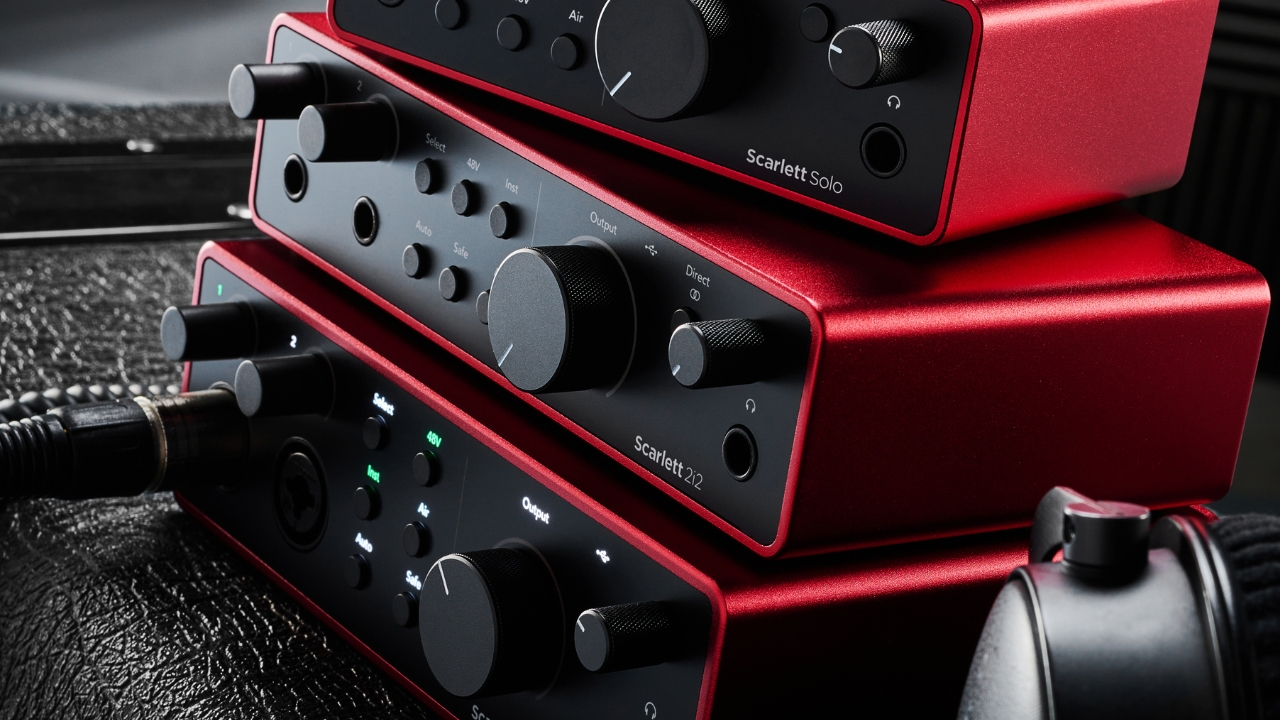
Based on MusicRadar’s comprehensive interface reviews, here’s what I recommend for 2026:
- $100-250 (Entry/Mid): Focusrite Scarlett 2i2 4th Gen, Universal Audio Volt 276 — The Scarlett 2i2 remains the gold standard for beginners, while the Volt 276 adds a vintage compressor circuit that gives recordings genuine character at this price point.
- $400-800 (Professional): Universal Audio Apollo Solo, MOTU 828 — Onboard DSP processing (Apollo) or exceptional conversion quality (MOTU) for those who need more power.
- $800+ (High-End): MOTU 848 (Thunderbolt 4), RME UFX III — 12-16 output channels capable of supporting Dolby Atmos home production, with sub-2ms round-trip latency.
The key decision criterion here isn’t what you need today — it’s what you’ll need over the next 2-3 years. If Atmos mixing is anywhere on your radar, you’ll need at least 12 output channels. As Sonarworks’ studio checklist recommends, target sub-2ms latency for real-time monitoring. Plan ahead now to avoid buying another interface in 18 months.
Priority #4: Computer & DAW — The Apple Silicon M4 Workstation
Here’s my honest take: if you bought your computer after 2020, you probably don’t need to upgrade yet. Modern DAWs and plugins are remarkably well-optimized for current hardware. But if you’re still running an Intel-based system that’s more than 5 years old, 2026 is the sweet spot for an upgrade.
The current benchmarks for music production computers are clear:
- Mac users: Apple Silicon M3 Pro or M4 Pro with 32GB unified memory. Real-world performance is 2-3x faster than equivalent Intel machines for virtual instruments and plugin-heavy sessions.
- Windows users: AMD Ryzen 7 or 9 series with 32GB DDR5 RAM and 2TB+ NVMe SSD. Price-to-performance still favors Windows for raw computing power.
- Storage: Dedicate a separate NVMe SSD for sample libraries. Keep your project drive and sample drive on different physical disks for optimal streaming performance.
Regarding DAW upgrades: every major DAW shipped significant updates in 2025, including AI-powered workflow assistants in Ableton Live, Logic Pro, and Studio One. These are worth the upgrade cost. However, I strongly advise against switching DAWs. The learning curve cost almost never justifies the switch. Stay with what you know and upgrade to the latest version instead.
Priority #5: Microphones & Preamps — The Final Piece
I deliberately placed microphones last on this list, even though most people want to upgrade them first. Here’s why: without accurate monitoring in a treated room, you literally cannot hear the difference between a $200 microphone and a $2,000 microphone. Fix your monitoring chain first, and then microphone upgrades become meaningful.
- Vocals: Audio-Technica AT2020 (entry, ~$100), Rode NT1 5th Gen (mid, ~$270), Neumann TLM 103 (pro, ~$1,100) — Choose based on your budget and vocal style.
- Instruments: The Shure SM57 remains unbeatable for guitar amps, snare drums, and general instrument miking. At $100, it’s the best investment-to-quality ratio in all of audio.
- Preamps: Built-in preamps on modern interfaces (especially in the $400+ range) are genuinely excellent. A dedicated preamp only becomes necessary when you’re chasing a specific sonic character at the professional level.
Budget Roadmaps for Your 2026 Home Studio Upgrade
Let me put all of this into practical, budget-specific plans you can actually execute.
Under $500: Acoustic Treatment Focus
- DIY bass traps for 4 corners (rockwool + wood frames): $100-150
- Broadband absorber panels (3-4 panels): $150-200
- Monitor isolation pads or stands: $50-80
$1,000-2,000: Complete Monitoring Environment
- Acoustic treatment: $300-400
- Monitor speakers (Yamaha HS5 or Adam Audio T5V pair): $300-500
- Sonarworks SoundID Reference: $120
- Audio interface (Focusrite Scarlett 2i2 4th Gen): $180-250
$3,000+: Professional Home Studio
- Professional acoustic treatment (including installation): $800-1,200
- Pro monitors (Adam Audio A7V or Genelec 8030C): $800-1,200
- High-end interface (UAD Apollo Twin or RME): $600-1,000
- Condenser microphone (Rode NT1 5th Gen or Neumann TLM 103): $250-1,100
Final Thoughts: The Order Matters More Than the Gear
The most important thing about your home studio 2026 upgrade isn’t what you buy — it’s the order in which you invest. Acoustic treatment, then monitors, then interface, then computer and DAW, then microphones. Follow this sequence and you’ll get dramatically better results from the same budget compared to someone who buys gear randomly based on marketing hype.
2026 is shaping up to be a pivotal year for home studios. USB4/Thunderbolt 4 connectivity, Apple Silicon M4 processing power, and Atmos home production are all converging to make professional-quality work from home studios more achievable than ever. Start investing in the right order now, and you’ll have a studio that serves you well for the next 3-5 years without wasteful re-purchases. Your music deserves better than being compromised by the wrong upgrade priorities.
Planning a home studio upgrade or need acoustic treatment consulting? A 28-year veteran engineer is here to help.
Get weekly AI, music, and tech trends delivered to your inbox.






