


Arturia V Collection 10 (X) Review: Are 39 Vintage Instruments Worth $599?
September 5, 2025
Google Search Live: Real-Time AI Answers Are About to Change How You Search Forever
September 8, 2025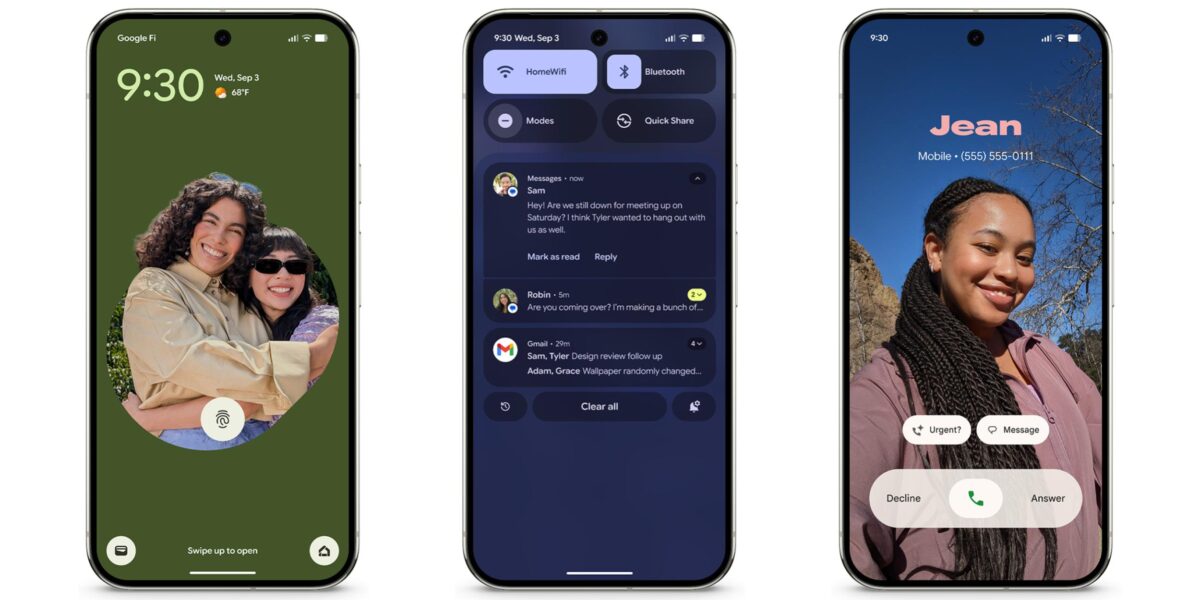
Google just dropped the September 2025 Pixel update — and if you own a Pixel 10 Pro, this one actually matters. Between the massive Material 3 Expressive UI overhaul, camera stability improvements, and a laundry list of bug fixes, build BD3A.250721.001.E1 packs more meaningful changes into its modest 31MB than most quarterly updates deliver in ten times the size.
What the Pixel 10 Pro September Update Actually Fixes
Let’s start with the fixes, because several of these have been genuinely annoying. The most visible issue — a “fuzzy display” glitch that caused static-like snow on some Pixel 10 Pro screens — is finally resolved. If you’ve been staring at your $999 flagship wondering why it occasionally looked like a CRT TV from the ’90s, you can breathe easy.
The Pixel 10 Pro September update also addresses a bizarre power button bug that occurred when connected to Android Auto via USB-C charging. Your phone’s physical power button would simply stop responding — not exactly ideal when you’re trying to check navigation mid-drive. Google confirmed the fix in the BD3A.250721.001.E1 build notes.
Other critical fixes include a screen blackout during webpage transitions in in-app browsers, system instability issues, and a Pixel Launcher crash that affected multiple users. Touch responsiveness improvements and navigation gesture reliability round out the stability package.
Camera Stability: What Tensor G5’s AI Engine Gets Right (and What Still Needs Work)
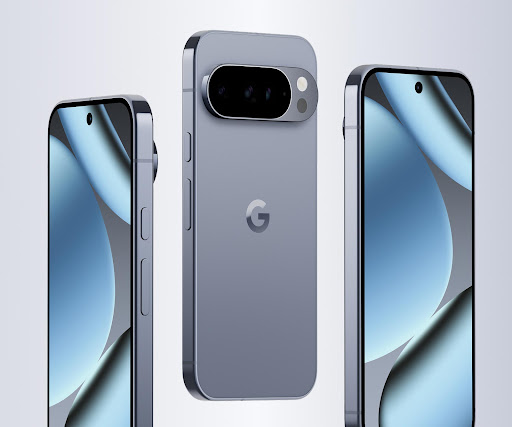
The September security patch includes “general improvements for camera stability and performance” for Pixel 8 and newer devices — which naturally includes the Pixel 10 Pro and its Tensor G5 processor. While Google’s changelog is characteristically vague, real-world reports suggest smoother transitions between camera modes, faster shutter response in low light, and reduced processing lag when Auto Best Take kicks in during group shots.
Speaking of Auto Best Take, this remains one of the Pixel 10 Pro’s most underrated features. The system analyzes up to 150 frames in seconds, automatically detecting group photos and selecting the moment where everyone’s eyes are open and expressions look natural. After the September update, the feature feels noticeably more responsive — fewer “processing” spinners, more instant results.
The 50MP main sensor with its improved optical image stabilization (twice the compensation range of the Pixel 9 Pro) continues to deliver excellent results. Paired with the 48MP f/2.8 5x telephoto and Pro Res Zoom’s AI-assisted 100x capability — powered by the first diffusion model running directly in Pixel Camera on Tensor G5 — the camera system remains the strongest argument for choosing Pixel over Galaxy or iPhone.
Camera Coach, Google’s Gemini-powered photography assistant, continues to evolve. It provides step-by-step guidance on lighting and composition, suggesting shots you might not have considered. While it won’t replace years of photography experience, it’s genuinely useful for casual shooters who want to level up their Pixel 10 Pro September update camera game.
Material 3 Expressive: The Biggest Visual Change Since Android 12
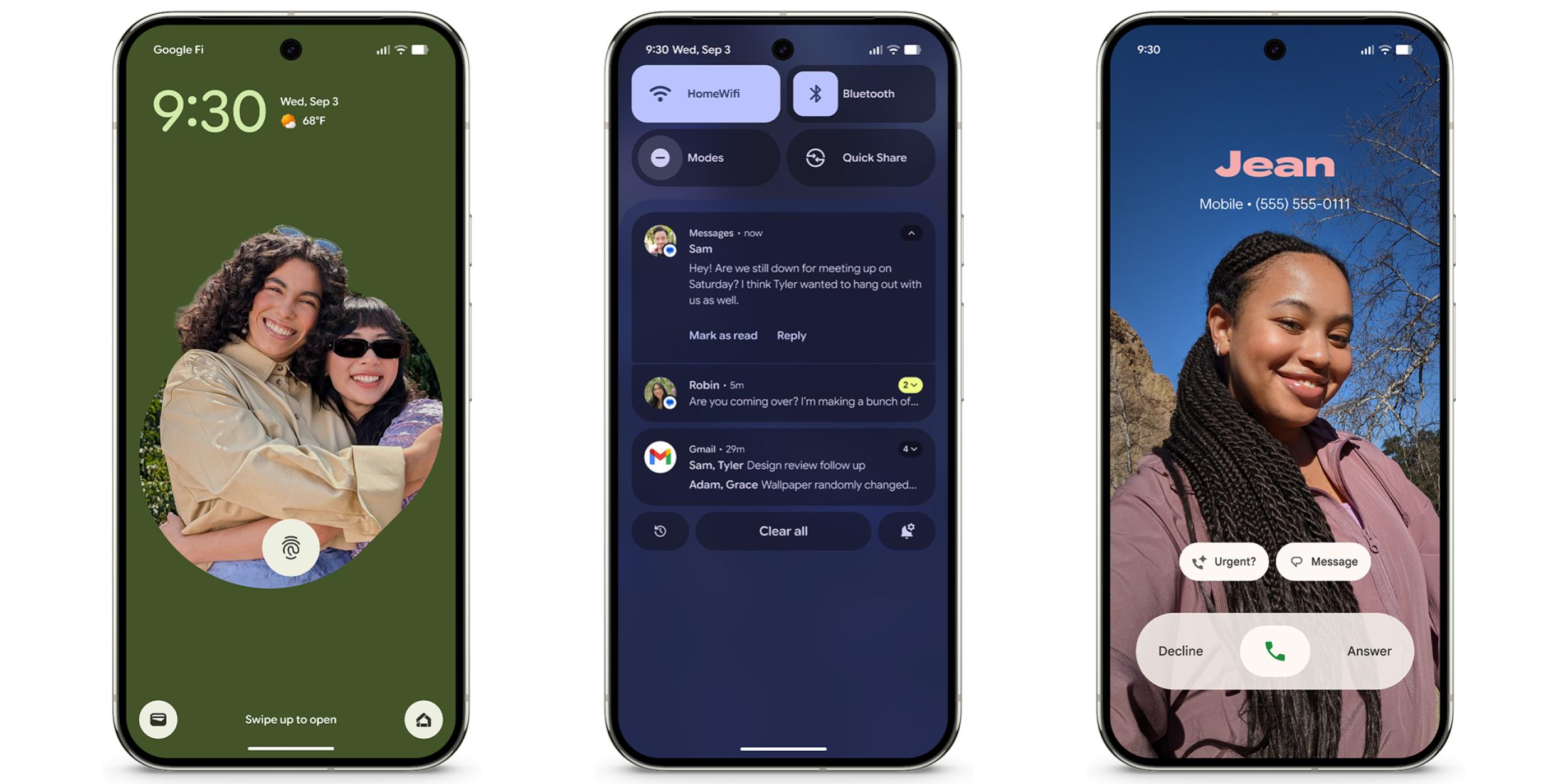
The September 2025 Pixel Feature Drop introduces Material 3 Expressive, which Google describes as a “comprehensive UI update.” This isn’t a subtle tweak — it’s a genuine redesign of how your Pixel looks and feels daily.
Live Effects let you add animated elements to your lock screen wallpaper — shapes, weather effects, and dynamic patterns that respond to touch. Quick Settings gets a sleeker, more intuitive layout. And the Phone app introduces customizable calling cards, letting you personalize how your contact information appears to people you call.
Whether Material 3 Expressive represents actual usability improvement or just visual polish is debatable. But after nearly three years of Material You’s relatively static design language, the refresh feels overdue.
LE Audio Auracast, Quick Share Redesign, and Everything Else
Beyond the headline features, the September Feature Drop includes several additions worth noting:
- LE Audio Auracast — Pixel 8 and newer can now receive audio broadcasts at Auracast-enabled venues like airports and conference halls. Think of it as Bluetooth for public spaces.
- Quick Share Redesign — The file-sharing interface goes fullscreen with dedicated Send and Receive tabs, plus a live progress indicator that actually tells you how far along your transfer is.
- Gboard Writing Tools — Seven new AI-powered text options: Proofread, Rephrase, Professional, Friendly, Emojify, Elaborate, and Shorten. These run through Gemini and work across any text field.
- Pixel Watch Navigation — Walking or biking navigation started on your phone now automatically appears on your Pixel Watch. No tapping required — just glance at your wrist.
- Fingerprint Recognition — Improved accuracy and response time for biometric unlocking.
- Bluetooth Stability — General connectivity improvements across all supported Pixel devices.
Pro Res Zoom at 100x: How Tensor G5’s Diffusion Model Actually Works
One of the most technically impressive features that benefits from the Pixel 10 Pro September update is Pro Res Zoom. Unlike traditional digital zoom that simply crops and upscales — producing the mushy, artifact-laden results we’ve all come to expect — Pro Res Zoom uses a generative AI diffusion model running directly on the Tensor G5 chip to reconstruct detail at extreme zoom levels.
Here’s how it works in practice: when you zoom beyond 30x on the Pixel 10 Pro, the system captures whatever optical data the 48MP 5x telephoto can provide, then runs that data through a diffusion model specifically trained on Tensor G5’s TPU. The model generates plausible detail that fills in what the optics physically cannot resolve. At 50x and 60x, the results are genuinely impressive — signs become readable, distant architectural details sharpen, and wildlife photography at range produces usable images.
At the full 100x, results are more mixed. The AI generates convincing textures and patterns, but they’re essentially educated guesses rather than captured reality. Google wisely disables Pro Res Zoom when faces are detected in the frame to prevent unnatural AI-generated facial features. The September stability improvements seem to reduce processing artifacts at the 50-80x sweet spot, which is where most users will get the most practical value from this feature.
Pixel 10 Pro vs iPhone 17 Pro and Galaxy S25 Ultra: Where September Leaves the Camera Race
With the September update, the Pixel 10 Pro’s camera system sits in an interesting position against its two main competitors. Apple’s iPhone 17 Pro continues to prioritize consistent color science and video quality, while Samsung’s Galaxy S25 Ultra leads in raw hardware specs with its 200MP main sensor. Google’s approach — leveraging Tensor G5’s AI processing to extract more from slightly more modest hardware — represents a fundamentally different philosophy.
The 50MP main sensor with f/1.68 aperture and doubled OIS compensation range doesn’t match Samsung’s megapixel count on paper. But in real-world shooting — especially in challenging lighting conditions — the Tensor G5’s computational photography pipeline consistently produces images with better dynamic range, more natural skin tones, and less noise. Auto Best Take’s group photo intelligence remains unmatched by either competitor, and Camera Coach gives the Pixel a unique AI-assisted learning advantage that neither Apple nor Samsung offers.
The 100x Pro Res Zoom capability, while technically a launch feature, benefits directly from the September stability improvements. Samsung’s 100x Space Zoom uses a similar AI-upscaling approach but runs on a less specialized AI processor. Apple tops out at 25x digital zoom on the iPhone 17 Pro. For users who regularly shoot at extreme distances — bird watchers, concert-goers, sports fans — the Pixel 10 Pro’s zoom capability after the September update is clearly the most capable option available.
Should You Update Immediately?
Yes. The Pixel 10 Pro September update is a no-brainer install. The fuzzy display fix alone justifies the 31MB download, and the camera stability improvements make the already-excellent Tensor G5 camera pipeline feel more polished. Material 3 Expressive is the kind of visual refresh that makes your phone feel new again without requiring a hardware upgrade.
The September 2025 update started rolling out on September 4th for most Pixel devices, with the Pixel 10-specific OTA (build BD3A.250721.001.E1) following on September 16th. If you haven’t received it yet, head to Settings → System → System update to check manually.
With Tensor G5’s 60% more powerful TPU driving on-device AI features and Google’s commitment to seven years of OS and security updates, the Pixel 10 Pro continues to be the Android phone that gets better with every monthly update. September’s drop is proof that incremental improvements, done right, matter as much as flashy hardware launches.
Want weekly breakdowns of the updates, features, and AI tools shaping mobile tech? Get them delivered every week.
Get weekly AI, music, and tech trends delivered to your inbox.





