


Best Portable SSDs June 2025: 3 Thunderbolt 5 Drives That Hit 6,000 MB/s
June 10, 2025
Plugin Boutique Summer Sale 2025: 8 Best VST Deals That Save You Over $5,000
June 11, 2025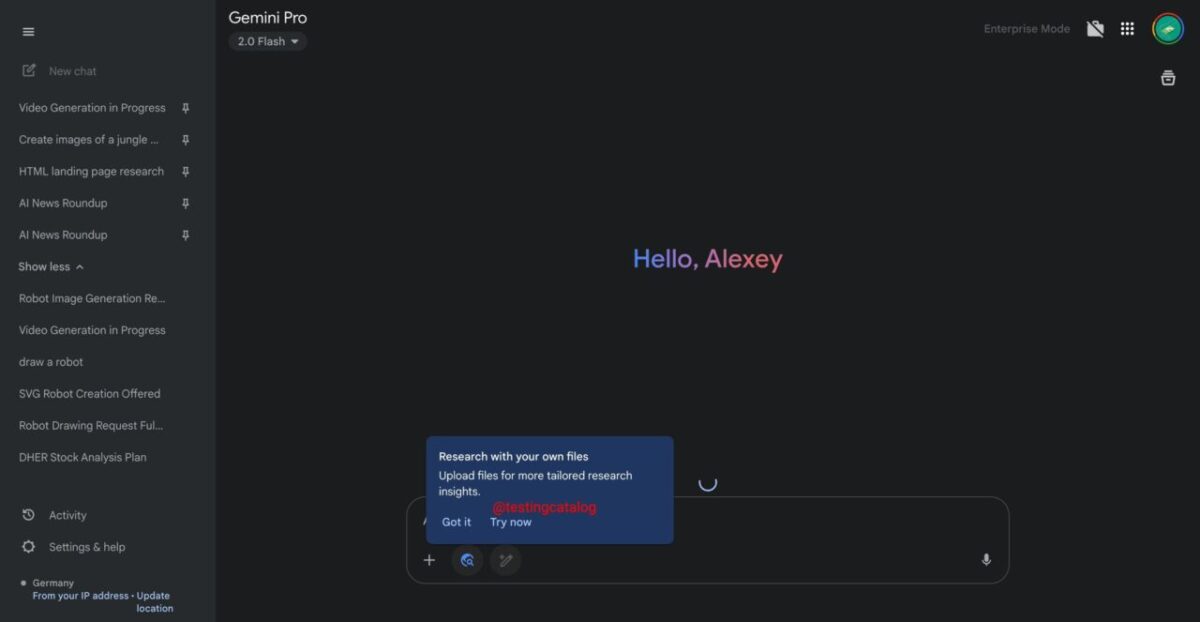
Three weeks ago, Google quietly turned its Deep Research feature into something far more useful than a web summarizer. The Gemini Deep Research file upload capability, announced at Google I/O on May 20 and rolled out two days later, lets you feed your own PDFs, images, spreadsheets, and Google Drive documents directly into the AI research pipeline. If you’ve been waiting for Gemini to stop just reading the web and start reading your files, the wait is over.
What Changed: Gemini Deep Research File Upload Explained
Before this update, Deep Research was already impressive. It could autonomously browse dozens of web sources, synthesize findings, and generate structured reports. But it had a fundamental limitation: it could only work with publicly available information. Your internal reports, research papers, proprietary datasets, and personal documents were off-limits.
The Gemini Deep Research file upload feature changes that equation entirely. Now, when you start a Deep Research session, you’ll see an “Add files” button that accepts a wide range of document types:
- PDFs — research papers, reports, whitepapers, contracts
- Images — charts, diagrams, screenshots, infographics
- Plain text and code files — logs, scripts, documentation
- DOC and Google Docs — memos, proposals, drafts
- Spreadsheets and tabular data — CSV, Google Sheets, Excel files
- Google Drive integration — link documents directly without downloading
The real power isn’t just that Gemini can read these files. It’s that Deep Research combines your uploaded documents with its web research capabilities in a single analysis pass. Upload a quarterly earnings report, and Deep Research will cross-reference the numbers against industry trends, competitor filings, and analyst commentary — all automatically.
From Google I/O Announcement to Full Rollout
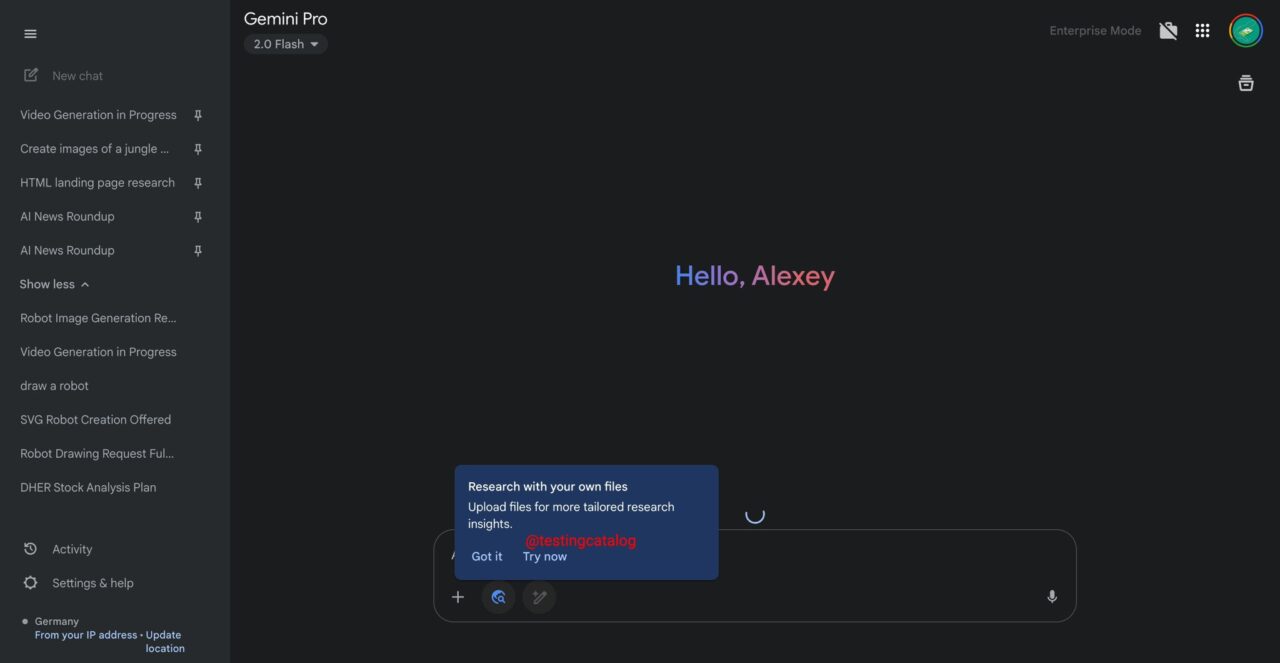
The feature first appeared in testing around May 12, when users spotted the file upload option in the Gemini interface. Google officially announced the update at I/O 2025 on May 20, and the rollout began on May 22 with a 1-3 day staggered deployment. By now, all Gemini Advanced subscribers should have full access to the feature on both web and mobile apps.
This wasn’t a standalone announcement either. Google bundled the file upload capability with several other Deep Research improvements, including the ability to turn research reports into interactive content, quizzes, and Audio Overviews within Canvas. The underlying model also got an upgrade — Gemini Advanced users now run on Gemini 2.5 Pro (experimental), while 2.5 Flash experimental is available as a faster alternative.
Practical Use Cases: Where Gemini Deep Research File Upload Shines
After spending three weeks with the feature, several use cases stand out as genuinely transformative rather than just incremental improvements.
Academic and Technical Research
Upload a research paper, and ask Deep Research to find related studies, identify contradicting findings, and map the citation landscape. Instead of manually tracking references, the AI cross-references your paper against current web sources, preprint servers, and academic databases it can access. For graduate students and researchers, this alone could save hours per literature review. The structured report output means you get a formatted document with proper source attribution, not just a chat response you need to reorganize yourself.
Business Intelligence and Competitive Analysis
Feed in your company’s internal metrics spreadsheet alongside a competitor’s public earnings report. Deep Research can identify gaps, benchmark performance, and pull in market context from analyst reports and industry publications. The multimodal capability means you can even upload screenshots of dashboards or charts that aren’t available as raw data. For quarterly business reviews, this workflow cuts what used to be days of manual research into a single Deep Research session that produces a comprehensive competitive landscape document.
Legal and Contract Review
Upload a contract PDF and ask Deep Research to identify non-standard clauses by researching industry norms and regulatory requirements. While this doesn’t replace legal counsel, it provides a solid first-pass analysis that highlights areas requiring closer human review. The ability to cross-reference contract language against publicly available legal standards and precedents makes this particularly valuable for small businesses that can’t afford to run every vendor agreement through a full legal review.
Technical Documentation Analysis
For developers and engineers, uploading code files or technical docs alongside a research query produces remarkably useful results. Ask about best practices for a specific implementation pattern, upload your current code, and Deep Research will tailor its findings to your actual codebase rather than giving generic advice. This is especially powerful for migration projects — upload your legacy codebase documentation, and Deep Research can research modern alternatives while accounting for your specific constraints and dependencies.

How It Compares: Gemini vs. ChatGPT vs. Perplexity
The file upload feature narrows a significant gap that existed between Gemini and its competitors. ChatGPT has offered file upload with browsing capabilities for months, and Perplexity has been building out document analysis features. But Google’s implementation has a distinct advantage: native Google Drive integration.
If your workflow already lives in Google Workspace — Docs, Sheets, Drive — the friction drops to near zero. You don’t need to download files, convert formats, or re-upload. Just link directly from Drive. For organizations already invested in the Google ecosystem, this integration makes Gemini Advanced’s $19.99/month Google One AI Premium plan considerably more compelling.
There’s also the question of depth. ChatGPT’s browsing is real-time but relatively shallow — it visits a handful of pages per query. Deep Research, powered by Gemini 2.5 Pro, takes a different approach: it creates a multi-step research plan, browses dozens of sources systematically, and produces a structured report. Adding file upload to this thorough methodology creates something that neither ChatGPT nor Perplexity currently match in terms of research depth combined with document analysis.
Google’s own NotebookLM remains a closer cousin — it was already designed for document analysis. But NotebookLM focuses on uploaded sources only, without the web research component. Deep Research with file upload essentially merges both capabilities: your documents plus the entire web, analyzed together.
Here’s a quick breakdown of how the three platforms compare for document-aware research as of June 2025:
- Gemini Deep Research: Multi-step autonomous research plan, dozens of web sources, file upload + Drive integration, structured report output. Best for thorough research that combines personal documents with web knowledge. $19.99/month.
- ChatGPT (Plus/Team): File upload with real-time browsing, strong conversational follow-up, Code Interpreter for data analysis. Best for interactive analysis and quick questions about uploaded files. $20/month.
- Perplexity Pro: Source-cited answers with document upload, focus on factual accuracy with inline citations. Best for fact-checking and quick sourced answers about documents. $20/month.
How to Get Started with Gemini Deep Research File Upload
If you’re already a Gemini Advanced subscriber, the feature should be available now. Here’s the workflow:
- Step 1: Open Gemini (web or mobile) and start a new conversation
- Step 2: Click the “Add files” button or the attachment icon to upload your documents
- Step 3: Type your research query — be specific about what you want the AI to investigate across both your files and the web
- Step 4: Select “Deep Research” mode (rather than standard chat) to activate the multi-step research pipeline
- Step 5: Review the research plan that Gemini generates, adjust if needed, then let it run
For Google Drive integration, you can link documents directly from Drive without downloading them first. This is particularly useful for team environments where documents are shared and updated frequently — you always get the latest version in your research.
One tip worth noting: the quality of your research query matters significantly. Rather than uploading a file and asking “analyze this,” frame specific questions. “Compare the methodology in this paper against current best practices for randomized controlled trials” will produce far better results than “tell me about this paper.”
Limitations and What to Watch For
This is still an experimental feature running on experimental models, and the limitations reflect that reality. File size limits exist, though Google hasn’t published exact numbers. Complex multi-page spreadsheets sometimes lose formatting context. And the feature is restricted to Gemini Advanced subscribers — the free tier doesn’t get access.
Privacy-conscious users should also consider that uploaded files are processed by Google’s servers. While Google states that Gemini Advanced data isn’t used for model training, enterprise users with sensitive documents may want to wait for additional data governance controls before uploading proprietary information.
The Gemini 2.5 Pro experimental model powering Deep Research is also still being refined. Occasional hallucinations in cross-referencing uploaded data with web sources can occur, so verifying critical findings against original sources remains important.
The Bigger Picture: AI Research Assistants Are Growing Up
The Gemini Deep Research file upload feature represents a broader shift in how AI research tools are evolving. We’re moving past the era of AI that can only answer questions from its training data or search the web on your behalf. The next phase — already here with this update — is AI that can work with your specific context, your documents, your data, and combine that with the breadth of web knowledge.
For professionals who spend significant time on research, analysis, and synthesis, this is worth paying attention to. The $19.99/month Gemini Advanced subscription just became meaningfully more valuable. Whether you’re an analyst building market reports, a researcher conducting literature reviews, or a developer evaluating technical approaches, the ability to ground AI research in your own documents while maintaining access to web-wide context is a genuine productivity multiplier.
Google I/O 2025 delivered plenty of announcements, but this one — the quiet addition of file understanding to Deep Research — might end up being the feature that changes daily workflows the most. The tools are here. The question is how quickly you’ll integrate them into yours.
Want to build AI-powered research pipelines or automate your document analysis workflows? Sean Kim helps teams integrate tools like Gemini Advanced into production systems.
Get weekly AI, music, and tech trends delivered to your inbox.






