Cherry Audio Quadra Review: The Legendary ARP 4-Section Polysynth Reborn for $49
February 20, 2026
Mac Studio 2025 Music Production Review: M4 Max vs M3 Ultra DAW Benchmarks After 11 Months
February 23, 2026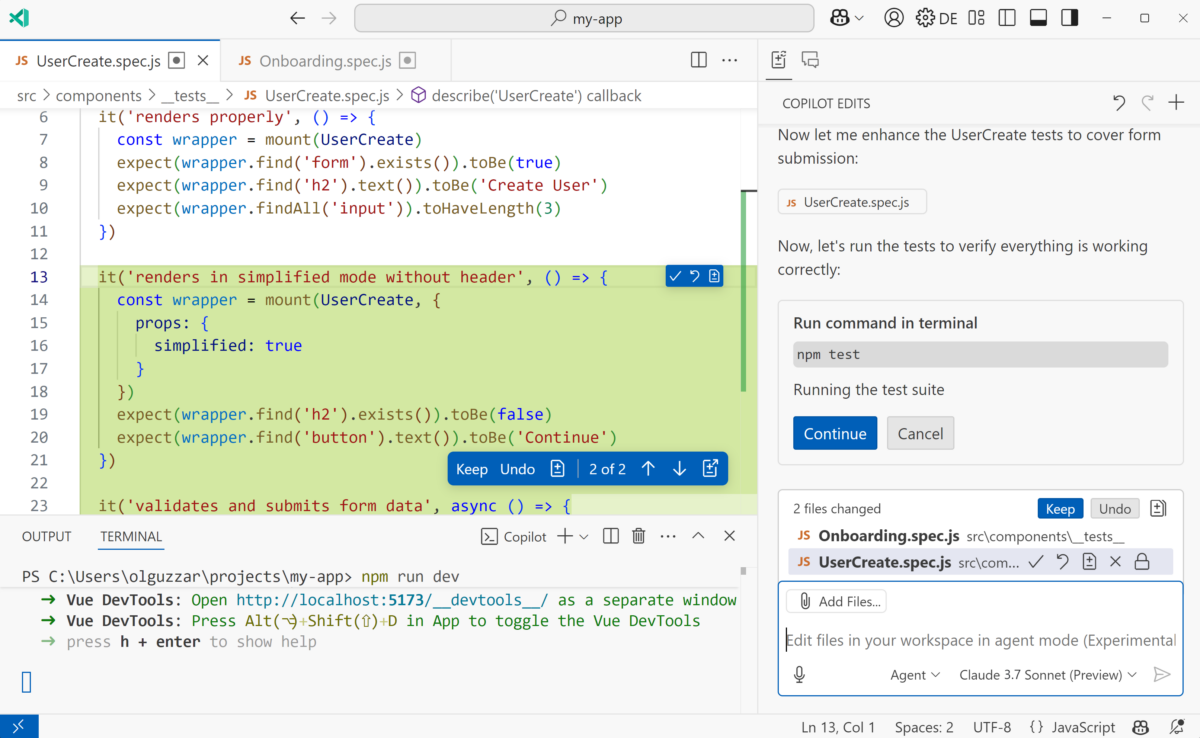
“I thought I only needed to fix one file — turns out it touched twelve.” If you’ve ever attempted a large-scale refactoring, you know the pain. In February 2025, that pain finally got a real answer. GitHub Copilot launched Agent Mode, and AI coding assistants officially moved beyond single-file autocomplete into something far more ambitious: understanding your entire repository.
What Is GitHub Copilot Agent Mode?
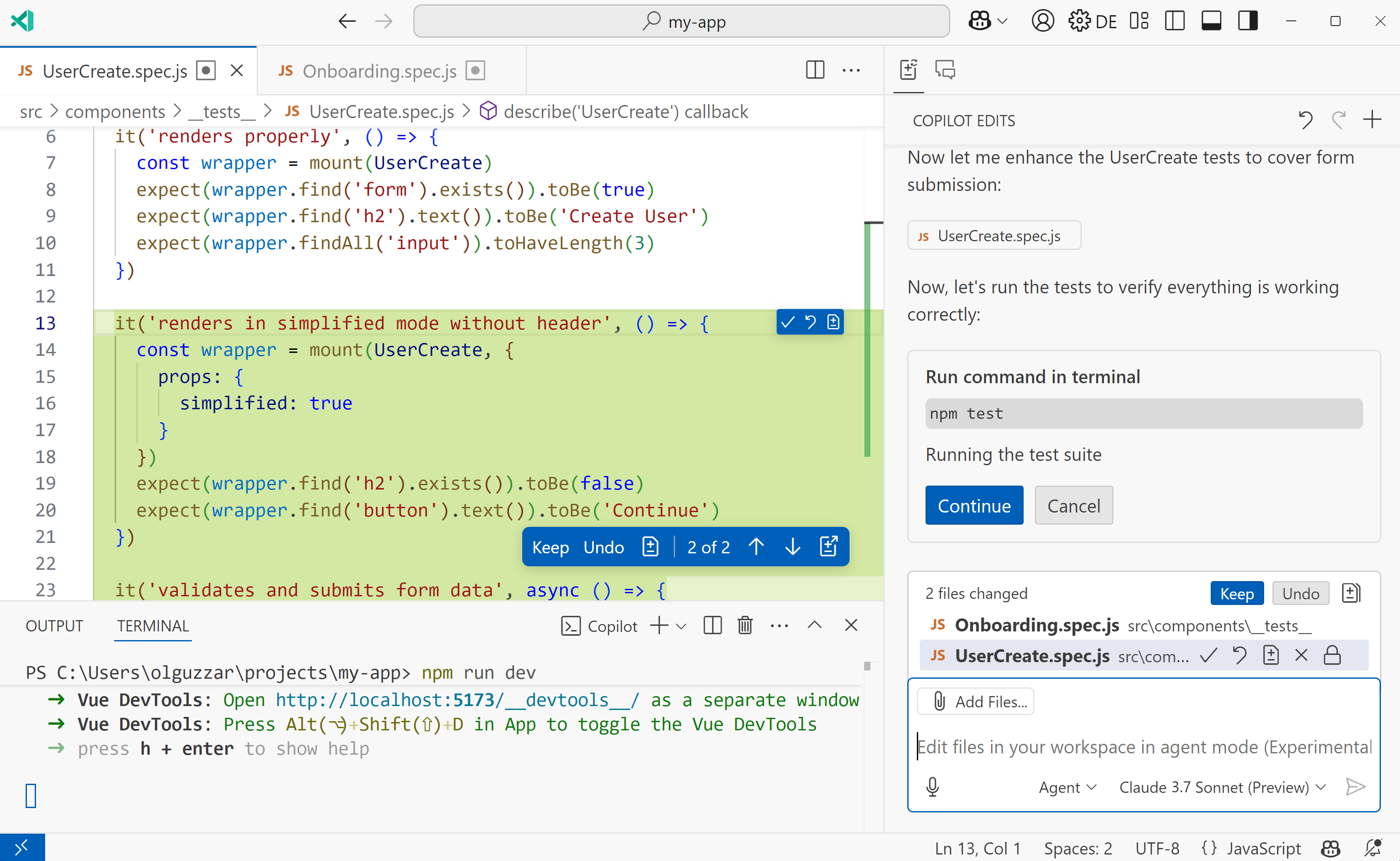
On February 6, 2025, GitHub announced Copilot Agent Mode and Next Edit Suggestions — a wave of updates that fundamentally redefine what an AI coding assistant can do. While the old Copilot was essentially a sophisticated autocomplete engine limited to the file you had open, Agent Mode is a completely different beast. Give it a single prompt, and it will analyze multiple files, propose changes across your codebase, execute terminal commands, and even fix its own errors autonomously.
GitHub CEO Thomas Dohmke described it as the ability to “generate, refactor and deploy code across the files of any organization’s codebase with a single prompt command.” With over 150 million developers and 77,000 organizations already using Copilot, Agent Mode represents a paradigm shift in how this massive user base interacts with their code.
The Three-Step Autonomous Loop: How GitHub Copilot Agent Mode Works Under the Hood
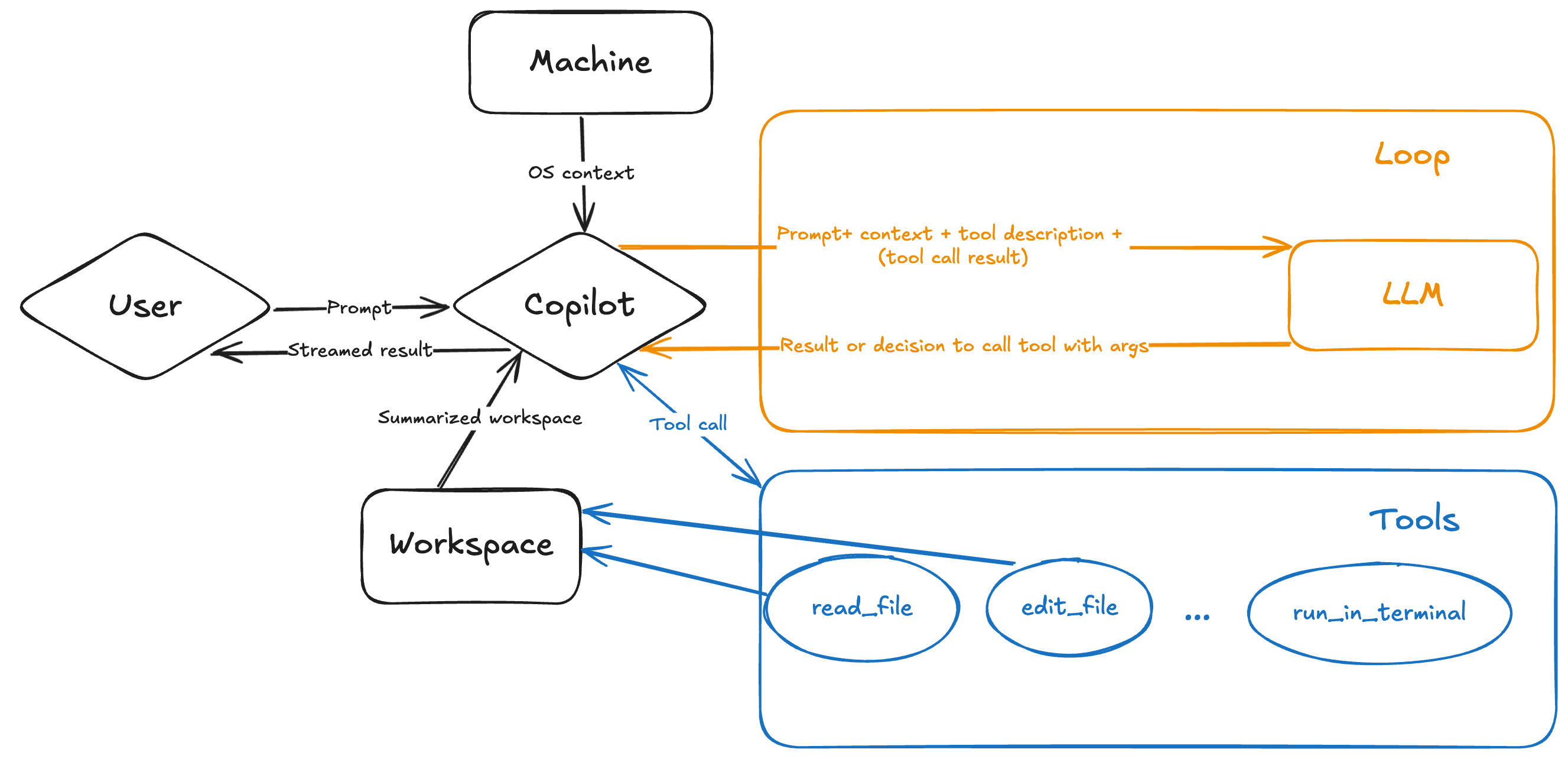
According to the VS Code team’s deep technical dive, GitHub Copilot Agent Mode runs on an LLM tool-calling architecture. The system operates through a three-step iterative loop that repeats until the task is complete:
- Step 1: Context Analysis — The agent autonomously determines which files are relevant by scanning your workspace structure. It uses tools like
read_fileand workspace search to build a comprehensive understanding of your codebase — not the entire repo dumped into context, but a smart, summarized workspace structure sent alongside your query. - Step 2: Implementation — It proposes code changes and terminal commands (compilation, package installation, test execution) via a speculative decoder endpoint optimized for rapid code edits.
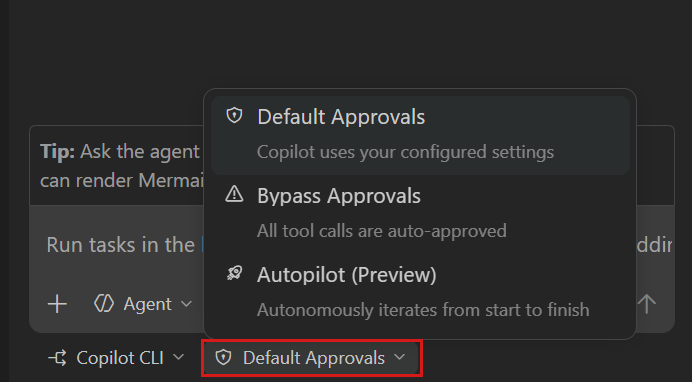
- Step 3: Validation and Self-Correction — The agent monitors the correctness of its output. If a compilation fails or a test breaks, it automatically iterates to fix the issue — no manual intervention required.
Here’s the fascinating part: the VS Code team revealed they “prefer Claude Sonnet over GPT-4o” for Agent Mode, citing “significant improvements” in early Claude 3.7 Sonnet testing. This isn’t just marketing — it’s a signal that multi-model support in Copilot is driven by real performance differences across tasks. Alongside these models, Google’s Gemini 2.0 Flash and OpenAI’s o3-mini are also available in public preview.
Copilot Edits Goes GA and Next Edit Suggestions Enter Preview
The February update also brought Copilot Edits to general availability. Specify a set of files, describe the changes you want in natural language, and Copilot makes inline modifications across all of them. The interface is optimized for rapid iteration — edit, review, accept or reject, repeat.
Next Edit Suggestions is perhaps the sleeper feature of this release. Currently in preview, it analyzes your editing patterns and automatically predicts what you’ll change next — insertions, deletions, replacements. One tab press applies the suggestion. For repetitive refactoring tasks like renaming patterns across a module or updating API call signatures, this could save hours of tedious work.
Prompt Files and Vision: Making Agent Mode Team-Ready
Two supporting features make GitHub Copilot Agent Mode genuinely useful for teams, not just individual developers. Prompt Files let you store reusable prompt instructions as markdown files directly in your VS Code workspace. Think of them as blueprints that combine natural language guidance, file references, and code snippets — ensuring your entire team follows consistent coding standards when working with Copilot.
The Vision feature takes a different approach to the designer-developer handoff problem. Upload a mockup, screenshot, or image, and Copilot converts it into functional UI code. It’s not pixel-perfect yet, but it dramatically reduces the time between seeing a design and having a working prototype.
The Bigger Picture: From Augmented to Agentic Development
DevOps.com’s analysis frames this update as the shift from “augmented development to agent-based, or agentic, developed software.” Infrastructure and operations aren’t just getting AI-assisted — they’re being reimagined as human-AI collaborative partnerships.
Not everyone is celebrating, of course. Some developers report frustration with long-running commands where “it is completely impossible to obtain the results,” and complex projects can still trip up the agent. But as one developer review put it: “Any developer who says ‘Eh, not a big deal’ is in denial. This is one of the rare times where innovation actually fits.”
GitHub also teased Project Padawan — an autonomous agent in development that would complete tasks entirely independently, pushing the boundaries even further. We’re watching the real-time evolution of software development from “human writes code” to “human architects systems while AI handles implementation.”
GitHub Copilot Agent Mode has set a new benchmark for AI coding tools. The question isn’t whether agentic AI will transform your development workflow — it’s whether you’re ready to let it. The developers who adapt fastest won’t just code faster; they’ll think about code differently, focusing on architecture and intent while their AI partner handles the implementation details.
Want to build AI-powered development pipelines or automate your coding workflow? Sean Kim offers technical consulting for teams navigating the agentic AI transition.