


WaveLab Pro 13 Metering Overhaul — 7 Reasons MasterRig 2 and TruePeak Change the Mastering Game
June 25, 2025
Open Source LLM Self-Hosting 2025: 7 Best Models You Can Run Right Now
June 26, 2025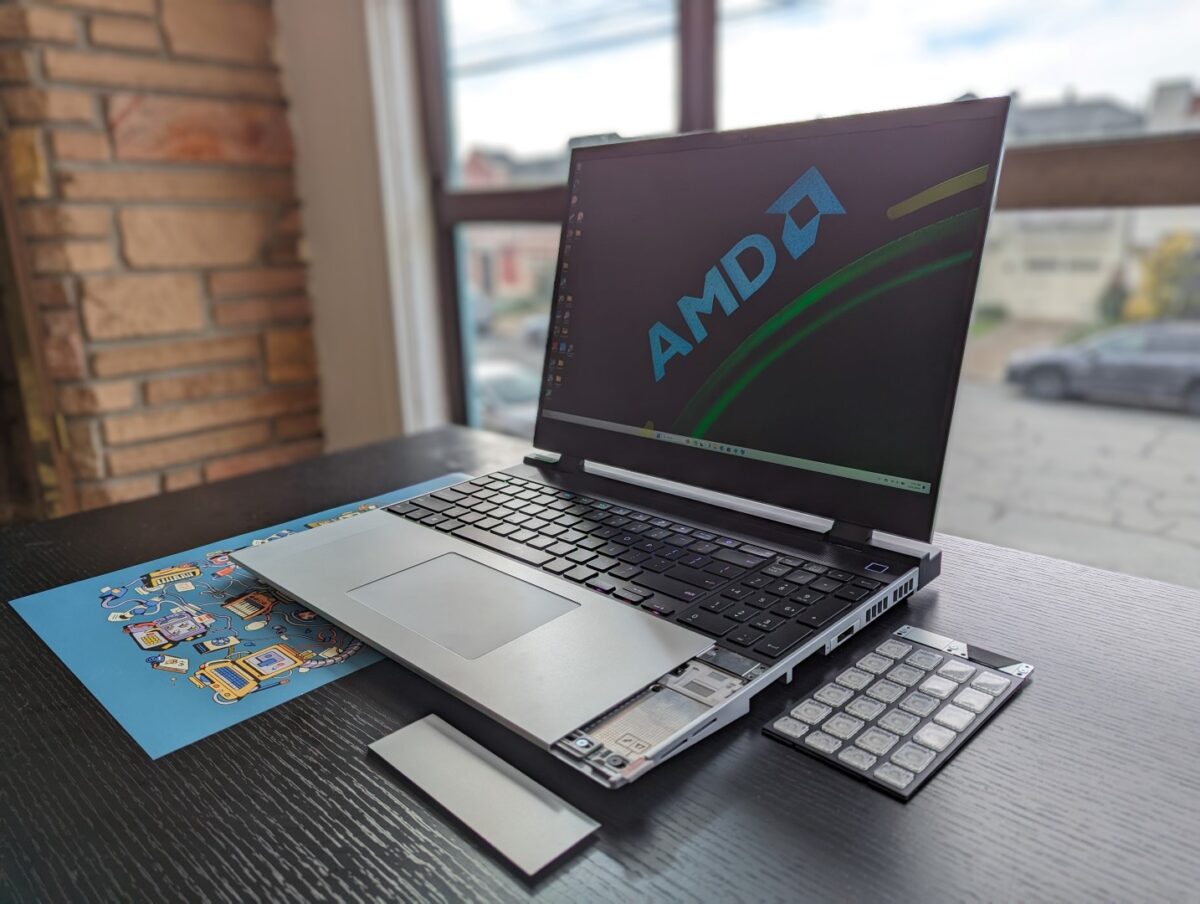
What if you could swap your laptop’s GPU in under five minutes? The Framework Laptop 16 AMD Radeon Edition — the subject of this Framework Laptop 16 review — is the only laptop on the market that actually delivers on that promise. With a hot-swappable Radeon RX 7700S graphics module, six expansion card slots, and a modular keyboard system, this 16-inch machine challenges everything we’ve accepted about laptop design. But does modularity come at the cost of performance? I spent weeks with this machine to find out.
Framework Laptop 16 Review: Core Specs at a Glance
Before diving into the modular magic, let’s ground this Framework Laptop 16 review in hard numbers. The base platform runs on AMD’s Ryzen 7 7840HS or Ryzen 9 7940HS processor — 8 cores, 16 threads, boosting up to 5.2GHz. Memory maxes out at 64GB DDR5-5600 across two SODIMM slots, and there are dual M.2 2280 NVMe storage bays. The 16-inch display is a 2560×1600 QHD+ IPS panel running at 165Hz with 100% DCI-P3 coverage and 500 nits brightness. The 85Wh battery is genuinely impressive for a discrete GPU laptop, lasting roughly 9.5 hours in real-world use.
Weight sits at 2.4kg (5.29 lbs) with the GPU module installed. DIY Edition pricing starts at $1,399, bumping to $1,799 with the Radeon RX 7700S module included.
The Radeon RX 7700S Graphics Module: Modularity That Actually Works
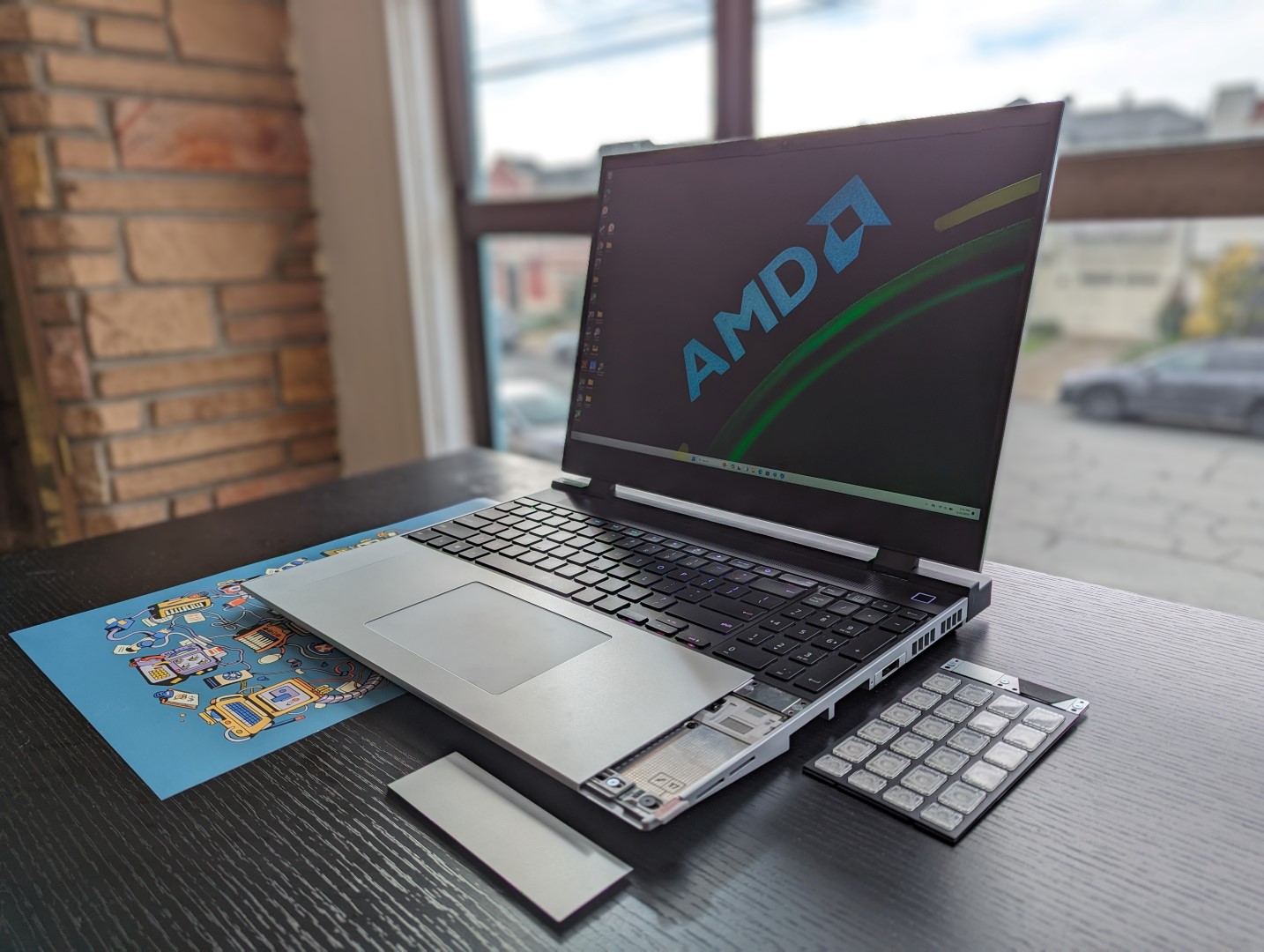
The star of the show is Framework’s discrete GPU module system, and it’s unlike anything else in the laptop market. The AMD Radeon RX 7700S module packs 32 compute units, 8GB of GDDR6 memory running at 18Gbps, and a 100W TGP envelope. It even includes a USB-C port with DisplayPort Alt Mode for direct external display output from the GPU. As a full AMD Advantage platform, the laptop leverages SmartShift technology to dynamically distribute power between the CPU and GPU based on workload, and Smart Access Memory gives the CPU direct access to the GPU’s full VRAM pool for reduced latency in certain scenarios.
Installing the module adds 20.2mm to the laptop’s depth, 3.0mm to rear height, and 0.3kg to total weight. Those are real trade-offs, but they’re ones I’d gladly make. The swap process genuinely takes under five minutes with the included tool — I timed it. You remove six screws from the bottom panel, slide the GPU module out of its PCIe connector, slot in a replacement, and close it back up. No thermal paste reapplication, no ribbon cables, no prayers to the hardware gods. The 2nd generation module features updated fans and shell for improved thermals and acoustics over the original, addressing early complaints about fan noise under sustained gaming loads.
The real promise here isn’t just today’s performance — it’s that when Framework releases next-gen GPU modules, you buy just the module instead of an entirely new laptop. That’s a fundamentally different value proposition than any other gaming-capable notebook. Consider the typical upgrade cycle: a $1,800 gaming laptop lasts 3-4 years before the GPU becomes a bottleneck. With Framework, a $400-500 GPU module swap could extend the machine’s competitive lifespan by another 3 years. Over a decade, you’re looking at potentially thousands of dollars saved — not to mention the environmental impact of keeping one chassis out of a landfill.
Gaming Benchmarks: How Does the RX 7700S Stack Up?
Let’s address the elephant in the room: raw gaming performance. According to NotebookCheck’s comprehensive testing, the RX 7700S at 100W TGP lands roughly 10-30% behind the mobile GeForce RTX 4060, depending on the title and TDP configuration.
Here’s what the actual numbers look like at 1080p:
- Shadow of the Tomb Raider (Highest): ~120 fps
- Cyberpunk 2077 (High): ~60 fps
- Metro Exodus (Extreme): ~39 fps
- Assassin’s Creed Mirage (High): ~120 fps
These are perfectly playable frame rates for AAA gaming at 1080p. The RX 7700S handles most modern titles at high settings without breaking a sweat. However, the gap widens when you factor in NVIDIA’s DLSS 3 frame generation technology. AMD’s FSR is supported, but it hasn’t reached the same maturity level, particularly for ray-traced titles where DLSS provides a significant uplift.
That said, Framework deliberately avoids marketing this as a gaming laptop. It’s a modular workstation that happens to be very capable at gaming — and that framing feels honest.
Six Expansion Card Slots: Port Freedom Like Nothing Else
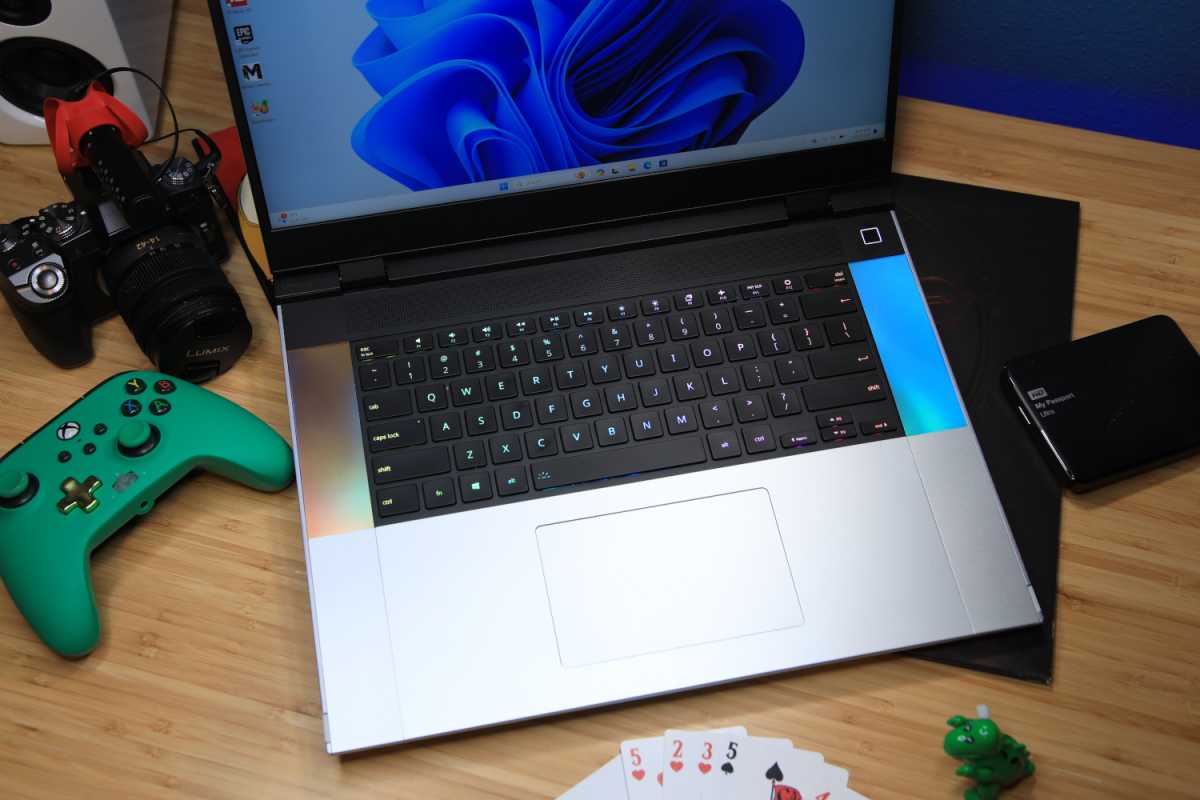
Beyond the GPU module, the Framework Laptop 16 offers six Expansion Card slots — three on each side. You can configure them with any combination of USB-C, USB-A, HDMI, DisplayPort, Ethernet, 3.5mm audio, or MicroSD reader modules. As PCWorld noted in their review, this port flexibility is one of the laptop’s standout advantages.
The keyboard, numpad, and macropad are also tool-free swappable. Per-key RGB backlighting is included, and the 1.5mm key travel matches typical ultrabook standards. However, reviewers consistently note keyboard flex in the center area and a touchpad that’s under 5 inches wide — both legitimate downsides for a machine at this price point.
Display and Battery: Strengths and Compromises
The 16-inch 2560×1600 IPS panel delivers solid performance with its 165Hz refresh rate, 100% DCI-P3 color gamut, and 500 nits of brightness. The matte anti-glare coating works well in mixed lighting environments. For content creation, color-accurate work, and gaming, this display does the job.
But in mid-2025, competitors like the ASUS ROG Zephyrus and Razer Blade are shipping with OLED and Mini-LED panels that offer dramatically better contrast ratios and HDR performance. If display quality is your top priority, the Framework’s IPS panel falls a step behind.
Battery life, on the other hand, is a genuine surprise. The 85Wh cell delivers approximately 9.5 hours of real-world usage — exceptional for any laptop with a discrete GPU. USB-C Power Delivery at up to 240W means broad charger compatibility, and you won’t need a proprietary brick.
The Right-to-Repair Factor: Why This Matters Beyond Specs
Framework’s mission extends beyond hardware specs. Every component is designed for user serviceability: CPU module, GPU module, memory, storage, battery, display, keyboard, touchpad, and expansion cards can all be replaced or upgraded. As an AMD Advantage platform, it benefits from full-stack AMD optimization across the Ryzen and Radeon components.
This isn’t just an engineering exercise — it’s a statement about how consumer electronics should work. In an industry where Apple solders RAM onto motherboards and most gaming laptops are essentially sealed units after purchase, Framework’s approach is genuinely radical. The company publishes detailed repair guides, sells every component individually through their marketplace, and even provides 3D-printable files for custom parts. When your battery degrades in three years, you order a replacement for under $100 and swap it yourself. When a key mechanism breaks, you don’t send the entire machine to a service center — you pop in a new keyboard module.
The environmental argument is equally compelling. According to the EPA, e-waste is the fastest-growing waste stream in the developed world. A laptop that can be incrementally upgraded over 8-10 years instead of replaced every 3-4 years represents a meaningful reduction in electronic waste — and Framework is one of the very few companies putting that principle into practice at scale.
Who Should Buy the Framework Laptop 16?
The Framework Laptop 16 AMD Radeon Edition is the best choice for users who prioritize modularity, repairability, and long-term upgradability over absolute peak performance. The ability to swap GPU modules means this laptop could serve you for 5+ years with incremental upgrades instead of full replacements — that’s both economically and environmentally significant.
If you’re a hardcore gamer chasing maximum frames per dollar, traditional gaming laptops with RTX 4060 or 4070 GPUs will give you better raw performance at similar or lower prices. And if keyboard feel and trackpad size are non-negotiable, you’ll find better options in the ThinkPad or MacBook lineups.
But if you believe laptops shouldn’t be disposable — if you want to choose your own ports, upgrade your own GPU, and repair your own hardware — the Framework Laptop 16 is the only game in town. Starting at $1,399 for the DIY Edition, it’s a premium you pay not just for today’s hardware, but for the right to evolve it tomorrow.
Get weekly AI, music, and tech trends delivered to your inbox.





