Ableton Move 2.0: 7 Game-Changing Features That Turn a $449 Sketchpad into a Portable Studio
March 18, 2026
Microsoft 365 Copilot Now Runs Claude Sonnet: How 400 Million Office Users Got Access to Anthropic’s AI — Enterprise Integration Deep Dive
March 18, 2026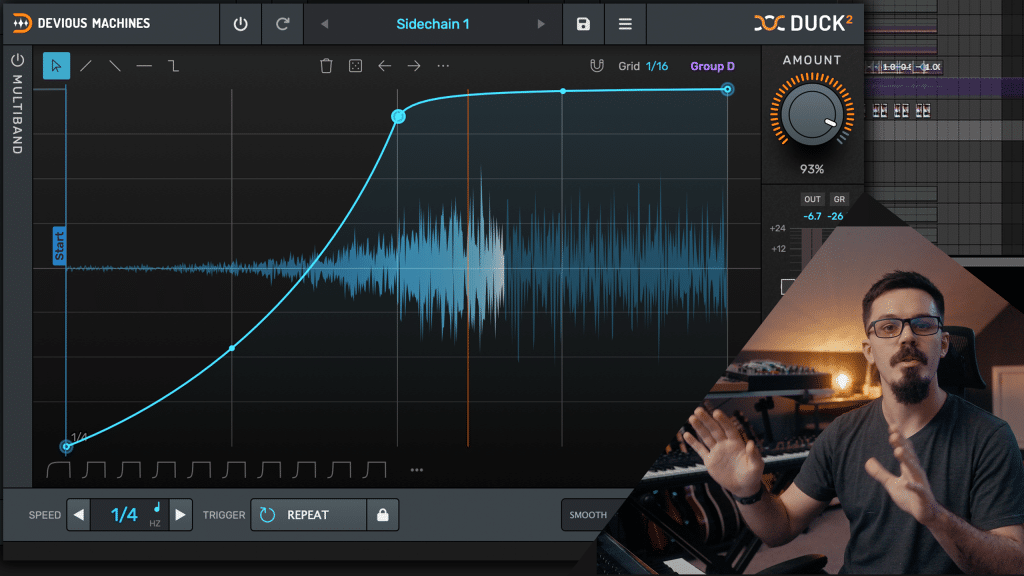
Devious Machines Duck 2 just killed my sidechain compressor. After spending a decade wrestling with attack times, ratio knobs, and the inevitable pumping artifacts that come with compressor-based sidechaining, I loaded up Duck 2 on a dense electronic mix last week — and the bass-to-kick relationship I’d been chasing for years appeared in about 15 seconds flat.
Released on March 11, 2026, Devious Machines Duck 2 is a complete redesign of the original Duck plugin that thousands of producers already relied on for sidechain-style volume shaping. At $39.99, it packs Trace Envelope technology, proper multiband processing, four trigger modes, and a modernized resizable GUI into what might be the most versatile volume-shaping tool available today. Let me walk you through everything that’s new and whether it’s worth your money.
What Makes Devious Machines Duck 2 Different from Traditional Sidechaining
Traditional sidechain compression works by detecting a trigger signal (usually a kick drum) and pulling down the volume of another track in response. The problem? You’re at the mercy of attack, release, ratio, and threshold parameters that interact in complex, often frustrating ways. Get the attack wrong and your transient disappears. Set the release too fast and you get clicking. Too slow and the pumping feels sluggish. It’s a constant balancing act that eats up time you could spend actually creating music.
Duck 2 takes a fundamentally different approach: you draw the exact volume curve you want, and the plugin applies it with surgical precision. There’s no guesswork, no parameter interaction problems, and no compromise between how you want the effect to sound versus what the compressor’s dynamics will actually produce.
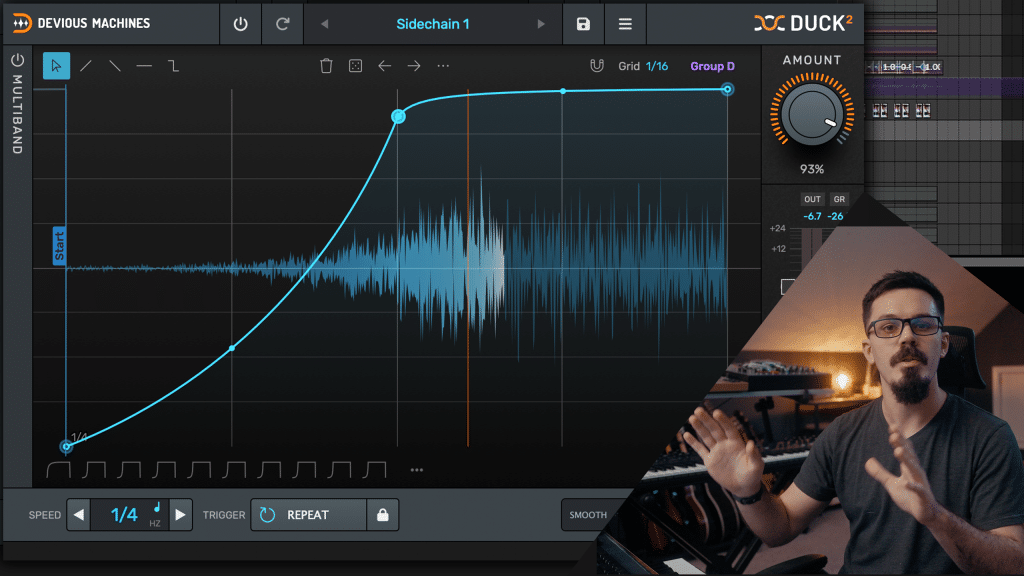
The multi-segment graphical envelope editor is the heart of Duck 2. Instead of hoping your compressor settings produce the right pumping shape, you visually sculpt the ducking curve point by point. New in version 2 are spline and 2D bend curve types that allow smooth, organic-feeling volume movements that compressors simply cannot replicate. The brush tools let you paint ramps and step patterns quickly, while multi-point selection with copy/paste makes building complex rhythmic patterns almost effortless. You can even import shapes from Devious Machines’ Infiltrator plugin, opening up cross-plugin creative workflows.
Trace Envelope: Devious Machines Duck 2’s Game-Changing Feature
If there’s one feature that justifies the upgrade from Duck 1 — or the switch from any other sidechain solution — it’s Trace Envelope. This technology analyzes an incoming audio signal (from the sidechain input or an imported audio file) and automatically converts it into a corresponding ducking envelope shape. Feed it your kick drum pattern, and Duck 2 instantly generates a perfectly matched volume curve. No manual drawing, no trial and error — just instant results that you can then tweak to taste.
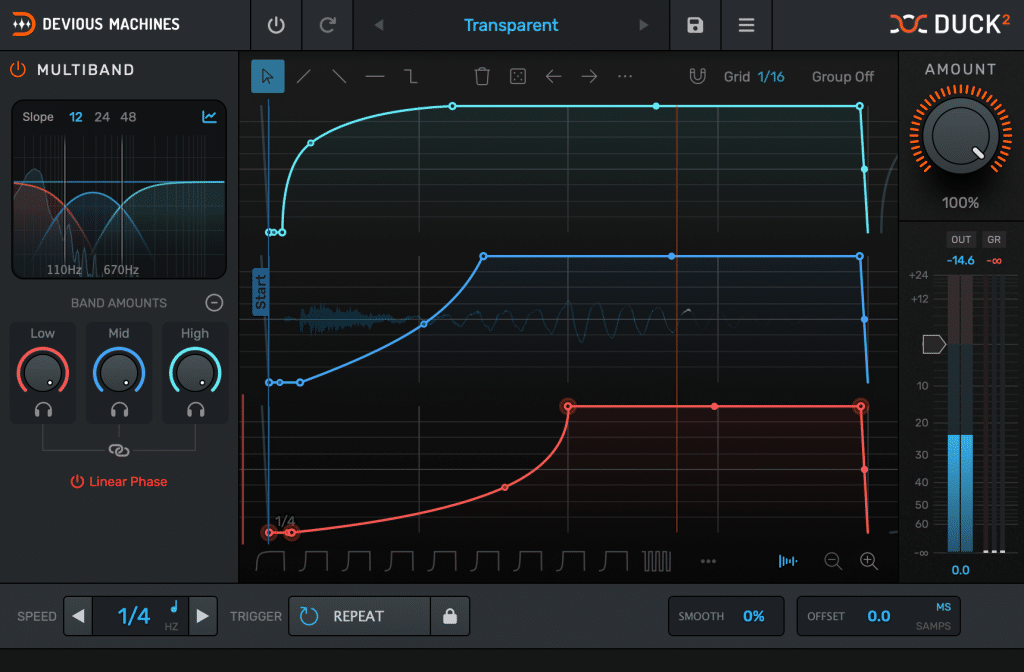
What makes Trace Envelope particularly powerful is that it works in multiband mode too. The plugin splits the signal before analysis and draws an individual envelope shape for each frequency band. This means your sub frequencies can duck differently from your mids and highs — something that would require multiple compressors and careful routing in a traditional setup. For genres like drum and bass, dubstep, or any bass-heavy electronic music where the sub-bass needs to move with the kick while the mid-range maintains its presence, this is genuinely transformative.
The practical applications extend beyond music production too. Sound designers working on film and game audio can import dialogue tracks and automatically generate ducking envelopes for background music. Podcast producers can use it to automate music bed ducking when the host speaks. The Trace Envelope feature turns what used to be a tedious manual process into a one-click operation.
Multiband Processing: 3 Bands with Linear Phase Filtering
Duck 1 had a basic two-band crossover, but Devious Machines Duck 2 expands this into a proper multiband processor with configurable 2 or 3-band modes. Each band gets its own independent envelope, which means you can create wildly different volume shapes across the frequency spectrum. Want your sub bass to duck aggressively while your high-end sparkle stays untouched? Easy. Want a rhythmic tremolo on your mids while the lows stay steady? Done in seconds.
The crossover slopes are selectable at 12, 24, or 48 dB per octave, giving you control over how sharply the bands are separated. For critical mixing applications, there’s a linear phase mode that eliminates the phase shifts that standard crossover filters introduce — this is a feature typically found in premium mastering tools, not a $40 volume shaper. The built-in spectrum analyzer shows you exactly what’s happening across the frequency range in real-time, and the dedicated pop-out control panel keeps the multiband settings accessible without cluttering the main envelope view.
In practice, the multiband mode opens up creative possibilities that go far beyond simple sidechaining — think frequency-dependent tremolo effects, spectral gating, and rhythmic filtering without ever touching an actual filter plugin. Electronic producers will find this particularly useful for creating movement and interest in static synth pads and sustained sounds.
4 Trigger Modes for Every Production Workflow
Devious Machines Duck 2 provides four distinct trigger modes that cover virtually every production scenario you’ll encounter:
- Repeat: Continuous envelope cycling from 1/32 notes to 8 bars, locked to your DAW’s tempo. This is your go-to for rhythmic pumping effects, tremolo, and beat-synced volume modulation. It works perfectly for that classic EDM sidechain pump or more subtle rhythmic movement in ambient productions.
- Hz: A free-running LFO-style mode with variable speed that isn’t tied to tempo. Perfect for sound design, ambient textures, and non-musical applications where tempo sync doesn’t make sense. This was a major request from Duck 1 users who wanted more experimental possibilities.
- MIDI: Trigger the envelope from MIDI note input, with velocity control that can modulate either the ducking depth or output volume. The new loop option cycles the envelope between user-defined markers while a note is held, and a release function stops the loop on note-off. This turns Duck 2 into a performable instrument.
- Audio/Sidechain: Traditional sidechain triggering with enhanced threshold metering and visual trigger position LEDs, plus the ability to use Trace Envelope on the incoming signal for automatic envelope generation.
Redesigned Interface and Workflow Improvements in Duck 2
The GUI overhaul in Duck 2 is substantial and immediately noticeable. The interface is now freely resizable — a feature that seems basic but makes a real difference when you’re working on a laptop versus a dual-monitor studio setup. Everything scales cleanly, and the envelope editor becomes much more precise on larger displays where you can see every curve point clearly.
The preset browser has been rebuilt with tags, categories, and envelope previews, making it fast to audition the 200+ factory presets covering sidechaining, gating, rhythmic patterns, tremolo, envelope-shaping, and creative effects. Sound On Sound noted the preset system as one of the standout improvements, and I agree — being able to see the envelope shape before loading a preset dramatically speeds up the browsing process.
Workflow additions include full undo/redo support, a flexible grid with dynamic swing adjustment, randomize functions with multiple modes for generating creative variations, and edit operations like rotate, duplicate, invert, reverse, and repeat. The Groups feature deserves special mention: up to four synchronization groups let you coordinate envelopes across different Duck 2 instances, which is invaluable when you want multiple tracks ducking in perfect sync — imagine your pad, lead, and effects bus all responding identically to the same rhythmic pattern.
Backward Compatibility with Duck 1
For existing Duck 1 users, the transition is seamless. Duck 2 replaces the original plugin, and all DAW sessions and presets created with Duck 1 load without issues. According to Devious Machines, patches sound identical in the vast majority of cases, with only two subtle refinements affecting specific edge cases involving final envelope point timing and smoothing parameter behavior. The upgrade pricing of $15.99 makes this a no-brainer for current users — you’d spend more on a coffee and a muffin.
Devious Machines Duck 2 vs the Competition: Kickstart 2, VolumeShaper, LFOTool
The sidechain-without-a-compressor plugin category has several strong contenders. Cableguys VolumeShaper offers similar envelope-based volume shaping with multiband capability and is part of the popular ShaperBox bundle. Xfer Records LFOTool remains a studio staple for its simplicity and lightweight CPU usage. And Nicky Romero’s Kickstart 2 targets producers who want one-knob sidechain pumping with zero learning curve.
Where Duck 2 pulls ahead is in the combination of Trace Envelope (no competitor offers automatic envelope extraction from audio), the linear phase multiband processing, the Groups synchronization feature, and the overall depth of the envelope editor with its spline curves, brush tools, and shape import from Infiltrator. At $39.99, it undercuts VolumeShaper ($34 for individual, but $89 for the full ShaperBox bundle) while offering features that the competition simply doesn’t have. The 14-day free demo means you can try before you buy — and I suspect most producers who try it won’t go back.
Pricing, System Requirements, and Final Verdict
Duck 2 is available for $39.99 (£29.99 / €34.99) with a 14-day free demo. Upgrade from Duck 1 costs just $15.99 (£9.99 / €9.99). It runs on macOS 10.13 or later with native Apple Silicon support, and Windows 10 or later. Supported formats include VST2, VST3, AudioUnit, and ProTools 64-bit AAX — so regardless of your DAW choice, you’re covered.
If you’re still using compressor sidechaining for kick-bass pumping effects, Devious Machines Duck 2 will fundamentally change how you work. If you’re already using Duck 1 or a competing volume shaper, the Trace Envelope and multiband features alone justify the price. And if you’re into sound design, the Hz mode and MIDI triggering with loop/release open up creative territory that goes well beyond standard sidechaining. For $40, Devious Machines Duck 2 is one of the smartest plugin purchases you can make in 2026.
Looking for professional mixing, mastering, or help integrating creative plugins into your production workflow?
Get weekly AI, music, and tech trends delivered to your inbox.