Replit Agent v2: 10 Free Checkpoints and Claude 3.7 Sonnet Power a New Era of Full-Stack App Building
April 22, 2025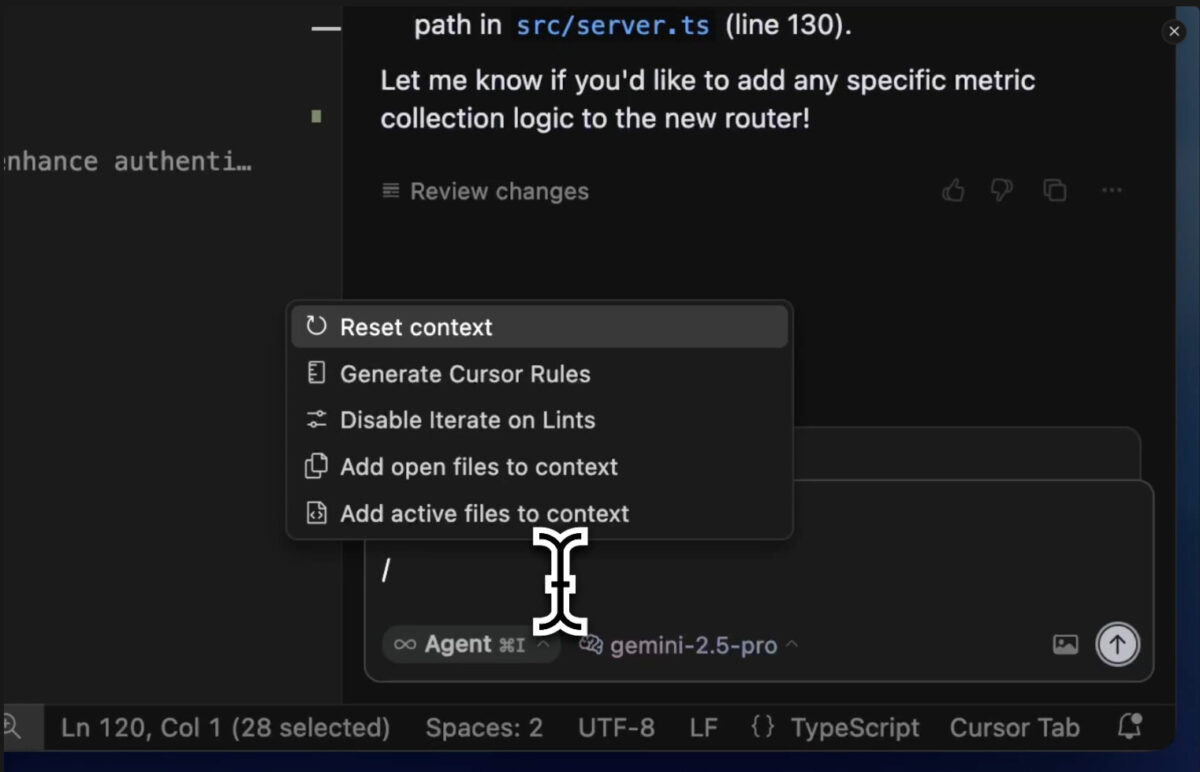
Cursor just dropped the update developers have been waiting for. Released on April 15, 2025, the Cursor 0.49 update isn’t a minor patch—it’s a fundamental shift in how AI code editors understand your project, handle terminal commands, and process visual context. If you’ve been using Cursor and felt like something was missing, this release fills in the gaps.
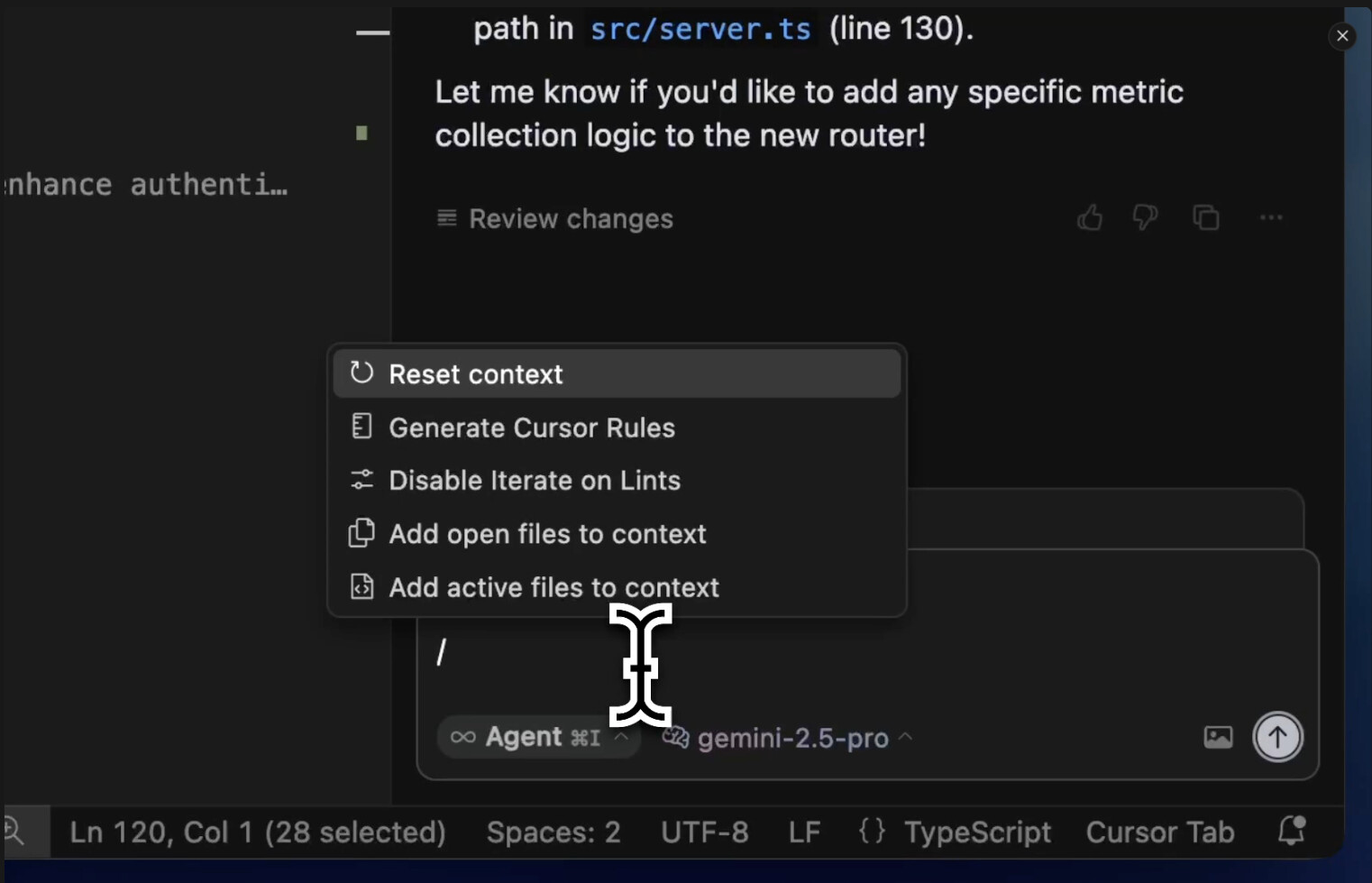
Cursor 0.49 Update Headline: /Generate Cursor Rules for Automated Rule Creation
The standout feature of this release is the /Generate Cursor Rules slash command. Before 0.49, configuring AI behavior for your project meant manually writing .cursorrules files—painstakingly defining coding conventions, framework preferences, test patterns, and architectural decisions in plain text. If you worked across multiple projects with different stacks, maintaining these files was a chore. And if your team members had different rules, the AI’s responses became inconsistent.
Now, you can type /Generate Cursor Rules during any conversation, and the AI analyzes your current chat context and project structure to automatically generate rule files. Had a conversation where you corrected the AI to always use TypeScript strict mode and functional React components? That pattern gets extracted into a reusable rule. The AI learns from your corrections and codifies them.
Even more powerful is Auto-attached Rules. These rules activate automatically based on file path patterns. Working on src/components/**/*.tsx? Your React component rules kick in. Editing tests/**/*.test.ts? Testing conventions apply automatically. No manual switching, no context confusion. Each area of your project gets its own tailored AI behavior, and you don’t have to think about it.
According to the official Cursor changelog, this feature was one of the most requested by the community, and the implementation delivers exactly what developers asked for—project-aware AI that adapts without constant hand-holding.
Agent Terminal Controls: Edit Before Run, Skip, and Move to Background
If you’ve ever held your breath while an AI agent executed a terminal command, Cursor 0.49 addresses that anxiety head-on. The agent terminal now includes edit-before-run and skip controls that give developers explicit oversight over AI-generated terminal commands.
Here’s how it works: when the AI agent suggests a terminal command, instead of auto-executing, you see the command with options to modify it before running or skip it entirely. Want to add a --dry-run flag before a database migration? Edit it in place. Don’t trust the AI’s suggested rm -rf cleanup? Skip it. The former ‘Pop out’ button has been renamed to ‘Move to background,’ letting you push long-running processes aside while you continue working.
This isn’t just a UI improvement—it’s a trust architecture redesign. The paradigm shifts from “trust the AI and let it run” to “AI proposes, human approves.” For teams working with production databases, deployment scripts, or infrastructure-as-code, this level of control transforms Cursor from a powerful-but-risky tool into a genuinely safe development partner.
MCP Image Support: One Screenshot Replaces a Thousand Words of Prompting
The addition of MCP (Model Context Protocol) image support is one of those features that sounds incremental but changes daily workflows dramatically. You can now pass screenshots, UI mockups, and architecture diagrams directly as context in your AI prompts.
The practical applications are immediate. A designer sends you a Figma mockup—capture it and drop it into Cursor, and the AI generates HTML/CSS that matches the visual layout. A QA engineer files a bug report with a screenshot of an error state—feed it to Cursor, and it pinpoints the issue faster than any text description could. An architect shares a system diagram—the AI understands the full topology before writing a single line of code.
Community discussions on the Cursor forum have highlighted use cases ranging from reproducing pixel-perfect designs to debugging complex UI states that are nearly impossible to describe in text alone. This feature bridges the gap between visual communication and code generation in a way that text-only AI interactions never could.
Free GPT-4.1 Integration and the Multi-Model Strategy
Cursor 0.49 significantly expands its model lineup. OpenAI’s latest GPT-4.1, released just one day before this update on April 14, is now available free for all Cursor users. GPT-4.1 supports up to 1 million tokens of context, though Cursor currently limits it to approximately 120,000 tokens during the evaluation period. Even with this limitation, early community reports suggest meaningful improvements over GPT-4o in coding tasks—particularly in code understanding and multi-file reasoning.
Beyond GPT-4.1, the update adds Gemini 2.5 Pro, Gemini 2.5 Flash, Grok 3, o3, and o4-mini to the available model roster. This multi-model strategy means developers can now match models to tasks: lightweight models for fast autocomplete, reasoning-heavy models like o3 for complex debugging, and large-context models like GPT-4.1 for refactoring sprawling codebases.
The strategic implication is clear. Cursor isn’t betting on a single AI provider—it’s positioning itself as a model-agnostic platform where the best model for each task wins. This approach future-proofs the editor against the rapid pace of model releases and gives developers maximum flexibility.
Code Review UI, Global Ignore Patterns, and Project Structure Context
Several additional features round out the 0.49 release. A built-in diff view now appears at the end of each agent conversation, providing a unified view of all code changes the AI made. Previously, you had to track down modifications file by file—now you review everything in one place, approve or reject changes, and move on.
Global ignore patterns can now be defined at the user level, applying across all projects without per-project configuration. This means your node_modules, .env files, build artifacts, and other noise get filtered out everywhere, not just in the project where you remembered to set it up.
Project structure context (currently in beta) adds the directory tree to AI prompts, significantly improving navigation accuracy in large monorepos. When the AI knows your project’s file structure, it makes better decisions about where to create files, which modules to import, and how components relate to each other.
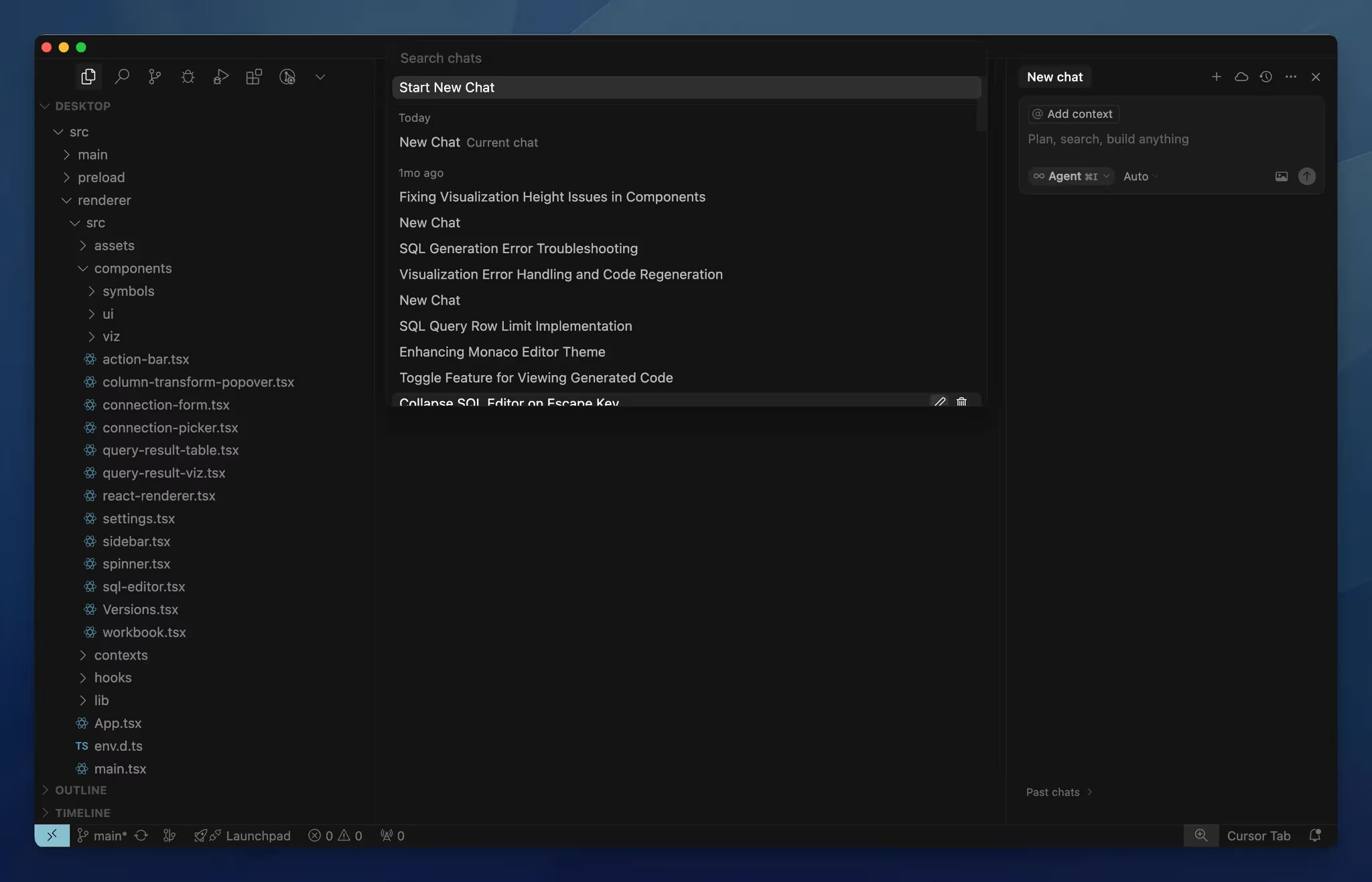
Chat history has been moved from the sidebar to the command palette, cleaning up the interface and enabling faster search through past conversations.
The $9B Valuation: Where Cursor Goes from Here
The feature updates tell one story, but the business trajectory tells another. Cursor’s parent company Anysphere is reportedly in the process of raising $900 million in a Series C round led by Thrive Capital, with participation from a16z and Accel. The valuation? $9 billion. TechCrunch reports that Anysphere has crossed $500 million in annual recurring revenue, and more than half of Fortune 500 companies are now using Cursor.
Perhaps most telling: Anysphere reportedly turned down acquisition offers from OpenAI. The company is choosing independence over integration, betting that the AI code editor market is large enough to sustain a standalone business. With GitHub Copilot, Amazon CodeWhisperer, and Google’s Gemini Code Assist all competing for developer attention, Anysphere’s confidence in Cursor’s differentiation—and its $500M ARR to back it up—suggests the AI coding tool market is far from consolidating.
My Take: What 28 Years in Tech Taught Me About This Update
After 28 years working at the intersection of music, audio, and technology, I’ve seen tools fundamentally reshape workflows more than a few times. When Pro Tools moved studios from tape to digital, when Logic Pro lowered the barrier to MIDI programming, and now, when AI code editors are transforming how software gets built. The pattern is always the same: the tools that win are the ones that learn your context instead of forcing you to explain it every time.
I currently develop blog pipelines, Telegram bots, and various automation systems using both Claude Code and Cursor side by side. The rules generation feature in Cursor 0.49 is what I’ve been waiting for. Manually defining coding conventions for each project was a tax on productivity, and Auto-attached Rules will dramatically reduce context-switching costs when moving between frontend and backend in a monorepo.
MCP image support is equally impactful in practice. I frequently take screenshots of WordPress blog layouts and ask the AI to modify specific design elements—”make this grid 3 columns” or “change the spacing on this CTA box.” Having that workflow native inside Cursor instead of bouncing between tools is a real time-saver. But honestly, the edit-before-run feature in the agent terminal is the change that matters most to me. When you’re running automation scripts that interact with live systems—databases, APIs, deployment pipelines—having a brake pedal before the AI executes is invaluable.
One thing to watch: the multi-model strategy is powerful but requires developer judgment. In my experience, Claude still excels at complex architectural reasoning, while lightweight models work better for rapid autocompletion. If Cursor eventually adds automatic model selection based on task type, that would be a true force multiplier. For now, knowing when to switch models is part of the developer’s skill set—and it’s worth the learning curve.
The Cursor 0.49 update marks the point where AI code editors evolve from sophisticated autocomplete tools into genuine development partners that understand project context, respect developer oversight, and communicate visually. With automated rules generation, safe agent terminal controls, and MCP image support, Cursor is building the foundation for a fundamentally different kind of coding experience. There’s a reason half the Fortune 500 is already on board—and this update makes the case even stronger.
Looking to build AI-powered development pipelines or automate your workflows? Let’s talk about what’s possible.
Get weekly AI, music, and tech trends delivered to your inbox.