Grok 4.20 Multi-Agent Architecture: 4 AI Agents Debate Each Other Before Answering You
March 19, 2026
NVIDIA Groq 3 LPU Deep Dive: 500MB SRAM Per Chip, 150 TB/s Bandwidth — The $20B Inference Revolution
March 19, 2026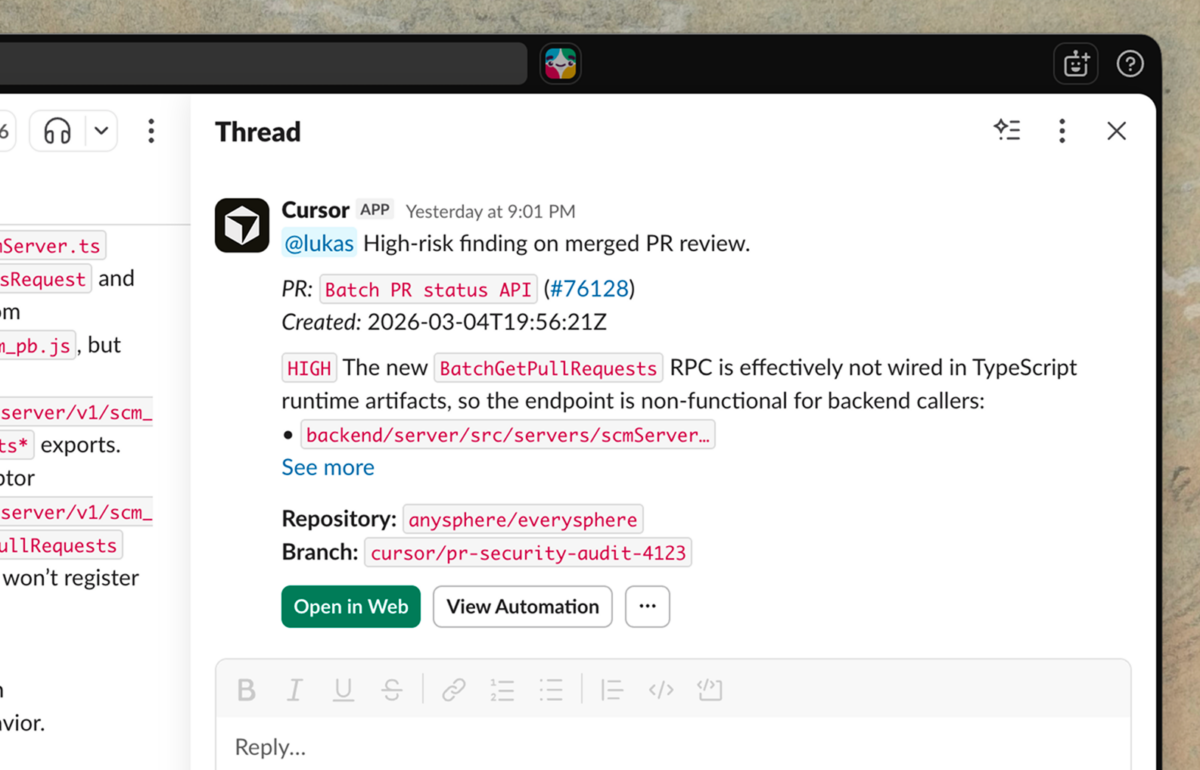
Your AI coding agent just reviewed 47 pull requests while you slept. It triaged a production incident at 3 AM, traced the root cause to a dependency update from last Tuesday, and posted a fix suggestion in Slack—all before your alarm went off. This is not a prototype demo. As of March 2026, Cursor Automations cloud agents are live, and they are fundamentally changing what it means to ship software.
What Are Cursor Automations Cloud Agents?
Cursor has already established itself as the go-to AI-powered code editor for developers who want more than autocomplete. But until now, the AI required you to be sitting in front of the IDE, prompting it manually. Cursor Automations breaks that constraint entirely. These are always-on cloud agents running in isolated sandboxes, triggered by external events—GitHub pull requests, Slack messages, PagerDuty incidents, custom webhooks, and even cron schedules—without any human intervention.
As TechCrunch reported, Cursor is positioning this as the next evolution of agentic coding. The goal is not just to generate code—it is to automate the entire software factory. Think of it as going from “AI that helps you write code” to “AI that runs your engineering operations while you focus on architecture and product decisions.”
The Three Core Triggers: GitHub, Slack, and PagerDuty
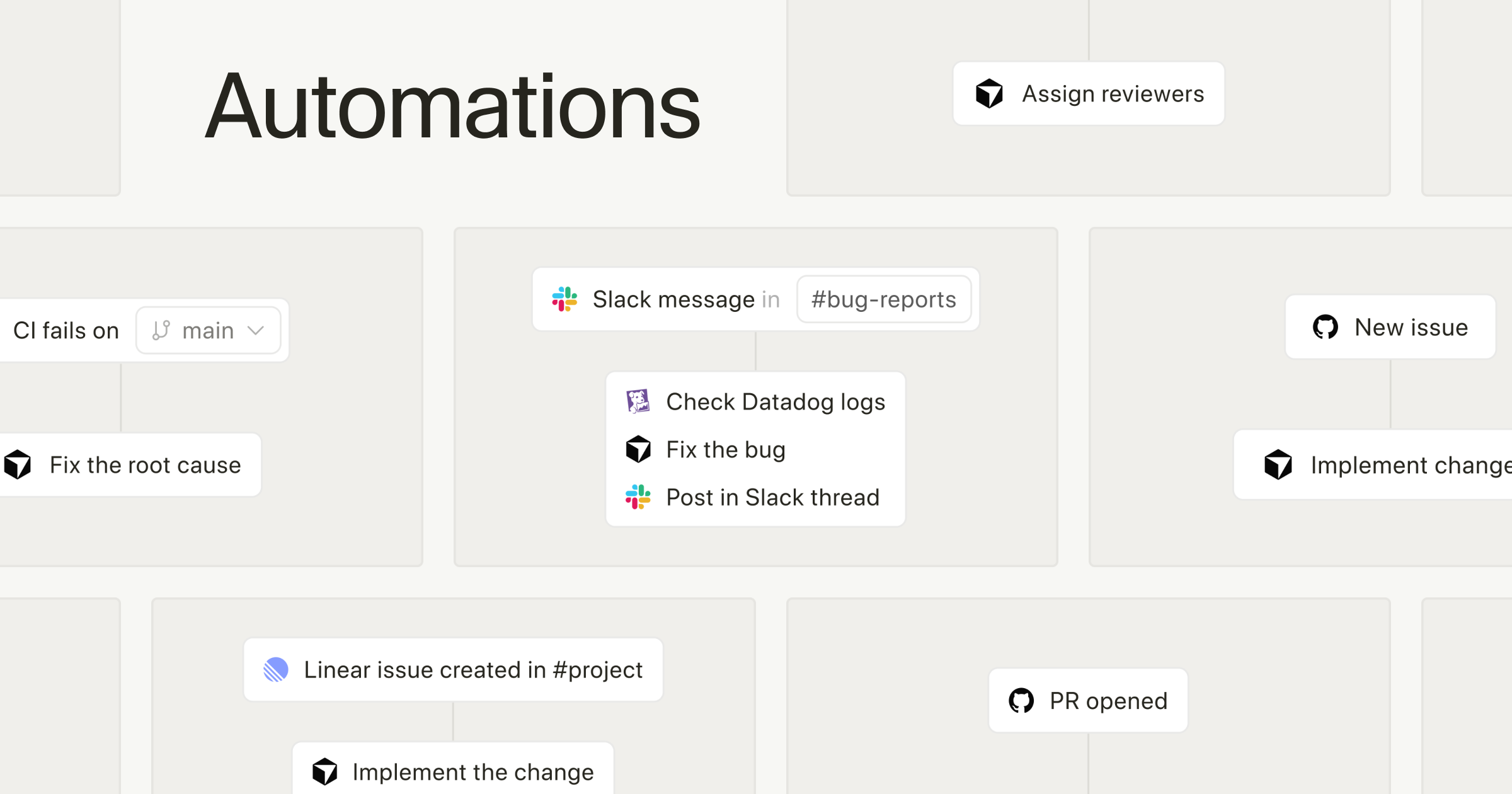
The power of Cursor Automations cloud agents lies in three built-in triggers that connect to the most critical events in modern engineering workflows.
1. GitHub PR Trigger
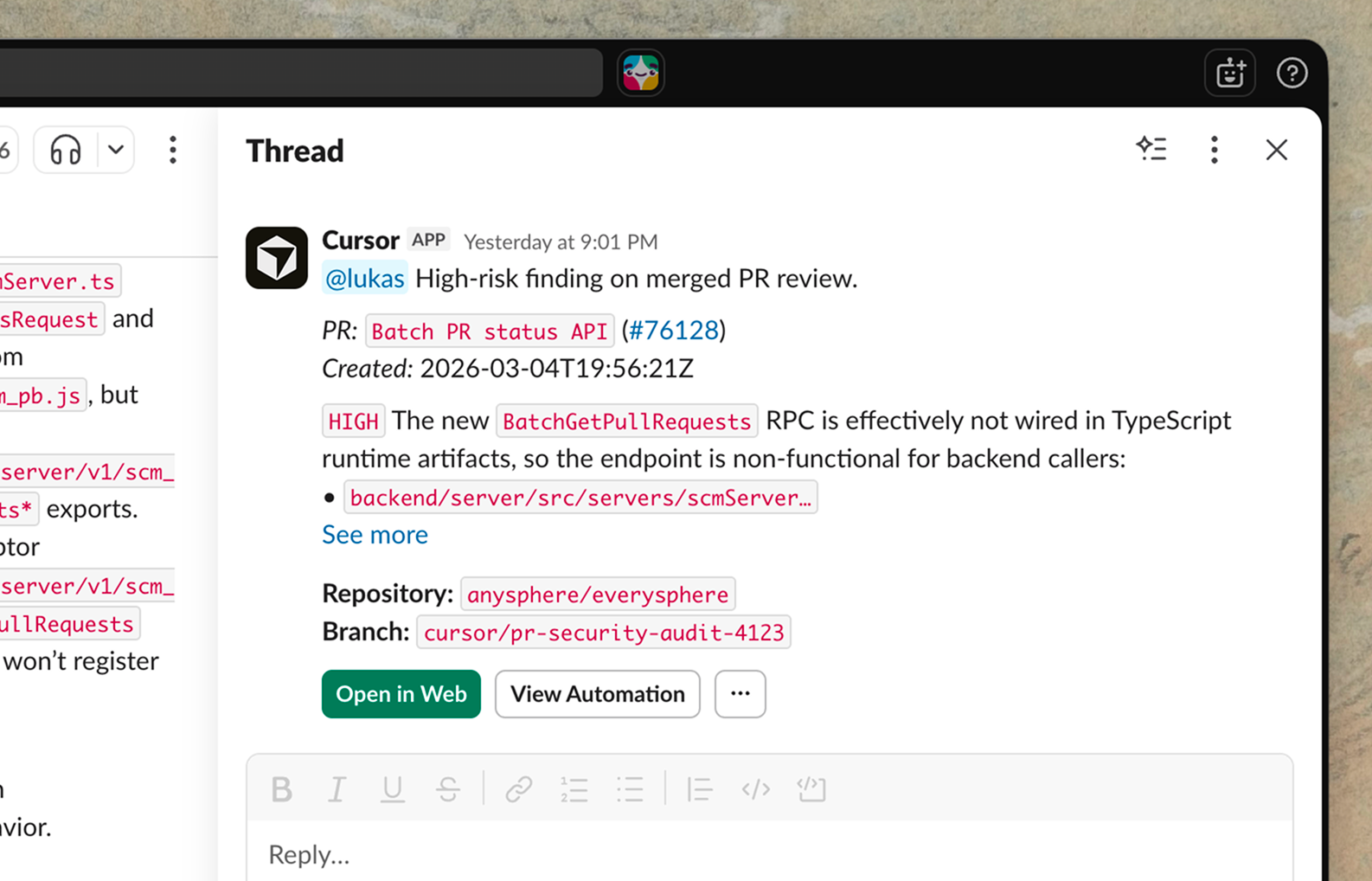
When a new pull request is opened, the agent automatically clones the repo into a cloud sandbox, analyzes the changes, and provides a comprehensive review. This is not surface-level linting. The agent evaluates business logic consistency, identifies potential security vulnerabilities, flags performance bottlenecks, and leaves inline comments with actionable suggestions. If the agent identifies a straightforward fix—a missing null check, an unhandled edge case, a type mismatch—it can generate a follow-up PR with the correction already applied. According to early adoption data, some teams are running hundreds of automations per hour, with average code review wait times dropping by roughly 72%. For engineering managers, this means senior developers spend their review time on architectural concerns rather than catching the same null pointer issues for the hundredth time.
2. Slack Message Trigger
Specific keywords or patterns in designated Slack channels can wake up the agent. For example, if someone posts “production bug in checkout flow” in your #incidents channel, the agent traces recent code changes related to the checkout module, analyzes deployment logs, and responds in the thread with a root cause analysis. Through MCP (Model Context Protocol) integration, the agent has deep contextual awareness—it does not just react to keywords, it understands the conversation.
3. PagerDuty Incident Trigger
When an incident fires in PagerDuty, the agent activates immediately. It pulls relevant logs, examines recent deployment history, and identifies likely culprits. For on-call engineers, this is a game-changer. Instead of waking up at 3 AM and spending 30 minutes gathering context, the agent has already done the first-pass analysis. You wake up to a structured summary: here is what broke, here is when it started, here are the three most likely causes, and here is a suggested fix. Your job is to make the final call, not to dig through logs with bleary eyes.
Under the Hood: Cloud Sandboxes and Memory
What separates Cursor Automations from a glorified CI/CD bot is the architecture. Each agent runs in an isolated cloud sandbox—a full development environment where it can clone repos, install dependencies, run tests, and execute code without touching your local machine or production systems.
But the real differentiator is the memory tool. Cursor Automations agents learn over time. They remember your repository’s coding conventions, common anti-patterns your team tends to introduce, preferred architectural decisions, and even which reviewers care about which aspects of the codebase. The more the agent runs, the better its reviews get. This is not static rule-based automation—it is a system that adapts to your team’s specific context and evolves.
Custom webhooks extend the trigger system beyond the big three. Jira ticket transitions, Linear issue updates, Datadog alerts, Sentry error spikes—if it can send a webhook, it can trigger a Cursor agent. This extensibility is critical because no two engineering organizations use the same tool stack. A fintech startup running Linear and Datadog has completely different trigger needs than an enterprise team on Jira and Splunk, but both can wire their existing tools into Cursor’s agent framework without waiting for official integrations.
Cron schedules round out the options, letting you set up daily dependency audits, weekly code quality reports, or nightly security scans that run on autopilot. Imagine a Monday morning standup where your team already has a freshly generated report of all outdated dependencies, flagged CVEs, and suggested update paths—compiled by an agent that ran at midnight while everyone was offline.
Cursor Automations vs. GitHub Actions, Copilot, and Devin
The developer automation landscape is crowded. Here is how Cursor Automations stacks up against the alternatives:
- GitHub Actions: You write YAML workflows with explicit, deterministic steps. Cursor Automations lets you define automation rules in natural language, and the agent reasons about context rather than following a script.
- GitHub Copilot: Focused on in-IDE code completion and chat. Cursor Automations operates outside the IDE entirely—it is a 24/7 cloud agent, not an assistant that waits for your prompts.
- Devin: Aims for fully autonomous software engineering. Cursor Automations takes a more pragmatic approach—augmenting existing developer workflows rather than replacing developers entirely.
- Traditional CI/CD: Rule-based and deterministic. Cursor Automations is LLM-powered and adaptive, capable of handling ambiguous situations that static pipelines cannot.
The key distinction is the word “agent” versus “automation.” GitHub Actions executes predefined scripts when triggered—run these tests, check these linting rules, deploy to this environment. Cursor’s agent thinks, analyzes, and makes judgment calls. It can decide that a PR touching the authentication module needs a more rigorous security-focused review than a PR updating README formatting. It can prioritize a PagerDuty incident based on the blast radius of the affected service and cross-reference it with recent deployments to narrow down the suspect commits. This level of contextual reasoning is what separates a true AI agent from a sophisticated script runner.
Practical Use Cases That Matter Right Now
Here are the scenarios where Cursor Automations cloud agents deliver the most immediate value:
- Automated Code Review: Every PR gets instant, thorough analysis covering security, performance, and style consistency. Senior engineers spend less time on routine reviews and more time on architectural decisions.
- Incident First Response: PagerDuty alert → log analysis → three candidate root causes → Slack summary. Mean Time To Resolution (MTTR) drops dramatically when the on-call engineer starts with context instead of a blank screen.
- Dependency Management: A cron-triggered agent scans npm, pip, or cargo dependencies daily. When a CVE is published, it generates an update PR automatically with test results included.
- Documentation Sync: When a PR merges that changes API endpoints, the agent generates a follow-up PR updating the corresponding API documentation. No more stale docs.
- Test Generation: New functions without unit tests trigger the agent to generate test cases and submit them as a suggested PR for human review.
The Caveats: What to Watch Out For
Cursor Automations is powerful, but it is not without real-world constraints. First, trust but verify. These agents are LLM-powered, which means hallucination is a possibility. Auto-generated PRs must go through human review before merging—treating agent output as gospel is a recipe for subtle bugs in production.
Second, cost. Running always-on cloud agents is not free. Cursor’s premium tiers reflect this, and smaller teams need to calculate whether the time savings justify the subscription. For a five-person startup, the ROI calculation is very different from a 200-person engineering org.
Third, security and compliance. Your code runs in Cursor’s cloud sandboxes. For teams in regulated industries—finance, healthcare, government—this raises compliance questions that need to be addressed before adoption. Data residency requirements, SOC 2 certification status, code access policies, and intellectual property considerations all factor into the decision. Before rolling out Cursor Automations across your organization, your security team needs to evaluate what data leaves your perimeter and what guarantees Cursor provides about isolation and retention.
Despite these caveats, the trajectory is clear. The industry is moving toward AI agents that handle the repetitive, context-heavy work that currently consumes a disproportionate amount of engineering time. Cursor Automations is one of the most integrated and practical implementations of this vision available today.
Whether your team is 5 engineers or 500, the idea that an AI agent watches your codebase around the clock is no longer a futuristic concept—it is rapidly becoming table stakes. The engineering organizations that adopt agent-augmented workflows early will compound their advantage over time, because the agents get smarter with every interaction through the memory system. Teams that wait will not just be behind on tooling—they will be behind on the institutional knowledge that their competitors’ agents have already accumulated.
Even if you do not adopt Cursor Automations immediately, understanding this shift and evaluating how always-on agents fit into your development lifecycle is essential. Start with a single automation—automated PR review on a non-critical repository—and measure the impact. The teams that figure this out first will ship faster, break less, and spend their human engineering hours on the work that actually requires human creativity and judgment.
Looking to build automated developer workflows or integrate AI agents into your engineering pipeline? Let’s design the right solution for your team.
Get weekly AI, music, and tech trends delivered to your inbox.