


Reason 13 Rack Extension SDK Gets AI-Adjacent Features — 5 Changes Worth Watching After Superbooth 2025
May 22, 2025
Meta AI Studio: 5-Step Guide to Building Custom AI Characters for Instagram and Messenger in 2025
May 23, 2025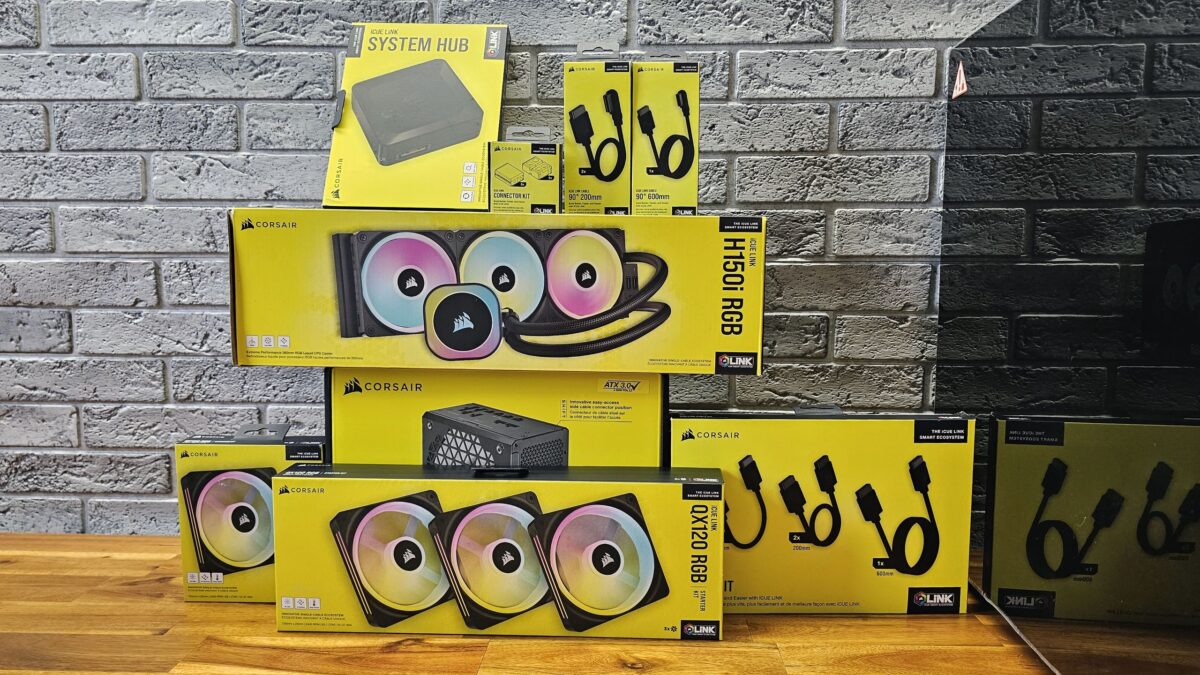
Fourteen devices, one cable chain, zero spaghetti. That is the promise Corsair iCUE Link makes to anyone who has ever spent an hour stuffing ARGB headers and fan splitters behind a side panel. After building two systems around the ecosystem and living with them for several months, I can say the promise is mostly kept — with a few caveats worth knowing before you commit.
What Exactly Is Corsair iCUE Link?
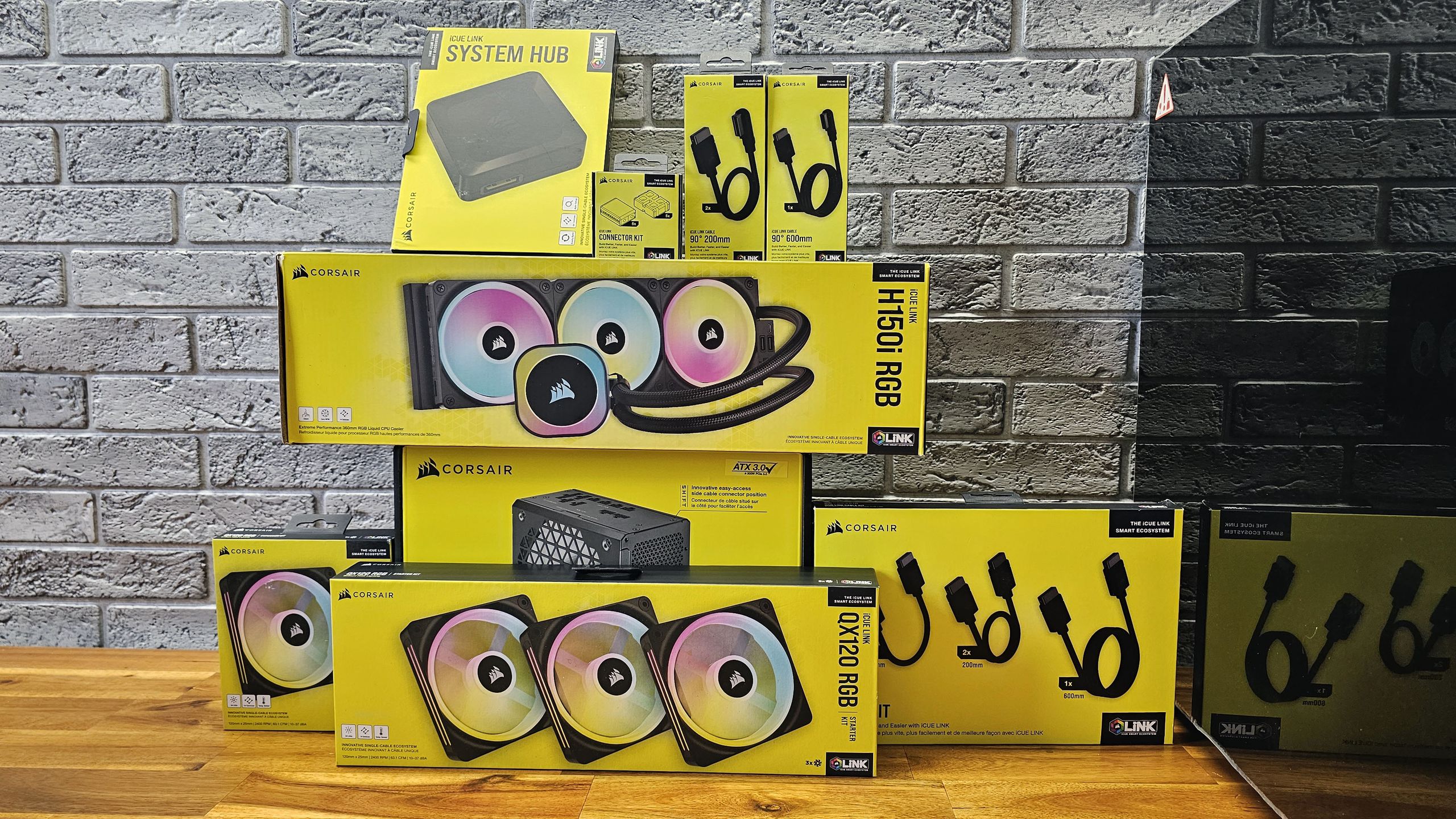
At its core, Corsair iCUE Link is a proprietary smart-component platform that replaces the traditional tangle of PWM fan cables, ARGB leads, and splitter hubs with a single, reversible, USB-like daisy-chain connector. Every compatible device — fans, AIO coolers, even custom-loop water-cooling blocks — clicks into the next with one slim cable. All of them report back to a central System Hub that handles power distribution, RGB orchestration, and thermal monitoring through the iCUE software suite.
The System Hub itself is compact: roughly the size of a pack of cards. It offers two downstream ports, each supporting up to seven devices in a daisy chain, for a maximum of fourteen components off a single hub. The hub draws power from a PCIe 6-pin connector and communicates with your motherboard through an internal USB 2.0 header. That is two cables total from hub to system — a dramatic reduction compared to the six-to-twelve cables a traditional fan and RGB setup demands.
The Corsair iCUE Link Product Lineup — Fans, AIOs, and Beyond
QX120 and QX140 RGB Fans
The flagship fans of the ecosystem are the QX120 (120 mm) and QX140 (140 mm). Each QX120 packs 34 individually addressable LEDs, uses a magnetic dome bearing for near-silent operation, and spins between 480 and 2,400 RPM. A built-in temperature sensor on every single fan lets iCUE create hyper-localized fan curves — no external thermistors needed. Pricing sits at around $49.99 per fan, or $159.99 for a three-pack starter kit that includes the System Hub and all necessary cables. That is steep compared to the $15-25 bracket of conventional fans, but the cable-reduction math changes the value proposition.
Below the QX tier, Corsair offers the RX RGB, LX RGB, and RX MAX lines. The RX series provides a more affordable entry point into the ecosystem, the LX targets alternative aesthetic configurations, and the RX MAX is a thicker, high-static-pressure variant built for dense radiators. All share the same iCUE Link connector, so mixing and matching across tiers is straightforward.
Titan 360 RX LCD AIO Cooler
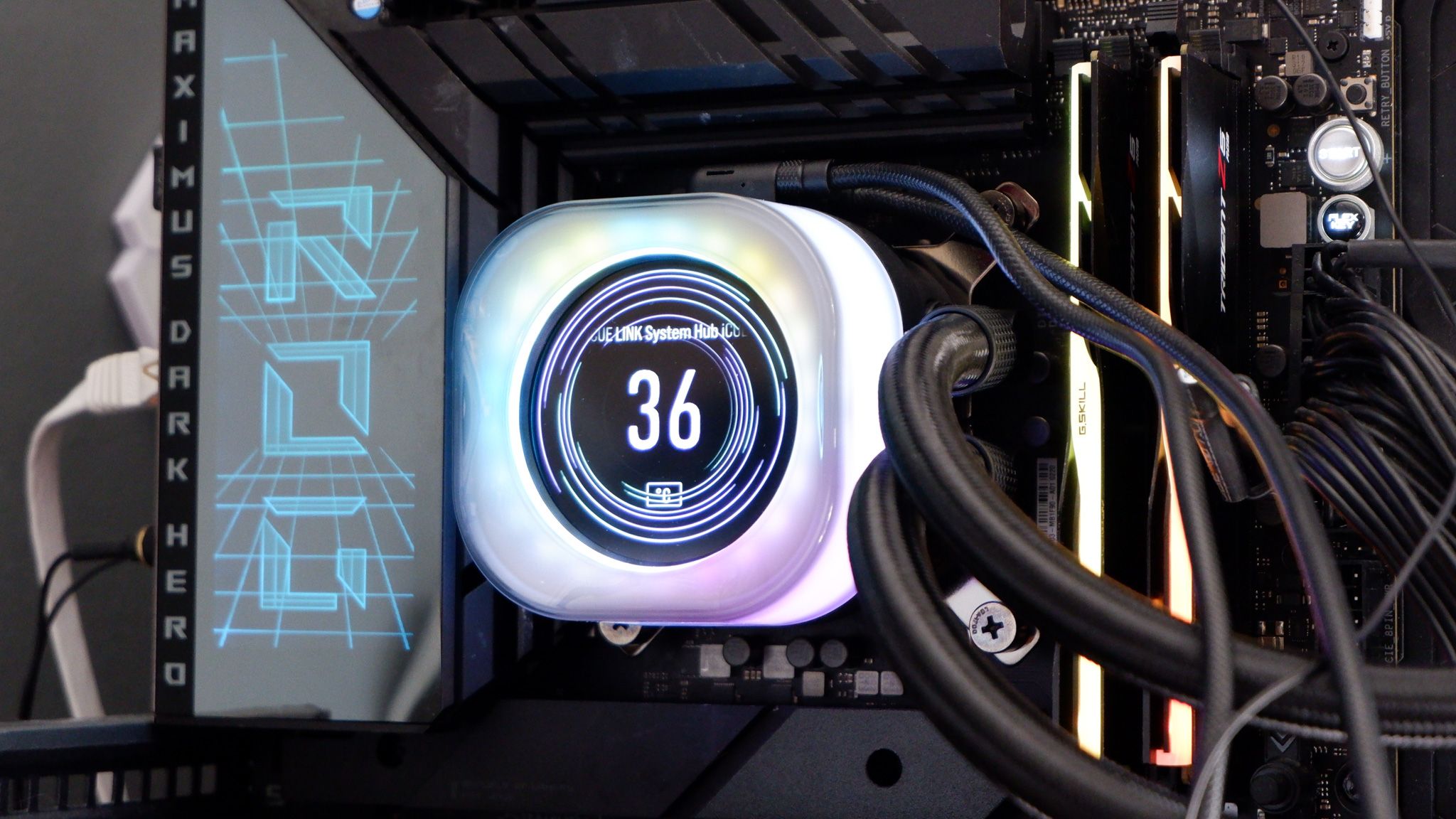
The crown jewel of the cooling lineup is the iCUE Link Titan 360 RX LCD. At $220 it is not cheap, but the spec sheet justifies a close look: a 360 mm radiator paired with a 2.1-inch IPS LCD (480 x 480, 600 cd/m2 brightness), Corsair’s new FlowDrive cooling engine with a three-phase motor, and full CapSwap compatibility. The six-year warranty is among the longest in the AIO space. In thermal benchmarks published by PC Gamer, the Titan 360 RX held its own against the NZXT Kraken Elite and Arctic Liquid Freezer III, staying within a degree or two under sustained all-core loads.
For builders who do not need the LCD, the H150i (360 mm), H115i (280 mm), and H100i (240 mm) round out the AIO range. Each ships with matching QX-series fans and a System Hub in the box, keeping the buy-in simple.
Custom Loop Components and CapSwap
Corsair extended iCUE Link into custom water cooling as well. The XC7 CPU block, XG3 and XG7 GPU blocks, and XD5 pump-reservoir combo all feature iCUE Link connectors. This means even a complex custom loop can sit on the same daisy chain as your case fans, reporting flow rates and coolant temperatures back to a single software dashboard.
CapSwap is the modular pump-top system that lets you swap the head unit on compatible AIOs between three options: the Groove cap (RGB ring), a VRM fan cap (active cooling for your motherboard VRMs), and the LCD screen cap. It is a clever way to future-proof a purchase — you can start with the Groove and upgrade to the LCD later without replacing the entire cooler.
Building with Corsair iCUE Link — Step by Step
Installation is genuinely simpler than a traditional fan setup, though it is not entirely cable-free — a distinction Tom’s Hardware noted after their hands-on test. Here is the high-level workflow based on Corsair’s official installation guide and my own build experience:
- Mount all fans and the AIO in the case as you normally would.
- Daisy-chain the connectors. Starting from the first fan in the chain, click the iCUE Link cable into the output port, then into the input port of the next device. Repeat until all devices on that chain are linked. The connectors are reversible, so orientation does not matter.
- Run the final cable back to the System Hub. Plug each chain (up to two) into the hub’s downstream ports.
- Power the hub. Connect the PCIe 6-pin cable from your PSU to the hub, and the USB 2.0 cable from the hub to a free USB header on your motherboard.
- Boot and open iCUE. The software auto-detects every device on the chain — fan speeds, RGB profiles, temperature readings all appear immediately.
Total cable count for a six-fan, one-AIO build: two daisy chains plus two cables from the hub. Compare that to the twelve-plus cables (six PWM, six ARGB, plus splitters) you would need in a traditional configuration. That is a 50% reduction in cable clutter behind the motherboard tray, which makes a visible difference in mid-tower cases with tempered-glass side panels.
The iCUE Software Experience
Corsair’s iCUE software is both the ecosystem’s greatest strength and its occasional frustration. On the positive side, auto-detection works flawlessly: every connected device appears in a visual topology, complete with real-time RPM, temperature, and LED data. Fan-curve creation is granular — you can tie curves to individual fan sensors rather than just a single CPU temperature probe, enabling zone-based cooling strategies.
The Time Warp lighting mode, exclusive to iCUE Link devices, deserves special mention. It synchronizes LED effects across your entire chain with per-LED timing accuracy, creating wave and ripple patterns that genuinely look different from standard ARGB sync. It is one of those features that sounds like marketing fluff until you see it running in a darkened room.
On the negative side, iCUE still carries its reputation for high memory usage and the occasional update that resets profiles. PC Gamer’s full build diary documented a few setup quirks: cable routing still requires attention despite the reduced count, and the initial firmware update process for the hub can feel sluggish. These are minor annoyances, not deal-breakers, but they temper the “plug and play” narrative.
Pricing Breakdown — Is the Corsair iCUE Link Premium Worth It?
Let us talk numbers, because the ecosystem premium is the single biggest decision point. A typical six-fan build with a 360 mm AIO using traditional components might cost around $120 to $180 total — six fans at $15-25 each, plus a basic fan hub and ARGB controller. The equivalent iCUE Link build runs significantly higher: the QX120 three-pack starter kit at $159.99 (includes hub), plus three additional QX120 fans at $49.99 each, plus the Titan 360 RX LCD at $220. That is roughly $530 for the cooling ecosystem alone, compared to roughly $300-350 for a traditional setup with a comparable AIO.
The premium is real — around $180-230 more for an equivalent configuration. But the value equation is not purely about component cost. Factor in the time saved during cable management (easily an hour on a complex build), the cleaner aesthetic that adds perceived value to the system, the built-in temperature monitoring that replaces separate sensor purchases, and the future modularity of CapSwap. For a showcase build or a system that will sit on a desk with a glass panel facing you every day, the premium becomes easier to rationalize. For a workstation hidden under a desk, it is harder to justify.
Pros, Cons, and Who Should Buy In
What Works
- Cable clutter reduction is real and substantial — up to 50% fewer cables behind the motherboard.
- Reversible connectors and auto-detection make installation faster than any traditional setup.
- Built-in temperature sensors on every fan enable smart, zone-based cooling without extra hardware.
- Magnetic dome bearings deliver quiet operation even at higher RPMs.
- CapSwap modularity lets you upgrade your AIO’s head unit without replacing the cooler.
- Time Warp lighting is genuinely impressive and ecosystem-exclusive.
What Doesn’t
- Premium pricing: $49.99 per QX120 fan is two to three times what a solid traditional fan costs.
- Ecosystem lock-in: once you commit, mixing Corsair iCUE Link devices with third-party fans defeats the purpose.
- The hub still needs a PCIe power cable and a USB header — not truly “zero cables.”
- iCUE software can be resource-hungry and occasionally temperamental after updates.
- Not an ideal piecemeal upgrade for existing builds — the value case is strongest when you go all-in on a new system.
The Verdict
Corsair iCUE Link is best suited for new builds where you are willing to commit to one ecosystem from the start. If clean aesthetics, unified software control, and future-proof modularity matter to you — and you have the budget for the premium — it is the most refined cable-management solution on the market in 2025. For existing system owners thinking about a partial upgrade, the math is harder to justify. You would need to replace nearly every fan and cooler to see the real benefit, which makes it a tough sell unless you were already planning a major overhaul.
If you are planning a new build this year and want to eliminate cable chaos from day one, the iCUE Link starter kit plus a Titan AIO is the cleanest path I have found. The ecosystem tax is real, but for builders who value a seamless, quiet, and visually cohesive system, it is a tax worth paying.
Want more hardware deep-dives, AI tools coverage, and tech analysis like this? Subscribe and get weekly insights straight to your inbox.
Get weekly AI, music, and tech trends delivered to your inbox.





