


Hot Chips 2025: AMD Instinct MI350 Packs 185 Billion Transistors to Challenge NVIDIA’s AI Throne
August 18, 2025
Corsair Dominator Titanium DDR5-8000 Review: Is This $834 Extreme OC Kit Worth It?
August 18, 2025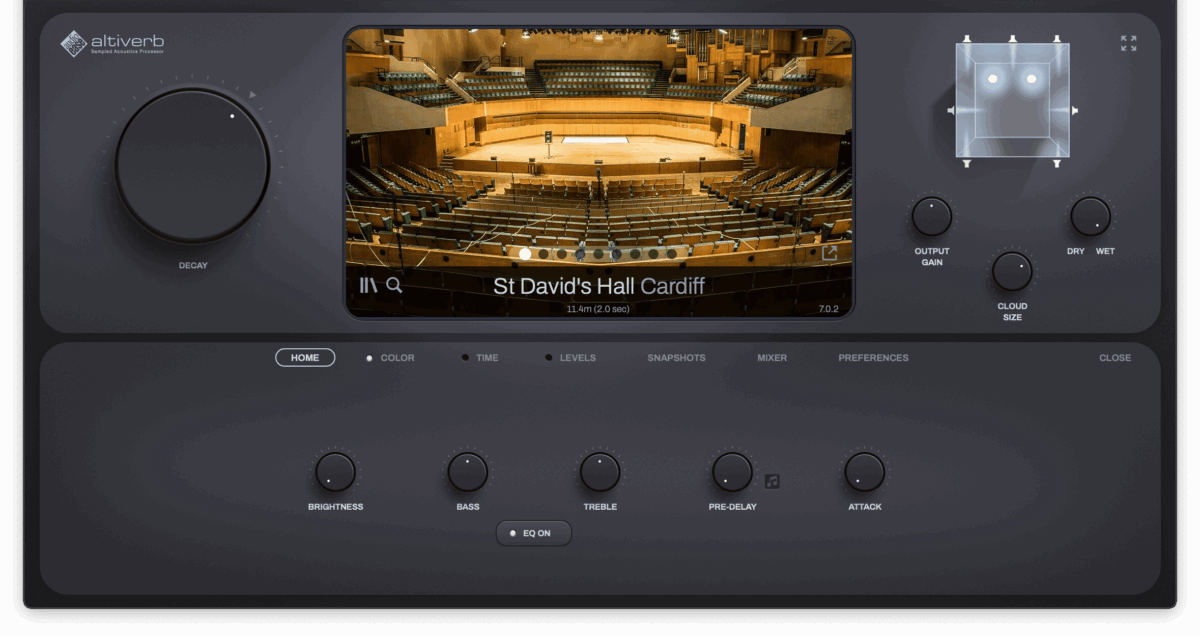
You load up a generic plate reverb, dial in some decay, and wonder why your vocal still sounds like it was recorded in a bathroom. Meanwhile, the mix you’re referencing has vocals sitting inside a concert hall so convincingly you can almost feel the wooden pews. The difference? Convolution reverb — and once you understand how it works, you’ll never go back to guessing.
Convolution reverb captures the acoustic fingerprint of a real space — a cathedral, a recording studio, a stairwell — using something called an impulse response (IR). Instead of mathematically simulating how sound bounces around, it literally stamps the sonic character of that space onto your audio. The result is realism that algorithmic reverbs simply cannot match.
But here’s where it gets interesting: not all convolution reverb plugins are created equal. Apple’s Space Designer ships free with Logic Pro. Audio Ease’s Altiverb 8 costs EUR 499 and up. And a growing crop of free IR loaders let you use any impulse response file in any DAW. Which one actually deserves a spot in your signal chain?
After years of working with all three approaches across commercial projects — from intimate podcast mixing to cinematic scores — I’m breaking down exactly what each option brings to the table, where they fall short, and how to get the best results regardless of your budget.
Convolution Reverb vs Algorithmic Reverb: Why It Matters
Before diving into the plugin comparison, let’s clarify why convolution reverb exists alongside algorithmic reverb — and why serious producers use both.
Algorithmic reverb uses mathematical models — delay networks, feedback loops, modulation — to simulate or invent acoustic spaces. Plugins like FabFilter Pro-R, Valhalla VintageVerb, and Eventide Blackhole excel here. They’re lightweight on CPU, infinitely tweakable, and can create reverb tails that don’t exist in nature. Want a 30-second shimmer reverb? Algorithmic is your tool.
Convolution reverb takes the opposite approach. It uses an impulse response — a recording of how a real space responds to a burst of sound — and applies that acoustic signature to your audio through a mathematical process called convolution. The trade-off: higher CPU usage and less flexibility, but unmatched realism. When you need your snare to sound like it was recorded at Abbey Road Studio Two, convolution is the only way to get there authentically.
The best mixing engineers don’t choose one over the other. They use convolution reverb on aux sends for realistic space placement, then layer algorithmic reverb for creative tails and effects. Understanding this distinction is the first step to using either type effectively.
Space Designer: The Convolution Reverb You Already Own
If you’re a Logic Pro user, you already have one of the most capable convolution reverb plugins on the market — and you might not even know it. Apple’s Space Designer has been part of Logic Pro for years, and it still holds up as a genuinely professional tool in 2025.
What Space Designer Does Well
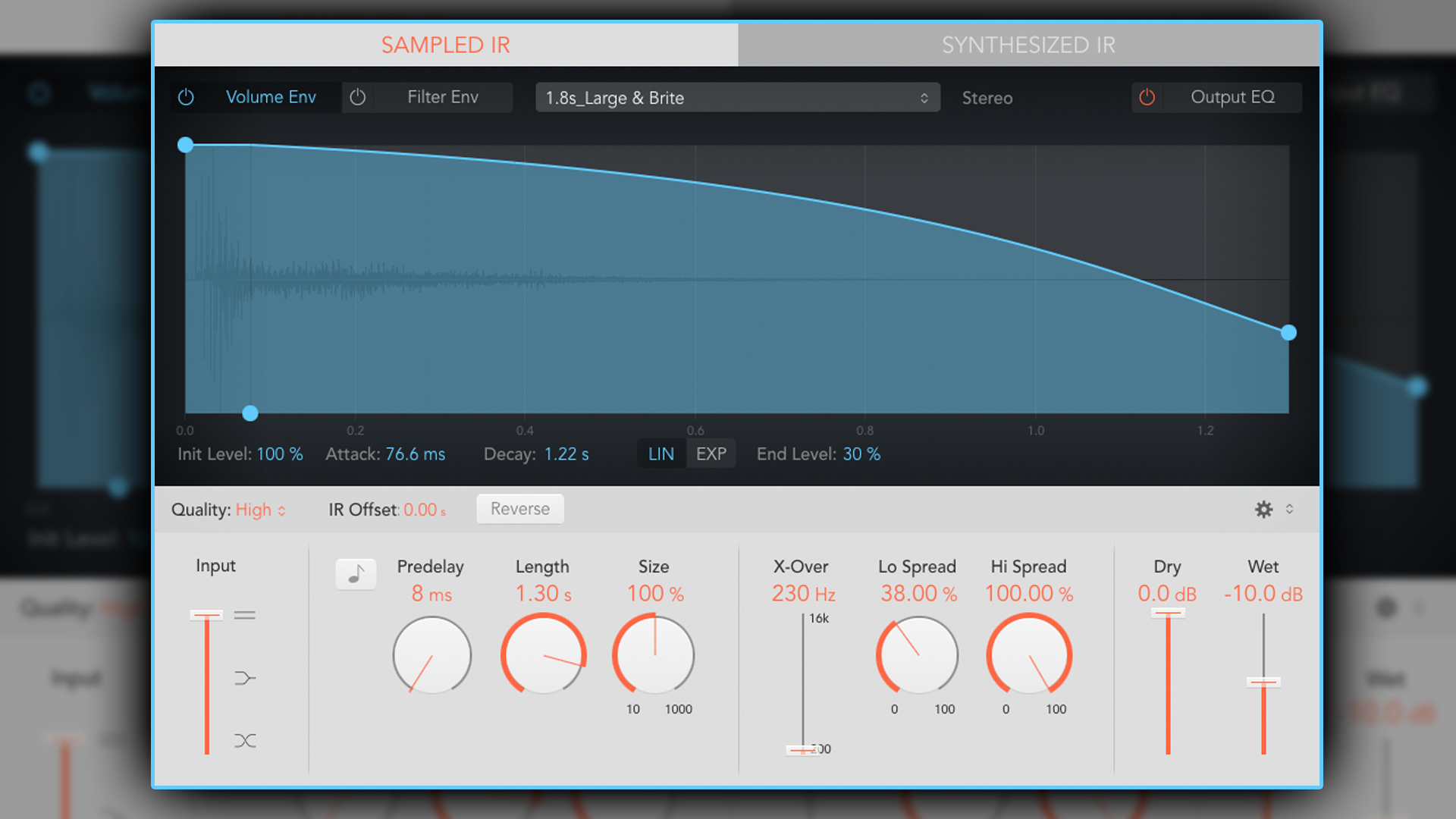
Space Designer generates reverb by convolving your audio signal with impulse response samples captured from real-world environments. It ships with a solid library of IRs covering halls, rooms, plates, and creative spaces. But its real power lies in the envelope editing system — you can shape the attack, decay, and frequency response of any impulse response with a level of precision that many producers overlook.
The plugin supports loading custom IR files, which means you’re not limited to the factory library. Grab IRs from EchoThief (100+ real-world spaces from across North America) or the Samplicity Bricasti M7 collection (136 free presets capturing the legendary M7 hardware), and Space Designer becomes a completely different beast.
Pro tip that makes Space Designer competitive with paid alternatives: set it up on an aux send at 100% wet, then control the reverb amount with the send level from each track. This gives you cleaner control, saves CPU by running a single instance for multiple tracks, and matches exactly how professional studios use hardware reverb units.
Where Space Designer Falls Short
- macOS only — If you work in Ableton, FL Studio, or any Windows DAW, Space Designer isn’t an option
- Smaller built-in IR library — Compared to Altiverb’s hundreds of world-famous spaces, the factory collection feels modest
- Less intuitive browser — Finding and previewing IRs isn’t as smooth as dedicated reverb plugins
- No Dolby Atmos support — For immersive audio projects, you’ll need to look elsewhere
Best for: Logic Pro users who want professional convolution reverb at zero additional cost. If you pair it with free third-party IR libraries, it punches well above its weight class.
Altiverb 8: The Industry Standard for Convolution Reverb
If Space Designer is the capable free option, Audio Ease Altiverb 8 is the gold standard that professionals reference when they talk about convolution reverb. At EUR 499 for the regular version (EUR 849 for XL), it’s a significant investment — but what you get justifies the price tag for studios doing serious work.
What Makes Altiverb 8 Worth the Price
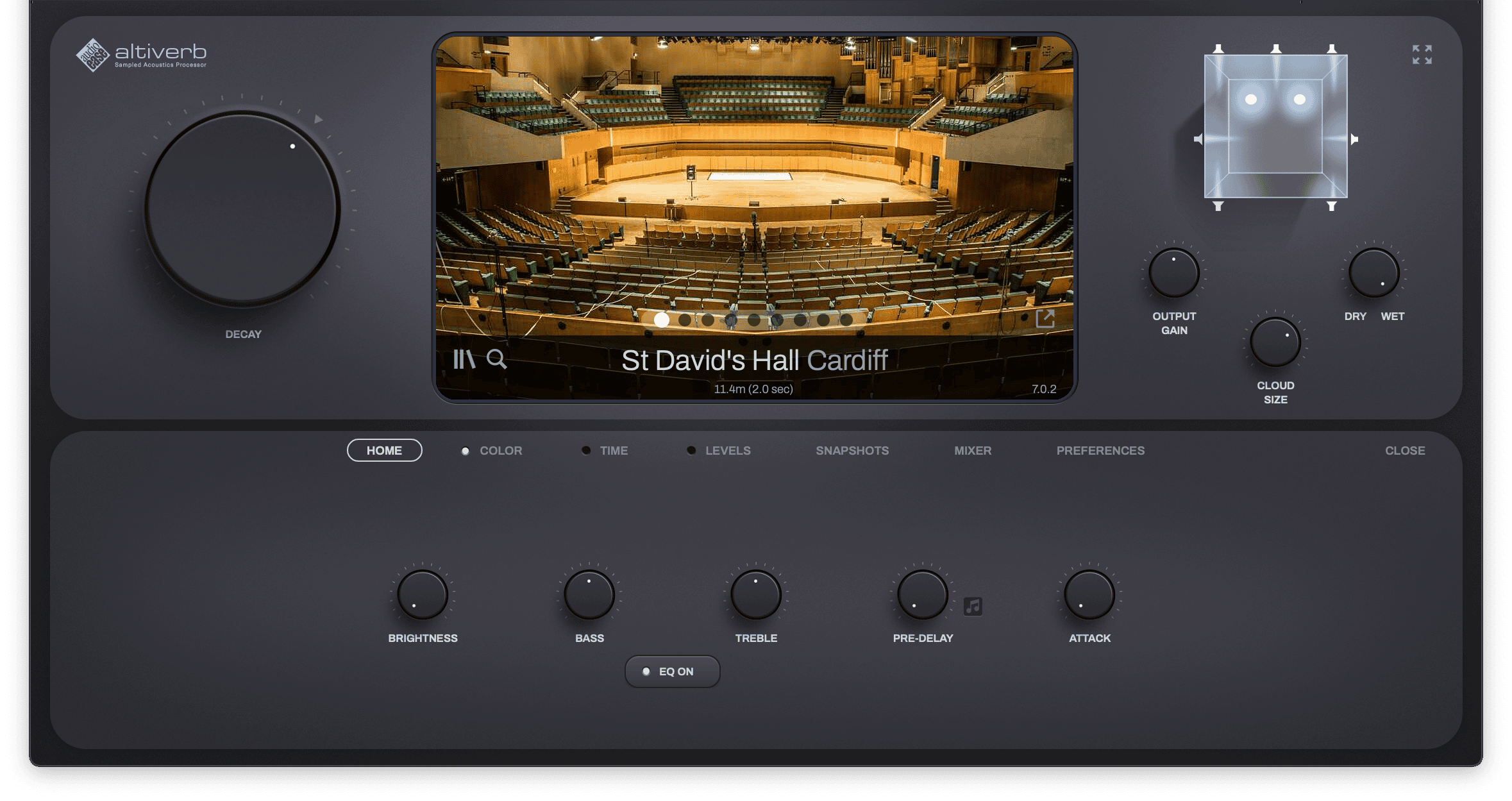
The IR library alone is staggering. Altiverb includes hundreds of impulse responses captured from world-famous venues — concert halls, recording studios, churches, outdoor spaces, and even vintage hardware units. Each IR comes with a photograph of the actual space, so you’re not just listening to a preset name; you’re seeing the room and understanding its acoustic character.
Altiverb 8 brought several game-changing updates. Apple Silicon native support (M1 through M3) means it runs efficiently on modern Macs. The new browser design enables instant gapless IR loading — no clicks, no dropouts when switching between spaces mid-session. And the IR Tool lets you create custom impulse responses from your own recordings, opening up a world of unique reverb possibilities.
For post-production and immersive audio professionals, the XL version adds Dolby Atmos support with output formats up to 9.1.6. The Cloud Size feature governs how the reverb spreads around point sources in a surround field — a level of spatial control that no other convolution plugin offers.
Where Altiverb Falls Short
- Price — EUR 499-849 is a serious commitment, especially for home studio producers
- CPU usage — Long IRs can still be demanding, particularly when running multiple instances
- Atmos requires XL — The standard version doesn’t include surround/immersive capabilities
Best for: Professional studios, film and TV post-production, and anyone working in Dolby Atmos or immersive audio. If realistic space recreation is mission-critical for your work, Altiverb remains the benchmark.
Free IR Loaders: Budget-Friendly Convolution Reverb for Any DAW
Here’s where things get exciting for producers on a budget or working outside Logic Pro. A new generation of free IR loader plugins has emerged, and combined with the wealth of free impulse response libraries available online, you can build a convolution reverb setup that costs absolutely nothing.
Top Free IR Loaders Worth Installing
Pulse 2 by Lancaster Audio — Released in April 2025 as a major update developed with Aurora DSP, Pulse 2 is arguably the most feature-rich free IR loader available. It offers four IR slots with individual gain, pan, delay, and phase controls, plus Auto-Align phase correction. It’s also the only freeware IR loader compatible with Pro Tools (AAX), alongside VST3 and AU support. It even includes a built-in cabinet simulator with mic position adjustment, making it a dual-purpose tool for guitar and reverb applications.
FenrIR by Aurora DSP — If you want simplicity, FenrIR delivers. Drag-and-drop IR loading, dual IR blend with crossfade, and extremely lightweight CPU usage. It’s the “just works” option when you need to load an IR file without fuss.
NadIR by Ignite Amps — The classic free dual-IR loader that’s been a staple for years. It offers pan and filtering controls for each IR slot, and its minimal footprint makes it ideal for sessions where CPU headroom is tight.
SIR3 by SIR Audio Tools — This is the paid option in the IR loader category (approximately EUR 99), but it’s worth mentioning because of its zero-latency convolution engine, true stereo IR support, four-step modulation chain, and multi-breakpoint envelopes. If you need more shaping power than free loaders provide, SIR3 bridges the gap between a simple loader and a full convolution reverb like Altiverb.
Convology XT by Impulse Record — The most advanced free convolver, including 70+ impulse responses out of the box with time-stretching and modulation capabilities. It’s a full convolution reverb plugin in its own right, not just a loader.
Where to Find Free Impulse Responses
An IR loader is only as good as the impulse responses you feed it. Here are the best free sources:
- EchoThief — 100+ real-world spaces recorded across North America (churches, tunnels, parking garages)
- Samplicity Bricasti M7 — 136 presets capturing the legendary Bricasti M7 hardware reverb, completely free
- Waves IR Library — 4.8 GB of high-definition impulse responses
- Immersive Soundscapes — 24-bit/192kHz lossless IR files for maximum quality
Between these libraries, you’ll have access to hundreds of spaces — from cathedral halls to vintage spring reverbs — without spending a cent.
Head-to-Head: Space Designer vs Altiverb 8 vs Free IR Loaders
Let’s put all three approaches side by side so you can make an informed decision based on your actual needs:
Price: Space Designer is free with Logic Pro. Altiverb 8 runs EUR 499-849. Free IR loaders cost nothing.
DAW Compatibility: Space Designer is Logic Pro only. Altiverb 8 works in all major DAWs (VST3, AU, AAX). Free IR loaders also support all major formats — Pulse 2 is notably the only free option with AAX for Pro Tools.
Built-in IR Library: Altiverb wins decisively with hundreds of professionally captured spaces from world-famous venues. Space Designer has a respectable but smaller collection. Free IR loaders ship with few or no IRs — you supply your own.
Sound Quality: All three approaches deliver excellent convolution quality when using the same IR file. The difference comes from the IR libraries themselves, not the convolution engine. Where Altiverb has an edge is in its meticulously recorded, professionally mastered IR collection.
Features: Altiverb 8 leads with Dolby Atmos support, visual space browsing, seamless IR switching, and the IR Tool. Space Designer offers excellent envelope editing. Free IR loaders range from basic (FenrIR) to surprisingly capable (Pulse 2 with four IR slots and auto-alignment).
CPU Efficiency: Free IR loaders are typically the lightest. Space Designer is well-optimized within Logic Pro. Altiverb can be demanding with long IRs but runs natively on Apple Silicon.
Pro Workflow: How to Use Convolution Reverb Like a Professional
Regardless of which plugin you choose, these workflow principles will get you better results with any convolution reverb:
1. Always Use Aux Sends, Never Inserts
Place your convolution reverb on an auxiliary channel set to 100% wet. Send audio from individual tracks to this aux channel, controlling the reverb amount with the send level. This saves CPU (one reverb instance serves multiple tracks), gives you parallel processing control, and lets you EQ or compress the reverb return independently.
2. EQ Your Reverb Return
This is the single most impactful tip for cleaner mixes. Add an EQ after your convolution reverb and cut everything below 200-300 Hz. Low-frequency reverb buildup is the number one cause of muddy mixes, and most producers never think to address it at the reverb return.
3. Match IR Selection to Musical Intent
Don’t just pick a preset because the name sounds cool. Think about what the music needs: a cathedral IR for grand, epic vocals; a small room for intimate acoustic guitar; a studio live room for drums that need to breathe without swimming in reverb. The IR choice is an artistic decision, not a technical one.
4. Layer Convolution with Algorithmic Reverb
Use one or two convolution reverb instances on aux sends for realistic space placement. Then add an algorithmic reverb for creative effects — long shimmering tails, reverse reverbs, or modulated textures that convolution can’t produce. This hybrid approach gives you the best of both worlds.
5. Automate Send Levels for Dynamic Control
Don’t set your reverb sends and forget them. Automate the send levels so verses might have less reverb (more intimate), choruses get more (bigger and wider), and bridges can go even further. This dynamic control keeps the mix alive and prevents reverb from becoming static background wash.
The Verdict: Which Convolution Reverb Should You Choose?
Choose Space Designer if you’re already in Logic Pro and want professional convolution reverb without spending an extra dollar. Pair it with free IR libraries and smart routing, and you’ll get 80% of what Altiverb delivers at 0% of the cost.
Choose Altiverb 8 if you’re a professional studio, work in film/TV post-production, or need Dolby Atmos capabilities. The IR library alone is worth the investment, and the workflow refinements in version 8 make it the most polished convolution reverb available.
Choose a free IR loader if you work outside Logic Pro and aren’t ready to invest in Altiverb. Pulse 2 with a collection of free IRs from EchoThief and Samplicity gives you a surprisingly capable setup — especially for music production where you don’t need Altiverb’s venue library.
The truth is, convolution reverb quality depends more on the impulse responses than the plugin loading them. A great IR in a free loader will always sound better than a mediocre IR in a EUR 849 plugin. Start with what you have, build your IR library intentionally, and upgrade to Altiverb when your work demands it.
Whether you’re setting up convolution reverb for mixing, dialing in the perfect room tone for post-production, or building an immersive audio workflow — professional ears make the difference.
Get weekly AI, music, and tech trends delivered to your inbox.






