


Home Studio Setup Guide 2026: Complete Beginner to Pro Pathway
January 28, 2026
Home Studio Setup Guide 2026: Complete Beginner to Pro Pathway ($500 to $8,000+)
January 28, 2026
Claude Code multi-agent orchestration just got real — and it happened in the most unexpected way. Someone reverse-engineered a Claude Code binary and found an entire multi-agent system hiding inside. A tool called TeammateTool with 13 operations, 5 orchestration patterns, and its own persistent storage layer — none of it in any changelog. A developer named kieranklaassen cracked open v2.1.29 and posted what he found. The infrastructure for Claude Code multi-agent orchestration was already being built before anyone outside Anthropic knew it existed.
But that’s only half the story. January 2026 was the month Claude Code grew up — 1,096 commits shipped in version 2.1.0, bringing skills hot-reload, forked sub-agent contexts, session teleportation, and a critical security fix. Meanwhile, developers in the wild were already pushing the boundaries of what “AI-assisted coding” means, running 20 to 30 parallel agents and generating over a thousand commits overnight.
Let’s break down what happened, why it matters, and how the smartest developers are using these capabilities right now.
Claude Code 2.1.0: The 1,096-Commit Release
On January 7, 2026, Anthropic shipped Claude Code 2.1.0. According to VentureBeat’s coverage, the release contained 1,096 commits — a massive update by any standard. This wasn’t a point release with minor fixes. It was a fundamental rethinking of how developers interact with AI coding agents.
Here’s what shipped:
Skills Hot Reload: From 2 Minutes to 5 Seconds
Before 2.1.0, modifying a skill (the reusable instructions that guide Claude Code’s behavior) meant restarting your session. The iteration loop was brutal — change a skill, wait two minutes for it to reload, test, repeat. Skills hot-reload cut that to roughly 5 seconds. You edit your CLAUDE.md or skill file, and the running session picks up the changes immediately. For teams building complex multi-step workflows, this single feature probably saved more cumulative hours than anything else in the release.
Forked Sub-Agent Contexts
Sub-agents in Claude Code used to share context with the parent session. That created problems — a sub-agent researching one file might pollute the context of another sub-agent writing tests. Forked sub-agent contexts give each spawned agent its own isolated environment. The parent session’s context is copied at fork time, and from that point forward, each sub-agent operates independently. Think of it like forking a process in Unix — same starting state, divergent execution paths.
Session Teleportation
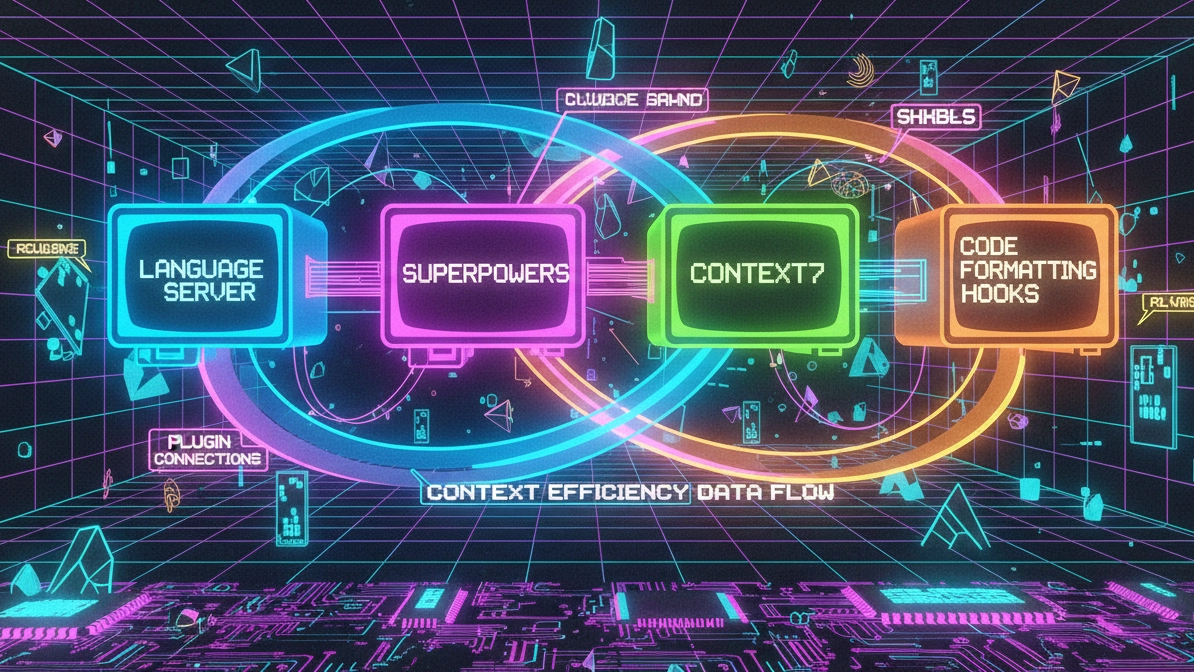
The /teleport command lets you move a CLI session to claude.ai/code (the browser-based interface) mid-conversation. You’re debugging something in the terminal, realize you need the visual interface, and teleport — no lost context, no re-explaining what you were doing. As noted in this detailed dev.to breakdown, this feature alone changes how developers think about the boundary between terminal and browser.
Hooks, Bash Wildcards, and the Security Fix
Hooks got upgraded to work in agent and skill frontmatter, making it possible to trigger custom actions at specific lifecycle points. Bash wildcard permissions (e.g., Bash(npm *)) simplified permission management for common shell commands. And critically, a security vulnerability was patched — OAuth tokens were being exposed in debug logs. If you were running Claude Code with debug logging enabled before this fix, your tokens may have been visible in plain text.
The Hidden Swarm: TeammateTool and Claude Code Multi-Agent Orchestration
Here’s where things get interesting. In late January 2026, a developer named kieranklaassen performed a binary analysis of Claude Code v2.1.29 and found something Anthropic hadn’t publicly announced: a complete multi-agent system called TeammateTool.
According to paddo.dev’s deep-dive analysis, TeammateTool contained 13 core operations: spawn, discover, cleanup, messaging, broadcast, and plan approval among them. The system stored its state in ~/.claude/teams/ and was feature-gated behind two functions — I9() and qFB(). It wasn’t accessible to regular users yet, but the architecture was fully built.
The discovery revealed five distinct multi-agent patterns baked into the system:
- Leader Pattern — A single orchestrator agent delegates tasks to worker agents and synthesizes their output
- Swarm Pattern — Multiple agents work on the same problem simultaneously, comparing and merging results
- Pipeline Pattern — Agents are chained sequentially, each one’s output becoming the next one’s input
- Council Pattern — Multiple agents review and vote on decisions before execution
- Watchdog Pattern — A dedicated monitoring agent oversees other agents for quality and safety
These weren’t theoretical designs. The binary contained working implementations. What kieranklaassen discovered in January was officially launched on February 6, 2026, as “Agent Teams” — alongside the release of Opus 4.6. But the fact that it was already this developed weeks before launch tells you how far ahead Anthropic’s internal development was.
How Developers Actually Use Multi-Agent Workflows
The official features are one thing. What developers actually do with them is another. January 2026 saw an explosion of creative multi-agent workflows that pushed Claude Code far beyond what most people assumed was possible.
Boris Cherny’s Parallel Session Strategy
Boris Cherny — the creator of Claude Code itself — publicly shared his workflow: 5 parallel local sessions plus 5 to 10 cloud sessions running simultaneously, each in its own git checkout. As covered in Andrea Bizzotto’s January 2026 newsletter, Cherny treats each session as an independent worker on a separate branch, merging results back into main when each task completes. The key insight is that separate git checkouts prevent agents from stepping on each other’s changes.
Gas Town’s tmux Army: 20-30 Parallel Agents
A developer known as Gas Town took the concept further — orchestrating 20 to 30 parallel Claude Code agents using tmux sessions. Each agent gets a dedicated terminal pane, a separate working directory, and a specific task. The tmux setup allows monitoring all agents simultaneously while keeping them isolated. At this scale, you’re not “coding with AI” — you’re managing a development team that happens to be entirely artificial.
The Ralph Wiggum Technique: $800, 1,100+ Commits, One Night
Perhaps the most audacious example came from a Y Combinator hackathon. The “Ralph Wiggum” technique — named with the kind of irreverence only a hackathon produces — involved feeding prompts to Claude Code in a bash loop. The result: 1,100+ commits across 6 repositories in a single overnight session. Total cost: approximately $800 in API credits. The commit quality was reportedly mixed, but the sheer volume of working code generated in hours would have taken a small team days or weeks.
Karpathy’s 80% Shift and What It Signals
Andrej Karpathy — former Tesla AI director, OpenAI founding member, and one of the most respected voices in machine learning — publicly stated that he shifted from 80% manual coding to 80% agent-based programming. His exact words: “I really am mostly programming in English now.”
When someone at Karpathy’s level makes that kind of statement, it’s not hype. It’s a data point. The implication is clear: if the most skilled AI researchers in the world are letting agents handle the majority of their implementation work, the productivity gap between agent-users and non-agent-users is about to become a chasm.
The Third-Party Block and Platform Control
Not everything in January was good news. Anthropic blocked Claude Pro and Max subscription tokens from being used through third-party tools. If you were using a third-party VS Code extension or custom tool that piggybacked on your Claude subscription, that access was cut off.
The move was controversial but predictable. Anthropic is building a platform, and platforms need to control their distribution channels. The message is clear: if you want Claude Code multi-agent orchestration capabilities, you use Anthropic’s official tools or pay for API access directly. Third-party wrappers that route through consumer subscriptions aren’t part of the plan.
What This Means Going Forward
January 2026 wasn’t just a big update — it was the month that multi-agent coding went from “interesting experiment” to “production workflow.” The combination of official features (skills hot-reload, forked contexts, session teleportation) with the discovered swarm infrastructure and the community’s increasingly sophisticated orchestration patterns created a tipping point.
The developers getting the most out of Claude Code multi-agent orchestration right now share a few traits: they think in terms of orchestration rather than single prompts, they isolate agents via separate checkouts or containers, and they aren’t afraid to run 10, 20, or 30 agents in parallel. The tooling is catching up to the ambition — and with Agent Teams now officially launched, the infrastructure gap is closing fast.
The implications for team productivity are staggering. Where a solo developer once spent an entire sprint implementing a feature, Claude Code multi-agent orchestration enables the same developer to decompose that feature into parallel tasks — frontend, backend, tests, documentation — and have agents working on all of them simultaneously. The bottleneck shifts from implementation speed to architectural planning and code review. That’s a fundamentally different way of building software, and January 2026 was the month the tooling made it practical.
If you’re still using Claude Code one session at a time, you’re leaving most of its power on the table. The multi-agent era isn’t coming. It’s already here — and 1,096 commits in a single release proved it.
Building multi-agent orchestration pipelines or need help integrating AI coding agents into your team’s workflow? Sean has been running production multi-agent systems since day one.
Get weekly AI, music, and tech trends delivered to your inbox.






