

Concord Acquires Ninja Tune: How Dance Music’s Most Iconic Indie Label Stays Independent at Scale
March 15, 2026
Waldorf Attack 3 Review: The 25-Year Drum Synth Legend Reborn with FM Synthesis and 24-Voice Polyphony at €99
March 16, 2026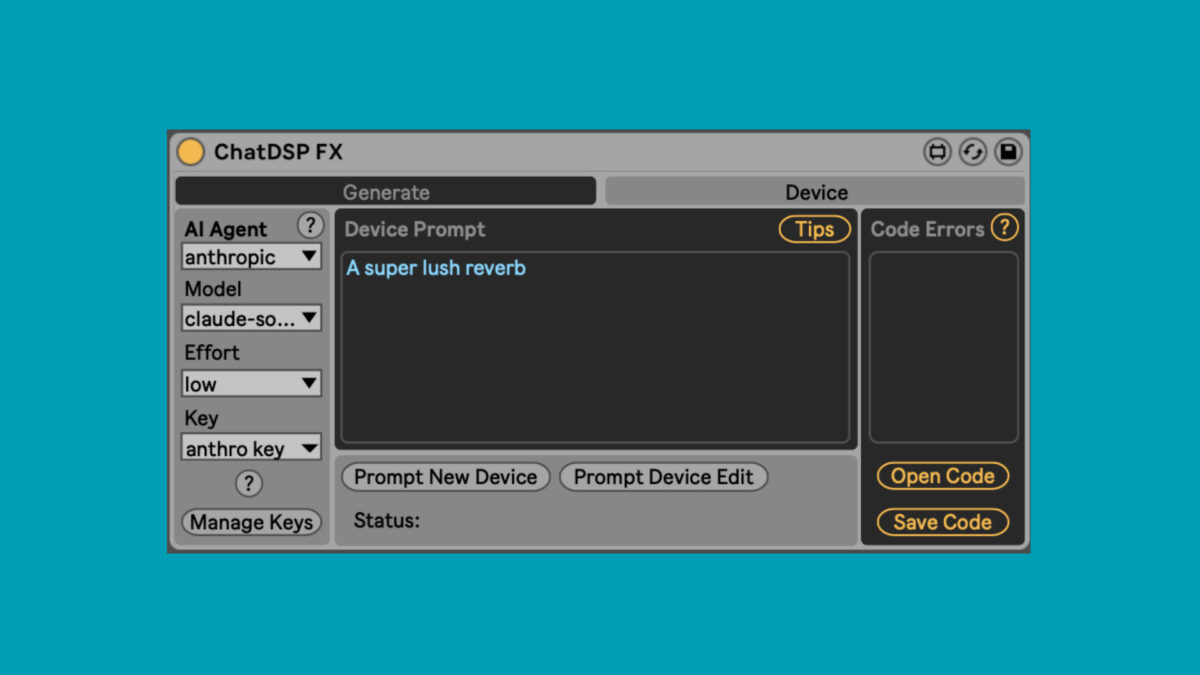
Stop hand-wiring Max For Live patches. Dillon Bastan’s ChatDSP Max For Live tool lets you type “a lush granular pad with shimmer reverb” and watch a fully functional M4L synthesizer appear inside Ableton — for $10. After spending years building custom Max patches by hand, I genuinely did not expect a text-prompt approach to produce usable results this quickly.
What Is ChatDSP Max For Live and Why Does It Matter?
ChatDSP is an experimental Max For Live device created by sound designer and developer Dillon Bastan that uses large language models from Anthropic (Claude) and OpenAI to generate custom M4L instruments, audio effects, and MIDI FX directly inside Ableton Live. Instead of manually connecting objects in Max’s visual programming environment, you describe what you want in plain English and the AI builds the patch structure for you.
The tool costs a one-time $10 purchase — no subscription — though you do need your own API credits from Anthropic or OpenAI to power the generation. Each created device supports up to 48 parameters and can be saved permanently in your Ableton projects. Think of it as having a Max For Live developer on call who works for pennies per prompt.
How ChatDSP Works: From Text Prompt to Playable Synth
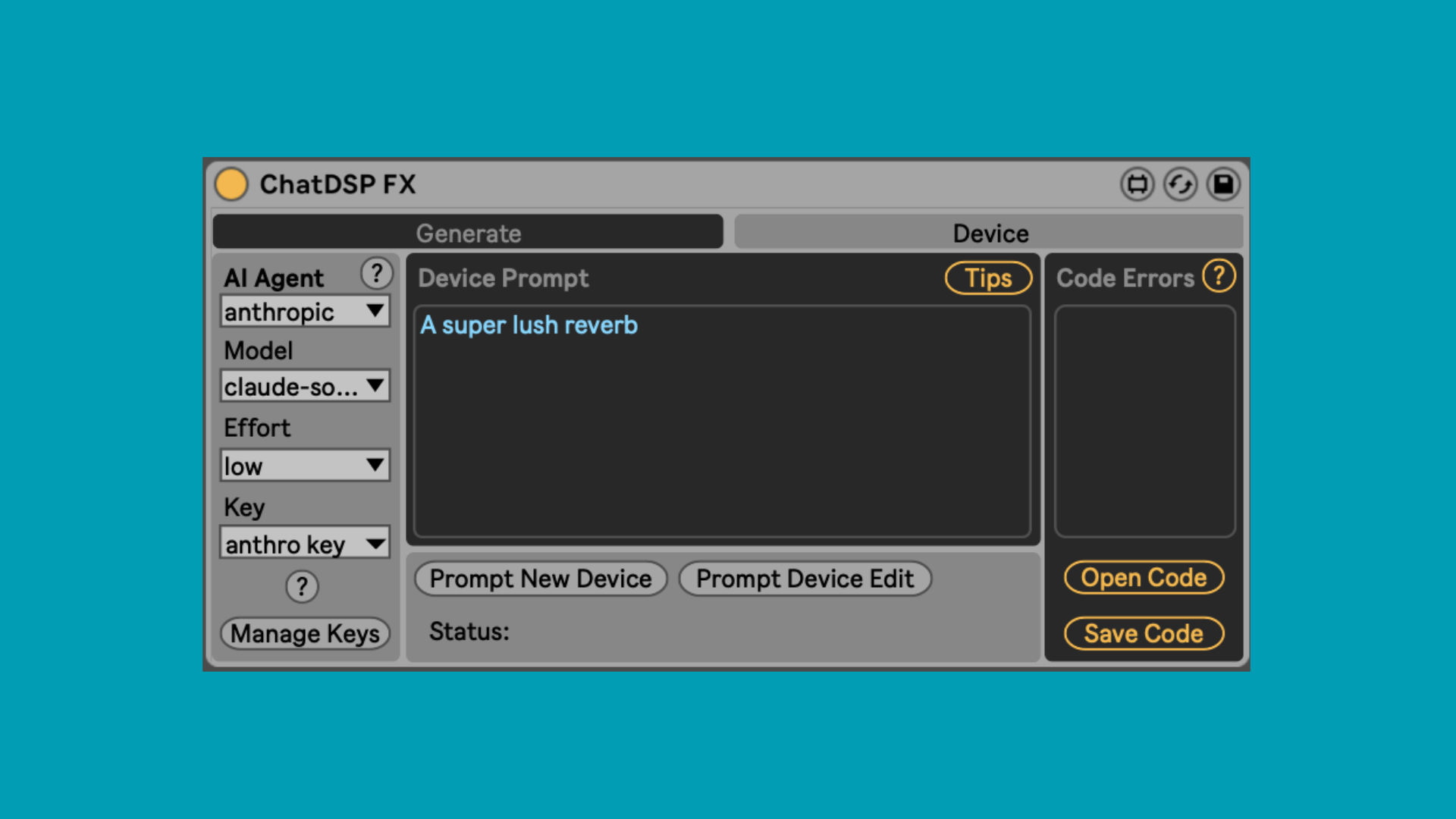
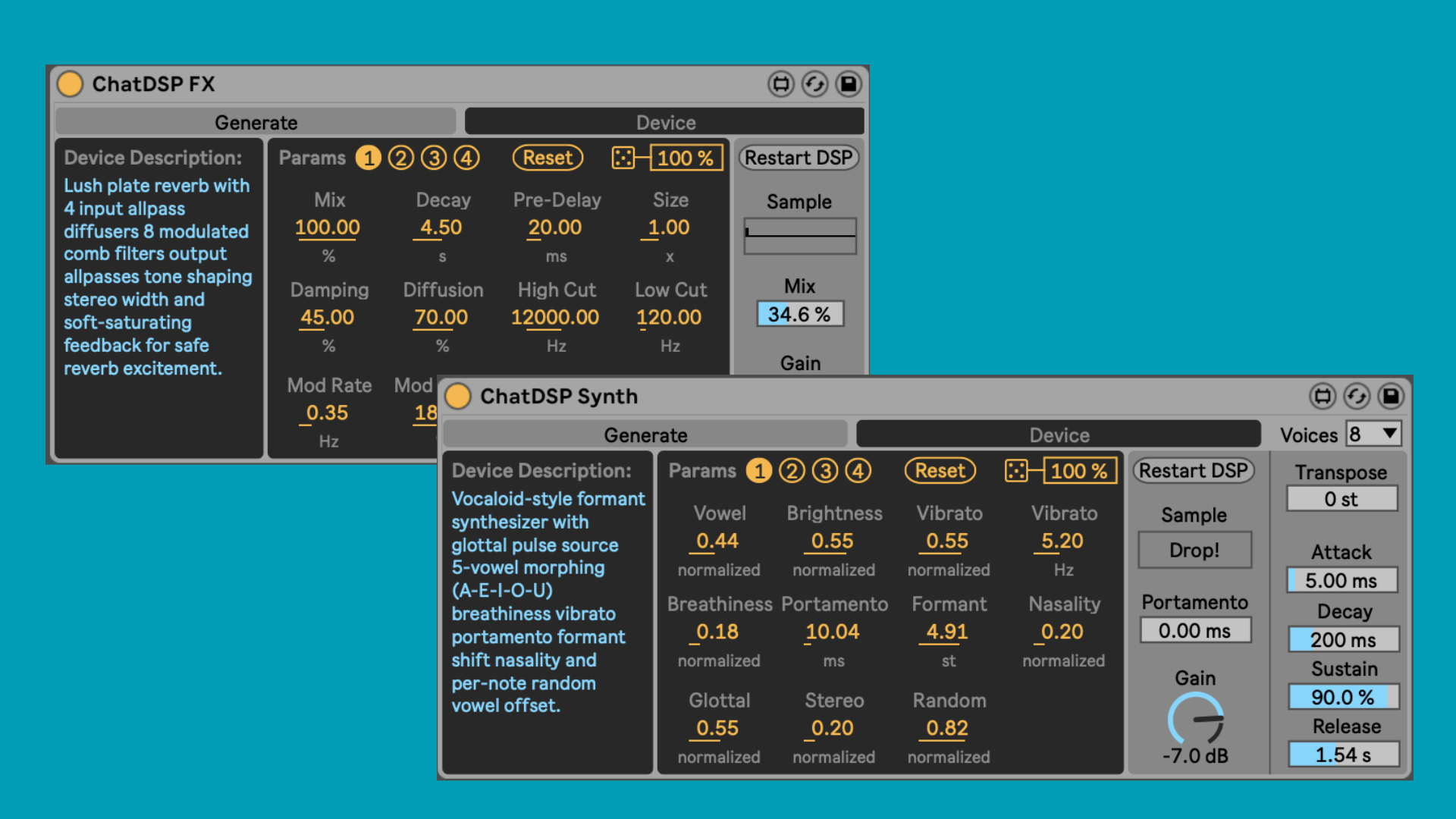
The workflow is remarkably simple. Drop ChatDSP onto a track in Ableton Live, enter your API key, and type a description of the device you want. The AI agent processes your prompt, generates the Max For Live patch structure, and builds a playable instrument or effect in seconds. You can request anything from “a subtractive bass synth with portamento and an LFO-modulated filter” to “a creative delay effect with pitch-shifting feedback.”
ChatDSP ships with built-in templates that include common controls like ADSR envelopes, dry/wet mix knobs, and sample access. These templates give the AI a solid foundation to build on, which significantly improves output quality for standard device types. The three categories of devices you can generate are:
- Synthesizers and Instruments — FM synths, granular engines, wavetable oscillators, sample-based instruments
- Audio Effects — reverbs, delays, distortion, modulation, creative processors
- MIDI FX — arpeggiators, chord generators, probability-based sequencers, scale quantizers
What makes this approach genuinely interesting is the iterative refinement. If the first result is not quite right, you can tell ChatDSP to “add a resonance control to the filter” or “make the reverb tail longer” and it modifies the existing device rather than starting from scratch. This conversational workflow mirrors how producers actually think about sound design.
Real-World Testing: What Works and What Doesn’t
After running dozens of prompts through ChatDSP, here is what I found. Simple, well-defined requests produce surprisingly usable results. A basic subtractive synth with filter envelope and LFO came out clean, with properly mapped macro controls and sensible default values. Standard effects like chorus, phaser, and simple delay also generated without issues.
Complex or abstract requests are where things get unpredictable. Asking for “a strawberry reverb” — Dillon Bastan’s own example — produced an interesting but unstable effect that needed prompt refinement to become usable. Multi-stage processors with elaborate routing sometimes generated with broken connections or parameters that did nothing. This is experimental software, and the developer is upfront about that.
The quality depends heavily on two factors: prompt specificity and which AI model you use. Claude (Anthropic) tended to produce more structured, reliable patches in my testing, while GPT-4 sometimes generated more creative but less stable results. Your mileage will vary depending on your prompting skills and the complexity of what you are building.
The $10 Question: Is ChatDSP Worth It for Music Producers?
For $10, ChatDSP Max For Live is almost a no-brainer for anyone running Ableton Live with Max For Live. Even if only half your generated devices end up usable, the speed of prototyping alone justifies the price. Consider what you normally spend on a single commercial M4L device — often $15-50 — and ChatDSP’s value proposition becomes clear.
The real cost consideration is API credits. Each generation uses tokens from your Anthropic or OpenAI account, typically costing between $0.01-0.10 per prompt depending on complexity and model choice. For a typical session of experimenting with 20-30 prompts, you might spend $1-2 in API costs. That is still dramatically cheaper than hiring a Max developer or spending hours learning visual programming yourself.
There are legitimate concerns about quality control. As Gearnews noted in their coverage, AI-generated devices with inconsistent quality could flood sharing platforms. But for personal use and rapid prototyping, ChatDSP fills a gap that nothing else currently addresses. It democratizes Max For Live development in a way that aligns with how producers actually want to work — describing sounds, not programming them.
Getting Started with ChatDSP: Setup and First Prompts
Setting up ChatDSP takes about five minutes. Purchase the tool from Dillon Bastan’s website for $10, drop the .amxd file into your Ableton Live User Library, and load it onto any track. You will need to create an account with Anthropic or OpenAI if you don’t already have one, then generate an API key and paste it into ChatDSP’s settings panel.
For your first prompts, start simple and specific. Instead of “make me something cool,” try “a monophonic bass synth with a low-pass filter, resonance control, and a slow attack envelope.” The more technical detail you provide, the better the output. Here are some prompt strategies that consistently produce good results:
- Name the synthesis type explicitly: subtractive, FM, additive, granular
- Specify the number and type of oscillators you want
- List the modulation sources and targets: LFO to filter cutoff, envelope to pitch
- Include practical controls: velocity sensitivity, pitch bend range, output level
- For effects, define the signal chain order and any parallel routing
Once you have a working device, save it immediately in your M4L library. Even if it needs refinement, having a starting point that you can tweak manually in Max is often faster than building from zero. The generated patches are fully editable standard Max For Live devices — there is no lock-in or proprietary format involved.
Who Should Use ChatDSP — and Who Should Skip It
ChatDSP is ideal for producers who use Ableton Live and have always wanted custom M4L devices but lack Max programming skills. It is also valuable for experienced Max developers who want to rapidly prototype ideas before refining them manually. Sound designers exploring unusual synthesis approaches will find the conversational workflow genuinely inspiring.
Skip it if you need production-ready, rock-solid devices for live performance without any tweaking. The experimental nature means some generated devices will have quirks, and you should be comfortable with occasional instability. You also need Ableton Live 10 or 11 (Suite or Standard with Max For Live) — this is not a standalone tool.
The Bigger Picture: AI-Powered Music Production in 2026
ChatDSP represents a broader shift in how AI is integrating into music production workflows. Rather than replacing musicians, tools like this augment the creative process by removing technical barriers. The ability to describe a sound and have it materialized as a functional instrument changes the relationship between imagination and execution.
Dillon Bastan has built something that feels like a preview of where DAW development is heading. The combination of natural language interfaces with modular synthesis environments could eventually become standard in every major DAW. For now, ChatDSP is the most accessible and affordable entry point into AI-assisted instrument design — and at $10 with no subscription, the barrier to trying it yourself is practically nonexistent.
Want to explore AI-powered music production workflows or need help setting up a custom studio environment for tools like ChatDSP? Sean Kim has 28+ years of experience in music production and audio engineering.






