


Apple Music Launches AI Transparency Tags — What It Means for Music Creators and Listeners
March 11, 2026
How AI Is Revolutionizing Dolby Atmos and Immersive Audio Production in 2026
March 11, 2026Bitwig Studio 6 Drops Today
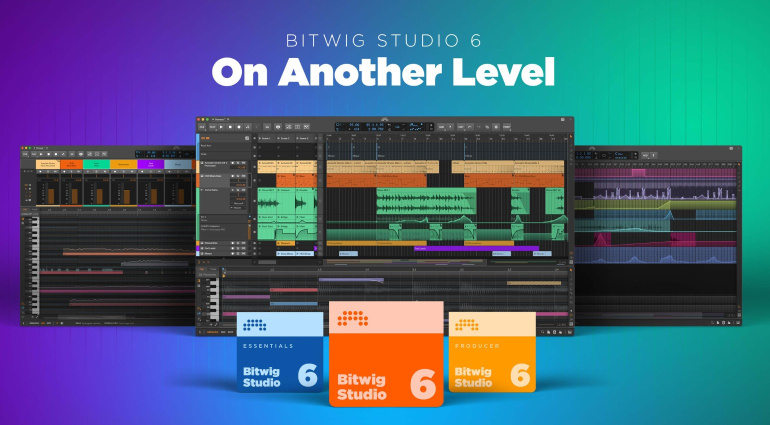
March 11, 2026 — Bitwig Studio 6 is officially here, and it’s not just a version bump. This release fundamentally rethinks how producers interact with automation and clip management, making it one of the most significant DAW updates we’ve seen this year.
![[Placeholder] Bitwig Studio 6 interface overview](https://res.cloudinary.com/dvbcyctrb/image/upload/v1773215662/blog/references/xsyva36mc9uwbrk5f2j3.jpg)
Automation Clips — Automation as a First-Class Citizen
The headline feature is Automation Clips. In most DAWs, automation has always been a secondary workflow — something you add at the end of a production. Bitwig Studio 6 changes that entirely. You can now create, loop, duplicate, and edit automation clips just like audio or MIDI clips.
This isn’t just a UI change — it’s a philosophical shift. Automation becomes part of the creative process from the very first moment you start building a track.
Spread and Hold
Two new automation behaviors deserve special attention. Spread generates random values within your automation range, perfect for adding organic movement to synth parameters or effects. Hold maintains a constant value until the next automation point, giving you precise step-style control. Both are invaluable for sound design and experimental production.
Clip Aliases — The End of Copy-Paste Headaches
Every producer knows the pain: you’ve duplicated a clip across 16 bars, then realize you need to change a single note. With Clip Aliases, Bitwig Studio 6 solves this elegantly. Instead of creating full duplicates, you create references (aliases) to a single source clip. Edit the original, and every alias updates automatically.
For anyone working with repetitive structures — electronic music, film scoring, or loop-based production — this is a game-changer that will save hours of tedious editing.
Global Key Signature and New Editing Tools
Bitwig Studio 6 introduces a project-wide Key Signature that integrates directly into the piano roll. Notes automatically snap to your chosen scale, and the setting dynamically affects note effects across your entire project. It’s the kind of feature that makes harmonic experimentation feel effortless.
Spray Can, Audition Tool, and Layered Editing
The new Spray Can tool offers an intuitive approach to arrangement editing — think of it as painting clips onto your timeline. The improved Audition tool lets you preview clips before committing, and Layered Editing enables simultaneous multi-clip editing for big-picture arrangement work.
The entire GUI has been redesigned with enhanced customization options, and older projects now get automatic backups when opened in the new version.
Pricing and Upgrade Path
If you had an active Upgrade Plan as of August 27, 2025, Bitwig Studio 6 is a free update. For everyone else, upgrade pricing is available on Bitwig’s website. Given the scope of these changes — particularly Automation Clips and Clip Aliases — this is one of those updates that genuinely changes how you work, not just how things look.
Whether you’re a longtime Bitwig user or considering switching DAWs, version 6 makes a compelling case. The focus on workflow innovation over feature bloat is exactly what modern music production needs.
Get weekly AI, music, and tech trends delivered to your inbox.






