


NVIDIA Vera Rubin Architecture: 336 Billion Transistors That Make Blackwell Look Like a Warmup — GTC 2026 Preview
March 2, 2026
NVIDIA GTC 2026 Preview: 5 Reasons NIM Microservices and NemoClaw Will Reshape Enterprise AI
March 3, 2026
Finally. After months of speculation and beta leaks, Bitwig Studio 6 has been officially announced, and it’s not a minor update — it’s the kind of release that makes you rethink your entire production workflow. Set to drop on March 11, 2026, version 6 tackles the two things producers have been begging for: smarter automation and faster pattern-based editing. Having dug through every preview, early access report, and feature breakdown available, here’s my complete take on what’s coming.
Automation Clips: Bitwig Studio 6 Finally Sets Automation Free
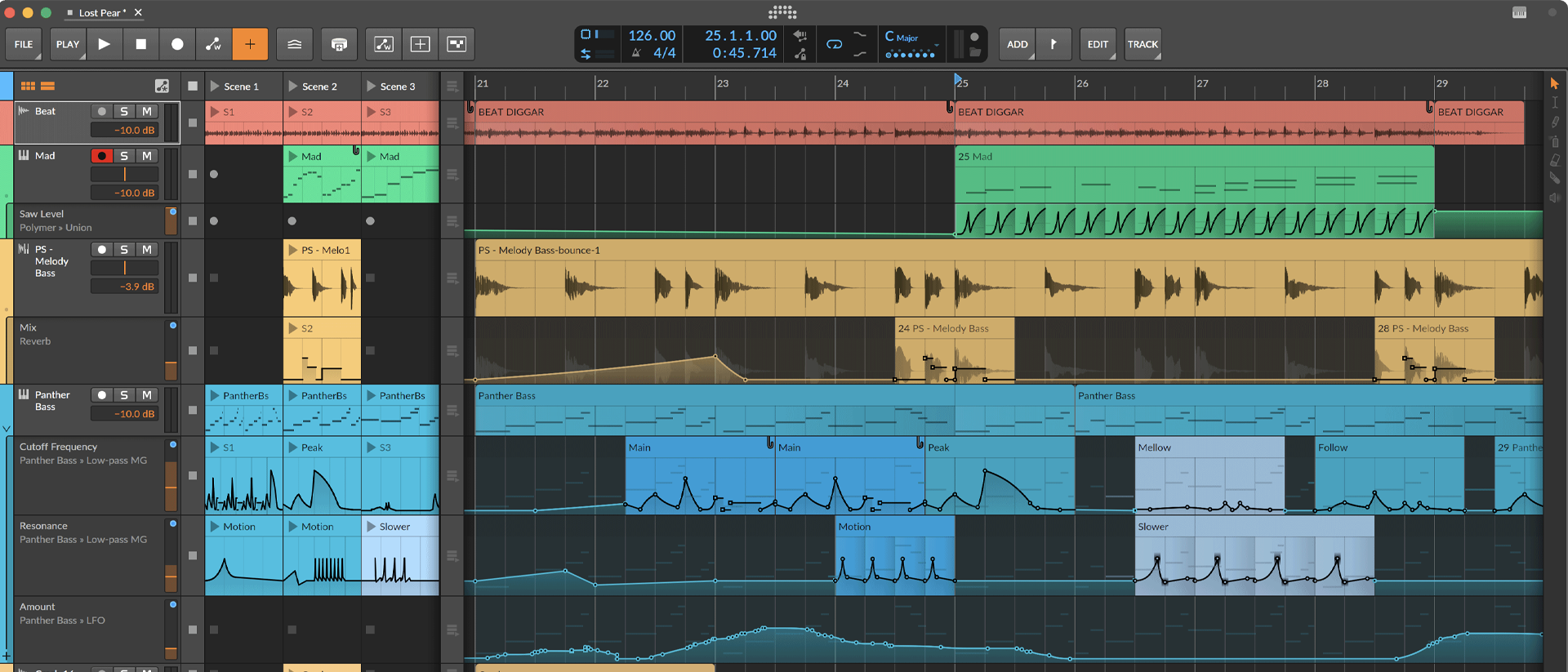
This is the headline feature, and for good reason. Automation in most DAWs is still stuck in the early 2000s — tied rigidly to tracks, impossible to reuse, and painful to rearrange. Bitwig Studio 6 changes the game entirely by turning automation data into independent, movable clips.
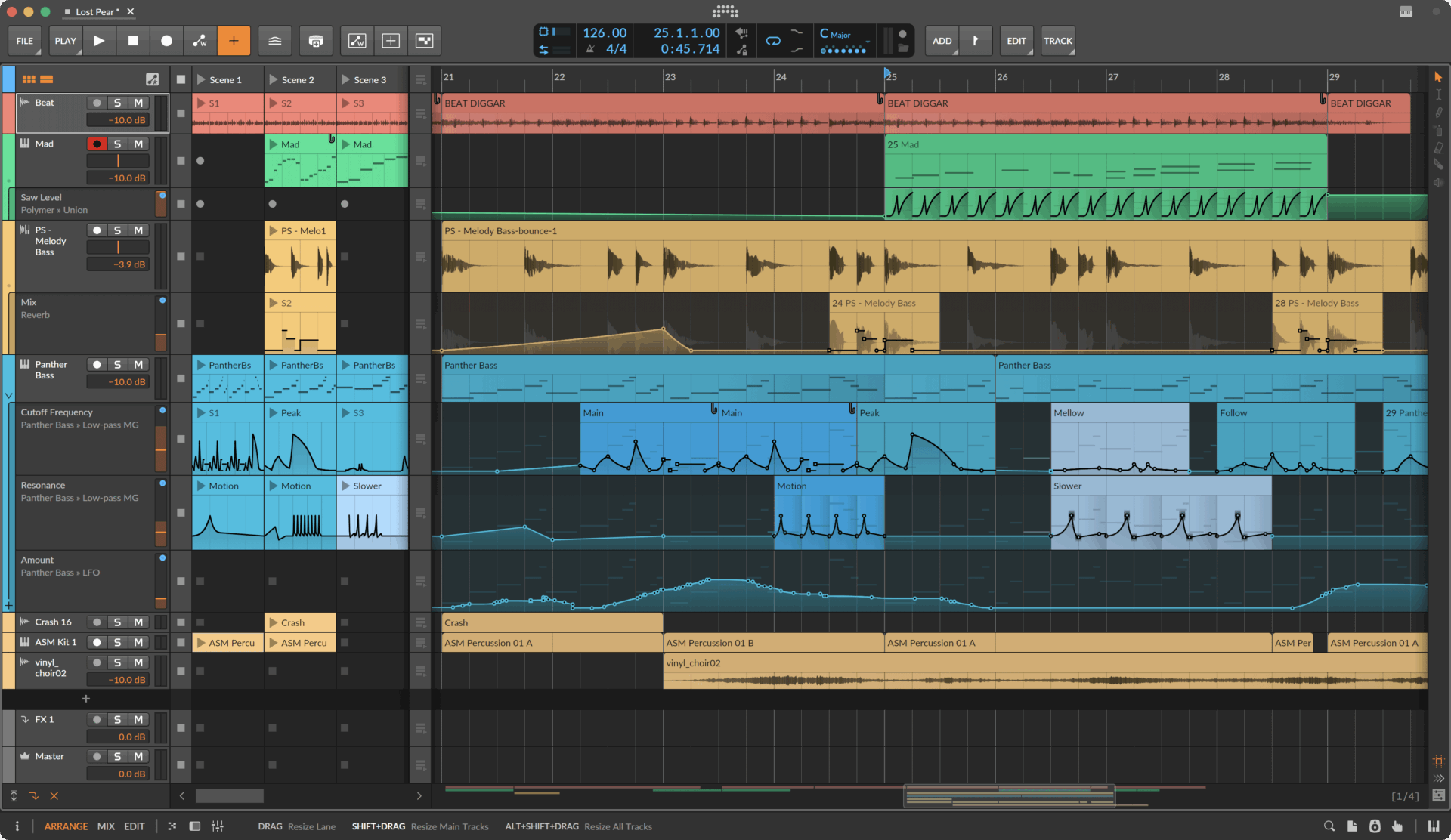
What does that mean in practice? You can now create an automation shape — say, a complex filter sweep — and treat it like any other clip. Move it around the timeline. Loop it. Stretch it. Set independent start times so your automation doesn’t have to follow your audio clip’s timing. This is modular thinking applied to automation, and it’s brilliant.
The new detail editor panel gives you fine-grained control over automation curves, and there’s a freehand-to-clean-curve algorithm that converts your mouse scribbles into smooth, musical shapes. The Spread feature lets you fan out automation points for organic variation. If you’ve ever spent 20 minutes trying to draw the same filter sweep across multiple sections of a song, automation clips will save your sanity.
Bitwig has also introduced two new methods for accessing automation data, making the whole system more flexible. You can work with automation in the arranger, the clip launcher, or both simultaneously — a level of flexibility that no other major DAW currently offers.
Clip Aliases: Edit Once, Update Everywhere
Clip aliases are the second massive workflow improvement in Bitwig Studio 6, and they solve a problem that has plagued electronic music producers for years: maintaining consistency across repeated patterns.
Here’s how it works. You create a clip — a drum pattern, a bass line, a chord progression — and place it across your arrangement. With clip aliases, all those copies are linked. Edit one, and every alias updates instantly. No more hunting through 16 copies of the same hi-hat pattern to fix one velocity. No more forgetting which instance you tweaked.
Aliases work across audio clips, note clips, and automation clips. They function in both the clip launcher and the arranger. And crucially, each alias can still maintain individual settings like clip gain or launch behavior while sharing the core musical content. It’s the best of both worlds: global editing power with local customization.
For pattern-based genres like techno, house, drum and bass, and ambient, this is transformative. MusicRadar gave Bitwig Studio 6 a 4.25 out of 5, specifically praising how clip aliases accelerate repetitive workflow tasks.
4 New Grid Modules: Scale, Scale Steps, Root Key, and Pitch Class
Bitwig’s Grid — the modular patching environment that already set it apart from every other DAW — gets four powerful new modules in version 6. These aren’t random additions; they’re all connected to the new global key signature system, creating a cohesive music theory layer across your entire project.
- Scale — Quantizes any pitch signal to the current project scale. Build a random melody generator, and it automatically stays in key.
- Scale Steps — Quantizes Grid patches to the project key in step increments. Perfect for sequencer patches that need to follow harmonic structure.
- Root Key — Outputs the current root key as a signal. Use it to transpose patches, trigger key-aware effects, or drive generative systems.
- Pitch Class — Listens to the global key signature settings. Your Grid patches can now react to key changes in real time.
The practical impact is huge. Previously, if you built a generative patch in The Grid, keeping it harmonically aligned with your project required manual parameter matching. Now, your patches stay in harmony automatically. Change the project key from C minor to E-flat major, and every Grid patch using these modules adapts instantly.
Global Key Signature System: Music Theory Meets DAW Design
Speaking of key signatures, Bitwig Studio 6 introduces a project-wide key signature that sits alongside tempo and time signature in the transport bar. This isn’t just a visual label — it actively controls behavior across the DAW.
The key signature is visible in the piano roll, providing instant visual feedback about which notes are in key. It controls note-affecting effects like the arpeggiator and randomize functions, so generated notes always stay musically coherent. Combined with the new Grid modules, it creates an ecosystem where harmonic consistency is automatic rather than effortful.
For producers who work across multiple sections with different keys or modes, this is a massive time saver. Set your key, and the entire project — from MIDI effects to Grid patches to the piano roll — responds accordingly.
Spray Can Tool, Audition Tool, and Workflow Enhancements
Beyond the headline features, Bitwig Studio 6 is packed with smaller improvements that add up to a significantly smoother experience.
The Spray Can tool lets you paint notes or automation points directly onto the grid. It’s built for speed and generative sequencing — rapid-fire note placement that would take much longer with traditional click-and-drag. Think of it as a creative chaos tool: scatter notes across a grid and let the new key signature system clean up the harmonics.
The Audition tool lets you preview any clip or individual note without pressing play. Hover, click, listen. It sounds simple, but anyone who’s worked on large arrangements knows the pain of scrubbing through a timeline just to hear one specific clip.
Project Safety is a new auto-backup system that kicks in when you open projects from older Bitwig versions. It’s a small but welcome safety net that prevents accidental data loss during the upgrade process.
The UI has been streamlined too: editing tool palettes are cleaner, arranger zoom is more responsive, the clip launcher now shows position and loop count information, and expression editors display micro-pitch, gain, and pressure directly on notes. These are the kind of quality-of-life improvements that Synth Anatomy highlighted as evidence of Bitwig’s maturing design philosophy.
Pricing, Ratings, and Who Should Upgrade
Bitwig Studio 6 comes in three tiers: Studio at $369, Producer at $189, and Essentials at $86. Existing users with an active upgrade plan get version 6 as a free update. Cross-platform support covers macOS 10.15+, Windows 10+, and Linux Ubuntu 22.04+ — Bitwig remains the only major DAW with native Linux support.
Early reviews are overwhelmingly positive. MusicRadar scored it 4.25 out of 5, calling it a massive expansion of Bitwig’s modulation and automation capabilities. Gearnews went further with a perfect 5 out of 5, emphasizing the automation clips as genuinely groundbreaking.
Who should care? If you’re an electronic music producer, sound designer, or anyone who works with modular synthesis concepts, Bitwig Studio 6 is arguably the most significant DAW update of 2026 so far. The automation clips alone justify the upgrade. Add clip aliases, the Grid modules, and the key signature system, and you’re looking at a DAW that’s pulling further ahead of the competition in creative workflow design.
The Bottom Line
Bitwig Studio 6 isn’t trying to be everything to everyone. It’s doubling down on what makes Bitwig unique: modular thinking, creative freedom, and workflow speed. Automation clips turn a traditionally static part of music production into something dynamic and reusable. Clip aliases eliminate busywork. The Grid modules and key signature system make harmonic coherence effortless. And the smaller tools — Spray Can, Audition, Project Safety — show that Bitwig is listening to working producers, not just chasing feature checkboxes.
Whether you’re building generative ambient patches, programming intricate techno sequences, or scoring to picture, these are tools designed to keep you in creative flow. The March 11 release can’t come soon enough.
Looking to optimize your DAW setup, build a modular synthesis workflow, or get professional mixing and mastering for your productions? Sean Kim brings 28+ years of music and audio experience to every project.






