

Ableton Live 12.2 Launch: Bounce to New Track, Redesigned Auto Filter, and 7 Features That Change Your Workflow
June 13, 2025
Best Smart Thermostats 2025: Nest vs Ecobee vs Honeywell — Which One Actually Saves You Money?
June 13, 2025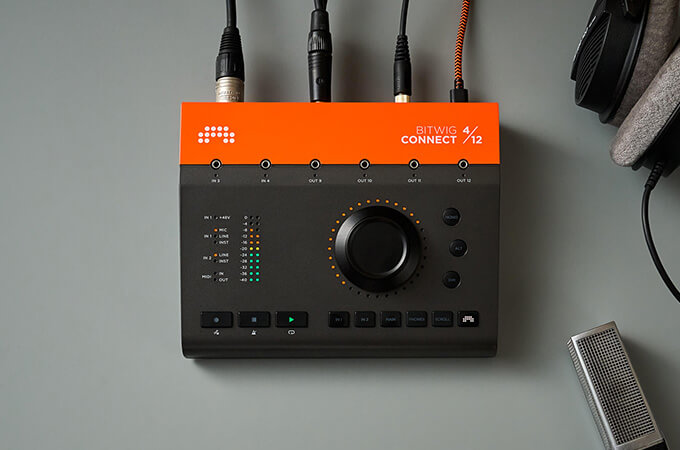
Finally, a DAW company built hardware that actually makes sense. Bitwig Connect 4/12 isn’t just another USB-C audio interface — it’s a $599 bridge between your computer and your modular rig, with a single aluminum dial that controls literally any parameter in Bitwig Studio. After years of watching DAW makers stay firmly in the software lane, Bitwig’s first hardware product delivers something genuinely different.
Bitwig Connect 4/12 Review: What Makes This Interface Different
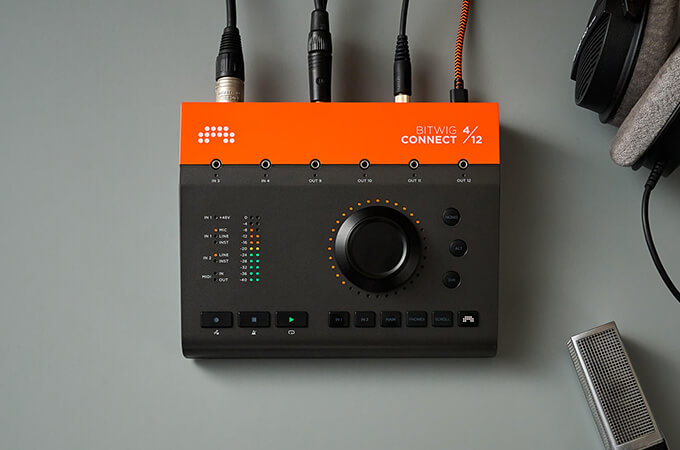
The Bitwig Connect 4/12 is a three-in-one device: audio interface, monitor controller, and DAW controller. At its core, you get 4 inputs and 12 outputs through a USB-C connection that’s entirely bus-powered — no external power supply cluttering your desk. But the real story is in the details, and those details start with the 360-degree touch-sensitive aluminum dial surrounded by 32 RGB LEDs.
According to Sound On Sound’s review, the build quality is exceptional: “a satisfyingly weighty and solid construction, firmly mounted buttons with the right amount of resistance, and a large 360-degree potentiometer dial that is exquisite with perfect weight, inertia, and smooth motion.” At 1.45kg in a full metal chassis, this thing feels like it belongs in a professional studio.
Audio Quality: AKM Converters and 113dB Dynamic Range
Under the hood, the Bitwig Connect 4/12 uses Asahi Kasei Microdevices (AKM) converters across all analog inputs, supporting sample rates up to 192kHz at 24-bit resolution. MusicRadar reports a 113dB dynamic range, describing the results as “stellar, very neutral and clean.” For a $599 interface, that’s impressive — you’re getting conversion quality that competes with interfaces costing significantly more.
The input configuration includes one combo XLR/TRS port with a high-gain mic preamp featuring 48V phantom power, plus one balanced TRS line/instrument input. That’s only two traditional audio inputs, which may feel limiting if you’re recording multiple microphones simultaneously. However, the additional six 3.5mm DC-coupled jacks (2 inputs, 4 outputs) more than compensate if your workflow involves modular synthesizers or CV-based hardware.
On the output side, you get six balanced TRS line outputs, a dedicated stereo headphone output, and those four DC-coupled 3.5mm outputs. That’s a total of 12 outputs — plenty for multi-speaker monitoring setups, external hardware sends, and CV control of your modular rig simultaneously.
Monitoring and Mixing Workflow: Mono, Alt, and Dim Controls
Beyond raw audio specifications, the Bitwig Connect 4/12 includes thoughtful monitoring features that studio engineers will appreciate. Dedicated Mono, Alt, and Dim buttons on the front panel give you instant access to essential mixing checks without reaching for software controls. The Alt button switches between two sets of monitor outputs — useful if you have both nearfield and midfield speakers in your setup. Dim drops the volume for quick conversations without losing your reference level, and Mono lets you check for phase issues in a single button press.
The direct hardware monitoring path allows zero-latency input monitoring with an adjustable blend level, which is critical for vocalists and instrumentalists who need to hear themselves without the round-trip delay of software monitoring. This is particularly important at higher buffer sizes where software monitoring latency becomes noticeable and distracting during performance.
Bitwig Mode: The Feature That Changes Everything
Here’s where the Bitwig Connect 4/12 separates itself from every other audio interface on the market. Bitwig Mode turns that single aluminum dial into a universal parameter controller. You tap the Bitwig Mode button, hover your mouse cursor over any parameter in Bitwig Studio, and the dial instantly controls it. No MIDI mapping. No assignment menus. Just point and turn.
According to MusicTech’s review, this workflow “works surprisingly well” despite initial skepticism about a single-dial interface. The 32 RGB LEDs around the dial provide real-time visual feedback — showing parameter values, playback position, or gain levels depending on the current mode. You can scrub through your timeline, adjust gain staging, and tweak any plugin parameter all from the same physical control.
The six mode buttons on the front panel let you quickly switch the dial’s function between input gain, monitor volume, headphone level, and Bitwig Mode control. Transport controls are also integrated directly into the hardware, so you can start, stop, and navigate your session without touching the keyboard.
DC-Coupled CV/MIDI Integration for Modular Synth Users
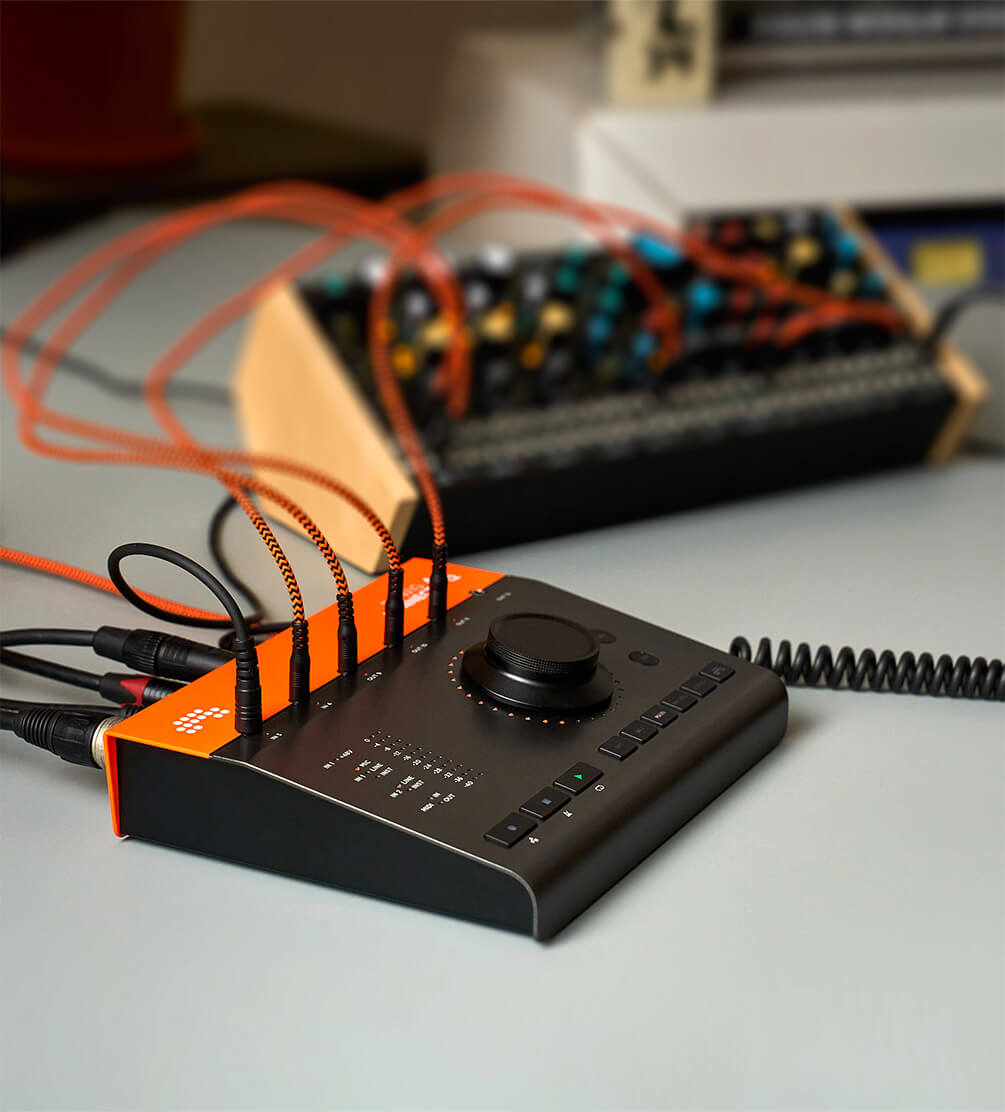
If you use Eurorack or any CV-based hardware, the Bitwig Connect 4/12 might be the most compelling audio interface available right now. The six 3.5mm DC-coupled jacks are calibrated for 1V/octave use, meaning you can send precise pitch CV, gate signals, and modulation directly from Bitwig Studio to your modular rig — and receive CV signals back into your DAW.
Combined with Bitwig Studio’s built-in CV hardware device and its modular Grid environment, you can create complex patch routings that blur the line between software and hardware synthesis. This isn’t an afterthought feature bolted onto a standard interface — it’s a core design philosophy. Sound On Sound noted that “utilizing the CV hardware device in Bitwig Studio with these I/O options is intuitive and straightforward.”
What’s in the Box and Who Should Buy It
The Bitwig Connect 4/12 ships with a USB-C cable, USB-C to USB-A adapter, two MIDI DIN-to-mini-jack adapters, two mini-jack audio patch cables, and — critically — a Bitwig Studio Essentials license. That software inclusion significantly sweetens the deal for anyone who doesn’t already own Bitwig Studio. You get a professional audio interface and a capable DAW out of the box for $599.
The class-compliant design means it works immediately on macOS, Windows, and Linux without installing drivers. That’s increasingly rare and genuinely useful for mobile setups or Linux-based production rigs.
However, the Connect 4/12 isn’t for everyone. If you need more than two standard audio inputs for multi-microphone recording, you’ll need to look elsewhere. The headphone jack is on the rear panel rather than the front — a minor ergonomic complaint. And some features get disabled at 176.4kHz and 192kHz sample rates. At $599, it also faces serious competition from established players like Focusrite, Universal Audio, and RME in the audio interface market.
How It Compares: Bitwig Connect vs. the Competition at $599
At the $599 price point, the Bitwig Connect 4/12 occupies an interesting position in the market. Traditional competitors like the Focusrite Scarlett 4i4 or Audient iD14 offer more audio inputs for less money, but none of them provide CV integration or DAW-specific control features. The Expert Sleepers ES-9 offers Eurorack-focused DC-coupled I/O but lacks standard audio features like XLR mic inputs and monitor control. Universal Audio’s Volt series and Apollo Solo provide excellent preamps and UAD processing but cost more and don’t touch modular integration.
The real question isn’t whether the Connect 4/12 is the “best” interface at its price — it’s whether its unique combination of features matches your workflow. If you produce music that involves both in-the-box processing and hardware synthesizers, there’s genuinely nothing else on the market that does what the Connect 4/12 does at this price. Tape Op Magazine’s review reinforced this point, highlighting the seamless CV and MIDI integration as the standout differentiator that justifies the investment for the right user.
The Verdict: A Resounding First Hardware Product
MusicRadar called it “a resounding success,” and I’d agree. The Bitwig Connect 4/12 isn’t trying to be the best traditional audio interface at $599 — it’s trying to be the best bridge between a DAW and external hardware, and it nails that mission. The AKM converters deliver clean, professional audio. Bitwig Mode offers a genuinely novel control paradigm. And the DC-coupled CV integration makes it uniquely valuable for the growing modular synthesis community.
For existing Bitwig Studio users, this is practically a no-brainer upgrade. For anyone considering a switch from another DAW and who works with hardware synths or modular gear, the Connect 4/12 plus the included Bitwig Studio Essentials license make a compelling argument. The only users who should look elsewhere are those who primarily need lots of audio inputs for traditional recording — that’s simply not what this interface was designed to do.
Looking for professional mixing, mastering, or studio workflow optimization? Sean Kim at Greit Studios brings 28+ years of audio production experience to every project.
Get weekly AI, music, and tech trends delivered to your inbox.






