


Sennheiser HD 660S2 vs Audeze LCD-X: The Definitive Open-Back Headphone Comparison for Audiophiles and Producers
August 20, 2025
AI API Pricing War August 2025: OpenAI vs Anthropic vs Google — Who Gives Developers the Best Deal?
August 21, 2025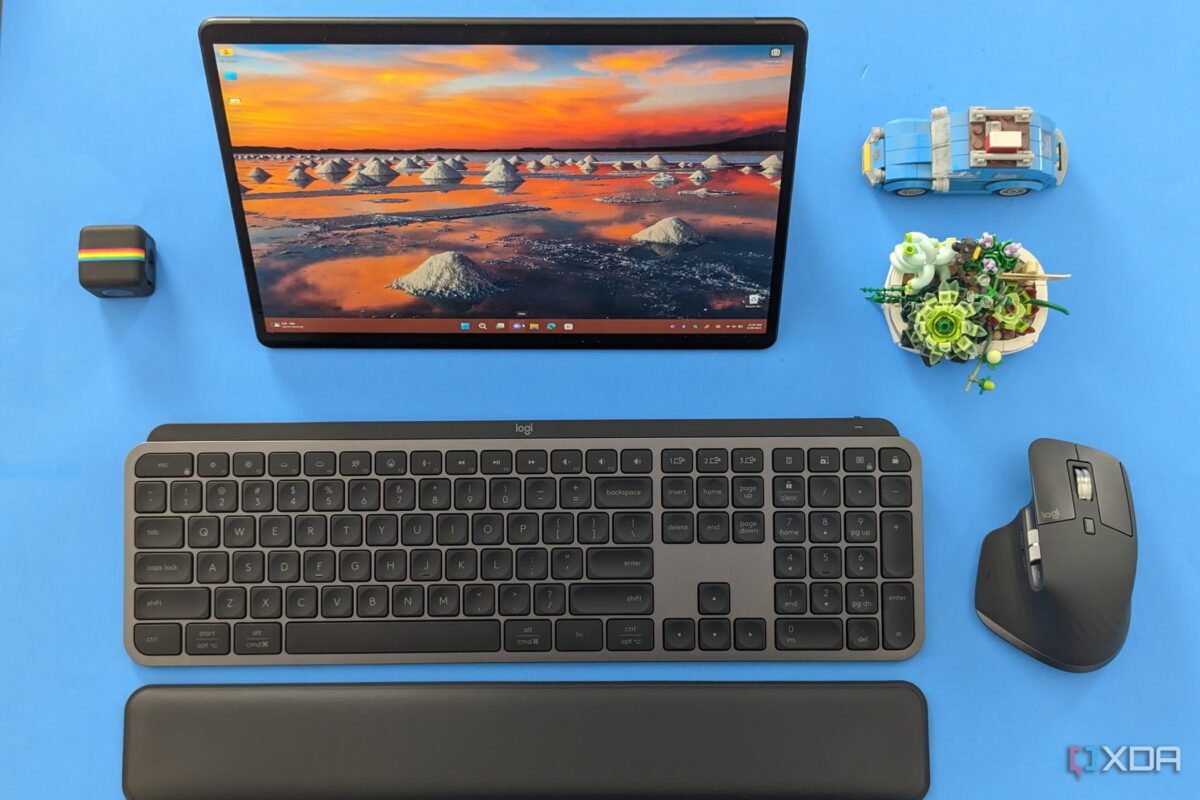
Your keyboard and mouse are the two things you touch more than anything else at work — yet most people settle for whatever came in the box. After spending weeks testing seven of the best wireless keyboard mouse combo 2025 options side by side, I can tell you the gap between a $25 bundle and a $200 premium set isn’t just about bragging rights. It’s about wrist pain at 5 PM, battery anxiety mid-presentation, and whether you can actually switch between your laptop and desktop without unplugging anything.
Here are the seven best wireless keyboard and mouse combos for office productivity in August 2025 — ranked, tested, and broken down by who they’re actually for.
1. Logitech MX Keys S Combo — Best Overall for Professionals ($200)
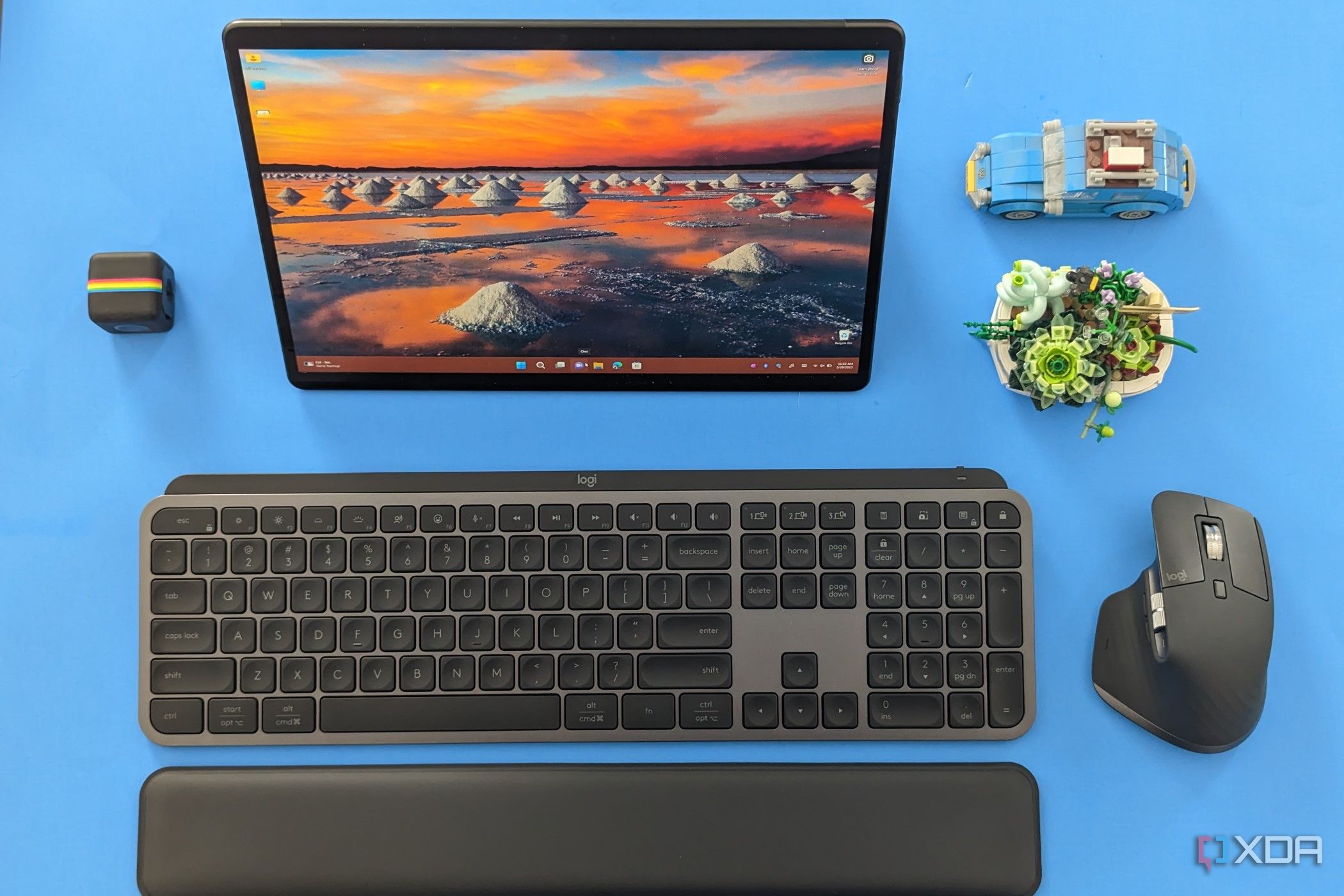
The Logitech MX Keys S Combo bundles the MX Keys S keyboard, MX Master 3S mouse, and MX Palm Rest into a single package — saving roughly $30 compared to buying each piece separately. This is the best wireless keyboard mouse combo 2025 has to offer for serious office work.
The keyboard’s spherically-dished keys feel like they were sculpted for your fingertips, and the smart backlighting activates the moment your hands approach. Smart Actions let you assign complex macros — like opening a specific app, pasting a template, or triggering a shortcut chain — to a single key press. The MX Master 3S brings an 8,000 DPI darkfield sensor that tracks on virtually any surface, including glass desks. Its magnetic MagSpeed scroll wheel handles both precise line-by-line scrolling and blazing-fast 1,000-line-per-second free spin.
The killer feature remains Logitech Flow: drag files, text, and images across up to three computers seamlessly — Mac, Windows, or Linux. For anyone juggling multiple machines at a single desk, nothing else comes close.
Battery: MX Keys S — 10 days backlit (5 months without) | MX Master 3S — 70 days. USB-C charging on both.
Connectivity: Bluetooth + Bolt USB receiver, 3-device switching.
Best for: Multi-device power users, creative professionals, developers.
2. Logitech MK850 Performance — Best Mid-Range Multi-Device ($80)
The MK850 Performance hits a sweet spot that’s hard to argue with. It pairs a full-size keyboard with an integrated palm rest and a contoured mouse that actually fits your hand — all for under $80. Dual connectivity (Bluetooth + 2.4 GHz Unifying receiver) and three-device switching give you MX-level versatility at roughly 40% of the cost.
With a 4.4-star average across nearly 5,000 Amazon reviews, users consistently praise the smooth, comfortable typing experience and rock-solid wireless connection. The keyboard runs on two AAA batteries (24 months) while the mouse uses a single AA (24 months), so you won’t be hunting for a charger anytime soon.
Connectivity: Bluetooth + 2.4 GHz Unifying, 3-device switching.
Best for: Office workers who want multi-device without paying premium prices.
3. Razer Pro Type Ultra + Pro Click Mini — Best Mechanical for Office ($250)
Razer built its reputation on gaming, but the Pro Type Ultra proves they understand office workers too. Silent yellow linear switches paired with internal sound-dampening foam make this mechanical keyboard quieter than many membrane alternatives. The soft-touch keycap coating resists fingerprints, and the cushioned wrist rest aligns perfectly with the keyboard’s profile.
Battery life is staggering: 214 hours over Bluetooth, 207 hours via HyperSpeed wireless. The companion Pro Click Mini mouse offers configurable weight (88g with one AA, 111g with two) and HyperScroll for rapid document navigation. Both devices share a single HyperSpeed dongle, keeping your USB ports free.
The catch? At $250 for the pair, it costs more than the Logitech MX combo — and the mouse, while portable, can’t match the Master 3S’s ergonomics for extended use.
Switch: Razer Yellow (linear, silent) — 80M click lifespan.
Connectivity: Bluetooth + HyperSpeed 2.4 GHz, 4-device switching.
Best for: Mechanical keyboard enthusiasts who need office-appropriate silence.
4. Logitech MK295 Silent Wireless Combo — Best for Quiet Offices ($45)
Open-plan offices and late-night home workers, this one’s for you. The MK295’s SilentTouch technology reduces keystroke and click noise by over 90%. It’s not just marketing — the difference is immediately noticeable compared to standard membrane keyboards. The typing feel remains responsive despite the dampened sound.
It’s a no-frills, full-size layout with a numeric keypad and eight shortcut keys. The mouse is basic but functional, with a comfortable contour and smooth tracking. Both pieces connect via a single nano receiver.
Battery: Keyboard 36 months | Mouse 18 months (AA batteries).
Connectivity: 2.4 GHz nano receiver only (no Bluetooth).
Best for: Shared offices, libraries, call centers, anyone who values silence.
5. Apple Magic Keyboard + Magic Mouse — Best for Mac Purists ($200+)
If your entire workflow lives within the Apple ecosystem, the Magic Keyboard with Touch ID and the Magic Mouse deliver integration that third-party combos simply can’t replicate. Touch ID for password autofill, instant Bluetooth pairing, and macOS-specific shortcuts (Spotlight, Mission Control, Dictation) just work.
But let’s be honest about the trade-offs. The Magic Mouse’s charging port is still on the bottom (yes, in 2025), forcing you to flip it upside down like a dead turtle to charge. The keyboard’s flat profile offers minimal ergonomic support for extended typing sessions. And at $99 for the keyboard plus $99 for the mouse — before even considering the $129 Touch ID version — you’re paying Apple tax for ecosystem convenience.
Battery: ~1 month each, Lightning/USB-C charging.
Connectivity: Bluetooth only, single-device.
Best for: Mac-only users who prioritize seamless Apple integration over ergonomics.

6. Microsoft Designer Compact Keyboard + Mouse — Best Minimalist ($100)
Microsoft’s Designer Compact set is the thinnest, sleekest combo on this list. The keyboard ditches the numeric keypad for a compact footprint that frees up desk space, while the flat mouse keeps the same minimalist aesthetic. Bluetooth 5.0 ensures a stable connection up to 10 meters — no dongle needed.
The dedicated emoji key and integrated Microsoft 365 shortcuts (like one-tap access to Office apps) show this was designed with the modern hybrid worker in mind. However, the flat mouse can feel cramped during extended use, and the lack of backlighting means you’re typing blind in dim rooms.
Battery: Keyboard ~12 months | Mouse ~12 months (AAA/AA).
Connectivity: Bluetooth 5.0 only, 3-device switching.
Best for: Minimalists, hot-deskers, and anyone who values aesthetics and portability.
7. Logitech MK270 Wireless Combo — Best Budget Pick ($28)
At under $30, the MK270 is the wireless combo that proves you don’t need to spend a fortune to ditch cables. The full-size keyboard includes eight multimedia hotkeys, and the ambidextrous mouse works for both left- and right-handed users. A single 2.4 GHz nano receiver handles both devices with a range of up to 10 meters.
Battery life is genuinely impressive for the price: 36 months for the keyboard, 12 months for the mouse. There’s no Bluetooth, no backlighting, and no multi-device switching — but for a single-computer desk setup on a tight budget, the MK270 delivers reliable, spill-resistant performance that’s hard to beat.
Battery: Keyboard 36 months | Mouse 12 months (AA batteries).
Connectivity: 2.4 GHz nano receiver only.
Best for: Budget-conscious buyers, secondary setups, basic office use.
Best Wireless Keyboard Mouse Combo 2025: Quick Comparison
Here’s how these seven combos stack up across the features that matter most for daily office productivity:
- Best overall: Logitech MX Keys S Combo ($200) — unmatched multi-device workflow + premium feel
- Best mid-range: Logitech MK850 ($80) — 80% of the MX experience at 40% of the price
- Best mechanical: Razer Pro Type Ultra + Pro Click Mini ($250) — silent mech switches for the office
- Best silent: Logitech MK295 ($45) — 90% noise reduction for shared spaces
- Best for Mac: Apple Magic Keyboard + Mouse ($200+) — ecosystem integration king
- Best minimalist: Microsoft Designer Compact ($100) — sleekest desk footprint
- Best budget: Logitech MK270 ($28) — 36-month battery life at under $30
How to Choose the Right Combo for Your Workflow
The best wireless keyboard mouse combo 2025 depends entirely on your specific workflow. Here’s a quick decision framework:
- Multiple computers at one desk? Go Logitech MX Keys S Combo or MK850 — Flow and Easy-Switch are game-changers.
- Shared or quiet office? MK295’s SilentTouch is a must — your coworkers will thank you.
- All-Apple setup? Magic Keyboard + Mouse for seamless integration, though consider the MX Keys S for Mac variant if ergonomics matter more.
- Mechanical feel required? Razer Pro Type Ultra is the only realistic option that won’t get you complaints in an open office.
- Tight budget? The MK270 at $28 is genuinely hard to beat — 36-month keyboard battery life speaks for itself.
One thing every combo on this list shares: wireless reliability in 2025 is essentially a solved problem. Whether you choose Bluetooth 5.0 or 2.4 GHz, you’re not going to experience the dropouts and lag that plagued wireless peripherals a decade ago. Focus on ergonomics, battery life, and multi-device support — those are the factors that’ll determine whether you love your setup in six months or start shopping again.
Need help optimizing your desk setup or building a productive studio workflow? Sean Kim has 28+ years of experience in professional audio and tech.
Get weekly AI, music, and tech trends delivered to your inbox.





