


Best MIDI Keyboard for Beginners: Top 5 Under $150 in 2025
August 28, 2025
Vercel AI SDK 5 Deep Dive: Streaming Tool Calls, RSC Migration, and the New Agentic Architecture
August 29, 2025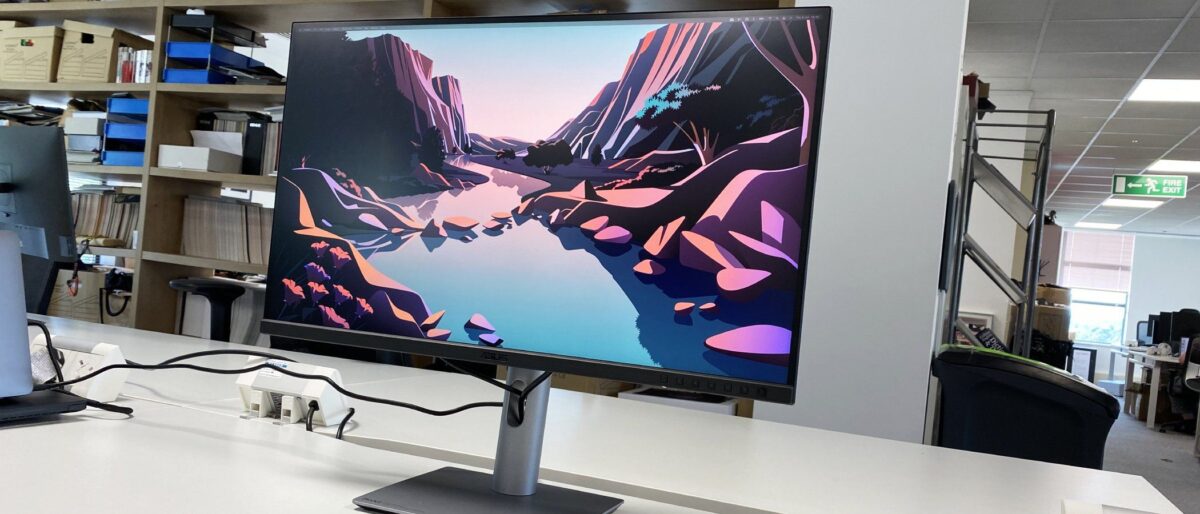
One cable. That’s all it should take to transform your MacBook into a full desktop workstation — display, data, and power flowing through a single USB-C connection. Yet in August 2025, most people are still juggling chargers, adapters, and docks like it’s 2019. The USB-C monitors for MacBook landscape has finally matured to the point where 90W+ power delivery is the baseline, not a luxury — and the three monitors on this list prove it.
Why 90W+ Power Delivery Matters for MacBook Users
Apple’s MacBook Air draws up to 67W, while the 14-inch MacBook Pro can pull 70W and the 16-inch model demands up to 140W. A USB-C monitor delivering only 60W — still common in budget options — means your MacBook Pro slowly drains during intensive tasks like video editing or compiling code. At 90W or above, even a MacBook Pro 14″ stays fully charged while driving a 4K display. That single cable promise? It only works when the wattage matches your machine.
Beyond charging, USB-C monitors for MacBook have become legitimate docking stations. Ethernet, USB-A ports, daisy-chaining to a second display — features that used to require a $200+ dock are now built into monitors priced under $500. Here’s who does it best in August 2025.
BenQ MA270U: The Mac-Native Champion ($460)
BenQ didn’t just make a monitor with a USB-C port — they built the MA270U specifically for the Apple ecosystem. This 27-inch 4K IPS panel is the first third-party display that integrates directly with macOS at the system level. Your MacBook’s brightness and volume keys control the MA270U natively. Focus Mode activates on the monitor when you enable it on your Mac. And BenQ’s Mac Color Match technology ensures the color temperature shifts seamlessly between your MacBook’s built-in display and the external panel.
The P3 wide color gamut coverage means this isn’t a compromise for creative work — photo editors, video producers, and designers get accurate color right out of the box. At 400 nits peak brightness, it’s comfortable for all-day use without being washed out in well-lit offices.
USB-C connectivity delivers 90W power delivery alongside the 4K signal, keeping any MacBook Air or 14-inch MacBook Pro fully charged during extended work sessions. The back panel includes a USB hub with downstream ports, making it a true single-cable docking solution. At $460, the BenQ MA270U sits roughly $1,100 below Apple’s Studio Display — while offering Mac-specific features that competitors like Dell and LG simply don’t match.
BenQ MA270U Key Specs
- Panel: 27″ IPS, 3840×2160, 60Hz
- Color: P3 wide color gamut, Mac Color Match
- Brightness: 400 nits
- USB-C: 90W Power Delivery
- Extras: macOS brightness/volume control, Focus Mode support
- Price: $459.99
Dell UltraSharp U2723QE: The Connectivity King ($480)
If your workflow involves more than just a MacBook, the Dell UltraSharp U2723QE is the USB-C monitor that replaces an entire desk of peripherals. This is the world’s first 27-inch monitor with LG’s IPS Black technology, delivering a 2000:1 contrast ratio — double the typical IPS panel. Blacks actually look black, not the washed-out gray that plagues most 4K office monitors.
Color accuracy is factory-calibrated at Delta E < 2 across sRGB, Rec. 709, and 98% DCI-P3 — numbers that satisfy professional color-critical work without the price tag of a reference monitor. For MacBook users doing photo editing, UI design, or video grading, this level of accuracy straight from the box eliminates the need for third-party calibration hardware.
Where the U2723QE truly earns its place on this list is connectivity. Beyond 90W USB-C power delivery, it packs four USB 3.2 Gen 2 downstream ports, an RJ45 Gigabit Ethernet jack, HDMI, and DisplayPort. Your MacBook connects via a single USB-C cable and instantly gains wired ethernet, a USB hub for external drives and peripherals, and a stunning 4K display — no dock required. The only catch: Dell forces you to choose between High Resolution mode (uncompressed 4K at USB 2.0 data speeds) and High Data Speed mode (full USB 3.2 with Display Stream Compression). For most MacBook users with DisplayPort 1.4 support, DSC handles this transparently.
Dell U2723QE Key Specs
- Panel: 27″ IPS Black, 3840×2160, 60Hz
- Color: 98% DCI-P3, Delta E < 2 factory calibrated
- Contrast: 2000:1 (IPS Black)
- USB-C: 90W Power Delivery
- Extras: RJ45 Ethernet, 4× USB 3.2 Gen 2, HDMI, DisplayPort
- Price: $430–$580
ASUS ProArt PA279CRV: The Creator’s Value Pick ($450)
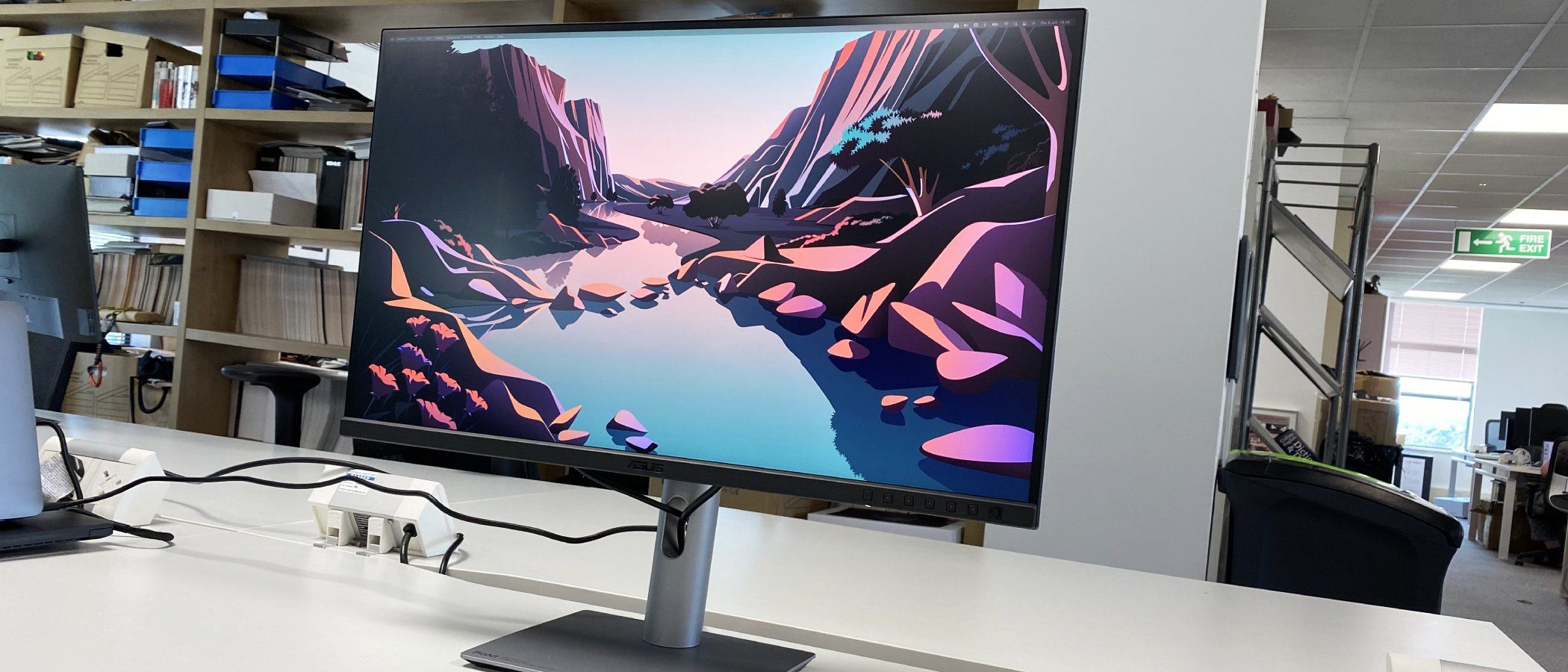
For content creators who need broadcast-grade color accuracy without the broadcast-grade price, the ASUS ProArt PA279CRV delivers specs that would have cost $1,000+ just two years ago. This 27-inch 4K display covers 99% Adobe RGB and 99% DCI-P3 — making it the most color-accurate monitor in this roundup by a measurable margin. Each unit ships with an individual Calman-verified factory calibration report, proving your specific panel hits Delta E < 2.
The PA279CRV uses a 10-bit panel (8-bit + 2-bit FRC) for smooth gradient rendering — critical for photo editors and colorists who notice banding in 8-bit displays. Hardware-level color profiles let you switch between sRGB, Adobe RGB, DCI-P3, and Rec. 709 with a single button press, eliminating the software-level color management headaches that plague multi-project workflows.
USB-C power delivery hits 96W — actually exceeding the 90W threshold and comfortably charging MacBook Pro 14″ models at maximum speed. But the standout feature is DisplayPort daisy-chaining: connect your MacBook to one PA279CRV via USB-C, then chain a second monitor from the first using the DisplayPort output. Two 4K displays, one cable from your MacBook. For dual-monitor setups, this eliminates the need for a Thunderbolt dock entirely.
ASUS ProArt PA279CRV Key Specs
- Panel: 27″ IPS, 3840×2160, 60Hz, 10-bit
- Color: 99% Adobe RGB, 99% DCI-P3, Calman verified
- USB-C: 96W Power Delivery
- Extras: DisplayPort daisy-chain, 3× USB 3.0, hardware color profiles
- Price: $420–$470
Head-to-Head: Which USB-C Monitor for MacBook Fits Your Workflow?
All three USB-C monitors for MacBook deliver 90W+ charging, 4K resolution, and excellent color accuracy. The differences come down to what you prioritize beyond the basics.
Choose the BenQ MA270U if you’re all-in on Apple. The macOS-native integration — brightness keys, volume control, Focus Mode, color matching — creates a seamless dual-screen experience that feels like Apple built the monitor. Best for MacBook-only users who want zero friction.
Choose the Dell U2723QE if you need maximum connectivity. The built-in Gigabit Ethernet, USB 3.2 hub, and IPS Black contrast make it the ultimate desk simplifier. Best for professionals who connect multiple peripherals and want to eliminate their dock.
Choose the ASUS ProArt PA279CRV if color accuracy is non-negotiable. 99% Adobe RGB, 99% DCI-P3, individual calibration reports, and DisplayPort daisy-chaining make it the clear winner for photographers, video editors, and designers running dual-monitor setups.
What About the Apple Studio Display?
At $1,599, Apple’s Studio Display remains a beautiful 5K panel with a built-in webcam and spatial audio speakers. But for pure monitor performance per dollar, the three options above deliver 95% of the visual quality at 30% of the price. Unless you need 5K resolution specifically or the integrated A13 chip features, the USB-C monitors for MacBook on this list represent dramatically better value in August 2025.
The BenQ MA270U even matches the Studio Display’s macOS integration at a fraction of the cost. And for color-critical work, the ASUS ProArt PA279CRV’s 99% Adobe RGB actually exceeds the Studio Display’s color gamut coverage.
The Bottom Line
August 2025 is a great time to buy a USB-C monitor for your MacBook. The sub-$500 category now includes 90W+ charging, accurate P3/Adobe RGB color, and hub functionality that eliminates separate docks. Whether you prioritize Apple ecosystem integration (BenQ MA270U), connectivity depth (Dell U2723QE), or professional color accuracy (ASUS ProArt PA279CRV), the single-cable MacBook workstation is no longer a premium luxury — it’s a $450 reality.
For anyone still using a 60W USB-C monitor and a separate charger: the upgrade isn’t just about convenience. It’s about reclaiming desk space, eliminating cable clutter, and working with a display that actually matches your MacBook’s color output. Your desk — and your MacBook’s battery — will thank you.
Need help choosing the right monitor setup for your creative workflow, or building an optimized MacBook workstation?
Get weekly AI, music, and tech trends delivered to your inbox.





