

Kemper Profiler MK 2: 20 FX Blocks, USB Audio, and a Lighter Stage — Everything That Changed
May 27, 2025
Databricks DBRX: How 36B Active Parameters Beat 70B Dense Models — One Year Later
May 28, 2025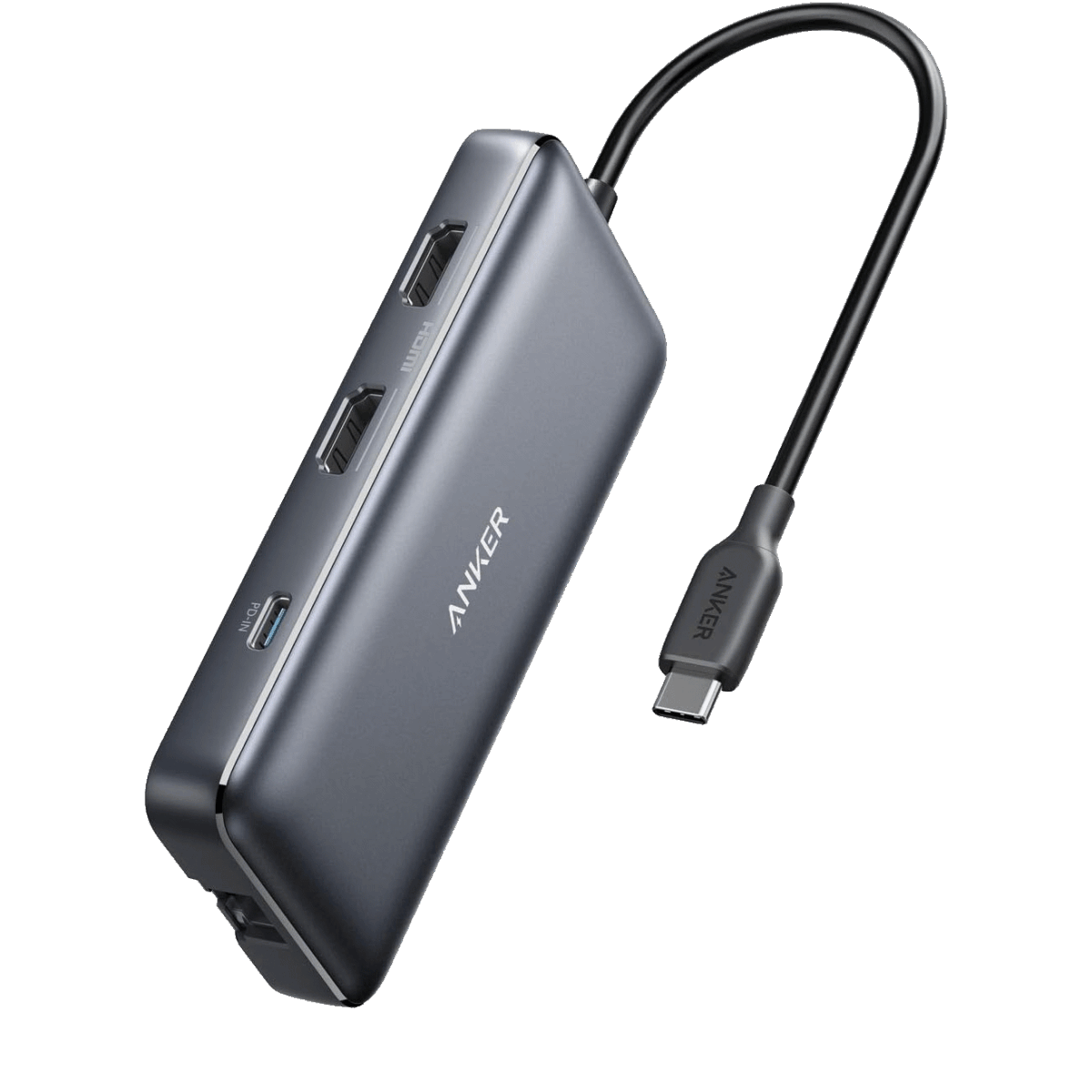
Your brand-new laptop ships with two USB-C ports and zero legacy connections — and somehow you still need HDMI for the conference room, Ethernet for reliable file transfers, and a full-size USB-A slot for that ten-year-old audio interface you refuse to retire. If that sounds painfully familiar, you are not alone. Finding the best USB-C hubs 2025 has to offer can turn a port-starved ultrabook into a legitimate desktop replacement, and this May the market is overflowing with compelling options at every price point.
I spent the past several weeks cross-referencing spec sheets, teardown reports, and real-world benchmarks from major tech publications to narrow the field down to seven standout USB-C multi-port adapters. Whether you need a $16 budget dongle for basic presentations or a $140 dual-monitor powerhouse for a full home-office setup, this guide breaks down the specs, trade-offs, and value propositions so you can stop guessing and start working.
How We Chose the Best USB-C Hubs 2025
Every hub on this list was evaluated across five criteria: port variety, data-transfer speeds, power-delivery pass-through wattage, build quality and thermal management, and — critically — real-world compatibility with both macOS and Windows laptops. Pricing reflects current May 2025 street prices from Amazon and the manufacturers’ own stores. Where dual-display support requires a driver (looking at you, DisplayLink), I call it out explicitly so there are no surprises.
1. Anker 553 USB-C Hub (8-in-1) — Best Overall Value
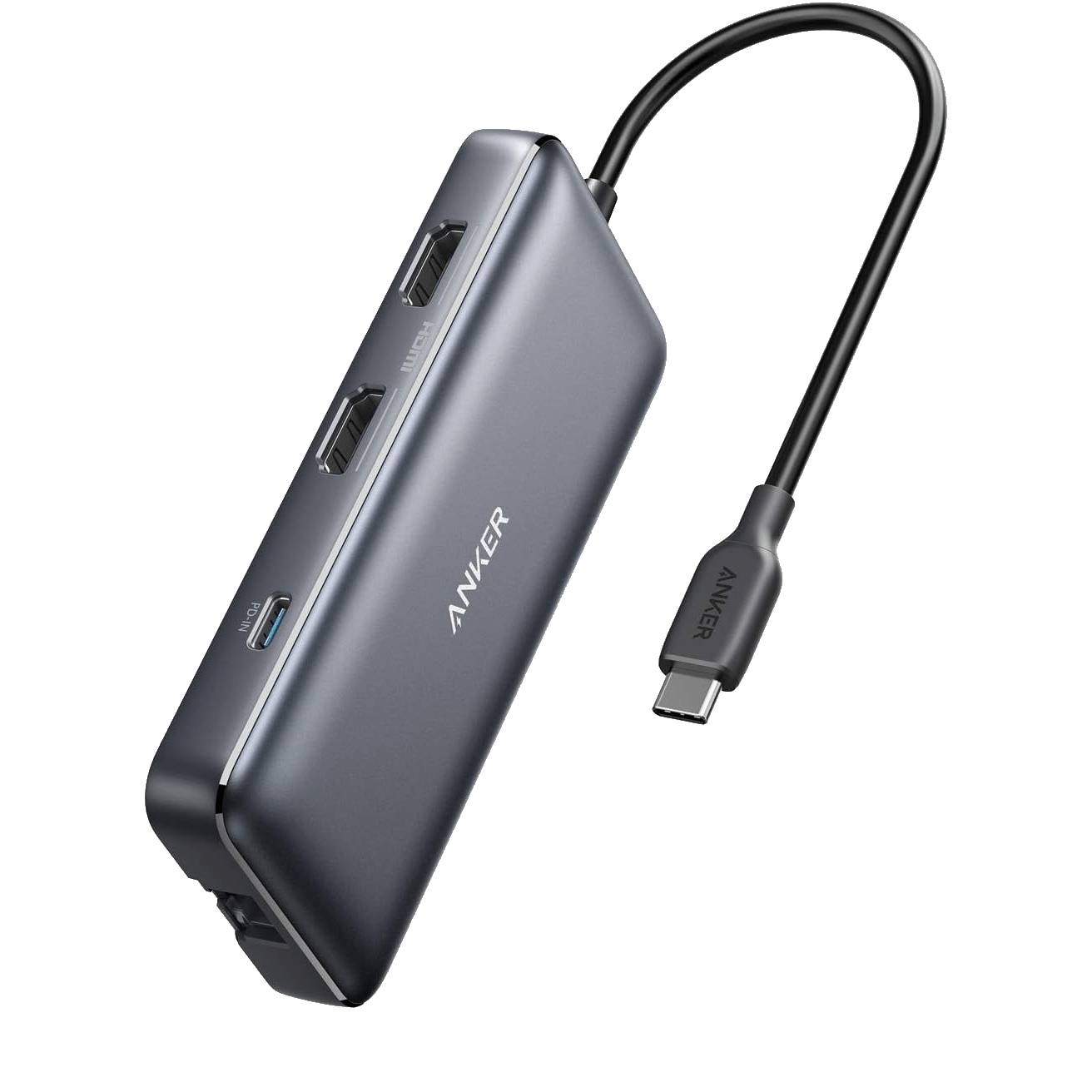
Price: $54 | Ports: 2x USB-A 5 Gbps, 2x HDMI (4K@60 Hz single / 4K@30 Hz dual), Gigabit Ethernet, SD + microSD UHS-I, USB-C 100 W PD in (85 W pass-through)
The Anker 553 hits a sweet spot that is genuinely difficult to beat in 2025. For roughly fifty dollars you get dual HDMI outputs — one at full 4K 60 Hz when used alone, or two at 4K 30 Hz simultaneously — plus wired Ethernet and card readers, all in a package smaller than a candy bar. The 85 W pass-through charging is enough to keep a 14-inch MacBook Pro or a Dell XPS topped off while you work.
Pros: Dual HDMI at this price is rare; reliable Ethernet; solid Anker warranty. Cons: No USB-C downstream data port; SD reader limited to UHS-I speeds (104 MB/s); plastic shell runs warm under sustained load.
If you want a single hub that covers 90 percent of connectivity needs without breaking sixty dollars, How-To Geek’s roundup agrees: the Anker 553 is the one to beat.
2. Satechi 8-in-1 USB-C Multiport Adapter V3 — Best Premium Hub
Price: $100 | Ports: HDMI 2.1 (8K@30 Hz / 4K@120 Hz), 3x USB-C 10 Gbps (USB 3.2 Gen 2), 1x USB-C 5 Gbps, Gigabit Ethernet, SD UHS-II (312 MB/s), 100 W PD in (85 W pass-through)
The Satechi V3 is the first mainstream USB-C hub to ship with an HDMI 2.1 output capable of 8K at 30 Hz — or, more practically, 4K at a buttery 120 Hz. That alone would justify the hundred-dollar price tag for gamers and video editors, but Satechi also loaded three 10 Gbps USB-C downstream ports and a UHS-II card reader that genuinely saturates fast SD cards. As Macworld’s in-depth review noted, the aluminum chassis comes in silver, space gray, and midnight to match Apple’s current lineup.
Pros: Future-proof HDMI 2.1; fastest data speeds in its class; premium build and color options. Cons: No USB-A ports (adapter needed for legacy devices); single HDMI only; $100 is steep if you do not need 8K or 10 Gbps.
3. UGREEN Revodok Pro 109 — Best Mid-Range Pick
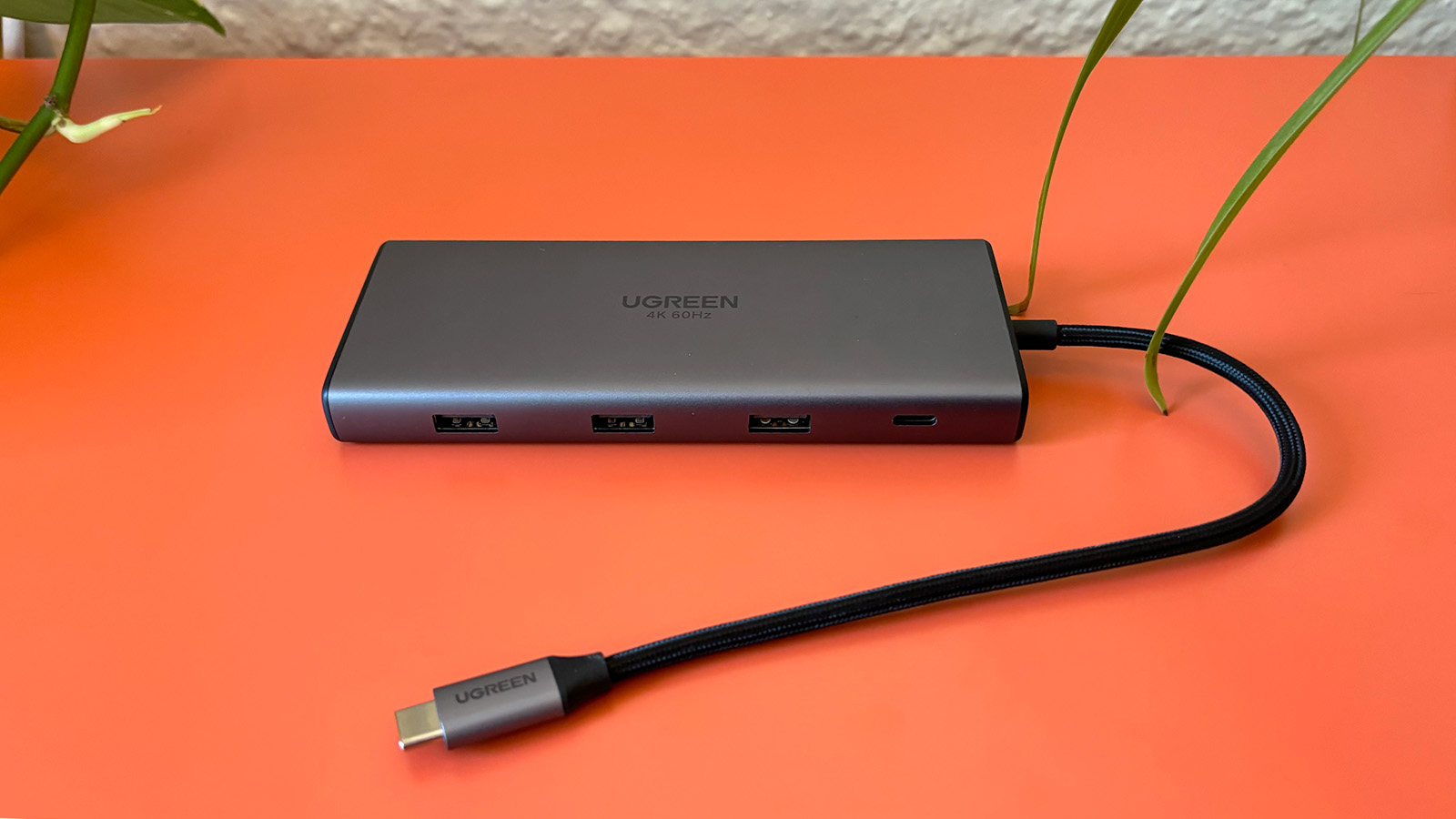
Price: $35–55 | Ports: 9 total — 1x USB-C 5 Gbps, 1x USB-C 3.1, 2x USB-A 5 Gbps, 1x USB-A 10 Gbps, HDMI 2.0 (4K@60 Hz), SD + microSD, Gigabit Ethernet, 100 W PD in (90 W pass-through)
UGREEN has been quietly climbing the accessory rankings, and the Revodok Pro 109 is the model that sealed their reputation. Nine ports for as little as thirty-five dollars during sales — with one of those ports running at 10 Gbps — is borderline absurd value. The 90 W pass-through is also the highest in this guide outside of dedicated docking stations, meaning even power-hungry 16-inch laptops stay fully charged. Engadget named it their top pick for good reason.
Pros: Best port-per-dollar ratio; 90 W pass-through; mix of USB-A and USB-C covers legacy and modern devices. Cons: HDMI 2.0 caps out at 4K 60 Hz (no 120 Hz); bulkier than slimmer 5-in-1 alternatives; SD reader is UHS-I.
4. UGREEN Revodok 105 (5-in-1) — Best Ultra-Budget Option
Price: $16 | Ports: 3x USB-A (1x 5 Gbps + 2x 480 Mbps), HDMI (4K@30 Hz), USB-C 95 W PD pass-through
At sixteen dollars, the Revodok 105 is practically an impulse buy — and that is exactly the point. If all you need is a single 4K HDMI output, a couple of USB-A ports for a mouse and a flash drive, and enough pass-through charging to keep your laptop alive during a presentation, this tiny five-in-one gets the job done without any drama.
Pros: Almost disposable pricing; incredibly compact; 95 W PD is generous for a budget hub. Cons: HDMI limited to 4K 30 Hz; two of the three USB-A ports are USB 2.0 speeds; no Ethernet or card reader.
5. Belkin Connect Universal USB-C Hub — Best for Dual Monitors
Price: $140 | Ports: 2x USB-C 10 Gbps, 1x USB-C PD 10 Gbps, 2x USB-A 5 Gbps, HDMI 1.4 + HDMI 2.0, Gigabit Ethernet, 100 W PD in (85 W pass-through)
Dual extended displays from a single USB-C hub — without Thunderbolt — have historically been a nightmare. Belkin solves this with a built-in DisplayLink driver that enables two independent HDMI outputs on macOS and Windows alike. Yes, you need to install a small driver, but the payoff is a genuine dual-monitor workstation powered by a single cable. For remote workers and office hot-deskers, this is a game-changer.
Pros: True dual extended display without Thunderbolt; excellent build quality; 10 Gbps USB-C ports. Cons: $140 is the highest on this list; requires DisplayLink driver installation; HDMI 1.4 on the secondary output limits it to 4K 30 Hz.
6. Satechi OntheGo 7-in-1 Multiport Adapter — Best for Travel
Price: $42–60 | Ports: 2x USB-A 5 Gbps, HDMI 2.0 (4K@60 Hz), SD + microSD, Gigabit Ethernet, USB-C 100 W PD in (80 W pass-through), magnetic cable attachment
Satechi’s “OntheGo” branding is not just marketing fluff — the magnetic cable-management system genuinely solves the “tangled dongle at the bottom of the backpack” problem. The hub itself is slim enough to slip into a laptop sleeve, and the 4K 60 Hz HDMI output handles hotel-room TV mirroring or coworking-space monitor connections without issues. At $42 on sale, it competes directly with the UGREEN Revodok Pro 109 while offering a more travel-friendly form factor.
Pros: Magnetic cable design; genuinely portable; 4K 60 Hz HDMI; Ethernet for hotel-room reliability. Cons: 80 W pass-through is the lowest among premium picks; no USB-C downstream data port; limited to single display.
7. CalDigit USB-C SOHO Dock — Best Build Quality for Professionals
Price: $90 | Ports: USB-C 10 Gbps Gen 2, HDMI or DisplayPort (4K@60 Hz), USB-A 10 Gbps, USB-C 10 Gbps downstream, UHS-II SD + microSD, 100 W PD in (90 W pass-through), aluminum chassis
CalDigit has earned a reputation in the pro creative community for docks that simply refuse to fail, and the SOHO Dock carries that legacy forward. Every single data port runs at 10 Gbps — no skimping on secondary ports like many competitors do. The UHS-II card reader hits 312 MB/s, matching the Satechi V3. And the brushed aluminum chassis doubles as a heat sink, keeping thermals in check during all-day sessions of 4K video editing or large file transfers.
Pros: 10 Gbps across every data port; excellent thermal design; 90 W pass-through; choice of HDMI or DisplayPort. Cons: Only four downstream ports total (fewer than competitors at the same price); no Ethernet built-in; slightly heavier than travel-focused alternatives.
Quick Comparison: Best USB-C Hubs May 2025 at a Glance
Here is how the seven hubs stack up across the metrics that matter most:
- Best overall value: Anker 553 ($54) — dual HDMI + Ethernet at a fair price
- Best premium: Satechi V3 ($100) — HDMI 2.1, 10 Gbps USB-C, UHS-II
- Best mid-range: UGREEN Revodok Pro 109 ($35–55) — nine ports, 90 W PD
- Best budget: UGREEN Revodok 105 ($16) — basic connectivity, unbeatable price
- Best dual monitors: Belkin Connect ($140) — DisplayLink dual extended display
- Best for travel: Satechi OntheGo ($42–60) — magnetic cable, slim profile
- Best build quality: CalDigit SOHO Dock ($90) — 10 Gbps everywhere, aluminum tank
What to Look for When Buying a USB-C Hub in 2025
Before you click “Add to Cart,” here are the four factors I recommend prioritizing:
Power Delivery pass-through: If your laptop charges over USB-C (most do in 2025), make sure the hub passes through at least 85 W. Anything below 60 W will charge slowly or not at all under load. The UGREEN Revodok Pro 109 and CalDigit SOHO Dock both deliver 90 W, which is best-in-class for hubs in this price range.
Display output version matters: An HDMI 2.0 port caps out at 4K 60 Hz — perfectly fine for productivity. But if you are driving a high-refresh gaming monitor or an 8K display, you need HDMI 2.1, which currently only the Satechi V3 offers in a hub form factor. Also note that some hubs advertise “4K” but default to 30 Hz, which feels noticeably choppy when moving windows around.
USB data speed tiers: Not all USB ports are created equal. A “USB 3.0” label means 5 Gbps, while USB 3.2 Gen 2 means 10 Gbps — twice the throughput for external SSDs. If you frequently move large files, pay attention to how many 10 Gbps ports the hub actually offers versus the slower 5 Gbps or (worse) 480 Mbps USB 2.0 ports that some budget hubs sneak in.
Dual display caveats: Apple Silicon Macs natively support only one external display over USB-C (except the M1/M2/M3 Pro, Max, and Ultra chips). If you need two screens from a base-model MacBook Air, you will need a DisplayLink-based hub like the Belkin Connect. Windows laptops generally handle dual displays without extra drivers, but always verify your specific GPU’s capabilities first.
Final Verdict
The USB-C hub market in May 2025 is more competitive than ever, and that is great news for buyers. For most laptop users, the Anker 553 at $54 delivers the best combination of port variety, power delivery, and reliability. If you have the budget and want future-proof speeds, the Satechi V3 at $100 is the premium pick. And if dual monitors are non-negotiable, the Belkin Connect at $140 is currently the most seamless solution available.
Whichever hub you choose, the days of “dongle hell” are over — today’s USB-C multi-port adapters are fast, affordable, and genuinely capable enough to replace a full docking station for the majority of workflows. Pair the right hub with your laptop and you will wonder how you ever managed with just two ports.
Need help choosing the right tech setup or building automation workflows for your studio or office? Sean Kim offers hands-on consulting for hardware selection, workflow optimization, and custom integrations.
Get weekly AI, music, and tech trends delivered to your inbox.





