


Logic Pro iPad 2.2 Update Deep Dive: 5 Beat-Making Upgrades That Actually Matter This Summer
July 29, 2025
xAI Grok 4 Launch: Real-Time Reasoning with Live Data Integration Changes Everything
July 30, 2025
120 Gbps. That’s the raw bandwidth a single Thunderbolt 5 cable can push — enough to drive dual 8K displays, saturate a 10 GbE network link, and still have headroom for an NVMe SSD transfer, all simultaneously. If you’ve been nursing a Thunderbolt 3 dock from 2019, the jump feels less like an upgrade and more like swapping a garden hose for a fire hydrant.
I’ve been testing Thunderbolt 5 docking stations since the first units trickled out in early 2025, and the market has finally matured enough to make real recommendations. Five docks stood out — each targeting a different user profile, from the 20-port beast that wants to replace your entire I/O panel to a lean $299 option that nails the basics. Here’s what matters, what’s marketing noise, and which Thunderbolt 5 docking station actually deserves your desk space.
Why Thunderbolt 5 Changes the Docking Game
Before diving into individual picks, it helps to understand what Thunderbolt 5 actually brings to the table versus its predecessor. Thunderbolt 4 topped out at 40 Gbps symmetrical bandwidth. Thunderbolt 5 doubles that to 80 Gbps bidirectional — and introduces a Bandwidth Boost mode that pushes a single direction to 120 Gbps when your display demands it.
In practical terms, this means a Thunderbolt 5 docking station can drive triple 4K displays at 144 Hz or dual 8K screens at 60 Hz without compression artifacts. Power delivery jumps to 240W at the protocol level (though most docks supply 140W to the host). PCIe tunneling upgrades to Gen 4, so external NVMe enclosures finally hit their rated speeds instead of bottlenecking at the dock.
The catch? As of July 2025, Thunderbolt 5 host support is limited to Apple’s M4 Pro/Max MacBook Pro lineup, select Intel Arrow Lake laptops, and a handful of high-end workstations. If your machine still runs Thunderbolt 4, every dock on this list is backward-compatible — you just won’t unlock the full 120 Gbps ceiling until you upgrade the laptop too.
1. CalDigit TS5 Plus — The Port Count Champion ($499)
CalDigit has dominated the Thunderbolt dock conversation since the TS3 Plus era, and the TS5 Plus is the company swinging for the fences. Twenty ports. Dual USB controllers. A built-in 10 Gigabit Ethernet jack. A 330-watt power supply that delivers 140W to your laptop without flinching, even while feeding power to a dozen peripherals.
The port breakdown: three Thunderbolt 5 downstream, five USB-A 10 Gbps, five USB-C 10 Gbps, 10 GbE, SD and microSD readers, plus a 3.5mm combo audio jack. That dual-controller architecture means the USB bus doesn’t share bandwidth with your Thunderbolt displays — a detail that matters when you’re transferring footage off an SD card while running dual 4K monitors and a RAID array.
At $499, the TS5 Plus is the priciest option here. But for creative professionals running a MacBook Pro with multiple monitors, external storage, audio interfaces, and control surfaces all going through a single cable, nothing else on the market matches this port density. The aluminum chassis runs warm under load — CalDigit addressed early thermal complaints with a firmware update — but that’s the trade-off for cramming this much I/O into a form factor smaller than a paperback book.
Best for: Power users and creative pros who need maximum ports and 10 GbE networking.
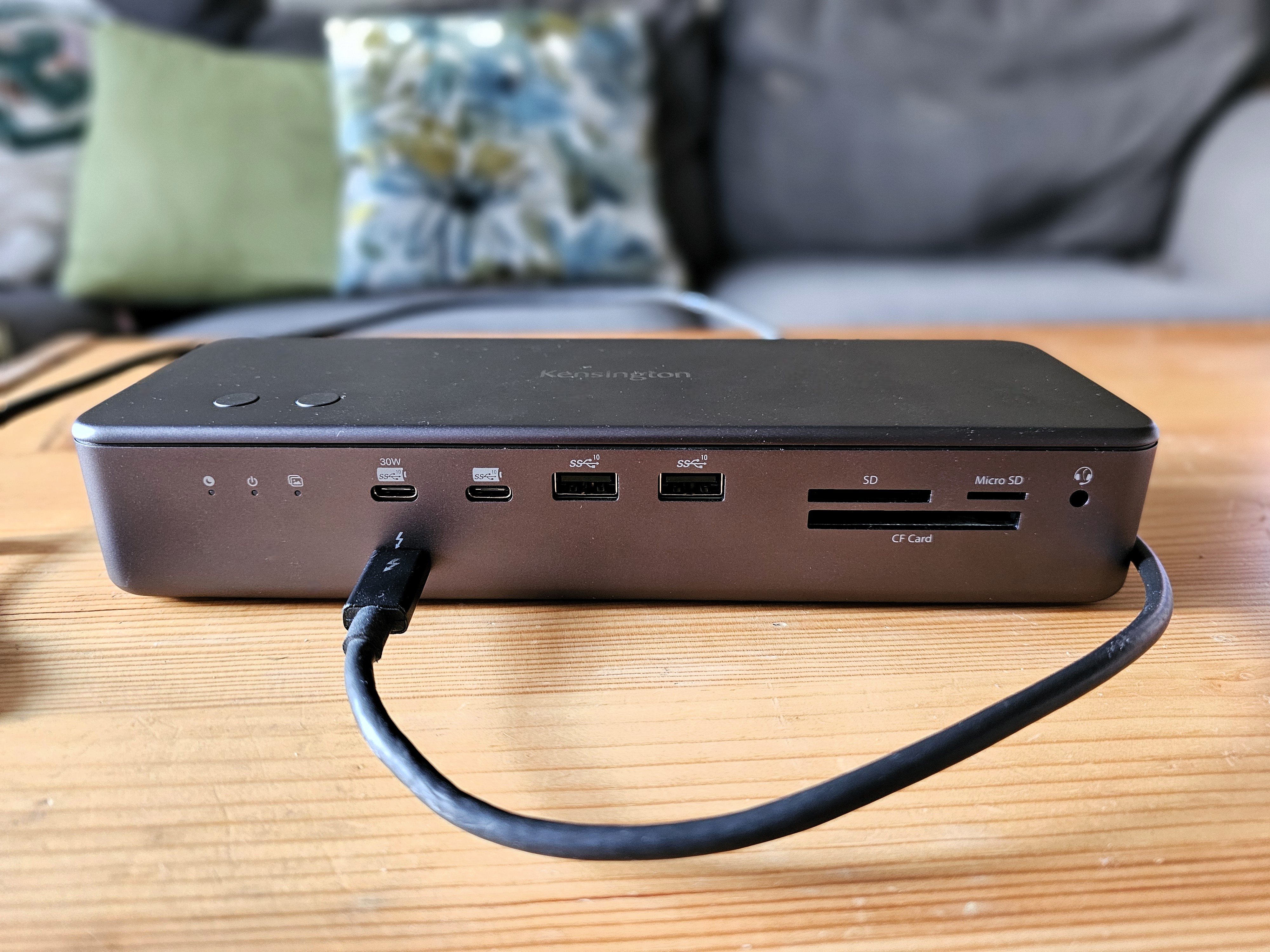
2. Kensington SD5000T5 EQ — Enterprise-Grade Build ($399)
Kensington has been making docking stations since the Kensington lock was the only security feature laptops had. The SD5000T5 EQ brings that enterprise DNA to Thunderbolt 5 with a full-metal chassis, 140W power delivery, and support for triple 4K displays at 60 Hz or dual monitors with a bump to 144 Hz.
Port selection includes one Thunderbolt 5 upstream, three Thunderbolt 5 downstream, three USB-A 3.2 Gen 2 (10 Gbps), a combo audio jack, 2.5 GbE Ethernet, and dual SD/microSD card readers. TechRadar gave it 4 out of 5 stars, praising the fast performance and build quality while noting that the rear-mounted power button is an odd design choice for a desktop dock.
Where Kensington pulls ahead is IT manageability. DockWorks software provides fleet management, firmware updates, and diagnostic tools — features that CalDigit and Anker don’t match. If you’re outfitting an office with 50+ workstations, the SD5000T5 EQ’s ecosystem matters more than an extra USB-A port.
Best for: Business and enterprise environments where IT fleet management and build quality are priorities.
3. Anker Prime TB5 — The Sleekest Desk Companion ($399)
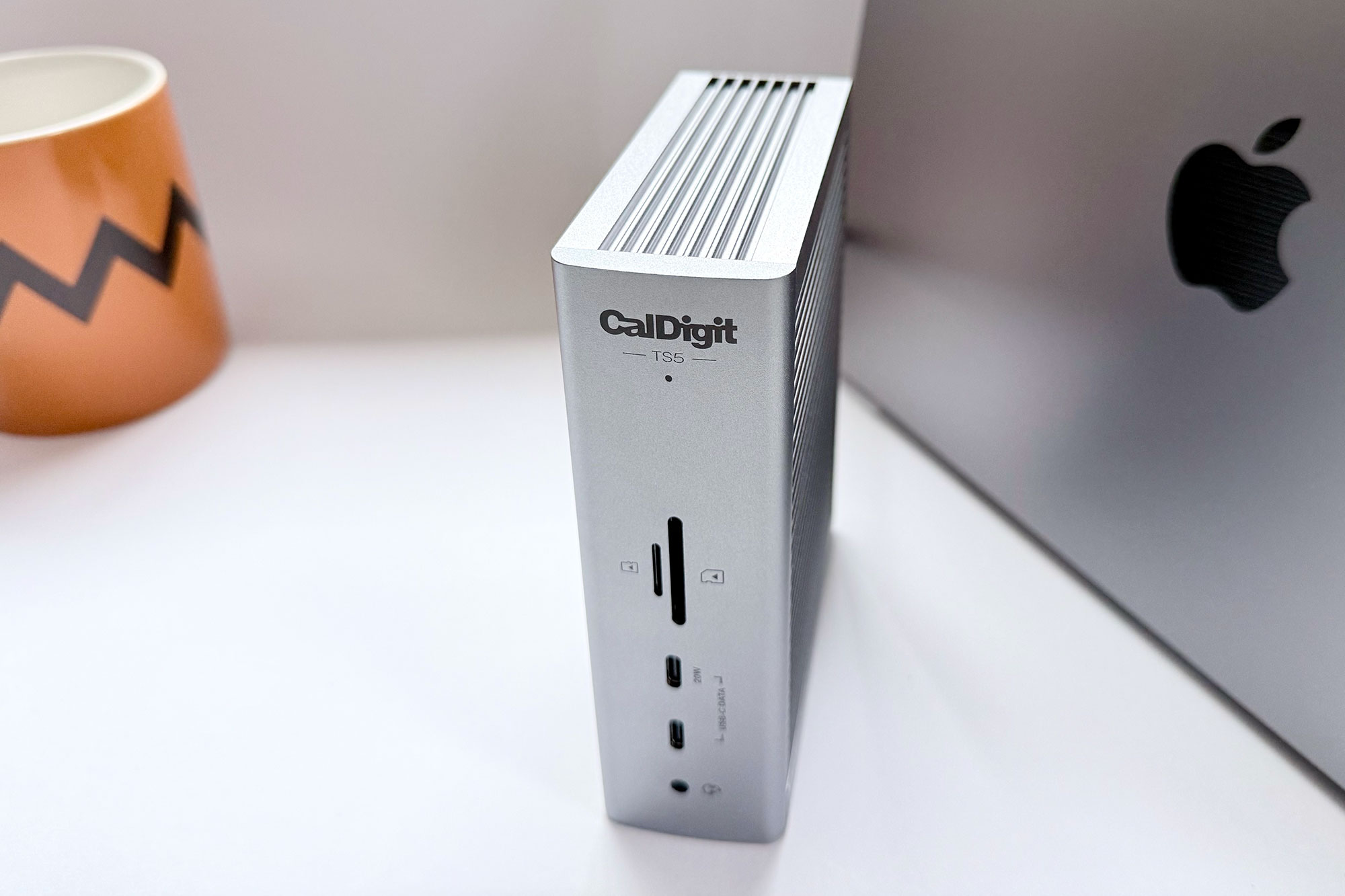
Anker’s Prime TB5 is the dock you buy when cable management and aesthetics matter as much as specs. The cylindrical design with its signature halo LED ring looks like a premium speaker, not a port hub — and the upstream cable routes cleanly from the rear, keeping your desk free of spaghetti.
Fourteen ports include Thunderbolt 5 downstream, USB-A and USB-C at 10 Gbps each, HDMI 2.1, Gigabit Ethernet, SD/microSD, and 140W power delivery to the host. Display support reaches dual 8K at 60 Hz on Thunderbolt 5 hosts, or dual 4K at 60 Hz on Thunderbolt 4 fallback. Data transfer speeds hit the full 120 Gbps with Bandwidth Boost.
At $399.99, it matches the Kensington on price but trades the enterprise fleet tools for consumer polish. The compact footprint and upright orientation make it ideal for standing desk setups or minimal workspaces where every square centimeter counts.
Best for: Design-conscious users who want clean aesthetics without sacrificing Thunderbolt 5 performance.
4. Ugreen Maxidock 17-in-1 — Storage Expansion Built In ($389)
Ugreen’s Maxidock pulls a trick none of the others on this list attempt: a built-in M.2 NVMe SSD slot supporting drives up to 8 TB. Pop open the bottom panel, slide in an NVMe drive, and your dock becomes a high-speed external SSD — no separate enclosure cluttering your desk, no extra cable, no additional power draw.
Beyond the SSD trick, the 17-in-1 port layout is genuinely generous: Thunderbolt 5 upstream and downstream, USB-A and USB-C at 10 Gbps, HDMI 2.1, DisplayPort 1.4, 2.5 GbE, SD/microSD, and audio. Active cooling via an internal fan keeps thermals in check — Ugreen claims the system stays under 45°C even at sustained load. Total power budget is 240W (140W to host), matching the Thunderbolt 5 PD ceiling.
At $389.99 (regularly $499.99 — the discount has been running since launch), the Maxidock undercuts the CalDigit on price while adding storage expansion. The trade-off is a slightly larger footprint and fan noise that’s audible in a silent room, though users report it’s inaudible once any music or ambient noise is present.
Best for: Users who want NVMe storage expansion without a separate enclosure, and value active cooling for sustained workloads.
5. Plugable TBT5-UDT3 — The Budget Pick ($299)
Not everyone needs 20 ports or a built-in SSD slot. Plugable’s TBT5-UDT3 strips Thunderbolt 5 down to the essentials: 11 ports including three Thunderbolt 5 downstream, USB-A, USB-C, Gigabit Ethernet, SD reader, and 140W power delivery. For $299.95, it’s the cheapest way into the Thunderbolt 5 ecosystem — and Plugable’s customer support reputation softens any risk.
Display support maxes out at dual 4K 120 Hz or single 8K 60 Hz, which covers most professional workflows. The three Thunderbolt 5 downstream ports are the real selling point — daisy-chain a TB5 storage array and still have two ports left for displays or other peripherals. PCWorld gave it an Editor’s Choice award at 4.5 out of 5.
Best for: Budget-conscious buyers who want genuine Thunderbolt 5 without paying the $400+ premium.
Thunderbolt 5 Docking Station Comparison Table
Here’s how the five docks stack up on the specs that matter most:
- CalDigit TS5 Plus — 20 ports | $499 | 10 GbE | 140W PD | Dual 8K 60 Hz
- Kensington SD5000T5 EQ — 14 ports | $399 | 2.5 GbE | 140W PD | Triple 4K 60 Hz
- Anker Prime TB5 — 14 ports | $399 | 1 GbE | 140W PD | Dual 8K 60 Hz
- Ugreen Maxidock 17-in-1 — 17 ports | $389 | 2.5 GbE | 140W PD | M.2 SSD slot
- Plugable TBT5-UDT3 — 11 ports | $299 | 1 GbE | 140W PD | 3x TB5 downstream
Should You Buy a Thunderbolt 5 Dock Now or Wait?
This is the question I get asked most, and the honest answer is: it depends on your current hardware. If you’re running an M4 Pro or M4 Max MacBook Pro, or one of Intel’s Arrow Lake laptops with native TB5, buying now makes sense — you’ll unlock the full 120 Gbps bandwidth and won’t need to replace the dock when the rest of your peripherals catch up.
If your laptop is still on Thunderbolt 4, every dock here works perfectly as a TB4 dock with a future upgrade path built in. You get 40 Gbps today and 120 Gbps whenever you upgrade the host machine. At the current price points — especially the Plugable at $299 and the Ugreen at $389 — the premium over a comparable TB4 dock is small enough that buying TB5 now is insurance, not a gamble.
The one scenario where waiting makes sense: if you need features that haven’t shipped yet. OWC’s Thunderbolt 5 dock lineup is still in “coming soon” status, and Belkin hasn’t announced TB5 products at all. More competition in late 2025 and 2026 should drive prices down and push port counts up. But for anyone who needs a dock today, these five cover the full spectrum from budget to flagship.
The smartest move? Match the dock to your actual workflow, not the spec sheet. A video editor driving dual 8K monitors and transferring 4K ProRes footage needs the CalDigit’s 10 GbE and dual USB controllers. A developer running a single ultrawide and a couple of USB peripherals will be perfectly served by the Plugable at nearly half the price. Thunderbolt 5 is the future of single-cable desk connectivity — and as of mid-2025, the future is finally something you can buy today.
Need help building the perfect desk setup or optimizing your studio workflow? Sean Kim has 28+ years of experience in professional audio and tech consulting.
Get weekly AI, music, and tech trends delivered to your inbox.





