


Arturia KeyLab Essential mk3 Review: The $219 MIDI Controller That Punches Way Above Its Weight
July 17, 2025
Databricks Unity Catalog AI: Why Governing LLMs Like Data Assets Changes Everything
July 18, 2025
Your back has been lying to you. That dull ache at 3 PM, the stiffness after a long coding session, the slow creep of fatigue that no amount of coffee fixes—none of it is inevitable. After spending hundreds of hours testing standing desks, monitor arms, and every accessory in between, I can tell you this: the right setup changes everything. Here are the best standing desk setups 2025 has to offer this July, from budget-friendly powerhouses to fully loaded ergonomic workstations.
Best Standing Desks 2025: Four Desks That Actually Deliver
The standing desk market has matured significantly. Gone are the days of wobbly frames and motors that sound like blenders. The best standing desk setups 2025 start with a rock-solid foundation, and these four desks lead the pack.
FlexiSpot E7: Best Overall Value (~$400)
The FlexiSpot E7 continues to dominate the value segment for good reason. Its dual-motor system lifts up to 310 pounds with virtually no wobble, even at standing height. The height range of 22.8 to 48.4 inches accommodates users from 5’2″ to 6’4″ comfortably. At roughly $400, it undercuts the competition by $150–$200 while delivering comparable build quality. The anti-collision system is responsive, the three-memory keypad is intuitive, and cable management is made easier with built-in routing holes. For most people building their first serious standing desk setup, the E7 is where you start.
Fully Jarvis: Premium Build, 10-Year Warranty ($569)
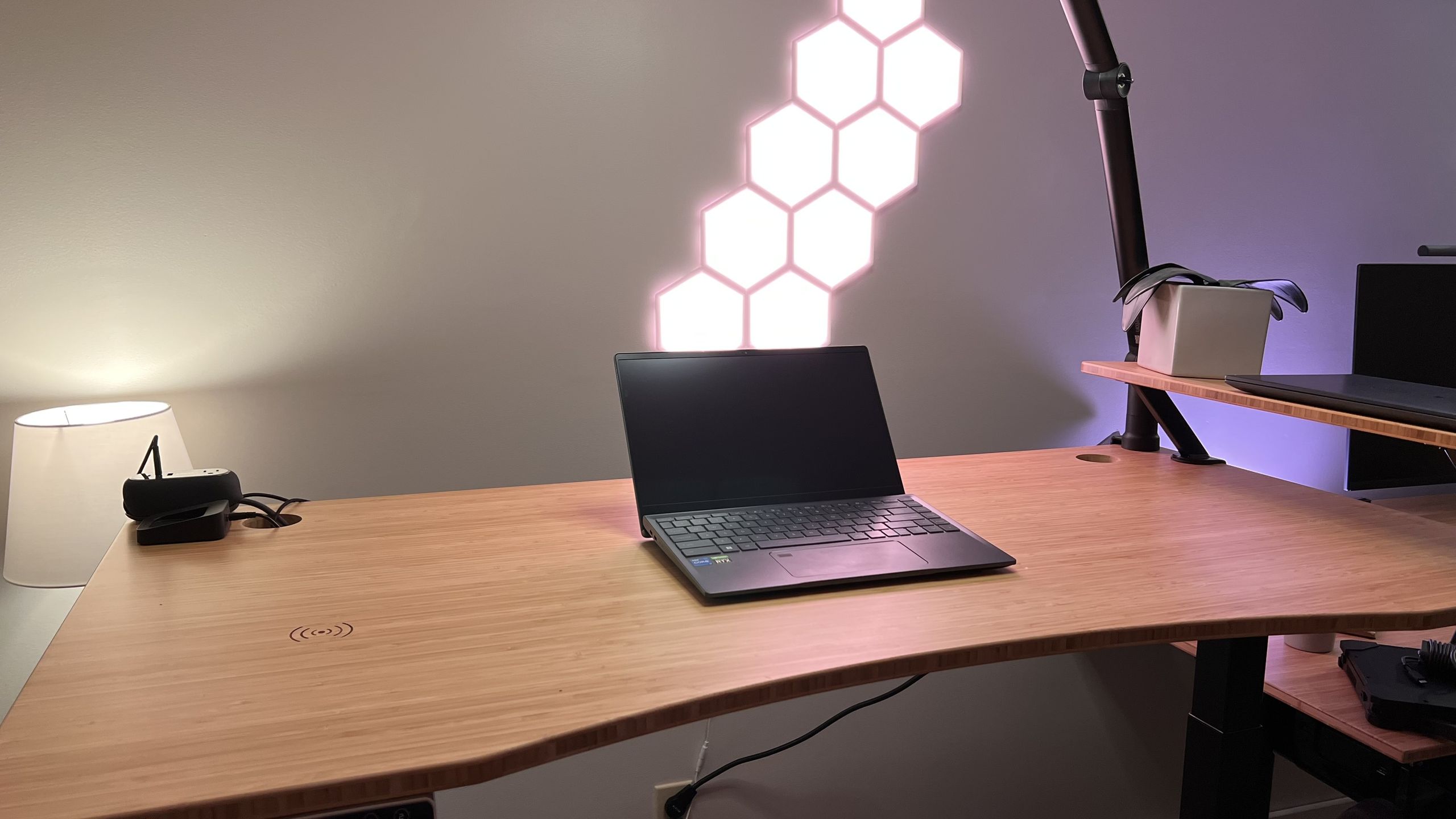
If you want a desk that feels like it belongs in a design studio, the Fully Jarvis is your pick. The bamboo desktop option looks stunning and is genuinely sustainable. What sets the Jarvis apart is its industry-leading 10-year warranty—Fully clearly trusts their own hardware. The lifting speed clocks in at 1.5 inches per second, the frame is rated for 350 pounds, and the programmable handset stores four height presets. As TechRadar noted in their 2025 roundup, the Jarvis consistently ranks among the top three standing desks for professionals who want premium materials without a four-figure price tag.
Uplift V2: Most Customizable ($599)
The Uplift V2 is the standing desk equivalent of a custom PC build. With over 20 desktop materials, multiple frame colors, and an extensive accessory ecosystem, no two Uplift setups look alike. The V2 commercial frame is rated to 535 pounds—overkill for most, but it means zero wobble with a triple-monitor setup. The advanced keypad with one-touch presets and an anti-collision sensor comes standard. Uplift also offers a free wire management tray with every desk, which is a thoughtful touch that competitors charge extra for.
SecretLab Magnus Pro: The Gaming Standing Desk
SecretLab stunned the market with the Magnus Pro. It is not just a gaming desk that happens to go up and down—it is a genuinely well-engineered standing desk that happens to look incredible in a gaming setup. The integrated cable management system is the best in the industry, with a full-length rear cable tray and magnetic leatherette covers. The metal desktop is unique among standing desks and doubles as a giant mouse pad with SecretLab’s magnetic MAGPAD. If your standing desk setup doubles as a gaming station, nothing else comes close.
Best Monitor Arms for Standing Desk Setups 2025
A standing desk without a proper monitor arm is a missed opportunity. When your desk moves up and down, your monitor needs to stay exactly where your eyes need it. Here are the arms worth your money in July 2025.
Ergotron LX: The Gold Standard
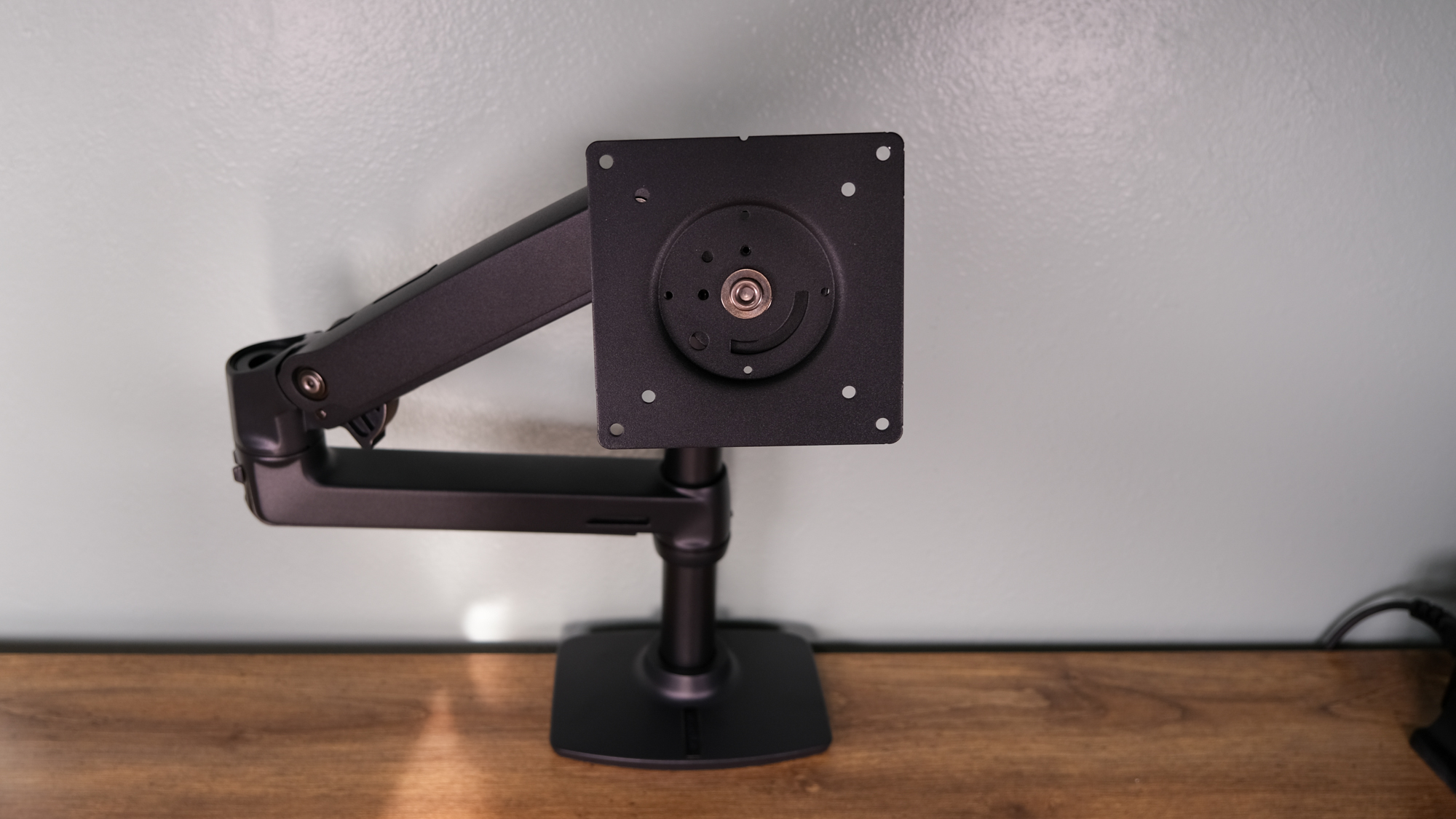
The Ergotron LX has been the top pick for years, and the 2025 model maintains that reputation. It supports monitors up to 34 inches and 25 pounds with a patented constant-force spring mechanism that lets you reposition your screen with one finger. The build quality is immediately noticeable—there is no plastic creaking, no slow drift, and no sagging over time. As PCWorld highlighted, the Ergotron LX remains the benchmark against which every other monitor arm is measured. It is pricier at around $180, but the 10-year warranty and bulletproof reliability justify every dollar.
Herman Miller Ollin (Jarvis Monitor Arm): Premium Precision
Herman Miller’s monitor arm—sometimes branded as the Jarvis Monitor Arm through their Fully subsidiary—brings the same design philosophy as their iconic chairs. The Ollin uses a unique mechanism that provides fingertip adjustment across a wider range of motion than most competitors. If you already invested in a Fully Jarvis desk, pairing it with this arm creates a cohesive aesthetic. It handles monitors up to 20 pounds and integrates cable routing directly into the arm structure.
Huanuo Dual Monitor Arm: Best Budget Dual Setup
For dual-monitor users on a budget, the Huanuo dual arm delivers remarkable value at roughly $40. It supports two monitors from 13 to 27 inches and up to 17.6 pounds each. The gas spring mechanism is smooth enough for daily adjustments, and the built-in cable clips keep things tidy. It will not match the Ergotron in longevity or precision, but at less than a quarter of the price for a dual setup, it is the smartest entry point for anyone building a dual-screen standing desk on a budget.
Vari Dual Monitor Arm: Mid-Range Dual Pick
Vari has built a reputation in the standing desk space, and their dual monitor arm reflects that expertise. It supports two monitors up to 27 inches with independent height, tilt, and swivel adjustments. The weighted base option (no clamp needed) is a standout feature for desks where you cannot drill or clamp. Build quality sits firmly between budget arms and the Ergotron tier, making it a solid mid-range dual choice at around $160.
Must-Have Standing Desk Accessories in 2025
The desk and monitor arm form the skeleton. Accessories turn it into a workspace that actually keeps you standing longer and feeling better while doing it.
Topo Comfort Mat by Ergodriven: The Anti-Fatigue Mat That Works
Most anti-fatigue mats are flat rectangles that you forget about in a week. The Topo Comfort Mat is different. Its calculated terrain—peaks, ridges, and a power wedge—encourages constant micro-movements that keep your legs active. This is not marketing fluff; Tom’s Guide ranked it as the best standing desk mat for its ability to reduce fatigue over long work sessions. The beveled edges prevent tripping, and the polyurethane material holds up far better than foam alternatives. If you buy one accessory for your standing desk, make it this one.
WalkingPad Z1: Turn Standing Into Walking
The WalkingPad Z1 represents the next evolution of the standing desk—walking while you work. It folds to just 5.7 inches thick, slides under most standing desks when not in use, and operates at a whisper-quiet 60 dB. The speed range of 0.3 to 3.7 mph covers everything from a gentle stroll during calls to a brisk pace during email triage. Multiple studies have shown that walking at low speeds (1–2 mph) has minimal impact on typing accuracy while significantly boosting energy and focus. At around $300, the Z1 is the most space-efficient under-desk treadmill available this July.
Uplift Power Grommet and Cable Management
A clean desk setup requires clean cable management. The Uplift Power Grommet drops directly into a desk hole and provides two AC outlets plus two USB-A ports right at your fingertips. No more reaching under the desk for power. Pair it with a cable management kit—adhesive cable clips, a mesh cable tray under the desk, and velcro ties—and you eliminate the cable spaghetti that plagues most standing desk setups. When the desk moves up and down, loose cables are not just ugly; they can snag, unplug, or even damage equipment. Invest $50–80 in proper cable management and your setup will look and function like it belongs in a magazine.
Building Your Best Standing Desk Setup: Three Budget Tiers
Not everyone has the same budget, so here are three complete setups at different price points.
Budget Build (~$500)
- FlexiSpot E7 ($400)
- Huanuo Dual Arm ($40)
- Basic anti-fatigue mat ($30)
- Adhesive cable clips ($10)
This setup proves you do not need to spend a fortune. The E7 and Huanuo combination handles dual monitors with room to spare, and basic cable management keeps it looking clean.
Mid-Range Build (~$1,000)
- Fully Jarvis Bamboo ($569)
- Ergotron LX ($180)
- Topo Comfort Mat ($99)
- Uplift Power Grommet ($50)
- Cable management kit ($30)
The sweet spot for most professionals. Premium desk, best-in-class monitor arm, the top anti-fatigue mat, and clean power delivery. This setup will last a decade with zero compromises.
Premium Build (~$1,500+)
- Uplift V2 Commercial ($599)
- Ergotron LX Dual ($350)
- Topo Comfort Mat ($99)
- WalkingPad Z1 ($300)
- Uplift Power Grommet + full cable kit ($80)
The endgame setup. A desk that supports anything you throw at it, dual Ergotron arms for a multi-monitor command center, the best mat, and an under-desk treadmill for walking meetings. This is the setup where you stop looking at upgrades entirely.
Standing Desk Setup Tips You Will Not Find in Most Guides
A few hard-earned lessons that separate a good setup from a great one:
- The 20-8-2 rule: 20 minutes sitting, 8 minutes standing, 2 minutes moving. This ratio, backed by research from the Cornell Human Factors and Ergonomics Research Group, prevents the fatigue that makes people abandon standing desks.
- Monitor height matters more than desk height: Your eyes should hit the top third of your screen. Get this wrong and no desk or mat will save your neck.
- Invest in a separate keyboard and mouse: If you use a laptop at your standing desk, an external keyboard at elbow height with the laptop screen elevated to eye level is non-negotiable.
- Program your presets immediately: If your desk has memory presets, set your exact sitting and standing heights on day one. The friction of manual adjustment is the number one reason people stop using the standing function.
- Anti-fatigue mats need replacing: Even the Topo loses its cushion after 2–3 years of daily use. Budget for replacements.
The best standing desk setups 2025 are not about spending the most money—they are about choosing components that work together seamlessly. Whether you go with the FlexiSpot E7 at $400 or the fully loaded Uplift V2 at $600+, the real upgrade is in pairing your desk with the right monitor arm, the right mat, and thoughtful cable management. July 2025 is the best time to build: summer sales are in full swing, inventory is strong, and the current generation of desks and accessories represents the most refined options the market has ever seen. Your future self—the one without the 3 PM back pain—will thank you.
Get weekly AI, music, and tech trends delivered to your inbox.





