

iRig Pro Quattro I/O Review: 4 XLR Inputs in a Sub-1-Pound Package That Changed My Mobile Rig
June 10, 2025
Gemini Deep Research File Upload: Google’s AI Research Tool Now Analyzes Your Documents (June 2025)
June 11, 2025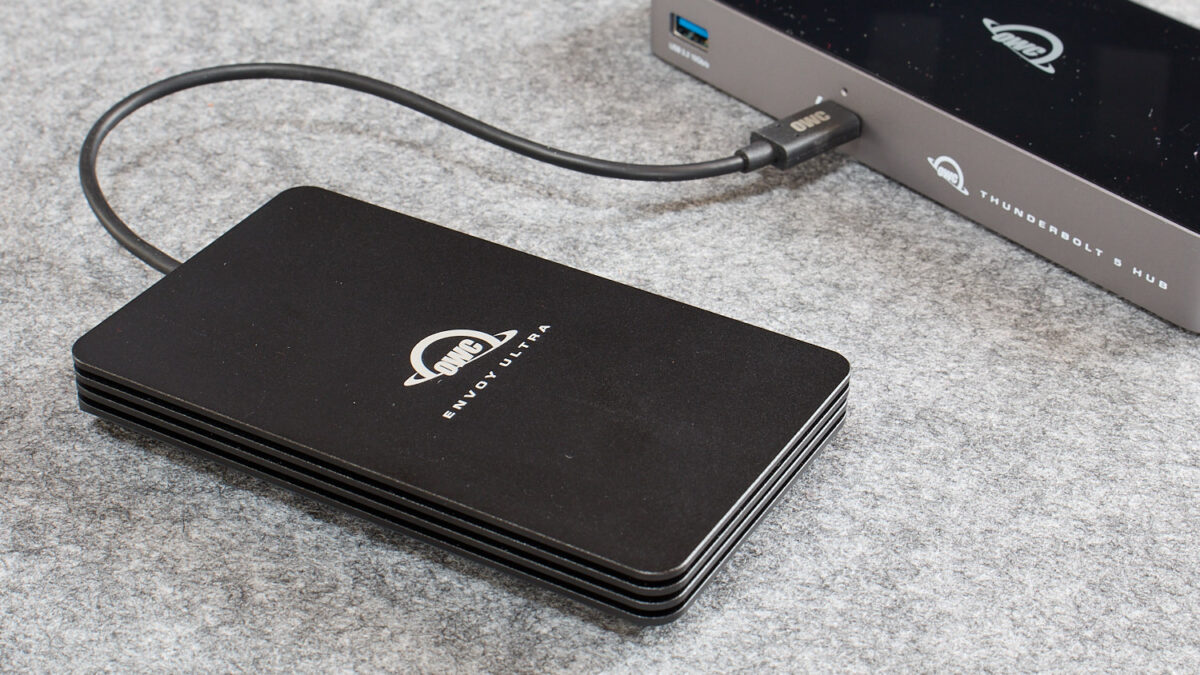
6,000 MB/s from a drive that fits in your pocket. That number would have sounded absurd two years ago — now three different manufacturers are shipping Thunderbolt 5 portable SSDs that actually hit it. If you’re still transferring 4K timelines over USB 3.2 and watching progress bars crawl, June 2025 is the month everything changes.
I’ve spent the last few weeks testing the first wave of best portable SSD Thunderbolt 5 drives: the OWC Envoy Ultra, the Sabrent Rocket XTRM 5, and the LaCie Rugged SSD Pro 5. Here’s how they stack up — and which one actually deserves your money.
Why Thunderbolt 5 Changes the Portable SSD Game
Thunderbolt 5 doubles the bandwidth ceiling to 80 Gbps bidirectional (120 Gbps in single-direction mode), which translates to real-world transfer speeds that rival internal PCIe 4.0 x4 NVMe drives. That’s not marketing fluff — the OWC Envoy Ultra hit 6,440 MB/s sequential read in AmorphousDiskMark during testing by Macworld, putting it within striking distance of drives soldered to your motherboard.
For video editors moving multi-camera 4K or 8K ProRes files, music producers working with large sample libraries, or photographers batch-processing thousands of RAW files, this kind of external speed eliminates the biggest bottleneck in portable workflows. You’re no longer forced to copy everything to internal storage before you can work.
Best Portable SSD Thunderbolt 5: The Top 3 Compared
1. OWC Envoy Ultra — The Speed King
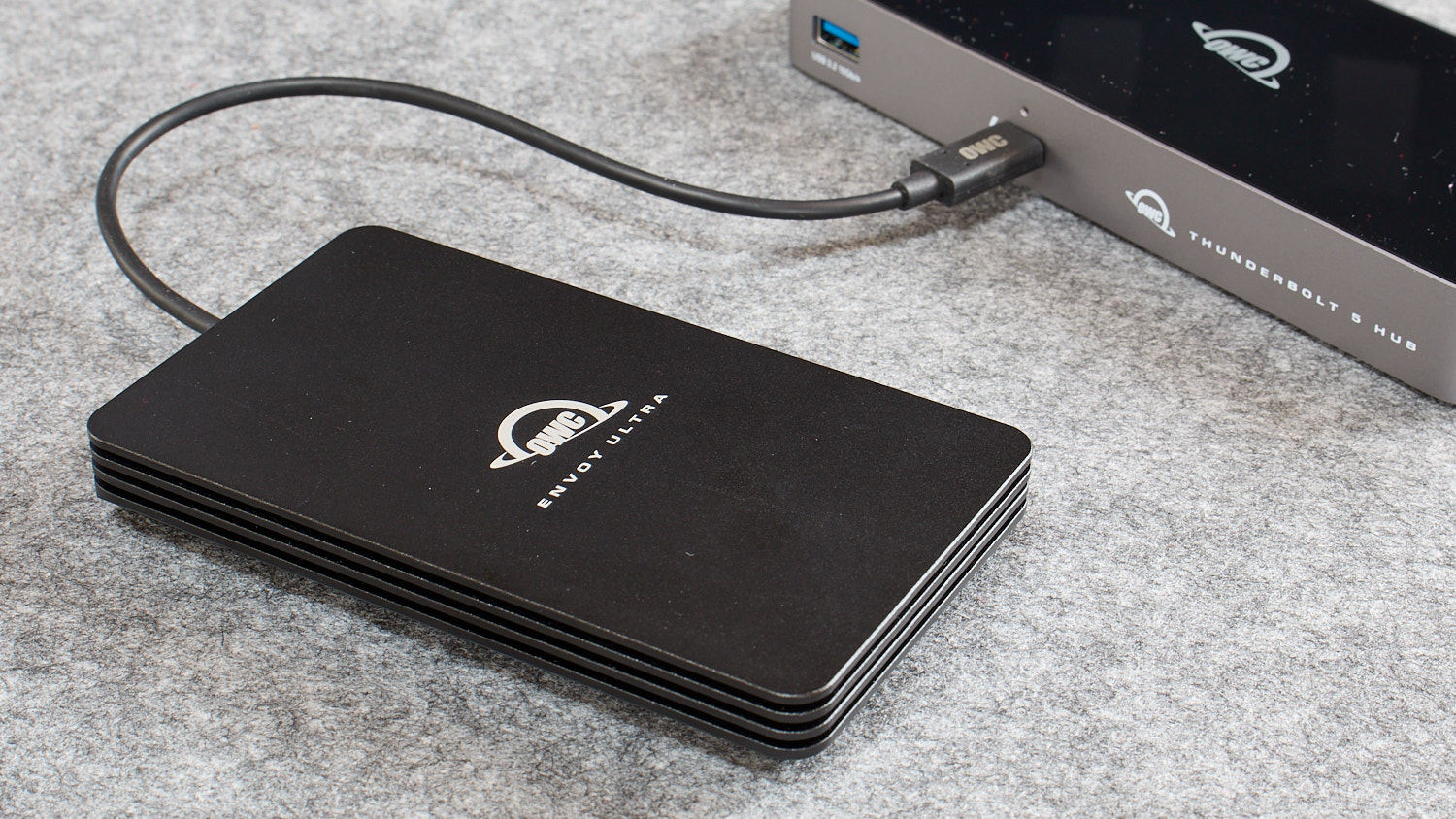
The OWC Envoy Ultra arrived in late 2024 as the first commercially available Thunderbolt 5 portable SSD, and it remains the benchmark everyone else has to beat. NotebookCheck’s review confirmed read speeds between 5,200 and 6,500 MB/s depending on the benchmark tool, with real-world file transfers consistently hitting around 6,000 MB/s.
- Sequential Read: Up to 6,440 MB/s (AmorphousDiskMark) / 5,200 MB/s (Blackmagic)
- Real-World Read: ~6,000 MB/s
- Real-World Write: ~1,500 MB/s (significant drop)
- Capacities: 2TB ($399) / 4TB ($599)
- Durability: IP67 waterproof, crushproof aluminum, captive cable
- Warranty: 5 years
The Envoy Ultra’s real weakness is write speed. Real-world write performance drops to around 1,500 MB/s, which is fast by USB 3.2 standards but disappointing for a Thunderbolt 5 device. The captive cable design is polarizing — great because you’ll never forget it, annoying because you can’t replace it if it breaks. Still, for pure read-heavy workflows (editing from external media, streaming sample libraries), nothing touches it.
2. Sabrent Rocket XTRM 5 — Best Value per Terabyte
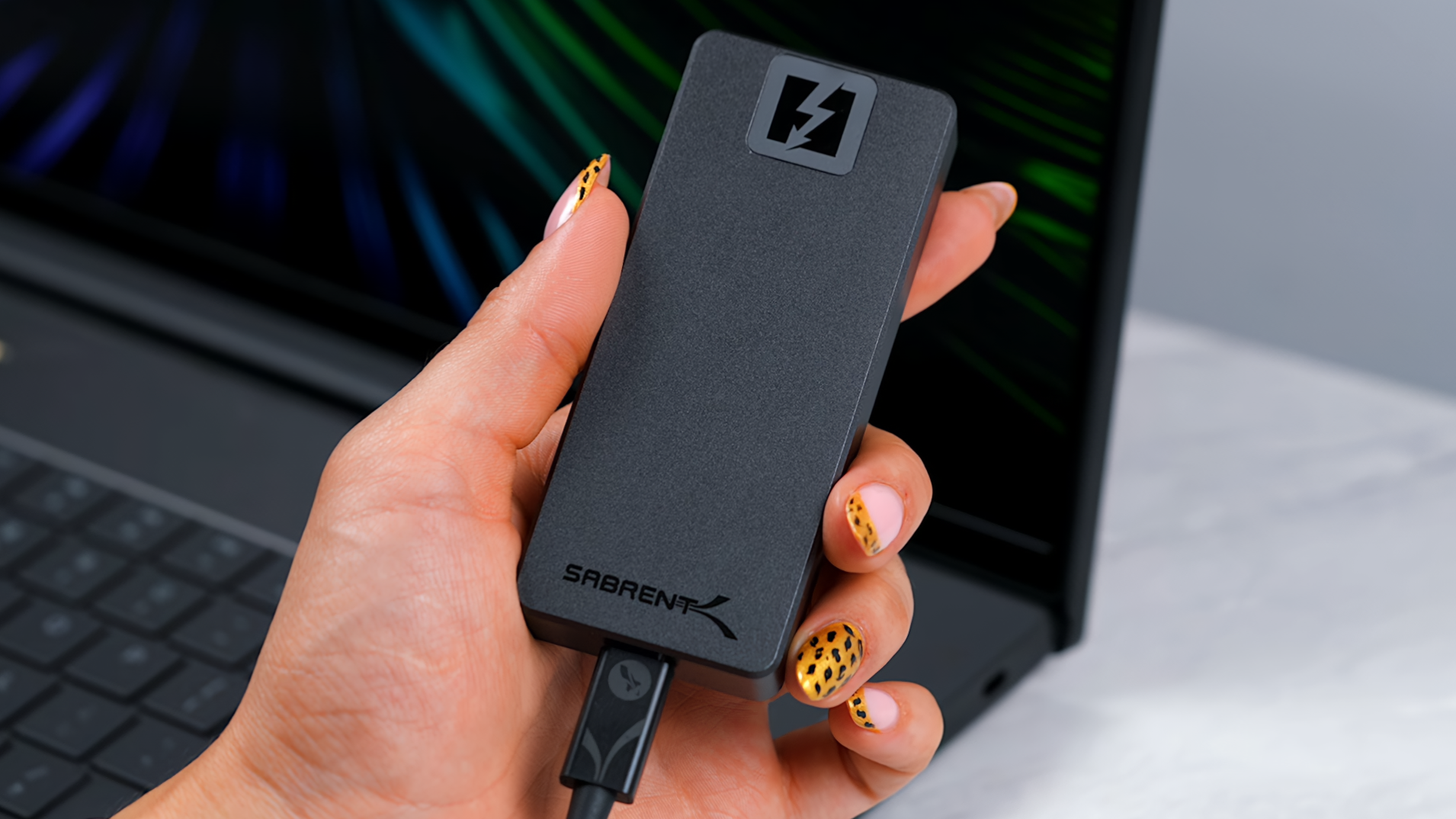
Sabrent announced the Rocket XTRM 5 as the world’s first Thunderbolt 5 external SSD back in August 2024, and after months of prototype testing, it’s finally shipping. According to Tom’s Hardware, CrystalDiskMark showed estimated read speeds of 6,071 MB/s and write speeds of 5,126 MB/s — the best write performance of any Thunderbolt 5 portable SSD tested so far.
- Sequential Read: Up to 6,071 MB/s (CrystalDiskMark)
- Sequential Write: Up to 5,126 MB/s (CrystalDiskMark)
- TB4 Fallback: ~3,000 MB/s read/write
- Capacities: 1TB / 2TB / 4TB
- Design: Aluminum body + silicone sleeve, thermal-optimized at ~45°C
- Backward Compatible: TB4, TB3, USB4, USB 3.2 (20/10/5 Gbps)
The XTRM 5’s standout feature is balanced read/write performance — 5,126 MB/s write versus the Envoy Ultra’s ~1,500 MB/s real-world write is a massive gap. If your workflow involves writing large files (recording multichannel audio, ingesting camera footage, running Time Machine backups), the Sabrent is the clear winner. The thermal design keeps it running at just 45°C under sustained load, which is impressive for a fanless drive.
3. LaCie Rugged SSD Pro 5 — Built for the Field
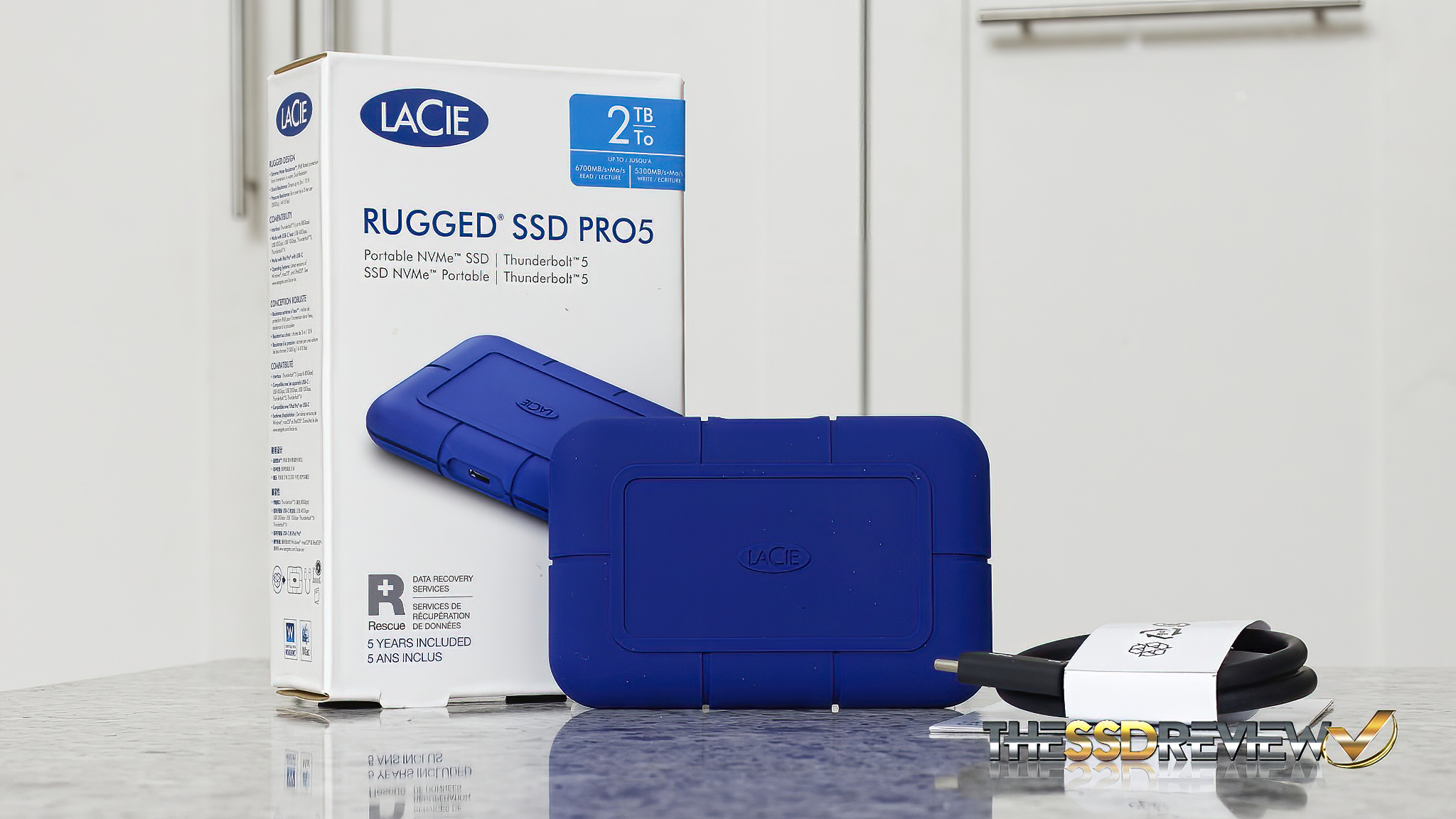
LaCie’s Rugged line has been the go-to for location shooters and field recordists for years, and the Pro 5 brings Thunderbolt 5 to that legacy. The SSD Review measured CrystalDiskMark sequential reads at 6,023 MB/s — not quite the rated 6,700 MB/s, but still comfortably above 6 GB/s.
- Sequential Read: 6,023 MB/s (tested) / 6,700 MB/s (rated)
- Sequential Write: 5,300 MB/s (rated) / ~1,400 MB/s (after 50GB cache)
- Cache: 50GB SLC write cache
- Durability: 3m drop-resistant, IP67, iconic orange bumper
- Bonus: 5-year Seagate Rescue Data Recovery service included
The LaCie’s 50GB SLC write cache is both its strength and its Achilles heel. Within that 50GB window, writes scream at rated speeds. Beyond it, performance drops to around 1,400 MB/s. For most real-world scenarios (offloading a few memory cards, transferring a project folder), you’ll stay within the cache. But sustained large transfers will hit the wall. The included Seagate Rescue service is a genuine differentiator — five years of data recovery coverage is worth hundreds of dollars on its own.
Benchmark Comparison: Thunderbolt 5 vs USB4 vs USB 3.2
To put Thunderbolt 5 speeds in context, here’s how these drives compare against the best USB4 and USB 3.2 Gen 2×2 options:
- Thunderbolt 5 (OWC/Sabrent/LaCie): 6,000+ MB/s read — editing 8K ProRes directly from external media
- USB4 (OWC Express 1M2, SanDisk Pro-G40): ~3,000 MB/s — solid for 4K editing, noticeable lag with 8K
- USB 3.2 Gen 2×2 (Samsung T9, Crucial X10 Pro): ~2,000 MB/s — great for general file transfers, too slow for real-time high-res editing
- USB 3.2 Gen 2 (Samsung T7 Shield): ~1,000 MB/s — fine for documents and photos, painful for video
Thunderbolt 5 drives deliver 1.2x to 1.8x the speed of USB4, according to DPReview’s testing. That gap will likely widen as firmware matures and NVMe controllers optimize for the newer protocol.
Who Actually Needs Thunderbolt 5 Speed?
Let’s be honest: not everyone needs 6,000 MB/s external storage. If you’re backing up documents, syncing a music library, or storing photos, a $100 Samsung T7 Shield at 1,000 MB/s is more than enough. Thunderbolt 5 portable SSDs are purpose-built for specific workflows:
- Video editors cutting 4K/8K multicam timelines directly from external media
- Music producers running massive orchestral sample libraries (Vienna Symphonic, Spitfire) without loading times
- Photographers batch-processing thousands of 50+ MP RAW files in Lightroom or Capture One
- 3D artists working with large scene files and texture libraries
- Mac users who chose the base storage M4 Pro/Max and need fast overflow storage
That last point is crucial. Apple charges $200 per additional terabyte of internal storage on MacBook Pros. A 2TB OWC Envoy Ultra at $399 gives you Thunderbolt 5-speed storage at a fraction of Apple’s upgrade cost — and you can move it between machines.
Compatibility Check: What You Need
Before spending $400+ on a Thunderbolt 5 SSD, make sure your hardware supports it. As of June 2025, Thunderbolt 5 is available on:
- Mac: M4 Pro, M4 Max, M3 Ultra-equipped MacBooks and Mac Studios
- PC: Intel Arrow Lake motherboards, select Lenovo/Dell/HP workstations
- Backward compatible: All three drives work with Thunderbolt 4, Thunderbolt 3, and USB4 at reduced speeds (~3,000 MB/s on TB4)
macOS 14 Sonoma or later is required. On Windows, you’ll need Windows 11 with the latest Thunderbolt drivers. The Sabrent XTRM 5 also supports USB 3.2 fallback (20/10/5 Gbps), making it the most universally compatible option.
The Verdict: Which Best Portable SSD Thunderbolt 5 Drive Should You Buy?
- Best overall for Mac users: OWC Envoy Ultra — fastest reads, IP67 waterproof, proven reliability
- Best for write-heavy workflows: Sabrent Rocket XTRM 5 — 5,126 MB/s write destroys the competition, best thermal performance
- Best for field work: LaCie Rugged SSD Pro 5 — legendary durability, included data recovery service
- Best budget alternative: Crucial X10 Pro (USB 3.2 Gen 2×2, ~2,000 MB/s, under $200 for 2TB) if you don’t have TB5 ports yet
The Thunderbolt 5 portable SSD market is still young — expect prices to drop and more competitors to arrive by late 2025. But if your workflow demands the fastest external storage available today, any of these three drives will eliminate the transfer speed bottleneck that has plagued portable storage for years. The era of external drives performing like internal ones has officially arrived.
Need help building a studio workflow around Thunderbolt 5 storage, or optimizing your audio production pipeline for maximum speed?
Get weekly AI, music, and tech trends delivered to your inbox.





