

Orchestral Mockups That Sound Real: The Complete Template Building Tutorial
August 22, 2025
Notion AI Database Autofill in August 2025: 5 Ways AI Analysis Transforms Your Workspace
August 25, 2025
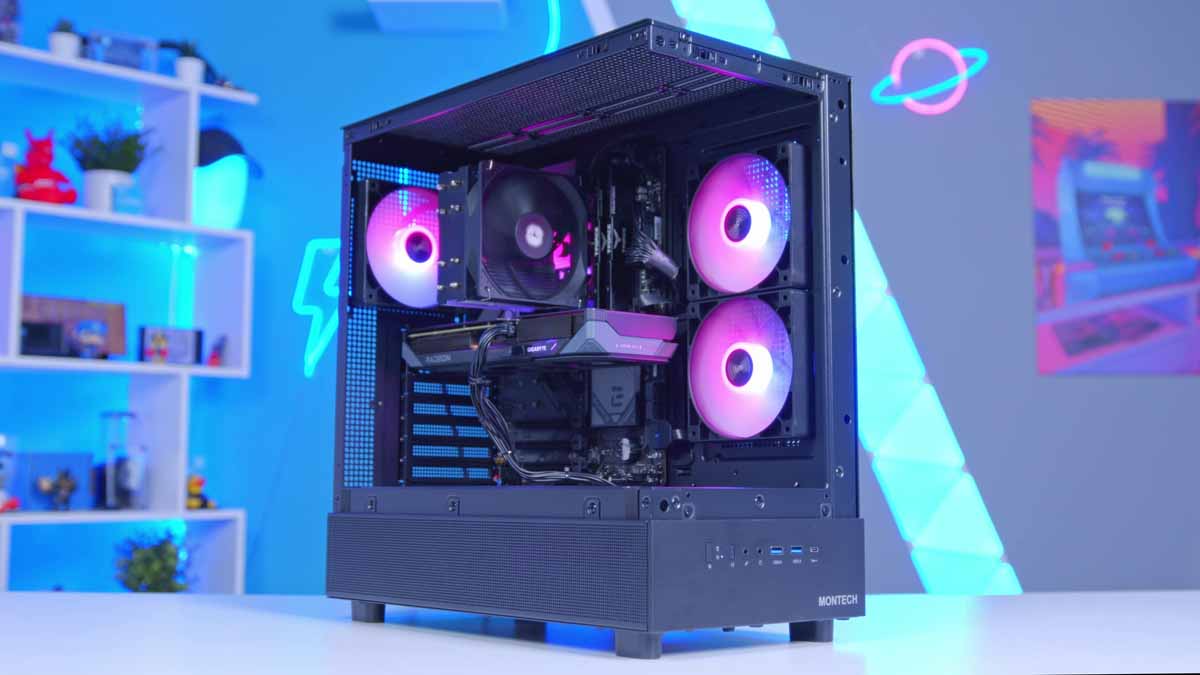
Cyberpunk 2077 at 87 FPS in 1440p — for under a grand. That’s not a clickbait promise. It’s what the best PC builds under $1000 can actually deliver in August 2025, thanks to AMD’s RDNA 4 GPUs and Zen 5 CPUs finally hitting their pricing sweet spot simultaneously.
DDR5 32GB kits have dropped to $110–140, the RX 9060 XT undercuts NVIDIA’s RTX 5060 Ti by nearly $80, and the AM5 platform offers a genuine upgrade path for years to come. Whether you’re heading back to campus or just need a rig that handles both gaming and schoolwork, right now is the best time to build. Here are three complete builds broken down by budget and use case, with real benchmark numbers and exact component pricing as of August 2025.
Why August 2025 Is the Best Time to Build a PC Under $1000
Before jumping into the builds, let’s talk about why the timing matters. Three converging trends make August 2025 uniquely favorable for budget builders.
DDR5 has bottomed out. 32GB DDR5-5600 kits are sitting at $110–140, down over 30% year-over-year. Industry analysts expect Q4 prices to rebound as data center demand picks up, so this summer window won’t last.
The RX 9060 XT changed the budget GPU game. Launched in June 2025 at $299 (8GB) and $349 (16GB), AMD’s RDNA 4 mid-ranger undercuts the RTX 5060 Ti 16GB by nearly $80 while delivering competitive performance. The 16GB VRAM variant is especially compelling for future-proofing — modern game textures at 1440p are already pushing past 8GB.
AM5 is mature and affordable. B650 and B850 motherboards have stabilized in both pricing and firmware. With native DDR5 and PCIe 5.0 support, plus AMD’s commitment to the socket through 2027, Tom’s Hardware recommends AM5 as the clear value platform for new builds in 2025.
Build 1: The Performance King — $1,000 Flat
This build maxes out the $1,000 budget for pure gaming performance. Based on GeekAWhat’s August 2025 build guide, it pairs AMD’s latest Zen 5 CPU with the best value current-gen GPU on the market.
Core Specs
- CPU: AMD Ryzen 5 9600X (Zen 5, 6-core/12-thread) — ~$200
- GPU: AMD RX 9060 XT 16GB (RDNA 4) — $349
- Motherboard: Gigabyte B850 Eagle WiFi 6E — ~$170
- RAM: 32GB DDR5-5600 — ~$120
- Storage: 1TB NVMe SSD — ~$80
- Case + PSU + Cooler: ~$80–100
Real-World Benchmarks
The numbers tell the story:
- Apex Legends (1080p): 300 FPS average — your 240Hz monitor will actually be the bottleneck
- Cyberpunk 2077 (1440p): 87 FPS average — ultra settings, ray tracing off
- General 1440p gaming: Consistently above 60 FPS in demanding titles
The Ryzen 5 9600X brings meaningful IPC improvements over the 7600X, and it runs cooler too — a budget tower cooler is more than enough. The B850 motherboard includes WiFi 6E out of the box, saving you $30+ on a wireless card.
What makes this build special is the balance between current performance and future upgradeability. The 32GB of DDR5 means you won’t need a memory upgrade for years, and the AM5 socket lets you drop in a Ryzen 7 9700X or even a Ryzen 9 down the line without touching your motherboard. For pure gaming performance at the $1,000 mark, this is the build to beat.
Build 2: The Balanced Student Rig — ~$950
This configuration, based on TechGuided’s August 2025 update, trims about $50 from the CPU and motherboard. That freed-up budget can go toward a monitor, keyboard, or extra peripherals — making it ideal for students who need a complete setup, not just a tower.
Core Specs
- CPU: AMD Ryzen 5 7600X — ~$160 (saves $40 vs. the 9600X)
- GPU: Gigabyte RX 9060 XT 16GB — $349
- Motherboard: ASRock B650 Lightning — ~$130
- RAM: 16GB Kingston FURY DDR5 — ~$60
- Storage: 1TB Crucial P310 NVMe — ~$70
- Case + PSU + Cooler: ~$80–100
The two key differences here: the Ryzen 5 7600X (Zen 4) trades about 5–8% in gaming performance compared to the 9600X, but remains an excellent chip. And the 16GB RAM is fine for most students, though heavy multitaskers should plan to add another 16GB stick later.
According to TechGuided, this build handles maxed-out 1440p gaming and even entry-level 4K in select titles. The Ryzen 5 7600X is still a phenomenal gaming chip — it was the budget king of 2024 for a reason, and it hasn’t lost a step. The $50 you save could be the difference between building a PC and building a complete workstation with a decent 1080p 144Hz monitor and mechanical keyboard included.
One consideration: if you go with 16GB now, make sure your motherboard has four DIMM slots or at least two empty slots for future expansion. Running a single 16GB stick in single-channel mode will hurt performance — always buy a 2x8GB kit for dual-channel operation.
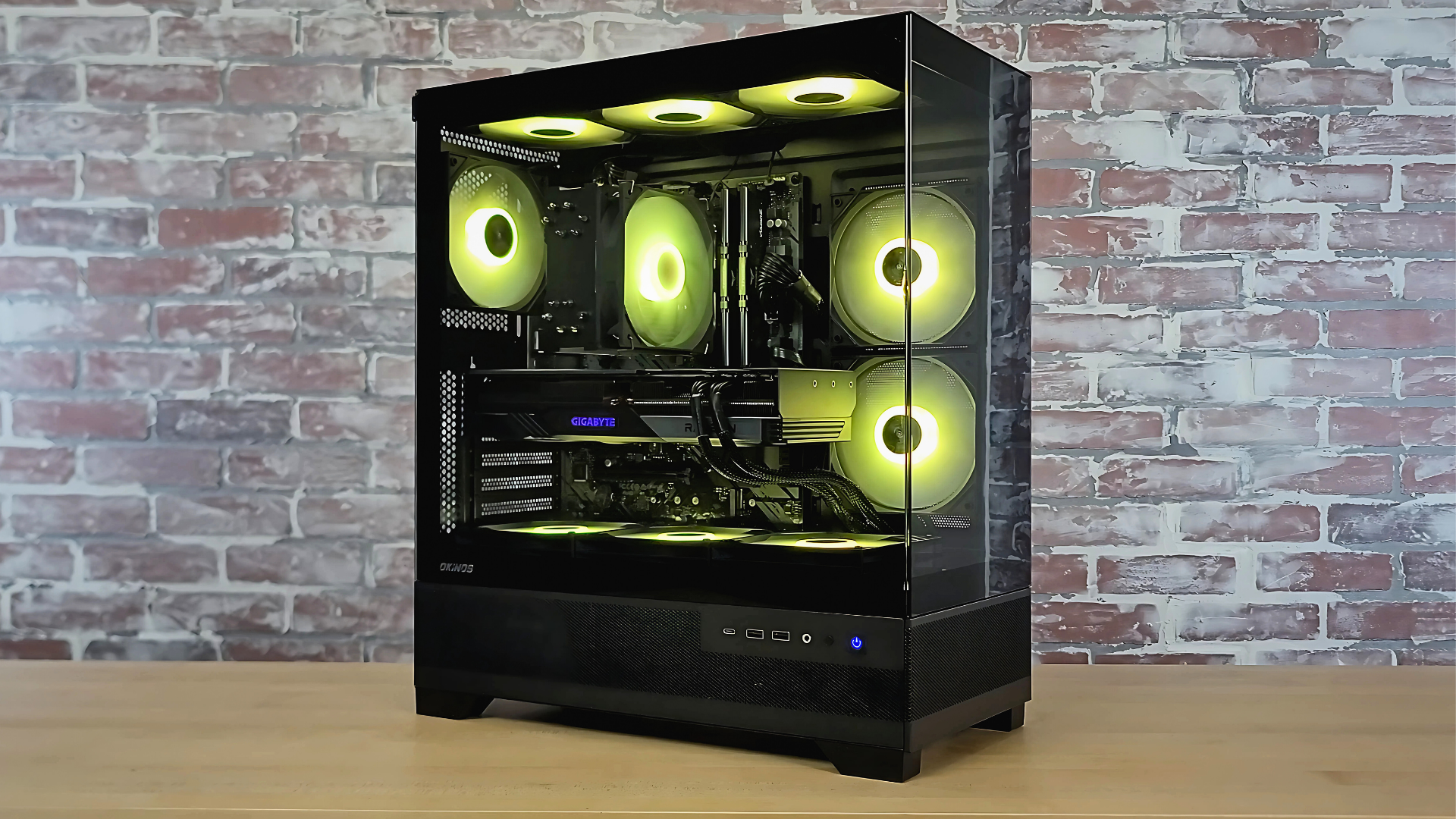
Build 3: The Ultra-Budget Starter — $778
Not every student has a full $1,000 for the tower alone. GamersNexus put together a remarkably capable AMD build for just $778 — leaving over $200 for a monitor, keyboard, and mouse to complete the setup.
Core Specs
- CPU: AMD Ryzen 5 7500F — $146 (no integrated graphics, but you have a discrete GPU)
- GPU: Intel Arc B580 — $250 (the budget GPU dark horse)
- Motherboard: ASRock B650M-HDV — ~$100
- RAM: 32GB DDR5-5600 Crucial Pro — ~$110
- Cooler: Thermalright Assassin Spirit 120 V2 — $15
- Storage: 1TB NVMe SSD — ~$70
- Case + PSU: ~$87
The star of this build is the Intel Arc B580 at $250. Driver maturity has improved dramatically since launch, and it delivers solid 1080p high-settings gaming. It’s a tier below the RX 9060 XT, but the $100 price gap makes it the right choice when you need to stretch every dollar.
Notice that GamersNexus went with 32GB of RAM despite the lower budget — a smart call. College workflows — 20 Chrome tabs, VS Code, Discord, Spotify, maybe a virtual machine — eat RAM fast. The $15 Thermalright cooler is another clever pick, offering performance well beyond its price tag.
The Intel Arc B580 deserves special mention here. When it first launched, driver issues held it back. But Intel has been aggressively updating drivers throughout 2025, and the B580 now delivers consistent 1080p high-settings performance in most titles. It also supports AV1 hardware encoding, which is a nice bonus for students who do any video work. At $250, it’s the best value discrete GPU on the market if you’re willing to step down from the RX 9060 XT tier.
5 Essential Tips for Building the Best PC Under $1000
1. Go AM5 — Your Future Self Will Thank You
AMD has committed to supporting the AM5 socket through 2027. That means you can start with a Ryzen 5 7600X today and drop in a Ryzen 7 9700X next year without changing your motherboard. Intel’s LGA 1851 doesn’t offer the same longevity story yet.
2. Buy DDR5 Now, Seriously
DDR5 prices in summer 2025 are at historic lows. Data center demand and potential supply adjustments are expected to push prices back up in Q4. DDR5-5600 or higher is the sweet spot for AM5 — don’t settle for DDR5-4800 to save $10.
3. RX 9060 XT vs. RTX 4060 — The VRAM Argument
If the RX 9060 XT is out of stock, the NVIDIA RTX 4060 ($280–300) or RX 7600 XT are solid alternatives. But here’s the thing: the 9060 XT’s 16GB VRAM is a genuine advantage. Games like The Last of Us Part 1 and Hogwarts Legacy already use 10GB+ at 1440p. Eight gigs will feel limiting sooner than you think.
4. Watch for Post-Hot Chips Price Drops
Hot Chips 2025 runs August 24–26 at Stanford, and next-gen processor announcements often trigger current-gen price drops. If you’re not in a rush, monitoring prices through early September could save you another $30–50 on CPU and GPU.
5. Don’t Skimp on RAM and Storage for Schoolwork
If your PC doubles as a study machine, 32GB RAM and 1TB SSD aren’t luxuries — they’re necessities. Software development, video editing, virtual machines, and even heavy research workflows hit a wall at 16GB. The $30–60 difference between 16GB and 32GB is the best investment in your build. Similarly, a 512GB SSD will fill up within a semester once you install your OS, essential apps, a few games, and start accumulating project files. The 1TB tier is the minimum for a dual-purpose machine.
Which Build Should You Choose?
Here’s the quick breakdown:
- Performance Build ($1,000): Ryzen 5 9600X + RX 9060 XT 16GB + 32GB DDR5 — Best for gamers who want zero compromises at 1440p
- Balanced Build (~$950): Ryzen 5 7600X + RX 9060 XT 16GB + 16GB DDR5 — Best for students who need a complete setup including peripherals
- Ultra-Budget Build ($778): Ryzen 5 7500F + Intel Arc B580 + 32GB DDR5 — Best for tight budgets where you need PC + monitor + peripherals under $1,000 total
Back-to-school season in August 2025 is a rare window where DDR5, RDNA 4, and Zen 5 pricing all align in the buyer’s favor. Whether you go all-in at $1,000 or stretch $778 into a complete workstation, the best PC builds under $1000 have never delivered this much performance. Don’t wait for Q4 — the deals are here now.
Get weekly AI, music, and tech trends delivered to your inbox.





