


CES 2026 Robotics: 5 AI-Powered Humanoid Demos That Proved Robots Are Finally Ready to Work
January 16, 2026
RTX 5070 at $549, RTX 5060 at $299 — NVIDIA’s CES 2025 Blackwell GPU Lineup Explained
January 19, 2026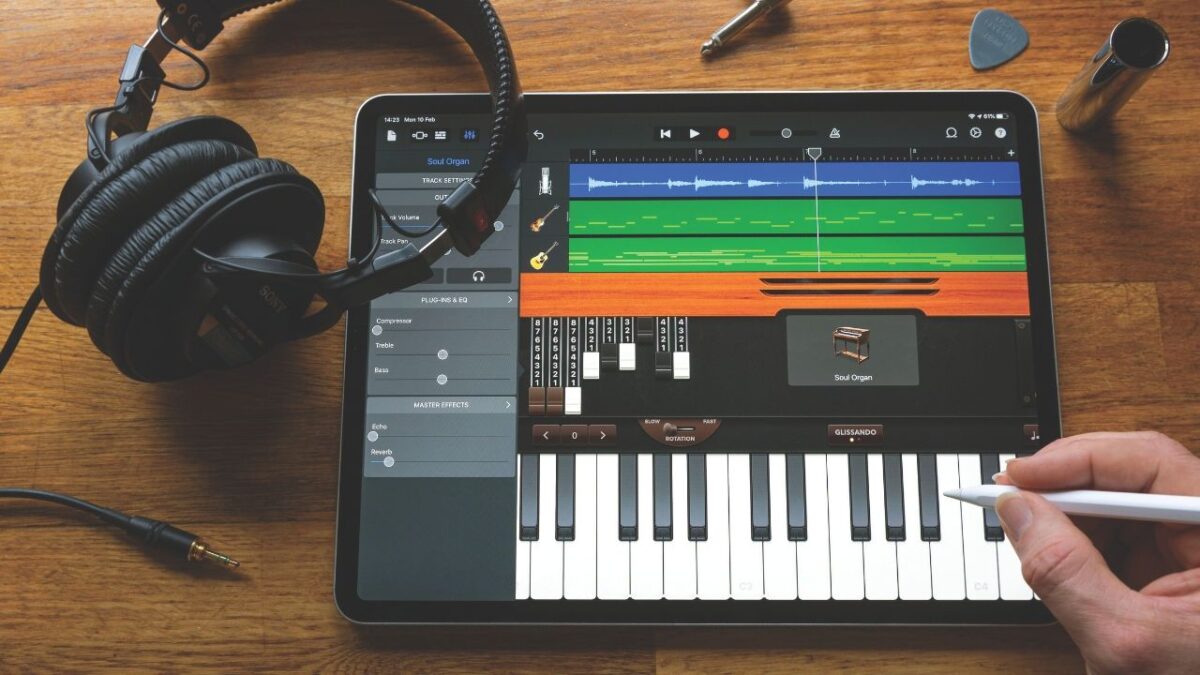
After 28 years behind the console, I can tell you with absolute certainty — the best free music production software 2026 has to offer would have cost you hundreds of dollars just a decade ago. With NAMM 2026 right around the corner and the new year energy still fresh, there has never been a better time to start making music without spending a dime.
In this guide, I’m breaking down the 7 best free DAWs available right now in January 2026, plus 4 essential free plugins that every beginner should install immediately. No fluff, no filler — just honest assessments from nearly three decades of studio experience.
” alt=”Free music production software 2026 beginners guide featured image”/>
Why Free Music Production Software 2026 Is Better Than Ever
Just five years ago, serious music production required a significant software investment — we’re talking $200-600 minimum for a capable DAW. In 2026, completely free DAWs now offer unlimited tracks, built-in virtual instruments, VST3 plugin support, and even cloud collaboration. The gap between free and paid has never been narrower.
The timing couldn’t be better. CES 2026 just wrapped up with exciting new hardware announcements, and with NAMM 2026 approaching, software companies are rolling out updates and promotional offers. January is genuinely the ideal month to dive into music production — and your budget can stay at zero.
1. GarageBand — Best Free DAW for Apple Users
Platform: macOS / iOS | Price: Completely free (included with Apple devices)
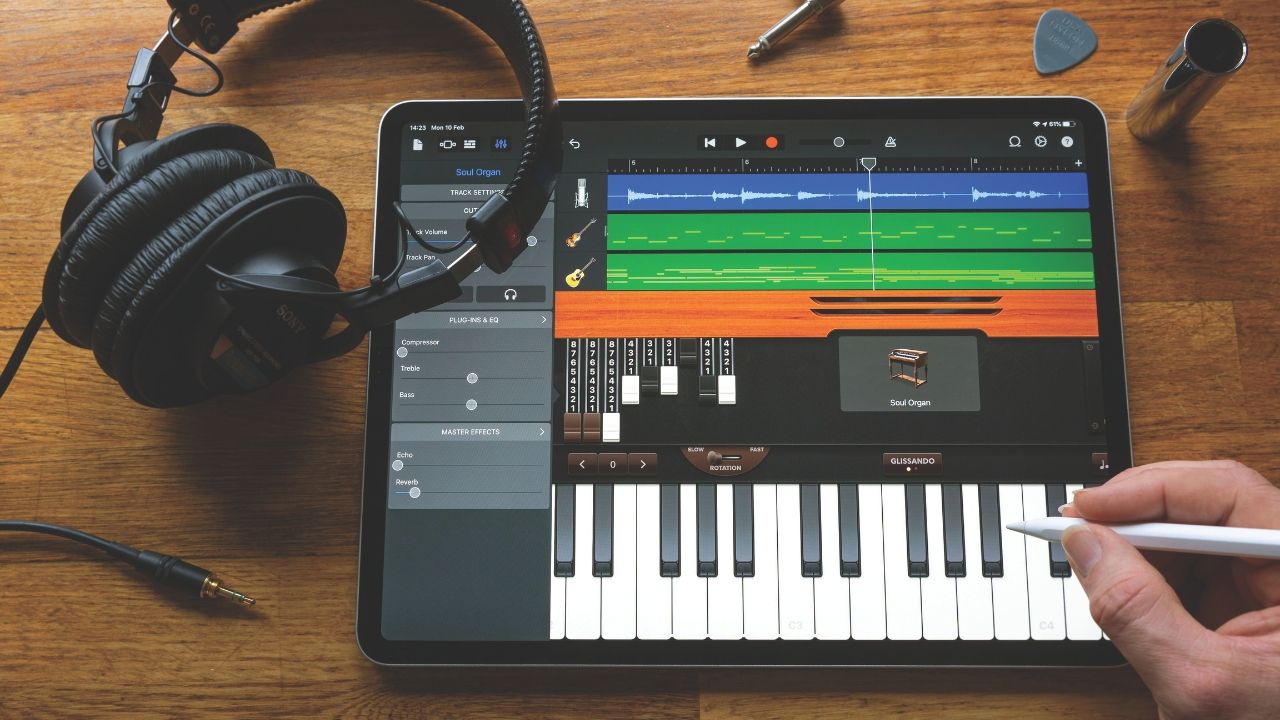
If you’re in the Apple ecosystem, GarageBand should be your first stop. Built on the same audio engine as Logic Pro, the sound quality is remarkably good for a free application. The built-in Drummer feature alone can generate realistic drum tracks instantly, and you get hundreds of loops and virtual instruments right out of the box.
The reason I always recommend GarageBand to my students is the incredibly low barrier to entry. The interface is so intuitive that someone with zero music theory knowledge can produce their first track within 30 minutes. The iPad version’s Live Loops feature turns beat-making into something that feels almost like a game — tap, drag, and your loop is playing.
The catch: No Windows support, track count limitations, and you’ll eventually need to graduate to Logic Pro for larger projects. The good news? GarageBand projects open seamlessly in Logic Pro, so nothing gets lost when you’re ready to level up.
2. Waveform Free — Best Overall Free DAW (Cross-Platform)
Platform: Windows / macOS / Linux | Price: Completely free
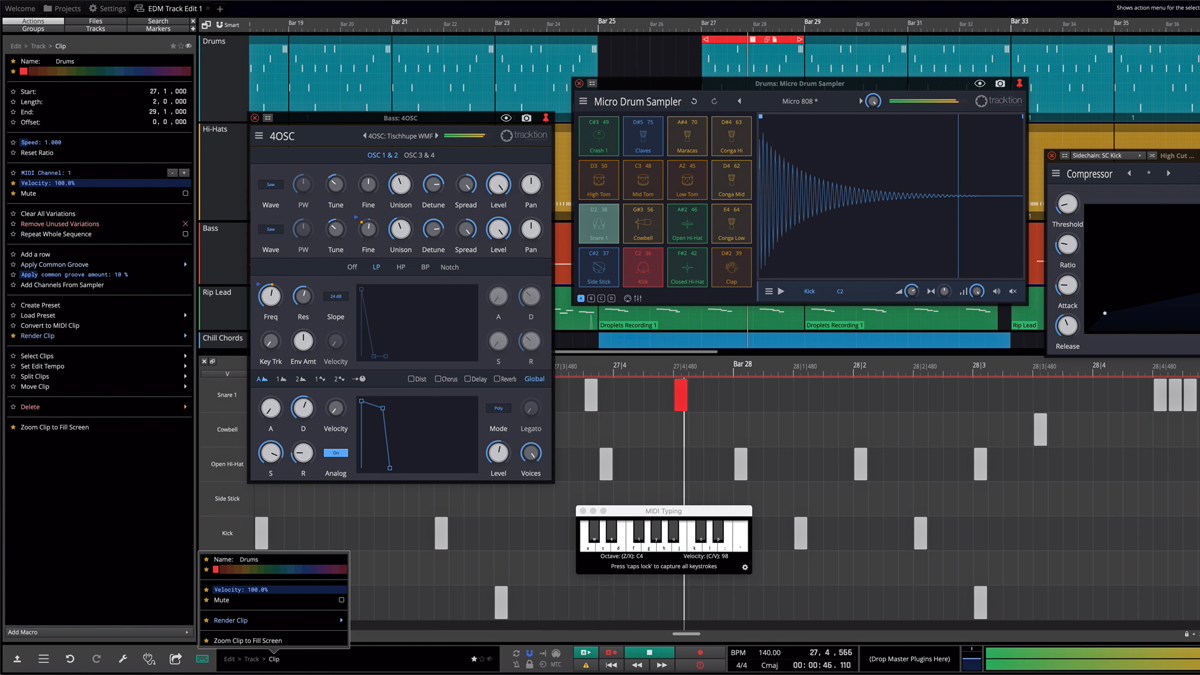
Tracktion’s Waveform Free is what I’d call the most capable free DAW available in January 2026. Unlimited audio and MIDI tracks, built-in virtual instruments, and dozens of effect plugins — all completely free. It almost feels too good to be true.
MusicRadar’s 2026 free DAW roundup placed Waveform Free at the top of their list, and I agree with that assessment. For Windows and Linux users especially, there’s really nothing else that comes close in terms of feature completeness. Full VST3/AU plugin support means you can tap into the entire third-party plugin ecosystem without restriction.
” alt=”Waveform Free DAW interface free music production software 2026″/>
The catch: The interface has a unique design philosophy that requires some adjustment if you’re coming from other DAWs. But once you adapt to its workflow, many users find it more efficient than the traditional approach.
3. Cakewalk Sonar Free — Most Powerful Free DAW (Windows)
Platform: Windows | Price: Free (Sonar Free edition)
Here’s the thing about Cakewalk Sonar Free that blows my mind — this was once a $500+ professional DAW. After BandLab acquired it and eventually relaunched it as Sonar with a free tier, beginners suddenly got access to features that seasoned professionals were paying top dollar for. From an engineer’s perspective, this is absurdly powerful for a free tool.
You get the ProChannel strip, ARA2 support, and basic Melodyne integration — features that most free DAWs don’t even dream of including. The vocal recording and editing capabilities are unmatched in the free DAW space. The MIDI editing is among the best in the industry, period. And Smart Audio Wrapping is a feature you simply won’t find in any other free DAW.
The catch: Windows only — Mac and Linux users are out of luck. The sheer number of features can also be overwhelming for complete beginners. The UI has a somewhat traditional feel, but when it comes to raw capability, nothing free competes with Sonar.
4. BandLab — Easiest Way to Start Making Music
Platform: Web browser (Chrome recommended) / iOS / Android | Price: Completely free
BandLab is revolutionary in one specific way — you don’t install anything. Open your browser, create an account, and you’re making music within 30 seconds. At a school computer, at the library, on a friend’s laptop — anywhere with internet access becomes your studio.
The real-time cloud collaboration feature is where BandLab truly shines. Think Google Docs, but for music. Multiple people can work on the same project simultaneously, making it perfect for band members or friends working together remotely. The built-in social features let you share your finished tracks with a community of millions of creators.
The catch: Requires constant internet, latency is higher than desktop DAWs, no third-party VST support, and complex projects can hit the ceiling. But as a zero-friction entry point into music production, nothing else comes close.
5. LMMS — Best Free DAW for Electronic Music & Beats
Platform: Windows / macOS / Linux | Price: Free and open-source
If your goal is making EDM, hip-hop beats, or electronic music, LMMS (Let’s Make Music) is purpose-built for you. Its pattern-based workflow, inspired by FL Studio, lets you bang out beats quickly and intuitively. Being fully open-source means it’s completely free with no strings attached, and a vibrant community actively contributes to its development.
LMMS comes with over 16 built-in synthesizers plus samplers. The ZynAddSubFX-based synths produce surprisingly rich sounds that can hold their own against paid alternatives. The beat sequencer and piano roll are well-implemented, making this a strong recommendation for aspiring producers focused on electronic genres.
The catch: No native audio recording support — if you need to record vocals or guitar, you’ll need a separate application. The UI is a bit rough around the edges, and updates come slowly. But for pure beat-making and electronic production, no other free option matches what LMMS delivers.
6. Audacity — Best Free Tool for Recording & Audio Editing
Platform: Windows / macOS / Linux | Price: Free and open-source
Audacity is technically an audio editor, not a DAW. But if your primary needs are vocal recording, podcast production, or audio editing, nothing free does it better. There’s a reason it’s been the go-to for over 20 years — it’s stable, lightweight, and gets the job done.
Built-in noise removal, EQ, compression, reverb, and VST plugin support give you everything needed for recording, basic editing, and even simple mastering. LANDR’s 2026 free DAW guide also ranked it as the top choice for recording purposes, and I’d second that assessment from my own experience.
The catch: No MIDI support, not suited for multitrack music production, limited real-time effects processing, and the workflow is quite different from modern DAWs. Best used as a dedicated recording/editing tool alongside one of the DAWs listed above.
7. Honorable Mentions: 3 More Free DAWs Worth Trying
Beyond the top 6, these free options deserve attention:
- Akai MPC Beats: Ideal for beatmakers who love the MPC workflow. Limited to 2 plugin inserts per track, but the pad-based beat-making experience is unparalleled in the free DAW world.
- SoundBridge: A clean, modern interface with a unique piano roll implementation. The built-in Wizard engine delivers surprisingly good sound quality for a free package.
- Pro Tools Intro: The free version of the industry standard. Limited to 8 audio + 8 MIDI + 16 instrument tracks, but if you want to learn the Pro Tools workflow for future career opportunities, this is where to start.
4 Essential Free Plugins Every Beginner Needs
Your DAW alone can make music, but these four free plugins will elevate your sound to the next level. Splice’s 2026 free plugin guide also ranked these among the very best, and I use several of them in professional sessions myself.
- Vital: A wavetable synthesizer that genuinely rivals Serum — which costs $189. The visual interface makes sound design intuitive even for beginners. Drag modulation sources onto parameters and hear the results in real time. This plugin alone is worth the price of… well, nothing, because it’s free.
- Valhalla Supermassive: Created by reverb legend Sean Costello, this delay/reverb plugin is a staple in professional studios worldwide. Need lush, expansive spatial effects? This one plugin handles it all, and it costs exactly zero dollars.
- TDR Nova: A dynamic equalizer that outperforms many paid competitors. The ability to apply frequency-specific compression makes it incredibly useful during mixing. I reach for this plugin regularly in actual client projects.
- Voxengo SPAN: A spectrum analyzer that shows you the frequency balance of your mix in real time. For beginners, this is essentially a visual teacher — it shows you what your ears are still learning to hear.
Which Free DAW Should You Choose? A Quick Decision Guide
To wrap things up, here’s my situation-based recommendation for the best free music production software 2026:
- Mac/iPad user, just starting out: GarageBand. Lowest learning curve, highest polish.
- Windows user, ready to learn seriously: Cakewalk Sonar Free. Pro-level features at zero cost.
- Any OS, need an all-rounder: Waveform Free. Unlimited tracks, no compromises.
- Want to start right now, no installs: BandLab. Music-making in 30 seconds flat.
- Electronic music and beat production: LMMS. Pattern-based workflow built for it.
- Vocal recording and editing only: Audacity. 20+ years of proven reliability.
Here’s the real truth — the best DAW is the one you actually open and use. Every single option on this list is 100% free and takes less than 5 minutes to download. With NAMM 2026 approaching and a wave of updates and promotions on the horizon, now is the time to build your foundation. Start today, and 2026 could become the most important year in your music journey.
Ready to take your productions beyond the free tier? Whether you need professional mixing, mastering, or sound design guidance, feel free to reach out.
Get weekly AI, music, and tech trends delivered to your inbox.






