


PyTorch 2.5 Release: 7x Faster Compile Cold Start and FlexAttention Deep Dive
October 28, 2025
Razer Blade 14 RTX 5070 Review: Compact Gaming Laptop Powerhouse
October 28, 2025
With Ableton Live 12’s Max for Live integration more stable than ever, 2025 is the year you stop paying for plugins you don’t need. The free Max for Live devices available today rival commercial offerings in sound quality, creativity, and workflow enhancement. The problem? Sifting through thousands of uploads on maxforlive.com to find the gems. I’ve tested and curated the 15 best free Max for Live devices every Ableton producer should download right now, organized by category so you can grab exactly what your setup needs.

Why Free Max for Live Devices Deserve a Spot in Your Signal Chain
Max for Live is the visual programming environment built into Ableton Live Suite, enabling anyone to create custom instruments, effects, and MIDI tools. The community-driven ecosystem on maxforlive.com has grown exponentially, and as of October 2025, some of the most innovative sound design tools available anywhere are completely free M4L devices. From granular synthesis to spectral processing to generative sequencing, these devices push boundaries that traditional VST plugins often can’t touch.
Every device on this list is free to download and works with Ableton Live 11 or later (requires Suite or a separate Max for Live license). Let’s dive in.
Instruments: Free Max for Live Devices for Unique Sound Design
1. Palmas — Clap Synthesizer
Palmas is not just another clap sample player. This physically modeled clap synthesizer simulates up to 32 pairs of hands clapping simultaneously, with control over hand size, cupping, and timing dispersion. The result is organic, living percussion that evolves with every trigger. Whether you’re producing Latin music, flamenco-influenced electronic, or just want claps that don’t sound like everyone else’s sample pack, Palmas delivers something genuinely unique. Layer multiple instances for crowd clap effects that feel startlingly real.
2. AnalogKick — Synthesized Kick Drum Designer
If you’ve ever spent an hour tweaking kick drum samples and still couldn’t get the exact sound in your head, AnalogKick is your solution. This free Max for Live device synthesizes kicks from scratch using analog modeling, giving you full control over pitch envelopes, distortion character, and click layers. Dial in anything from deep 808 sub-bass to punchy acoustic-style kicks without ever touching a sample. The real-time visual feedback makes it easy to understand exactly what each parameter does to your kick’s transient and body.
3. bcResonCtrl — Resonators as a Playable Instrument
This clever device transforms Ableton’s built-in Resonators effect into a fully playable melodic instrument by mapping MIDI note input to the resonator pitches in real time. Feed it any audio source — noise, field recordings, percussion — and play melodies through the resonant frequencies. The results range from ethereal ambient textures to surprisingly expressive lead sounds. It’s one of those free Max for Live devices that makes you rethink what’s already possible within Ableton’s stock effects.
Audio Effects: Free M4L Processors That Transform Your Sound
4. GrainFreeze — Granular Synthesis Freeze Effect
GrainFreeze captures a moment of incoming audio and stretches it into infinity using granular synthesis. Hit the freeze button and your input transforms into lush, evolving soundscapes that shimmer and breathe. Control grain size, pitch, and stereo spread to shape the frozen texture from subtle pad-like washes to otherworldly drones. It’s become a staple among ambient producers and is equally powerful in live performance contexts, where a single freeze can create a dramatic transition or atmospheric bed beneath your next section.
5. TapeStop 2.0 — Vinyl/Tape Slow-Down Effect
The classic tape stop effect, refined. TapeStop 2.0 simulates the sound of vinyl or cassette tape grinding to a halt, perfect for DJ-style transitions, pre-drop buildups, and glitch production. The 2.0 update adds reverse spin-up functionality, adjustable deceleration curves, and improved latency handling. Map it to a MIDI controller for real-time performance or automate it for precise arrangement hits. Simple concept, flawless execution.
6. Circular Doppler — 3D Spatial Rotation
As immersive audio continues gaining momentum in 2025, Circular Doppler puts spatial sound design within reach for free. This effect simulates sound rotating around the listener in a circular path, complete with authentic Doppler pitch shifting. Adjust rotation speed, radius, and Doppler intensity to create everything from subtle movement to dramatic spinning effects. It’s particularly effective on synth leads, vocal elements, and percussion, adding a physical dimension to sounds that would otherwise sit flat in the stereo field.
7. GMM/Granular Multimode by dnksaus — Pseudo-Granular Delay
Blurring the line between delay and granular processing, GMM takes your delay buffer and replays it through granular algorithms, producing unpredictable and evolving textures. Combined with its multimode filtering, you can sculpt the granular output from warm and washy to sharp and crystalline. It’s the kind of free Max for Live device that rewards experimentation — every parameter turn reveals new sonic territory.
8. Spect by Neshama — FFT Spectral Gate
Spect applies independent gating across frequency bands using Fast Fourier Transform analysis. This means you can isolate specific harmonics from a vocal, extract just the high-frequency transients from a drum loop, or create rhythmic spectral patterns that would be impossible with conventional processing. For producers interested in spectral sound design but intimidated by complex tools, Spect provides an accessible entry point with surprisingly deep results.
9. trnr.DmmG by Ternär Music Technology — Multi-Mode Gate as Synth
DmmG reimagines the gate effect as a sound design instrument. By combining multiple gate modes with shaping envelopes, it transforms sustained audio into rhythmic textures, glitchy patterns, and synth-like tones. Ternär Music Technology’s characteristically polished UI makes complex parameter interactions feel intuitive. Route a pad through DmmG and you’ll get results ranging from tremolo-like pulses to completely new timbres.
Getting the most out of these M4L devices requires a proper monitoring environment. Need help optimizing your studio setup or sound design workflow?
MIDI Effects & Sequencers: Free M4L Tools That Revolutionize Your Workflow
10. Group Humanizer — Multi-Track Timing Variations
Most humanize functions work on individual tracks, which can actually make things sound worse by destroying the timing relationships between instruments. Group Humanizer solves this by applying coordinated timing variations across up to 10 tracks simultaneously. The relative groove between your kick, snare, hi-hats, and percussion stays intact while the whole group moves together in a natural, human way. Apply it to your drum rack elements or ensemble instruments and mechanical MIDI sequences suddenly sound like they were played by real musicians in the same room.
11. Architect — Freeform Envelope/LFO
Architect gives you a drawable modulation source far more flexible than Ableton’s built-in LFO. Design custom curves with unlimited breakpoints, map them to multiple parameters simultaneously, and sync to your project tempo or run free. It excels at creating evolving pad movements, rhythmic filter sweeps, and complex modulation patterns that would require multiple automation lanes to achieve otherwise. Think of it as a modular synth’s function generator, right inside your Ableton session.
12. Jungle Trigger (Wavefolded) — Rolling Jungle Pattern Generator
Jungle and drum & bass producers, this one’s for you. Jungle Trigger automatically generates the fast, intricate breakbeat patterns that define the genre — rolling hits, ghost notes, and timing variations — all controllable through a handful of parameters. Instead of painstakingly programming complex MIDI patterns at 170+ BPM, dial in the feel you want and let the algorithm handle the rest. It’s a massive time saver that still gives you enough control to maintain your personal style.
13. STEPS by ELPHNT — Parameter Step Sequencer
STEPS is one of the most downloaded free Max for Live devices on maxforlive.com, and for good reason. This universal step sequencer lets you create rhythmic automation for any parameter in your session — filter cutoff, reverb send, pan position, you name it. With up to 64 steps and ELPHNT’s characteristically clean interface, it bridges the gap between Ableton’s clip automation and dedicated hardware sequencers. Map it to a synth’s wavetable position or a reverb’s decay time and static sounds come alive with movement.
14. Advanced Step Sequencer 2.0 — Full Pattern Sequencer
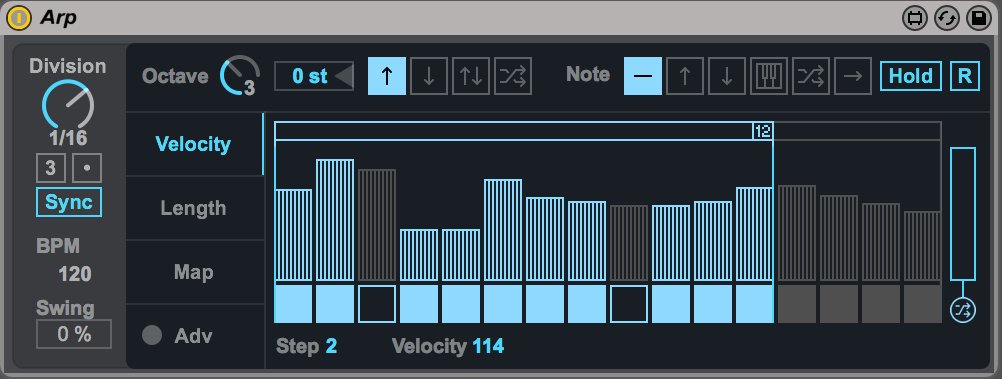
If you miss the workflow of hardware step sequencers, this device brings it into Ableton with full per-note velocity, gate length, and probability controls. Store multiple patterns and switch between them on the fly, chain patterns into longer sequences, and use the probability feature to introduce controlled randomness. It’s particularly effective for techno and electronica producers who prefer the hands-on, step-by-step approach to programming beats and melodies rather than drawing in MIDI notes.
Utility: The Honest Mixing Tool Every Producer Needs
15. Volume Compensator — Gain Staging for Honest Mixing
Here’s a truth most producers learn the hard way: louder sounds better. When you add a compressor or EQ and think the result sounds “better,” it might just be louder. Volume Compensator automatically adjusts gain after processing to maintain consistent levels, so you can make honest A/B comparisons. It’s not glamorous, but it might be the most important free Max for Live device on this list. Professional mix engineers have been level-matching for decades — this tool makes it effortless in Ableton.
How to Install and Get the Most from Free Max for Live Devices
Installation is straightforward: download the .amxd file from maxforlive.com, then drag it into Ableton’s User Library or directly onto a track. As your collection grows, organize devices into subfolders by type (instruments, effects, MIDI, utilities) to keep your browser manageable. If CPU usage becomes a concern, use Ableton’s Freeze function to render M4L-heavy tracks to audio while keeping the device accessible for future tweaks.
As of October 2025, Ableton also offers free M4L devices through their official Pack store. Combining community devices with official releases gives you a production toolkit that rivals setups costing hundreds of dollars in third-party plugins. The 15 devices above represent the best of what the community has to offer — download them all and start exploring.
Get weekly AI, music, and tech trends delivered to your inbox.






