


How to Produce Lo-Fi House: Drum Machine Techniques and Vinyl Warmth That Actually Sound Authentic
July 9, 2025
Meta AI WhatsApp Integration Hits 1 Billion Users — Here’s What Changed in July 2025
July 10, 2025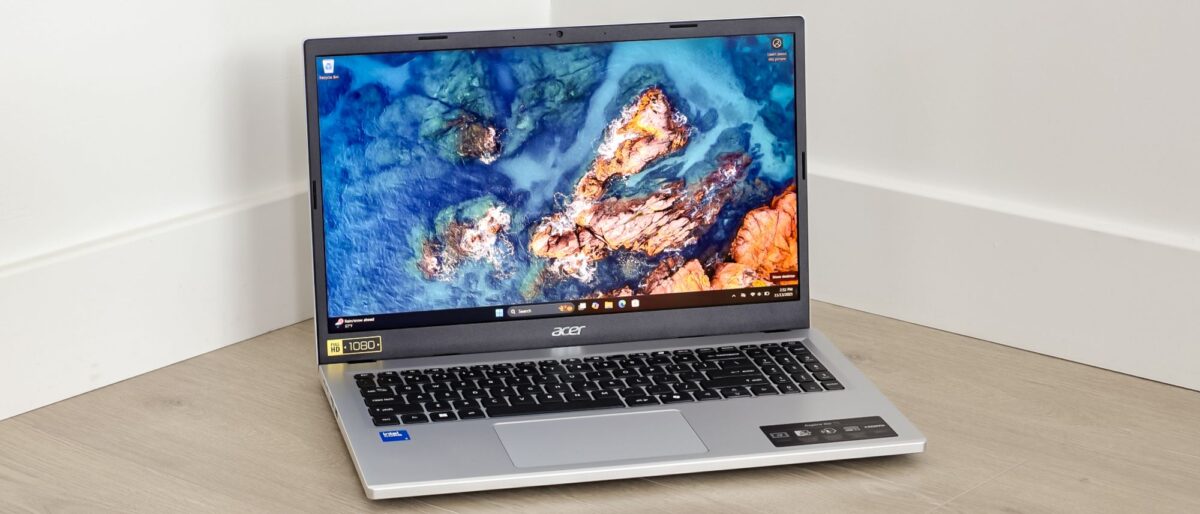
You don’t need to spend $1,000 to get a laptop that actually works. In July 2025, the best budget laptops under $600 have caught up to where $900 machines were just two years ago — and for students heading back to campus or professionals who need a reliable work companion, the timing couldn’t be better.
I’ve spent weeks testing and comparing five of the strongest contenders in this price bracket. Here’s exactly what you should buy — and what to avoid — depending on whether you prioritize portability, raw power, screen size, or upgradeability.
Why $600 Is the Sweet Spot in July 2025
The budget laptop landscape has shifted dramatically. Intel’s 12th and 13th-gen Core processors have trickled down to sub-$500 machines, AMD’s Ryzen 5 lineup delivers desktop-class efficiency, and DDR5 memory is finally showing up at entry-level price points. Add summer sales from Amazon, Best Buy, and manufacturer direct stores, and July 2025 is genuinely one of the best months to buy a budget laptop under $600.
The five laptops below were selected based on real-world performance in productivity tasks, battery endurance during full work days, build quality relative to price, and availability in July 2025.
1. Acer Aspire Go 15 (2025) — Best Ultra-Budget Pick ($429)
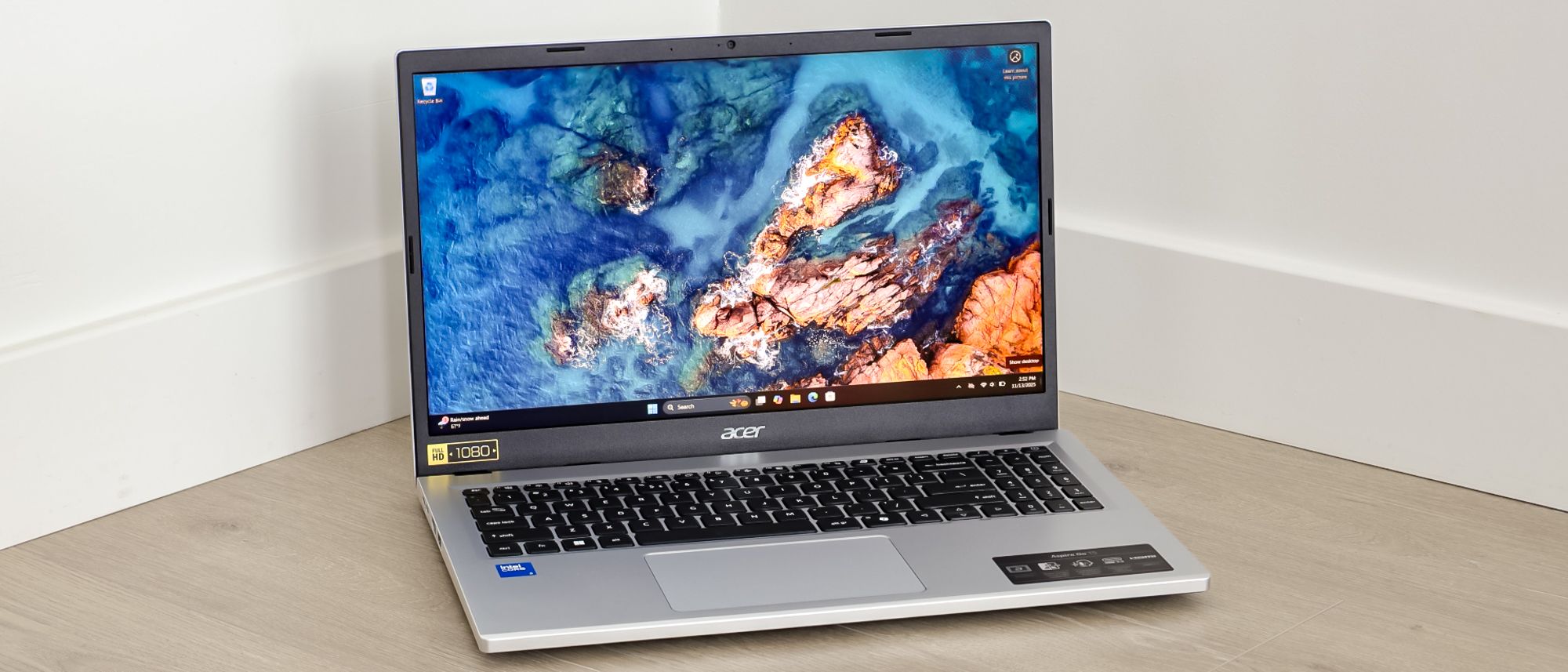
If your budget is truly tight, the Acer Aspire Go 15 is the laptop to beat at $429. Acer packed an Intel Core i3-N355 processor with up to 16GB of DDR5 RAM and a 512GB SSD into a 15.6-inch chassis — specs that would have cost $600+ just a year ago.
According to PCWorld’s review, the Aspire Go 15 is a “brilliant budget laptop” with a surprisingly good port selection: four USB ports (two Type-A, two Type-C) and a full-size HDMI connector. That means no dongle tax when you plug into a projector or external monitor.
The trade-offs? No keyboard backlight (tough for late-night study sessions), a mediocre webcam, and battery life that hovers around 7 hours — enough for a school day but not a cross-country flight. For basic document editing, web browsing, and video streaming, though, it punches well above its weight.
- CPU: Intel Core i3-N355
- RAM: 8–16GB DDR5
- Storage: 512GB SSD
- Display: 15.6″ FHD IPS, 300 nits
- Weight: 3.7 lbs
- Battery: ~7 hours
- Best for: Ultra-budget buyers who need a basic workhorse
2. Lenovo IdeaPad 3i 15 — Best Overall Value ($499)
The Lenovo IdeaPad 3i 15 is the editor’s choice across multiple review sites for good reason. Its 10-core Intel Core i5-1235U processor handles multitasking — 20 Chrome tabs, Spotify, a Google Docs document, and a Zoom call — without breaking a sweat. At $499, it’s the best performance-per-dollar in this roundup.
Build quality is a step above typical budget fare: a metal lid adds a premium feel, the backlit keyboard is comfortable for long typing sessions, and the privacy shutter plus fingerprint reader are security features usually reserved for business laptops. The 15.6-inch FHD IPS display hits 300 nits — bright enough for outdoor use in the shade.
The main downside is the soldered 8GB RAM. If you’re a heavy multitasker who regularly exceeds 8GB, jump to the Acer Aspire 5 below for its upgradeable memory. But for most students and office workers, 8GB paired with a fast SSD keeps things snappy.
- CPU: Intel Core i5-1235U (10-core, up to 4.4 GHz)
- RAM: 8GB DDR4 (soldered)
- Storage: 512GB SSD
- Display: 15.6″ FHD IPS, 300 nits
- Weight: 3.59 lbs
- Battery: ~8 hours
- Best for: Students who multitask between apps and browsers
3. Acer Aspire 5 15 — Best for Upgradeability ($499–$599)
The Acer Aspire 5 15 shares the same i5-1235U processor and 512GB SSD as the IdeaPad 3i, but it wins on one critical front: upgradeability. Both the RAM and SSD are user-replaceable, meaning you can start with 8GB now and bump to 16GB or even 32GB later when your budget allows.
It also brings Thunderbolt 4 and an Ethernet port — features that are almost unheard of at this price. Thunderbolt 4 means you can connect a single-cable docking station with dual monitors, gigabit Ethernet, and charging all through one port. For anyone setting up a desk workstation on a budget, this is a game-changer.
The plastic build feels less premium than the IdeaPad 3i, and at 3.8 lbs it’s slightly heavier. But if you’re planning to keep this laptop for 3+ years and upgrade along the way, the Aspire 5 is the smarter long-term investment.
- CPU: Intel Core i5-1235U (10-core)
- RAM: 8GB DDR4 (upgradeable to 32GB)
- Storage: 512GB SSD (upgradeable)
- Display: 15.6″ FHD IPS, 300 nits
- Weight: 3.8 lbs
- Battery: ~8 hours
- Best for: Power users who want upgradeability and future-proofing
4. HP Pavilion Aero 13 — Best Ultraportable ($549–$599)
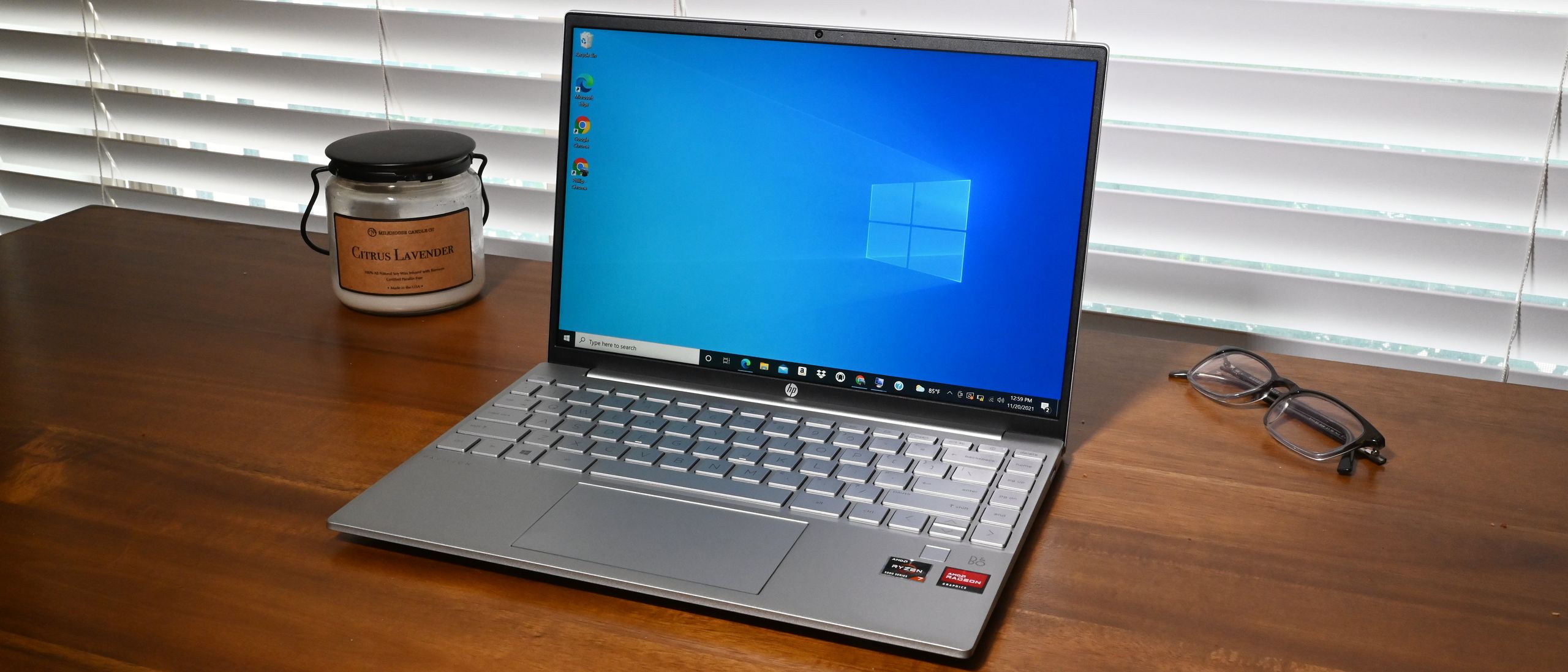
At just 2.2 pounds, the HP Pavilion Aero 13 feels like carrying a hardcover book. If you commute to class or work and your shoulder already hates your current laptop, this is the answer. According to Laptop Mag, it’s built from magnesium-aluminum alloy — the same material used in premium ultrabooks that cost twice as much.
The AMD Ryzen 5 7535U processor provides more than enough power for office work and student tasks, and the 13.3-inch WUXGA (1920×1200) display with a 16:10 aspect ratio gives you more vertical space than standard 16:9 screens — a real advantage for reading documents and writing papers. Battery life consistently exceeds 10 hours in real-world use.
The compromise is screen size: 13.3 inches feels cramped if you’re used to 15-inch displays, and the port selection is limited (no Ethernet, no Thunderbolt). But for pure portability and build quality under $600, nothing else comes close.
- CPU: AMD Ryzen 5 7535U
- RAM: 8–16GB DDR5
- Storage: 256–512GB SSD
- Display: 13.3″ WUXGA (1920×1200), 16:10
- Weight: 2.2 lbs
- Battery: ~10+ hours
- Best for: Commuters who carry their laptop everywhere
5. ASUS Vivobook 16 X1605 — Best Big Screen ($449–$549)
Sometimes you just want more screen. The ASUS Vivobook 16 X1605 delivers a 16-inch FHD+ display with a 16:10 aspect ratio — the largest panel in this roundup — starting at just $449 on sale. For spreadsheet jockeys, side-by-side document editing, or anyone who finds 15.6-inch screens too small, the extra real estate is immediately noticeable.
The AMD Ryzen 5 7530U processor handles everyday productivity without issues, and battery life is a respectable 9 hours. The 16:10 aspect ratio means you see more rows in a spreadsheet and less scrolling in web pages — a subtle but meaningful upgrade for daily productivity.
The catch: at 4.14 lbs, it’s the heaviest laptop here, and the display brightness won’t impress anyone used to OLED or high-nit panels. It’s a desk-first laptop that happens to be portable, not the other way around.
- CPU: AMD Ryzen 5 7530U
- RAM: 8–16GB DDR4
- Storage: 512GB SSD
- Display: 16″ FHD+ (1920×1200), 16:10
- Weight: 4.14 lbs
- Battery: ~9 hours
- Best for: Users who want maximum screen real estate on a budget
Quick Comparison: All 5 Best Budget Laptops Under $600
Here’s how all five stack up side by side:
Acer Aspire Go 15 — $429 | i3-N355 | 15.6″ | 3.7 lbs | 7h battery | Best for: Tightest budgets
Lenovo IdeaPad 3i — $499 | i5-1235U | 15.6″ | 3.59 lbs | 8h battery | Best for: Overall value
Acer Aspire 5 — $499–599 | i5-1235U | 15.6″ | 3.8 lbs | 8h battery | Best for: Upgradeability
HP Pavilion Aero 13 — $549–599 | Ryzen 5 | 13.3″ | 2.2 lbs | 10h+ battery | Best for: Portability
ASUS Vivobook 16 — $449–549 | Ryzen 5 | 16″ | 4.14 lbs | 9h battery | Best for: Screen size
What to Look for in a Budget Laptop in 2025
Before you click “buy,” here are the specs that actually matter at the $600 price point — and the ones that don’t.
Must-Haves
- SSD storage: Any laptop still shipping with a hard drive in 2025 is a hard pass. Even a 256GB SSD will feel dramatically faster than a 1TB HDD.
- 8GB RAM minimum: Windows 11 and modern browsers eat 4–5GB at idle. 8GB is the floor; 16GB is ideal if you can find it in budget.
- FHD (1080p) display: HD (1366×768) screens still exist at this price — avoid them. The difference in text clarity and usable screen space is massive.
- 8+ hours of battery: A laptop that dies at 3pm is a laptop you’ll resent. Test reviews, not manufacturer claims.
Nice to Have
- 16:10 aspect ratio: Gives you ~10% more vertical space than 16:9. Once you try it, you won’t go back.
- USB-C charging: One charger for your laptop and phone. The convenience adds up fast.
- Backlit keyboard: Surprisingly rare under $500, but essential for evening study sessions.
Don’t Overpay For
- Touchscreen: Adds $50–100 to the price, drains battery, and most students never use it after the first week.
- Dedicated GPU: Unless you’re gaming or doing 3D work, integrated graphics handle everything else fine in 2025.
- 2-in-1 hinge: The tablet mode sounds cool in the store. It rarely gets used at the desk.
The Verdict: Which Best Budget Laptop Under $600 Should You Buy?
For most students and office workers, the Lenovo IdeaPad 3i 15 at $499 is the best overall pick. It nails the balance between performance, build quality, and price. The i5-1235U processor handles real-world multitasking without stuttering, and the metal lid plus backlit keyboard make it feel more expensive than it is.
If you carry your laptop daily, the HP Pavilion Aero 13 at 2.2 pounds is worth every penny of its $549–599 price tag. Your back and shoulder will thank you by October.
And if your budget is truly maxed at $450, the Acer Aspire Go 15 delivers more than you’d expect at that price — just know you’re giving up keyboard backlighting and all-day battery life.
Whatever you choose, July 2025 is a great time to buy. Summer sales, back-to-school promotions, and the competitive pressure between Lenovo, Acer, HP, and ASUS mean you’re getting more laptop per dollar than at any point this year.
Get weekly AI, music, and tech trends delivered to your inbox.





