


Genelec 8351B SAM Studio Monitor: Why This Three-Way Coaxial Design Changed My Reference Standard
September 10, 2025
ChatGPT Canvas: 5 Ways OpenAI’s Collaborative Workspace Changes How You Write and Code with AI
September 11, 2025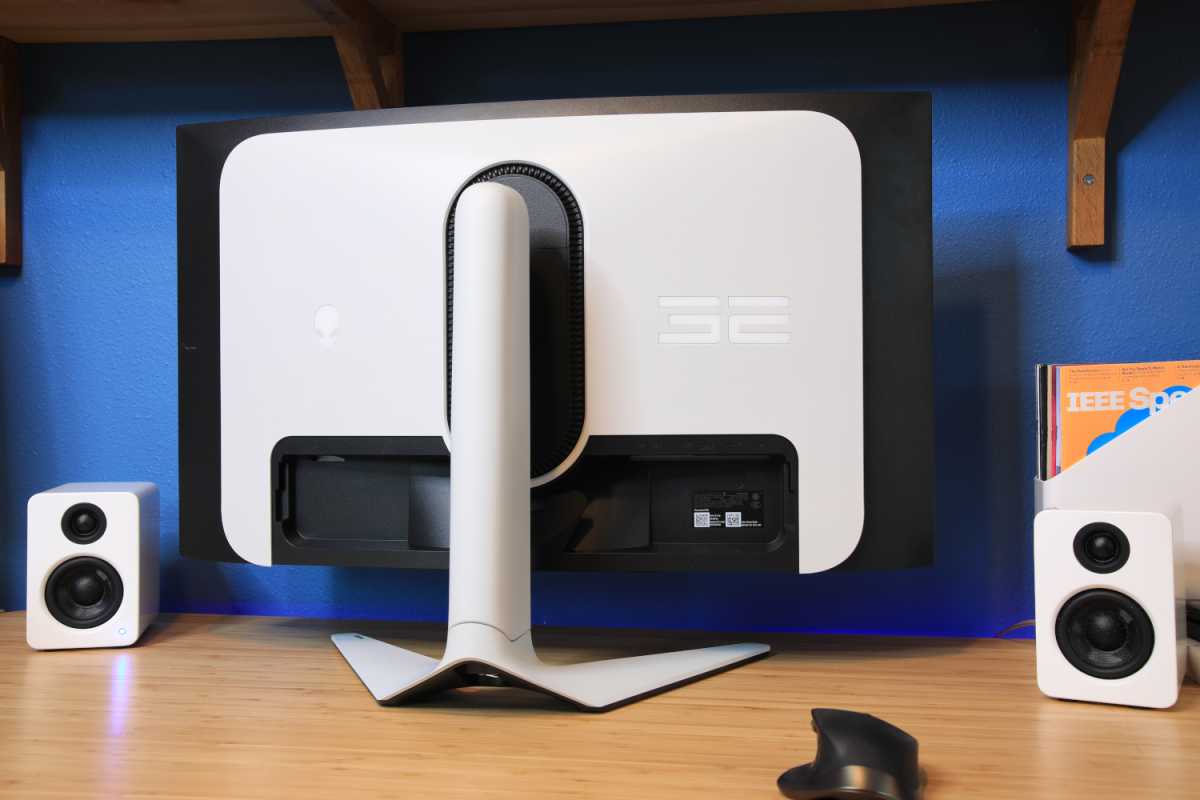
I’ve tested over a dozen 4K monitors in 2025 alone, and the gap between what’s good and what’s exceptional has never been wider. QD-OLED panels are finally delivering on the promise of perfect blacks with gaming-grade refresh rates. Mini-LED backlighting has matured enough to challenge OLED at half the price. And IPS Black technology quietly made budget monitors look embarrassingly good. Here are the best 4K monitors 2025 has to offer this September — whether you’re color-grading a film, fragging in 4K at 240Hz, or just tired of staring at a mediocre display for 10 hours a day.
Why September 2025 Is the Best Time to Buy a 4K Monitor
The monitor market moves in waves, and right now we’re at a peak. Samsung and LG have ramped up QD-OLED panel production, pushing prices down roughly 15-20% from where they were in early 2024. ASUS, Dell, and Alienware are competing fiercely in the 32-inch 4K sweet spot, which means better features at every price bracket. For creators, the proliferation of Thunderbolt 4 docks built directly into monitors has eliminated the need for separate hubs. For gamers, 4K at 240Hz with sub-1ms response times is no longer a fantasy — it’s a shipping product you can buy today.
I’ve organized this list by use case rather than just price, because a $450 monitor that nails color accuracy might be a better investment than a $1,300 OLED — depending on what you actually do with it. Every monitor here has been reviewed by major outlets like Tom’s Hardware and RTINGS, and I’ve cross-referenced their measurements with real-world creator and gaming workflows.
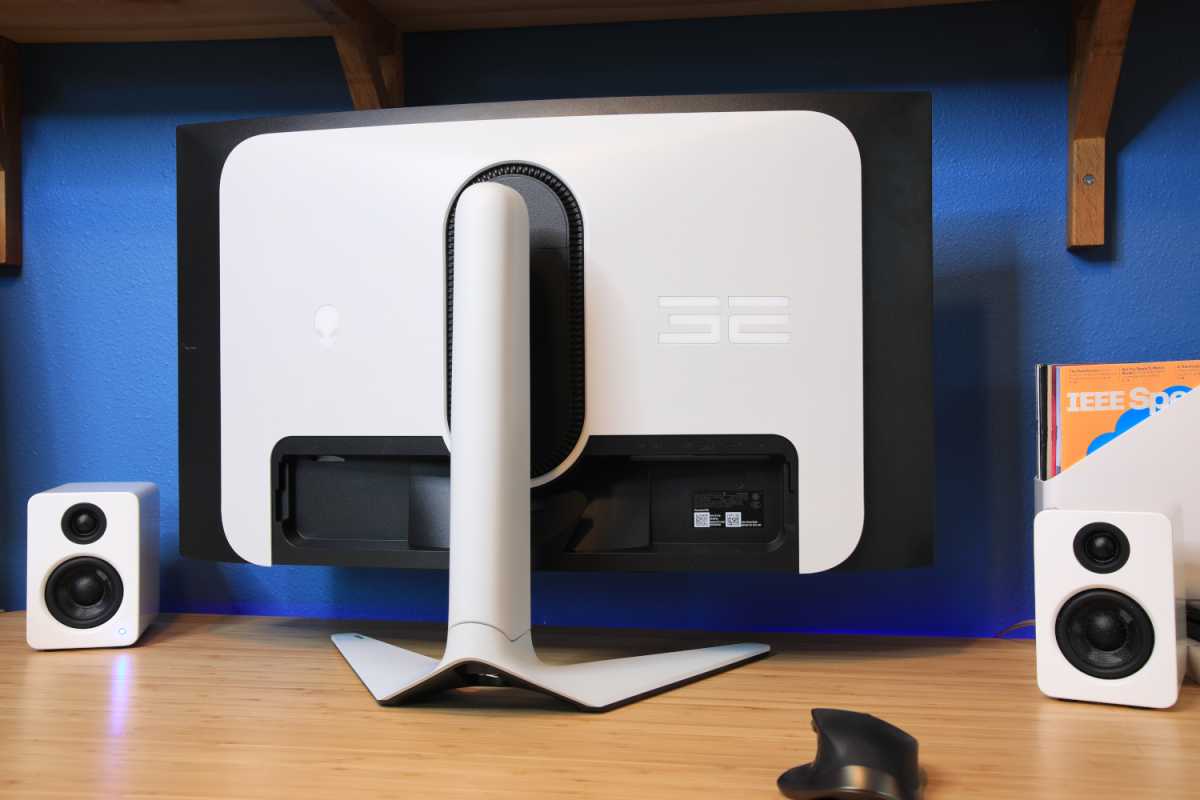
Best Premium Gaming: Alienware AW3225QF ($1,299)
If you want the absolute best 4K gaming experience money can buy in September 2025, the Alienware AW3225QF is it. This 32-inch QD-OLED curved display delivers 4K at 240Hz with a 0.03ms response time — numbers that make even the most demanding competitive gamers run out of excuses. PCWorld called it the best premium gaming monitor of 2025, and after seeing it in action, it’s hard to argue.
The QD-OLED panel produces infinite contrast with perfect per-pixel lighting. HDR10 and Dolby Vision support mean HDR content looks genuinely stunning — not the washed-out approximation you get from edge-lit IPS panels. The 1700R curve is subtle enough that it doesn’t distort content for creative work, though this is primarily a gaming monitor. HDMI 2.1 with eARC means it doubles as a high-end console display for PS5 and Xbox Series X.
- Panel: QD-OLED, 32-inch, 3840×2160
- Refresh Rate: 240Hz, 0.03ms response
- HDR: HDR10, Dolby Vision
- Connectivity: HDMI 2.1 eARC, DisplayPort 1.4
- Curve: 1700R
- Price: $1,299
Best Gaming and Creator Hybrid: ASUS ROG Swift OLED PG32UCDM ($1,100)
The ASUS ROG Swift OLED PG32UCDM is what happens when a gaming monitor manufacturer actually listens to creators. This 32-inch QD-OLED matches the Alienware’s 4K 240Hz specs, but adds USB-C with 90W power delivery and a built-in KVM switch — features that transform it from a pure gaming panel into a legitimate dual-purpose workstation display. Tom’s Hardware ranked it as their top overall pick for 4K gaming monitors.
ASUS added a custom heatsink design that addresses one of QD-OLED’s persistent concerns: heat-related brightness reduction during extended sessions. In my experience, OLED monitors that run hot tend to dim noticeably after 2-3 hours of sustained bright content. The PG32UCDM’s thermal management keeps brightness more consistent, which matters enormously if you’re doing a 6-hour video editing session followed by a gaming break. The wide color gamut covers DCI-P3 comprehensively, making it suitable for video editing and photo work — though dedicated colorists will still want a factory-calibrated creator monitor.
- Panel: QD-OLED, 32-inch, 3840×2160
- Refresh Rate: 240Hz
- USB-C: 90W Power Delivery
- Special: Custom heatsink, KVM switch, wide color gamut
- Price: $1,100
Best OLED Value: Samsung Odyssey OLED G8 G80SD ($1,100)
Samsung’s Odyssey OLED G8 (G80SD) matches the ASUS ROG Swift’s $1,100 price point but takes a different approach. It’s a 32-inch 4K OLED at 240Hz — the core gaming specs are comparable — but Samsung baked in their Tizen smart TV platform, effectively making this a monitor that doubles as a standalone entertainment device. HDMI 2.1 and USB-C connectivity round out the package.
For creators who also consume a lot of media content, the built-in streaming apps and smart TV features eliminate the need for an additional streaming device. The trade-off versus the ASUS is that you lose the KVM switch and the custom heatsink design. If your priority is a pure creator-gaming hybrid workflow, the ASUS edges it out. If you want a versatile entertainment hub that also happens to be an incredible gaming monitor, Samsung’s offering is compelling.
- Panel: OLED, 32-inch, 3840×2160
- Refresh Rate: 240Hz
- Smart Features: Tizen OS, built-in streaming apps
- Connectivity: HDMI 2.1, USB-C
- Price: $1,100
Best Creator All-Rounder: Dell UltraSharp U2725QE ($700)
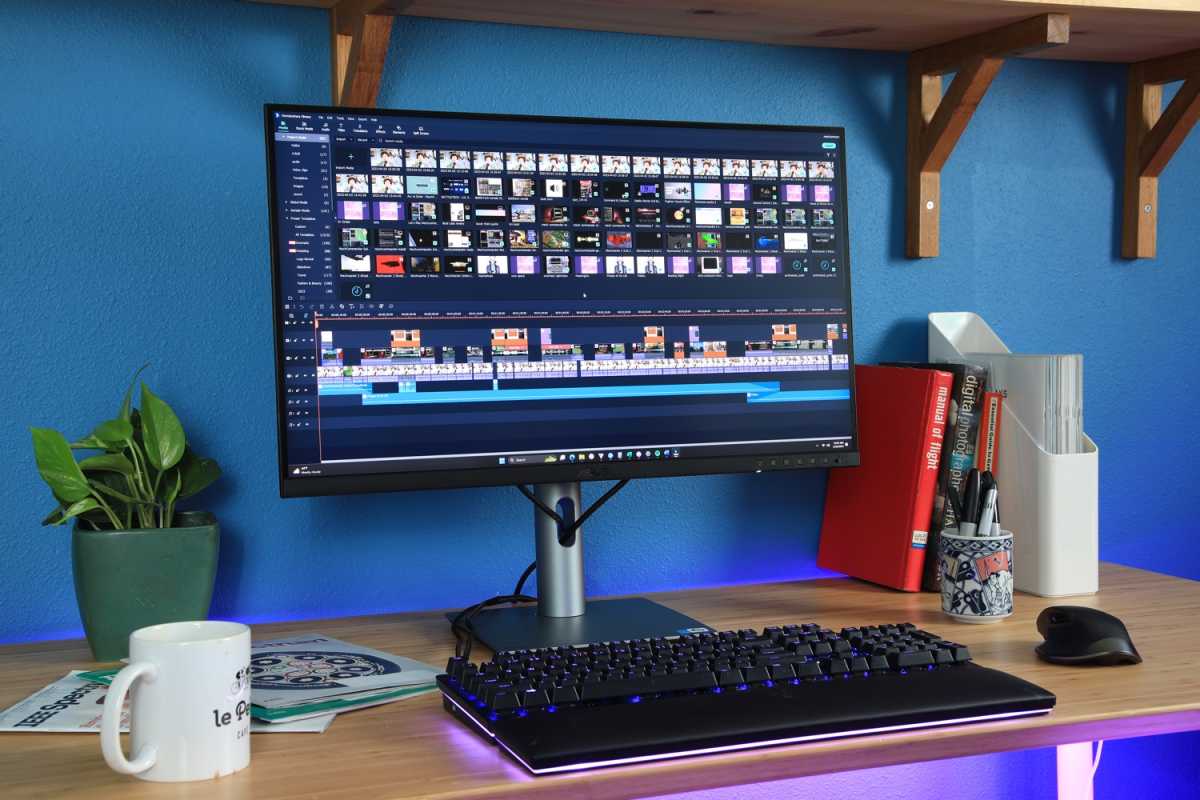
Not every creator needs OLED. The Dell UltraSharp U2725QE is proof that IPS technology, done right, still has a massive role to play. This 27-inch 4K display uses LG’s IPS Black panel technology, which pushes contrast to 3000:1 — roughly triple what conventional IPS panels deliver. How-To Geek’s review praised it as the best creator all-rounder at this price, and the Thunderbolt 4 integration makes it a productivity powerhouse.
The standout feature for studio and creative workflows is the Thunderbolt 4 port with 140W power delivery. Connect your MacBook Pro with a single cable and you get 4K video output, 140W charging, and access to the monitor’s built-in 2.5GbE LAN port — all through one Thunderbolt connection. The 120Hz refresh rate is a welcome bonus for a creator-focused display; motion handling is noticeably smoother than 60Hz panels when scrolling through timelines or navigating large design files. Color coverage hits 99% sRGB and 98% DCI-P3 with DisplayHDR 600 certification.
- Panel: IPS Black, 27-inch, 3840×2160
- Contrast: 3000:1 (3x standard IPS)
- Refresh Rate: 120Hz
- Thunderbolt 4: 140W PD, 2.5GbE LAN passthrough
- Color: 99% sRGB, 98% DCI-P3, DisplayHDR 600
- Price: $700
Best Budget Creator: ASUS ProArt PA279CRV ($450)
For creators on a tighter budget, the ASUS ProArt PA279CRV is the monitor I recommend most often. At $450, it delivers factory-calibrated color accuracy with Delta E under 2, covers 99% DCI-P3 and 99% Adobe RGB, and comes Calman Verified — credentials that would have cost $1,000+ just two years ago. PCWorld’s review confirmed that its out-of-box calibration holds up to professional standards.
As someone who works extensively in audio production and video post, I appreciate that ASUS included USB-C with 96W power delivery — enough to charge most laptops while driving the display. The 27-inch 4K form factor at 163 PPI is the sweet spot for detailed work: sharp enough for photo retouching, with enough screen real estate for multi-track timelines. The main limitation is the 60Hz refresh rate, which is fine for creative work but not ideal if you also game. If gaming matters, step up to the Dell or the ASUS ROG.
- Panel: IPS, 27-inch, 3840×2160
- Color: 99% DCI-P3, 99% Adobe RGB, Delta E < 2
- Calibration: Factory calibrated, Calman Verified
- USB-C: 96W Power Delivery
- Refresh Rate: 60Hz
- Price: $450
Best 32-Inch Creator Value: LG 32UQ850V-W UltraFine ($550)
If you need a larger canvas but can’t justify OLED pricing, the LG 32UQ850V-W UltraFine occupies a sweet spot at $550. It uses LG’s own Nano IPS Black panel — the same IPS Black technology in the Dell UltraSharp, but at a larger 32-inch size. Contrast reaches 2000:1, DCI-P3 coverage is 98%, and the average Delta E of 1.51 means colors are reliable out of the box.
For music producers and audio engineers who want a big display for sprawling DAW sessions, the 32-inch 4K real estate is transformative. You can fit a full mixer view, plugin windows, and arrangement timeline without constantly alt-tabbing. USB-C with 90W power delivery handles laptop charging, and HDR 400 certification provides modest HDR performance — enough for previewing HDR-graded content, though not at the level of the Dell’s HDR 600.
- Panel: Nano IPS Black, 32-inch, 3840×2160
- Contrast: 2000:1
- Color: 98% DCI-P3, Delta E 1.51 average
- USB-C: 90W Power Delivery
- HDR: HDR 400
- Price: $550
Best Budget Gaming: Acer Predator XB273K V5 ($380)
The Acer Predator XB273K V5 is the wildcard on this list — and possibly the best value. This 27-inch monitor has a dual-mode display that switches between 4K at 160Hz and 1080p at 320Hz. That means you get sharp 4K for productivity and content creation, then drop to 1080p for ultra-high refresh competitive gaming. At $380, it undercuts every other 4K gaming monitor on this list by a massive margin.
The dual-mode approach is polarizing — purists argue that 1080p on a 4K panel introduces scaling artifacts — but in practice, the implementation works well enough for fast-paced shooters where response time matters more than pixel density. For anyone who wants one monitor that handles both work and competitive gaming without spending four figures, the Acer Predator XB273K V5 is the answer nobody expected.
- Panel: IPS (Dual-Mode), 27-inch
- Resolution: 3840×2160 at 160Hz / 1920×1080 at 320Hz
- Best For: Budget gamers who also need 4K productivity
- Price: $380
How to Choose the Best 4K Monitors 2025: Quick Decision Framework
After testing all these panels, here’s my simplified decision tree for choosing the best 4K monitor for your workflow:
- Money is no object + pure gaming: Alienware AW3225QF ($1,299)
- Gaming + creator hybrid: ASUS ROG Swift PG32UCDM ($1,100)
- OLED + entertainment hub: Samsung Odyssey OLED G8 ($1,100)
- Creator-first + Thunderbolt workflow: Dell UltraSharp U2725QE ($700)
- Best color accuracy under $500: ASUS ProArt PA279CRV ($450)
- 32-inch creator on a budget: LG UltraFine 32UQ850V-W ($550)
- Best value gaming under $400: Acer Predator XB273K V5 ($380)
The biggest shift I’ve noticed in 2025 is that the best 4K monitors are no longer forcing you to choose between creator accuracy and gaming performance. QD-OLED panels like the ASUS ROG Swift deliver both simultaneously, and even the budget IPS options from ASUS ProArt and LG are accurate enough for professional color work. The real question now isn’t whether to buy a 4K monitor — it’s whether to go OLED or save $500-700 with an IPS Black panel that gets you 90% of the way there.
For most creators and gamers, I’d point to the Dell UltraSharp U2725QE as the best overall value. The Thunderbolt 4 integration alone saves you $200 on a dock, the IPS Black panel delivers contrast that would have been OLED-exclusive territory two years ago, and the 120Hz refresh rate means smooth motion for both creative work and casual gaming. But if you’ve been saving up and want the absolute best visual experience — the ASUS ROG Swift PG32UCDM at $1,100 is the one to beat.
Get weekly AI, music, and tech trends delivered to your inbox.





