
AI Music Generator Comparison: Suno AI vs Udio vs ElevenLabs Music August 2025
August 4, 2025
GPT-5 Free Users Get Reasoning AI: OpenAI’s Biggest Model Is Now Available to Everyone
August 5, 2025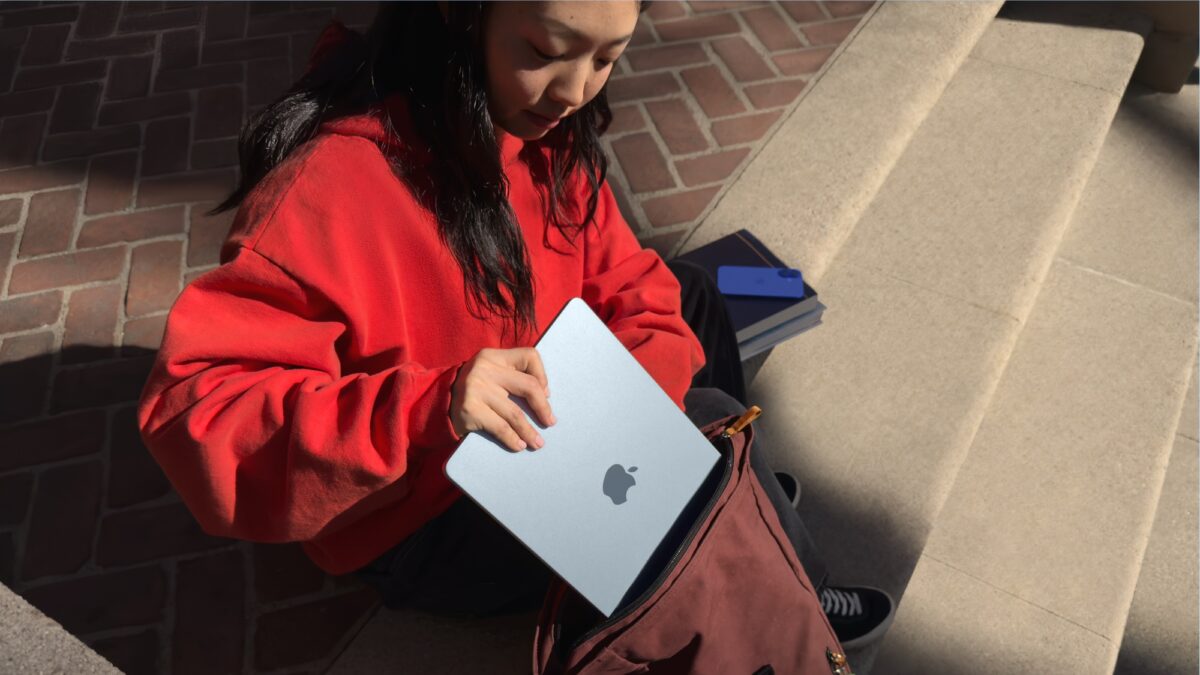
Hot Chips season is here, back-to-school sales are in full swing, and your old laptop is begging for retirement. Whether you have $299 or $1,199 to spend, August 2025 is genuinely one of the best months in years to buy a student laptop — and I have reviewed every credible option so you do not have to. This back-to-school laptop guide 2025 breaks down six machines across three budget tiers, with real specs, real trade-offs, and zero marketing fluff.
The laptop market has shifted dramatically this year. ARM-based chips from Apple and Qualcomm are delivering 20+ hour battery life, OLED displays have trickled down to the $800 range, and even the cheapest Windows laptops now ship with 16GB of RAM. For students heading to campus this fall, the question is no longer “can I find a decent laptop?” — it is “which great laptop fits my budget and workflow?”
How I Picked These 6 Laptops for the Back-to-School Laptop Guide 2025
I cross-referenced recommendations from Tom’s Guide, TechRadar, and PCWorld to build this list. Each pick had to meet three criteria: strong real-world reviews (not just press releases), genuine value at its price point, and availability during August 2025 back-to-school sales. I organized them into three tiers — budget, mid-range, and premium — so you can jump straight to the section that matches your wallet.
Budget Tier: Under $400 — Get the Job Done
1. Acer Aspire Go 15 (2025) — $299: The Cheapest Full Windows Laptop Worth Buying
At $299, the Acer Aspire Go 15 is the floor for a usable Windows laptop in 2025 — and it is a surprisingly solid floor. Acer doubled the RAM to 16GB and storage to a 512GB SSD compared to last year’s model, which means this budget machine can actually handle a dozen Chrome tabs, a Word document, and Spotify simultaneously without choking.
The Intel Core i3-N355 processor is not going to win any benchmarks, but it handles web browsing, document editing, and video streaming without complaint. The 15.6-inch 1080p display is adequate — colors are washed out compared to pricier options, but text is sharp enough for long study sessions. PCWorld’s review praised the four USB ports (including USB-C) as a genuine advantage at this price.
The trade-offs: No backlit keyboard (a real annoyance in dark lecture halls), roughly 7 hours of battery life (enough for a school day if you are careful), and a build quality that screams “budget.” But for a student who needs a full Windows machine for specific software and cannot spend more than $300, this is the one.
Best for: Students on a tight budget who need Windows-specific applications like Microsoft Office desktop, specialized lab software, or light coding environments.
2. Lenovo Flex 5i Chromebook Plus — $349: The Best Value If You Live in the Browser
If 90% of your academic life happens in Google Docs, Canvas, Zoom, and a web browser, the Lenovo Flex 5i Chromebook Plus at $349 is arguably a better buy than any Windows laptop under $600. ChromeOS boots in seconds, gets automatic security updates for years, and the 2-in-1 form factor means you can flip it into tablet mode for reading or note-taking with a stylus.
The Intel Core i3-1315U is actually a more capable processor than the Acer’s N355, paired with 8GB RAM and a 128GB SSD. The 14-inch 1080p IPS touchscreen is bright and responsive. Battery life stretches to about 10 hours — comfortably lasting a full day of classes. Chrome Unboxed rated it their top budget Chromebook for students heading back this fall.
The trade-offs: You are locked into ChromeOS, which means no native Photoshop, no specialized Windows/Mac software, and only 128GB of local storage. Cloud storage is your lifeline here. But for the Google-centric student, this machine punches way above its weight.
Best for: Students whose coursework lives entirely in web apps — Google Workspace, Canvas LMS, Zoom, and browser-based coding tools like Replit or Google Colab.
Mid-Range Tier: $700–$999 — The Sweet Spot
3. HP Pavilion Plus 14 (2025) — $799: OLED on a Budget
The HP Pavilion Plus 14 is the laptop I wish existed when I was in college. For $799, you get an Intel Core Ultra 5 125H (a genuinely fast chip for multitasking and light creative work), 16GB RAM, 512GB SSD, and — here is the kicker — an optional 2.8K OLED display upgrade for just $60 more. That OLED panel makes everything from Netflix binges to photo editing look stunning.
The 5MP webcam is the best in this price range, which matters more than ever for virtual office hours and group project calls. The Intel Core Ultra 5 also includes a dedicated NPU for on-device AI tasks — useful as more apps integrate local AI features throughout 2025 and 2026.
The trade-offs: Battery life averages about 8 hours (the OLED option drops it slightly), and the touchpad is mediocre compared to Apple or ASUS alternatives. The design is professional but not head-turning.
Best for: Students who want strong all-around performance with a gorgeous display — especially those in design, media studies, or any field where color accuracy matters.
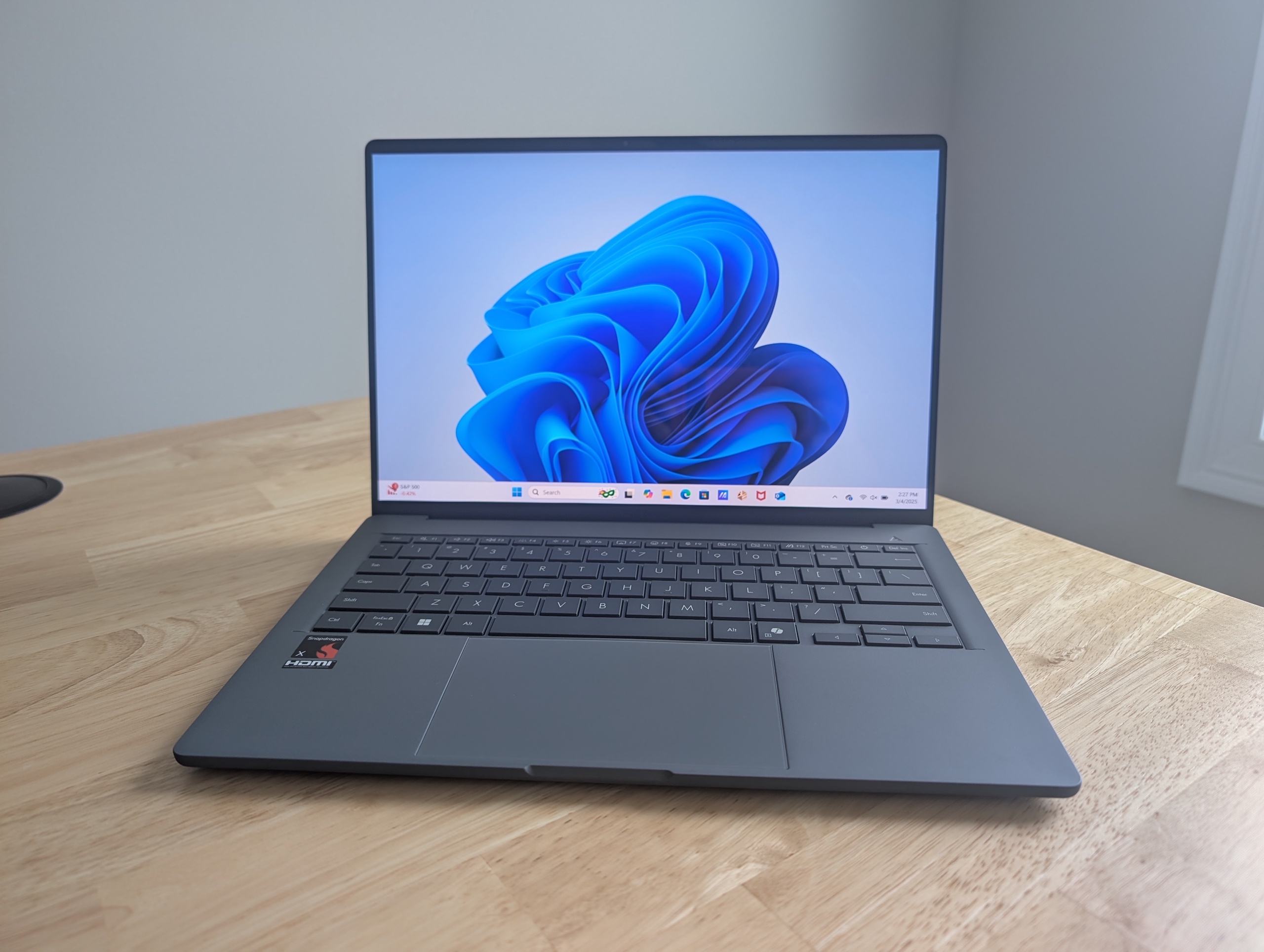
4. ASUS Zenbook A14 (UX3407) — $899: The Ultraportable Battery King
Under one kilogram. Twenty to thirty-two hours of battery life. Fanless operation. The ASUS Zenbook A14 is not just a laptop — it is a statement about where portable computing is headed. Built with Qualcomm’s Snapdragon X processor and ASUS’s proprietary Ceraluminum material, this machine feels like it came from the future.
The 14-inch 1080p OLED display delivers perfect blacks and vibrant colors. The fanless design means zero noise in quiet libraries and lecture halls. And that battery life is not a typo — PCWorld measured over 20 hours in real-world mixed use, with some configurations pushing past 30 hours. You could genuinely forget your charger for two days and survive.
The trade-offs: The ARM-based Snapdragon X chip means some legacy Windows applications may not run natively. Compatibility has improved enormously in 2025, but if you rely on niche x86 software (some engineering tools, older games), test before you commit. Raw CPU performance also trails Intel’s latest in sustained workloads.
Best for: Students who commute heavily, carry their laptop everywhere, and value battery life and weight above all else. Perfect for liberal arts, business, and social science majors who primarily use web apps and Office.
Premium Tier: $999+ — No Compromises
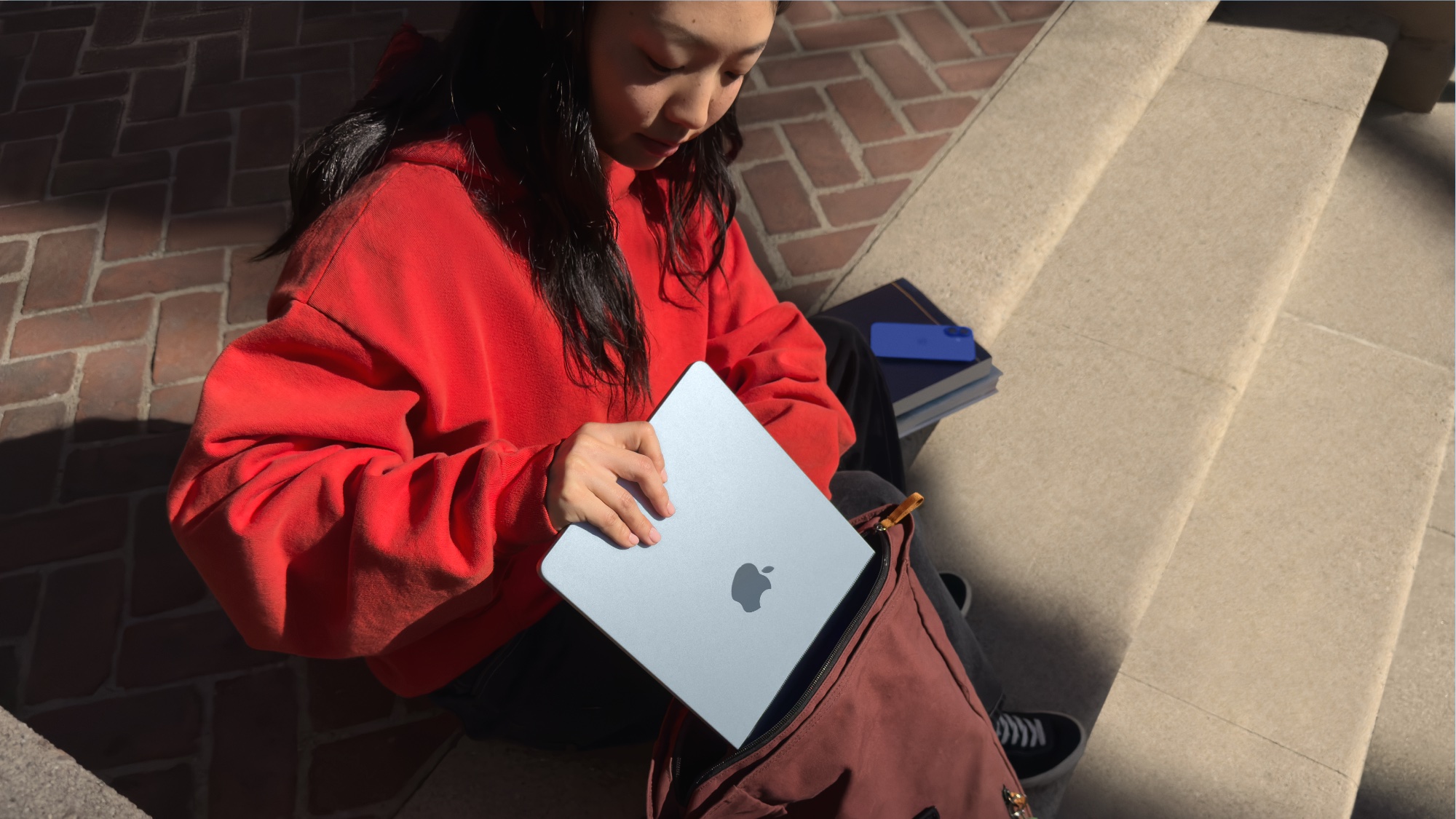
5. Apple MacBook Air 13 M4 (2025) — $999 (Often $749–$849 on Sale): The Best Overall Student Laptop
The MacBook Air M4 is the laptop I recommend most often when someone asks, “Just tell me what to buy.” The M4 chip delivers desktop-class performance in a fanless, silent, all-day-battery design. Apple’s 10-core CPU chews through everything from 4K video editing in Final Cut to running multiple Docker containers for CS courses, and the 18-hour battery life means you will rarely see a low-battery warning.
The 13.6-inch Liquid Retina display is gorgeous. The 12MP Center Stage camera adjusts dynamically during video calls. The macOS ecosystem — with AirDrop, iMessage, Universal Clipboard — is an undeniable advantage for students already in the Apple world. And here is the crucial detail for August shoppers: back-to-school sales regularly drop the M4 Air to $749–$849 at Amazon, Best Buy, and Apple Education pricing. At that price, it is almost unfairly good.
The trade-offs: The base model ships with only 256GB of storage — tight for anyone working with large media files. You are locked into macOS (no Windows dual-boot on M-series), there is no touchscreen, and upgrading RAM or storage after purchase is impossible. If you need more than 256GB, budget for the 512GB upgrade at purchase.
Best for: Almost everyone. Creative students (video, music, design), CS majors who use macOS/Unix tools, and anyone who values the Apple ecosystem. The single best all-around student laptop in 2025.
6. Dell XPS 13 (2025) — $1,199+: The Premium Windows Ultrabook
If you want the absolute best Windows ultrabook money can buy, the Dell XPS 13 with Intel’s Lunar Lake processor is it. The 13.4-inch 2.8K Tandem OLED display is jaw-dropping — deeper blacks than any laptop screen I have tested, with HDR support that makes photo and video work feel professional-grade. Battery life hits an extraordinary 24 hours thanks to Lunar Lake’s efficiency improvements.
At 2.6 pounds, it slips into any bag without notice. The Intel Core Ultra 7 processor handles demanding workloads including AI-accelerated tasks through its integrated NPU. Build quality is impeccable — the machined aluminum chassis feels like it will outlast your entire degree.
The trade-offs: Only two USB-C ports and no headphone jack. Yes, you read that right — Dell removed the 3.5mm jack entirely, so you will need a dongle or Bluetooth headphones. At $1,199+, it is also a significant investment. But if your budget allows it and you need Windows, this is the pinnacle.
Best for: Students who need Windows (engineering software, .NET development, enterprise tools) and want the best display, battery, and build quality available. Also excellent for business students heading into internships where Windows is standard.
Quick Comparison: All 6 Laptops at a Glance
Here is how all six picks stack up on the metrics that matter most for students:
- Acer Aspire Go 15 — $299 | Intel i3-N355 | 16GB | 512GB | 15.6″ 1080p | ~7 hrs | 4.4 lbs
- Lenovo Flex 5i Chromebook Plus — $349 | Intel i3-1315U | 8GB | 128GB | 14″ 1080p Touch | ~10 hrs | 3.3 lbs
- HP Pavilion Plus 14 — $799 | Intel Ultra 5 125H | 16GB | 512GB | 14″ 2.8K OLED option | ~8 hrs | 3.1 lbs
- ASUS Zenbook A14 — $899 | Snapdragon X | 16GB | 512GB | 14″ 1080p OLED | 20-32 hrs | 2.1 lbs
- MacBook Air M4 — $999 ($749-$849 sale) | Apple M4 | 16GB | 256GB | 13.6″ Liquid Retina | ~18 hrs | 2.7 lbs
- Dell XPS 13 — $1,199+ | Intel Ultra 7 Lunar Lake | 16GB | 512GB | 13.4″ 2.8K OLED | ~24 hrs | 2.6 lbs
How to Choose: A Decision Framework for Students
Forget specs for a moment. Ask yourself these three questions:
1. What software does your program require? Engineering and architecture students often need Windows-specific applications like SolidWorks or AutoCAD. Creative students may need macOS for Final Cut Pro or Logic Pro. If everything you do is browser-based, ChromeOS saves you hundreds of dollars.
2. How much do you carry it? If you commute by public transit or walk across a large campus, every ounce counts. The Zenbook A14 at 2.1 lbs and the MacBook Air at 2.7 lbs are the portability champions. The Acer at 4.4 lbs will remind you it exists by the end of a long day.
3. What is your realistic budget? Do not stretch beyond what is comfortable. The $299 Acer and $349 Lenovo Chromebook are genuinely capable machines for most coursework. The mid-range and premium tiers add luxury and longevity, but they are not requirements for academic success.
Final Verdict: My Top Recommendation
If I had to pick one laptop for the widest range of students, it is the MacBook Air M4 at its back-to-school sale price of $749–$849. At that price, you get performance, battery life, build quality, and software ecosystem support that nothing else in this list can match dollar for dollar. The ASUS Zenbook A14 is a close second for Windows users who prioritize portability above all else.
But the honest answer is that all six of these laptops are excellent choices within their price brackets. The Acer Aspire Go 15 at $299 is a legitimate tool for getting through college. The Dell XPS 13 at $1,199 is a luxury that will serve you well into your first job. Match your budget, your software needs, and your portability preferences to the right tier, and you will be set for the semesters ahead.
Get weekly AI, music, and tech trends delivered to your inbox.