


MLOps Best Practices 2025: MLflow vs Kubeflow vs Vertex AI — October State of the Art
October 24, 2025
Intercom Fin 2 vs Zendesk AI vs Ada: Resolution Rates, Pricing, and Features Compared for 2025
October 27, 2025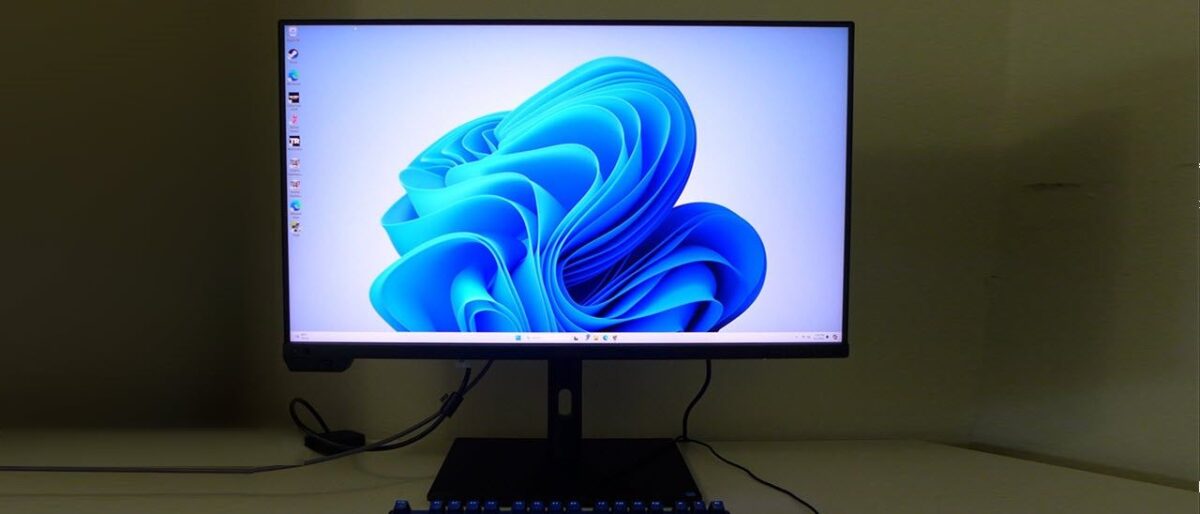
A built-in motorized colorimeter that pops out of the bezel, recalibrates your display, and tucks itself away — no external hardware, no manual scheduling, no excuses for drifting color. The ASUS ProArt PA32UCXR just made every other professional monitor’s calibration workflow look ancient.
ASUS ProArt PA32UCXR: 2,304 Mini-LED Zones in a $2,999 Package
For years, creators who needed reference-grade HDR had exactly two realistic options: shell out $4,999+ for Apple’s Pro Display XDR or settle for monitors that couldn’t deliver true local dimming. The ASUS ProArt PA32UCXR changes that equation entirely. At $2,999, it packs 2,304 independent Mini-LED dimming zones — four times what Apple offers — into a 32-inch 4K IPS panel that hits 1,600 nits peak brightness and carries VESA DisplayHDR 1400 certification, the highest tier available.
But the headline number isn’t even the most impressive part. This monitor achieved a 4.5 out of 5 rating from Tom’s Hardware, who called it “a precision instrument with reference-level color accuracy.” Delta E under 1, 97% DCI-P3 coverage, 99% Adobe RGB, true 10-bit color with Quantum Dot technology — these are numbers that put it squarely in Apple Pro Display XDR territory at roughly half the cost.
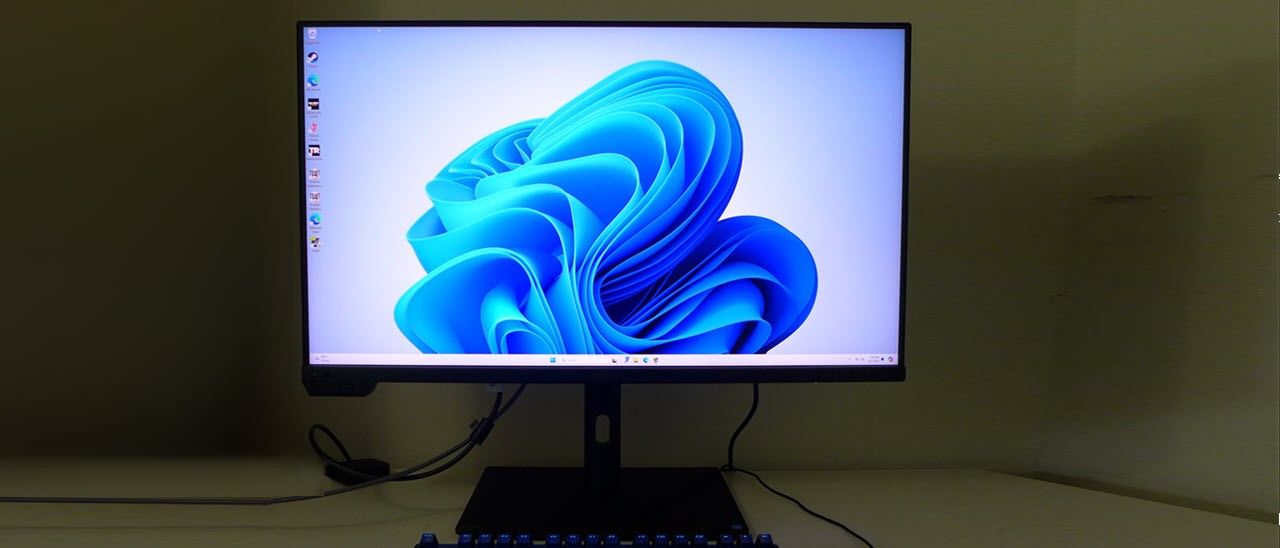
The Built-in Colorimeter: Hardware Calibration Without the Hassle
Here’s where the ASUS ProArt PA32UCXR genuinely separates itself from every competitor in its class. A motorized flip colorimeter is embedded directly into the monitor’s top bezel. When calibration is needed — either manually triggered or on a schedule you set — the sensor physically flips down to face the screen, measures the display output, adjusts the internal LUT (lookup table), and retracts. The entire process takes about 90 seconds.
This isn’t a gimmick. Professional colorists and photographers know that even high-end displays drift over time. External calibrators like the X-Rite i1Display or Calibrite ColorChecker cost $200-500 and still require you to remember to run them. The PA32UCXR’s built-in solution is Calman Ready and compatible with ASUS ProArt Calibration software as well as Light Illusion ColourSpace CMS — the same tools used in Hollywood post-production houses.
What makes this especially valuable: the calibration happens at the hardware level, writing directly to the monitor’s internal 3D LUT. This means calibration results are consistent regardless of which computer you connect — critical for studios where multiple editors share the same display.
HDR Performance: Outperforming the Apple Pro Display XDR in Shadow Detail
The PA32UCXR supports every HDR standard that matters: Dolby Vision, HDR10, and Hybrid Log Gamma (HLG). With 2,304 local dimming zones and a 1,000,000:1 contrast ratio, it delivers HDR that reviewers describe as rivaling OLED panels for depth and dimensionality — without OLED’s burn-in risk or brightness limitations.
According to professional testing by photographers and colorists, the PA32UCXR actually outperforms Apple’s Pro Display XDR when rendering dark shadow areas. The reason is straightforward: four times the dimming zones means dramatically finer control over localized contrast. Where Apple’s 576 zones might produce subtle halos around bright objects on dark backgrounds, ASUS’s 2,304 zones render those transitions almost seamlessly.
At sustained full-screen brightness of 1,000 nits and peak brightness of 1,600 nits, this is one of the brightest LCD monitors ever produced. For HDR color grading — especially in DaVinci Resolve or Adobe Premiere Pro — that headroom is essential for evaluating specular highlights and ensuring your grade translates accurately to consumer HDR displays.

Color Accuracy Deep Dive: Every Mode Ready Out of the Box
ASUS employs a three-stage factory calibration process, and it shows. Tom’s Hardware testing confirmed that no adjustment was necessary in any of the preset picture modes. Whether you’re working in sRGB (100% coverage), Adobe RGB (99%), DCI-P3 (97%), or Rec. 2020 (87%), the PA32UCXR delivers Delta E values consistently below 1.
For video editors working in DCI-P3 for cinema distribution, 97% coverage means virtually no gamut clipping on critical skin tones and saturated highlights. For photographers targeting print, 99% Adobe RGB ensures what you see on screen matches your Epson or Canon wide-gamut printer output within a margin your clients will never detect.
The true 10-bit panel (not 8-bit + FRC dithering) eliminates banding in smooth gradients — a persistent issue with cheaper “10-bit” displays that becomes immediately visible in sky gradients, studio backdrop lighting, and color-graded footage.
Connectivity and Workflow: Thunderbolt 4 with 90W Power Delivery
The PA32UCXR provides dual Thunderbolt 4 ports with one delivering 90W power, a DisplayPort 1.4, two HDMI 2.0 ports, and a USB 3.2 hub. For MacBook Pro users, a single Thunderbolt cable handles 4K video signal, charges your laptop, and connects USB peripherals through the monitor’s hub. That’s one cable from desk to display — the same elegance Apple’s own display delivers, but with better HDR performance.
Picture-by-Picture (PbP) mode allows up to four simultaneous input sources on screen — invaluable for colorists comparing different looks, or developers testing responsive layouts across multiple devices. The included detachable monitor hood blocks ambient light reflections, and built-in ambient light and proximity sensors automatically adjust brightness based on room conditions and whether you’re at your desk.
The One Compromise: 60Hz Refresh Rate
No product is perfect, and the PA32UCXR’s single notable limitation is its 60Hz maximum refresh rate. For video editing, photo work, and color grading — the monitor’s intended use cases — 60Hz is perfectly adequate. Film is 24fps, broadcast is 30/60fps, and you’re evaluating color accuracy, not motion clarity.
However, if you’re a game developer who needs to evaluate motion at 120Hz or 144Hz, or if you use your creator monitor for gaming during off-hours, this limitation matters. ASUS does include Adaptive-Sync for tear-free playback, but high-refresh-rate creators should be aware of this trade-off going in.
ASUS ProArt PA32UCXR vs. The Competition
Let’s put the PA32UCXR in context against its two closest competitors:
vs. Apple Pro Display XDR ($4,999 + $999 stand): The ASUS delivers 4x the dimming zones, comparable color accuracy, built-in calibration (Apple offers none), Thunderbolt 4 with power delivery, and a fully adjustable stand included — all for $2,999 versus Apple’s $5,998 with stand. The XDR does offer 6K resolution, but at 32 inches, the practical difference between 4K and 6K is minimal for most creator workflows.
vs. BenQ SW321C ($2,499): BenQ’s popular photographer monitor is $500 cheaper but lacks Mini-LED backlighting, HDR above 300 nits, and the built-in colorimeter. For SDR photo editing, the BenQ is excellent. But for anyone working in HDR — video editors, colorists, HDR photographers — the PA32UCXR’s capabilities justify the premium.
vs. Dell UltraSharp UP3221Q ($3,599): Dell’s Mini-LED offering uses 2,000 dimming zones (vs. ASUS’s 2,304) and lacks a built-in colorimeter. At $600 more, the Dell is harder to recommend unless you’re deeply embedded in Dell’s enterprise ecosystem.
Verdict: The Best Value in Reference-Grade HDR Monitoring
The ASUS ProArt PA32UCXR isn’t just a good monitor — it’s a statement that reference-grade color accuracy and HDR performance no longer require a $5,000+ investment. The built-in motorized colorimeter alone saves you $300-500 on external calibration hardware while providing more consistent results. The 2,304 Mini-LED zones deliver HDR that trades blows with OLED in real-world content. And the Delta E<1 accuracy across every color mode means you can trust your output from the moment you unbox it.
For video editors, colorists, photographers, and creative professionals who need to see their work exactly as it will appear to their audience, the PA32UCXR represents the sweet spot where professional performance meets accessible pricing. It’s the monitor that finally makes Apple’s Pro Display XDR feel overpriced — and that’s saying something.
Get weekly AI, music, and tech trends delivered to your inbox.





