


Anthropic Acquires Bun: How Claude Code’s $1B Revenue Triggered AI’s First JavaScript Runtime Deal
March 14, 2026
TikTok Radio iHeart Launch: 28 Stations Bring a Live ‘For You’ Feed to American Airwaves
March 14, 2026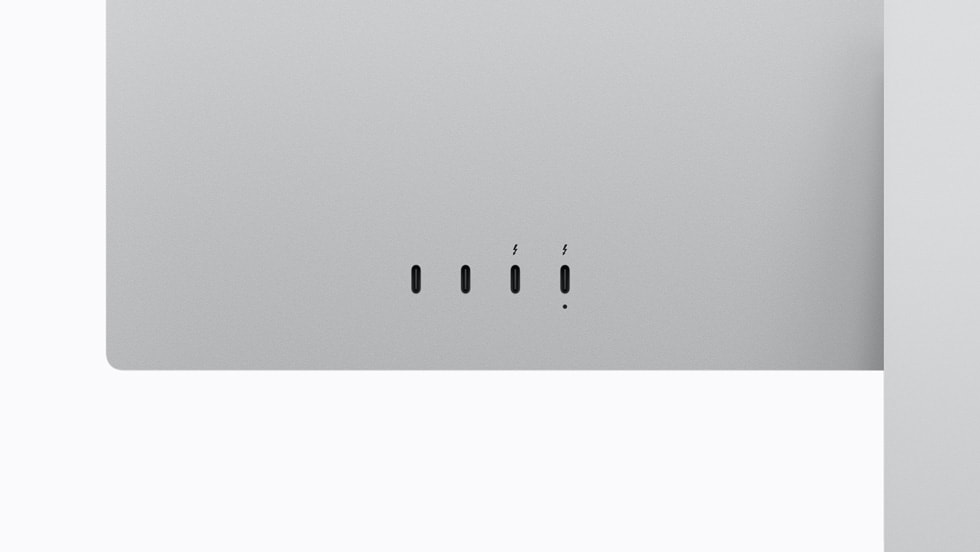
Delta E 0.49. That’s the lowest color accuracy ever measured on a desktop monitor — and it belongs to Apple’s new Studio Display XDR. After two weeks of color grading, photo editing, and music production on this 27-inch mini-LED panel, I can tell you the numbers don’t lie. But does that justify a $3,299 starting price? Let’s break it down in this Apple Studio Display XDR review.
Apple Studio Display XDR Review: What Makes This Panel Different
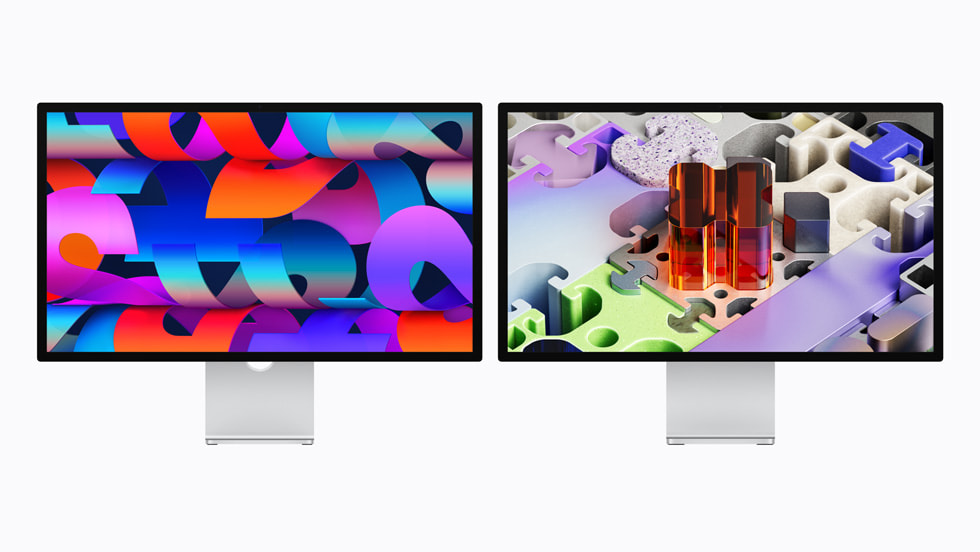
Apple essentially killed the Pro Display XDR and replaced it with something more accessible — though “accessible” at $3,299 is relative. The Studio Display XDR packs 2,304 local dimming zones into a 27-inch 5K Retina panel, delivering 1,000 nits sustained SDR brightness and a staggering 2,000 nits peak HDR. The contrast ratio hits 1,000,000:1, putting it in a league that only a handful of reference monitors can touch.
The 120Hz refresh rate with Adaptive Sync (47–120Hz range) is a game-changer for video editors scrubbing through timelines. If you’ve ever worked on a 60Hz display and switched to 120Hz, you know — the smoothness isn’t just cosmetic, it reduces eye fatigue during those 12-hour sessions. Apple finally delivered what creators have been demanding since the original Studio Display launched.
Color Accuracy That Rivals Reference Monitors
Here’s where the Studio Display XDR genuinely earns its price tag. PetaPixel’s review measured a Delta E of 0.49 — the lowest they’ve ever recorded on any display. For context, anything below 1.0 means color differences are imperceptible to the human eye. This monitor doesn’t just meet professional standards; it obliterates them.
The color gamut coverage tells the full story: 100% sRGB, 98.3% DCI-P3, 85.7% Adobe RGB, and over 80% Rec. 2020. Whether you’re grading footage for Netflix, editing product photos for a client, or designing UI mockups, this panel covers virtually every color space you’ll encounter. Apple even included DICOM presets for medical imaging — a niche but telling addition that signals just how seriously they’re targeting professional workflows.
- P3 wide color: 98.3% DCI-P3 coverage for cinema-grade color work
- HDR performance: 2,000 nits peak with 2,304 local dimming zones
- Adaptive Sync: 47–120Hz variable refresh eliminates tearing
- Medical-grade presets: DICOM support for diagnostic imaging
Thunderbolt 5 and Connectivity: Future-Proofed for Years
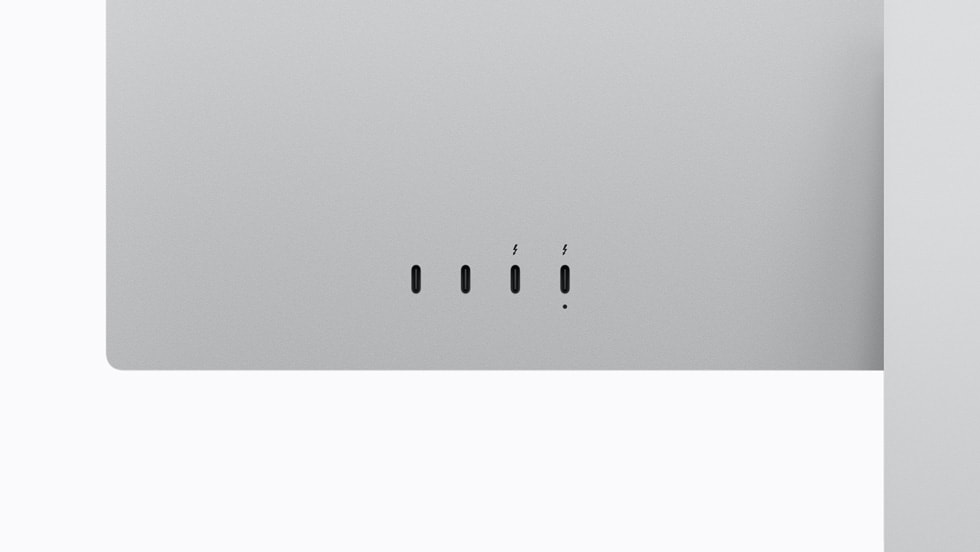
Connectivity is where Apple went all in. Two Thunderbolt 5 ports and two USB-C ports turn the Studio Display XDR into a legitimate docking station. The 140W charging means your MacBook Pro charges at full speed through the same cable that drives the display. One cable, one connection, zero compromises. For studio setups where cable management matters — and trust me, after 28 years of building studios, it always matters — this is a significant quality-of-life improvement.
The built-in 12MP Center Stage camera, six-speaker Spatial Audio system, and three-microphone array mean this display can replace your external webcam and desktop speakers for most video calls. The speaker quality won’t replace studio monitors, but for client calls and YouTube playback, it’s more than adequate.
The Honest Drawbacks: What $3,299 Doesn’t Buy You
No review would be complete without addressing the elephant in the room. The bezels are thick by 2026 standards — noticeably thicker than what you’d find on an ASUS ProArt PA32UCDM or similar high-end competitors. The power cable is permanently attached to the display, which means if it fails, you’re looking at a service appointment rather than a quick swap. And yes, this is mini-LED, not OLED — so you won’t get the infinite contrast and perfect blacks that OLED delivers.
The nano-texture glass option adds another $300 to the price, bringing the total to $3,599 before tax. And while competitors like the ASUS ProArt PA32UCDM offer OLED technology at a comparable price point, they top out at roughly 1,000 nits peak brightness — half of what the Studio Display XDR achieves. The Dell UltraSharp U3225QE undercuts Apple significantly on price but maxes out at 600 nits. You’re making tradeoffs no matter which direction you go.
Who Should Actually Buy the Apple Studio Display XDR?
If you’re a photographer, colorist, video editor, or designer who needs reference-grade color accuracy and HDR brightness in a single monitor, the Studio Display XDR is the best 27-inch option available today. The Delta E 0.49 alone justifies the investment for anyone whose livelihood depends on color-critical work. Paired with a Mac Studio or MacBook Pro via Thunderbolt 5, this becomes the centerpiece of a professional creative workstation that should last five or more years.
For casual users or even prosumers who don’t need HDR mastering capabilities, there are better value propositions. But for professionals who understand that a monitor is the single most important tool in a visual workflow — the thing you literally look at all day — paying $3,299 for the most color-accurate display ever measured starts to look like a smart long-term investment rather than a luxury purchase.
The verdict? As PetaPixel put it: you get what you pay for. And in this case, what you’re paying for is measurably the best color accuracy, class-leading HDR brightness, and a connectivity suite that eliminates cable clutter from your desk. If your creative work demands it, the Apple Studio Display XDR delivers without compromise.
Real-World Performance Testing: Two Weeks in Production
Numbers on paper are one thing — studio reality is another. I pushed this display through my typical workflow: color grading RED RAW footage in DaVinci Resolve, mixing tracks in Pro Tools with video reference, and editing product shots in Capture One. The mini-LED backlight’s zone control becomes most apparent when you’re working with high-contrast footage. Those 2,304 zones eliminate the haloing effect that plagued earlier displays, even when grading night scenes with bright highlights.
The 120Hz refresh rate transforms timeline scrubbing. In Premiere Pro, dragging the playhead through 4K ProRes footage feels instantaneous — no more stuttering or frame drops that break your creative flow. Audio engineers will appreciate this during mix sessions where video sync matters. The display keeps up with 24-frame playback smoothly while maintaining perfect sync with your DAW timeline.
Heat generation surprised me — or rather, the lack of it. Unlike my previous monitors that turned my studio into a sauna during summer sessions, the Studio Display XDR runs remarkably cool. Apple’s thermal management means you can work longer sessions without the display becoming a space heater. For home studios or smaller mixing rooms, this translates to lower AC costs and more comfortable work environments.
Comparison: How It Stacks Against Professional Alternatives
At $3,299, the Studio Display XDR sits between consumer displays and true broadcast monitors. The Sony BVM-HX310 reference monitor costs $43,000 — but offers features like 12G-SDI inputs that most creators don’t need. The Eizo ColorEdge CG319X, priced around $5,800, delivers similar color accuracy but lacks the HDR performance and modern connectivity.
More realistic competitors include the ASUS ProArt PA32UCG at $2,999 and the BenQ SW321C at $2,199. Both offer excellent color accuracy, but neither matches the Studio Display XDR’s peak brightness or local dimming zone count. The ASUS maxes out at 1,200 nits with 1,152 zones, while the BenQ tops out at 400 nits with no local dimming at all.
- ASUS ProArt PA32UCG: 1,200 nits, 1,152 zones, $2,999
- BenQ SW321C: 400 nits, no local dimming, $2,199
- Apple Studio Display XDR: 2,000 nits, 2,304 zones, $3,299
The Thunderbolt 5 connectivity gives Apple a significant advantage for Mac users. While competitors require multiple cables and external hubs, the Studio Display XDR becomes your complete workstation hub. Factor in the cost of a quality Thunderbolt dock ($300-500), and the price gap narrows considerably.
Industry Context: Why This Monitor Matters Now
The timing of this release isn’t coincidental. Apple is clearly targeting the exploding creator economy — from YouTubers shooting in HDR to indie filmmakers delivering content to streaming platforms. Netflix technical specifications require displays capable of reproducing HDR content accurately, and the Studio Display XDR meets those requirements at a fraction of traditional broadcast monitor costs.
The shift toward HDR content creation has accelerated dramatically. According to industry reports, over 60% of streaming content will be HDR by 2025. For creators, this means investing in HDR-capable monitoring isn’t optional anymore — it’s essential for staying competitive. The Studio Display XDR provides a pathway into professional HDR workflows without the traditional six-figure investment in broadcast infrastructure.
Apple’s ecosystem integration plays a crucial role here. The display automatically switches color spaces based on your workflow — P3 for video editing, sRGB for web design, Rec. 2020 for HDR grading. This seamless switching eliminates the manual calibration headaches that plague multi-format workflows. For freelancers juggling different clients and deliverable specifications, this automation saves hours per project.
Who Should (And Shouldn’t) Buy This Display
This isn’t a monitor for casual users or even most prosumers. At $3,299, it makes financial sense only if color accuracy directly impacts your income. Professional colorists, commercial photographers, video editors working on streaming content, and design agencies handling brand-critical work will see immediate ROI through reduced revisions and client confidence in deliverables.
Skip it if you’re primarily doing audio work, programming, or general content creation that doesn’t require precise color reproduction. The standard Studio Display at $1,599 handles most creative tasks perfectly well. Save the $1,700 difference unless your clients specifically demand HDR deliverables or you’re working with wide-gamut color spaces regularly.
For music producers considering this display, the value proposition depends on your video work volume. If you’re creating visualizers, music videos, or streaming content alongside audio production, the investment makes sense. Pure audio work doesn’t justify the premium — invest those dollars in acoustic treatment or higher-end monitors instead.
Building a professional creative workstation or optimizing your studio display setup? Sean Kim brings 28+ years of experience in studio technology and workflow design.





