


Best Free Drum VSTs June 2025: MT Power Drumkit, Steven Slate SSD5.5, DrumMic’a and 3 More Compared
June 17, 2025
AI Video Generation Comparison June 2025: Sora vs Runway Gen-4 vs Kling 2.1 vs Pika 2.2
June 18, 2025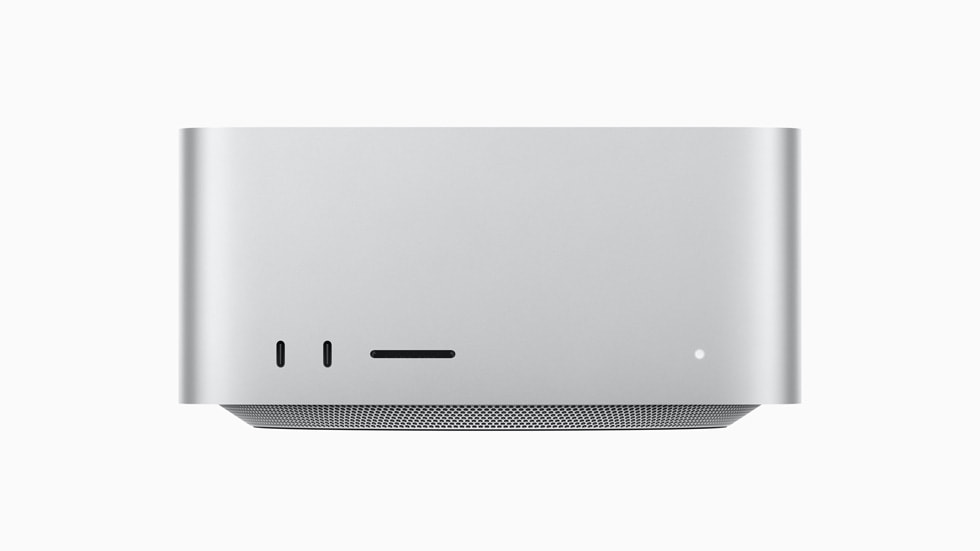
The M4 Ultra isn’t coming. When Apple launched the Mac Studio 2025 in March, the biggest shock wasn’t the benchmark numbers. It was the decision to pair a brand-new M4 Max chip with the previous-generation M3 Ultra, effectively confirming that Mac Studio 2025 M4 Max M3 Ultra is the lineup we’re getting — and that Apple’s Silicon roadmap just took an unexpected turn.
Three months after launch, I’m taking a comprehensive look at how this machine actually performs across creative workloads, what the benchmarks really tell us, and what Apple’s decision to skip an entire Ultra generation means for professionals.
Mac Studio 2025 M4 Max M3 Ultra: Two Generations in One Box
Apple officially announced the new Mac Studio on March 5, 2025, with availability starting March 12. The headline upgrade is the M4 Max chip in the base and mid-tier configurations. But the real story sits at the top of the lineup: instead of debuting an M4 Ultra, Apple retained the M3 Ultra from the previous generation.
According to Bloomberg’s Mark Gurman, Apple explicitly told reviewers that “not every chip generation will include an Ultra tier.” The reasoning is pragmatic: designing an M4 Ultra from scratch involves enormous engineering costs, significant production challenges, and the high-end workstation market simply doesn’t generate enough sales volume to justify the investment. This marks the first time in Apple Silicon history that the Ultra tier has skipped a generation.
The M4 Max Configuration: A Creative Powerhouse Starting at $1,999
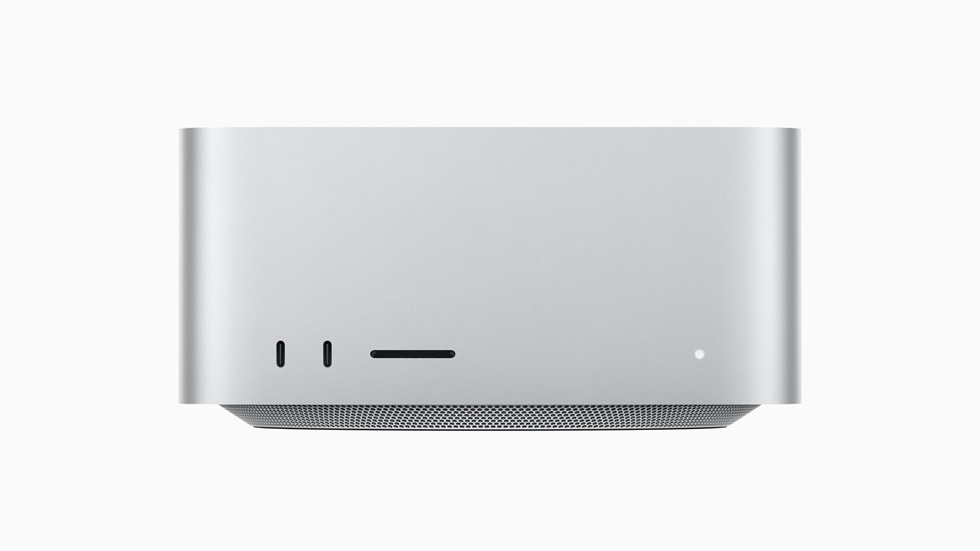
The M4 Max-equipped Mac Studio packs up to a 16-core CPU (12 performance + 4 efficiency cores), up to a 40-core GPU, and a 16-core Neural Engine. Unified memory starts at 36GB and scales to 128GB — more than sufficient for the vast majority of creative professionals working with video, 3D, photography, or development.
The benchmark numbers tell a compelling story. On Geekbench 6, the M4 Max posts a single-core score of 4,113 and a multi-core score of 26,966. That’s a staggering 79% improvement in multi-core performance over the M2 Max and a solid 23% jump over the M3 Max. For anyone upgrading from an M1 or M2 generation machine, the difference is night and day.
Perhaps the most exciting addition for 3D artists and visual effects professionals is hardware ray-tracing support. This is a first for the Max tier, enabling faster rendering in applications like Blender Cycles and Cinema 4D when using Metal-optimized ray-tracing pipelines. Combined with up to 8TB of SSD storage, this configuration handles everything from 4K video editing to large-scale 3D scene assembly with ease.
Storage performance deserves its own mention. The internal SSD in the M4 Max configuration delivers sequential read speeds that saturate the NVMe bus, making project loading, cache management, and scratch disk operations virtually instantaneous for most creative applications. For photographers working with hundreds of RAW files in Lightroom or Capture One, the combination of fast storage and the M4 Max’s efficient memory architecture means smoother culling, faster previews, and quicker exports.
The M3 Ultra Configuration: Most CPU Cores Ever in a Mac
The M3 Ultra may be a previous-generation chip, but its specifications remain staggering. With up to 32 CPU cores (24 performance + 8 efficiency), it holds the record for the most CPU cores ever shipped in a Mac. The 80-core GPU and 32-core Neural Engine, paired with up to 512GB of unified memory, make this the machine for workloads that simply can’t fit anywhere else in Apple’s lineup.
In Geekbench 6 multi-core testing, the M3 Ultra scores 27,929 — slightly edging out the M4 Max’s 26,966. However, in single-core performance, the M4 Max pulls ahead decisively: 4,113 versus 3,349. The practical implication is clear. Single-threaded tasks like application launches, many audio processing operations, and general UI responsiveness will feel snappier on the M4 Max. Massively parallel workloads — think rendering, machine learning training, and multi-stream video processing — favor the M3 Ultra’s sheer core count.
In Cinebench R24, the M3 Ultra outperforms the latest Intel workstation chips by 18%, while maintaining the silent, fanless-under-light-load operation that the Mac Studio is known for. Starting at $3,999 with 96GB of unified memory and 1TB of SSD storage, it also offers six Thunderbolt 5 ports across front and rear panels — two more than the M4 Max configuration.
M4 Max vs M3 Ultra: Which Configuration Should You Choose?
AppleInsider’s comprehensive review put it simply: the M4 Max configuration is “one clear purchase choice for most buyers.” Here’s why the math works out that way:
- Price-to-performance ratio: At $1,999, the M4 Max delivers higher single-core performance than the $3,999 M3 Ultra, with multi-core scores within 4% of each other
- Newer architecture advantages: Hardware ray-tracing, improved Neural Engine efficiency, and better power management come standard with the M4 generation
- 128GB is enough for most workflows: 4K and 6K video editing, large photo catalogs, 3D modeling, and software development rarely push past 128GB of unified memory
The M3 Ultra earns its premium in specific scenarios. If you’re working with massive 3D scenes requiring 256GB or 512GB of memory, training machine learning models locally, editing multiple 8K streams simultaneously, or running scientific simulations that scale linearly with core count, the M3 Ultra is the only Mac that can handle it. PetaPixel called the M3 Ultra model “a dream machine for video editors” — and for the right editor, it absolutely is.
Thunderbolt 5 and Connectivity: The Quiet Revolution
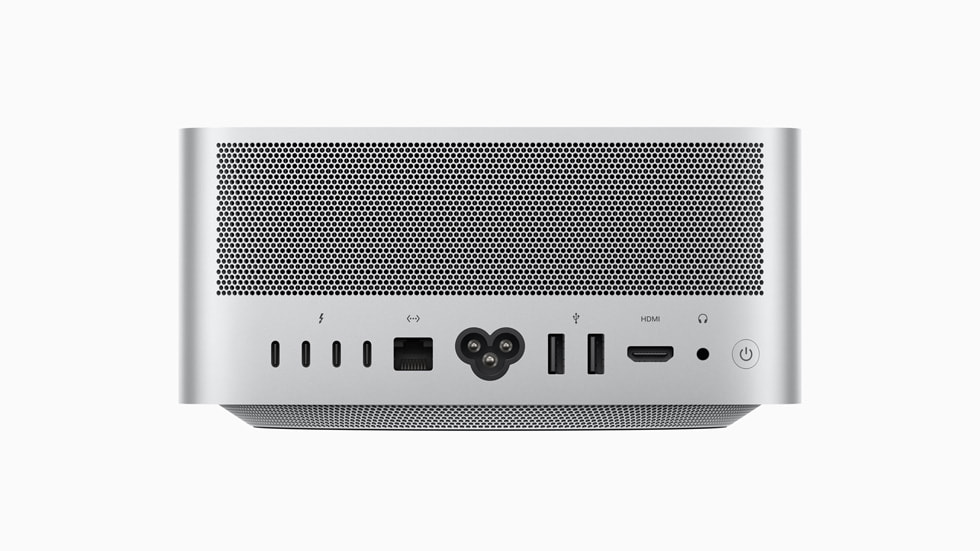
One of the most practically impactful upgrades in the Mac Studio 2025 is the adoption of Thunderbolt 5 across both configurations. At 120Gb/s, this doubles the bandwidth of Thunderbolt 4 and eliminates bottlenecks for external storage arrays, high-resolution multi-display setups, and peripheral daisy chains. The HDMI port supports 8K display output, and Wi-Fi 6E plus Bluetooth 5.3 round out the wireless connectivity.
Tom’s Hardware’s benchmark review highlighted the real-world impact of Thunderbolt 5 on creative workflows. Editing large RAW files or ProRes video directly from external drives showed a noticeable improvement over Thunderbolt 4, particularly in sustained sequential read/write scenarios. For professionals who rely on external storage for project files, this upgrade alone can justify the move from a previous-generation Mac Studio.
GPU Performance: Is RTX 4070-Class Enough?
In synthetic benchmarks, the Mac Studio’s GPU performance lands roughly in NVIDIA RTX 4070 territory. While direct comparisons between Apple’s unified architecture and discrete GPUs are inherently imperfect, the practical implications for creative work are clear. DaVinci Resolve’s GPU-accelerated editing, Blender Cycles rendering, After Effects GPU effects, and Photoshop’s GPU-powered filters all run comfortably on either configuration.
The M4 Max’s hardware ray-tracing capability is the differentiator here. For 3D artists working in Blender, Cinema 4D, or any Metal-optimized rendering pipeline, ray-traced rendering times see measurable improvement. Combined with Apple’s ongoing Metal API optimizations in macOS, the GPU experience on Mac Studio continues to close the gap with dedicated workstation GPUs — though CUDA-dependent workflows remain a consideration for anyone deeply embedded in the NVIDIA ecosystem.
It’s worth noting the thermal design here. The Mac Studio maintains remarkably quiet operation even under sustained GPU loads, something that traditional workstations with discrete GPUs simply cannot match. For studios where noise floor matters — recording environments, broadcast control rooms, or open-plan creative offices — this is a genuine competitive advantage that specs alone don’t capture.
What Skipping the M4 Ultra Really Means
Apple’s decision to skip the M4 Ultra carries implications beyond mere cost savings. According to MacRumors, Bloomberg’s Mark Gurman reports that Apple weighed the engineering costs of designing the M4 Ultra from scratch against the relatively limited sales of high-end workstation Macs and concluded the math didn’t work.
This represents a pragmatic shift in Apple’s Silicon strategy. Rather than committing to a full lineup refresh every generation, Apple is now willing to mix chip generations where it makes business sense. The next Ultra chip will likely be the M5 Ultra, meaning the M4 Ultra may never exist at all.
For creative professionals, this isn’t necessarily bad news. The M3 Ultra remains incredibly capable, and the M4 Max handles the vast majority of professional workloads with room to spare. If anything, Apple concentrating its resources could mean a bigger leap when the M5 generation arrives — potentially with an Ultra chip that makes the wait worthwhile.
The Verdict: Three Months Later
The Mac Studio 2025 is less a “perfect product” and more a “smart product.” The M4 Max configuration delivers a 79% multi-core improvement over the M2 Max, adds Thunderbolt 5 and hardware ray-tracing, and starts at $1,999 — making it the sweet spot for the overwhelming majority of creative professionals. The M3 Ultra configuration, starting at $3,999 with up to 512GB of unified memory and 32 CPU cores, exists for the small percentage of users who genuinely need that level of compute and memory capacity.
The absence of an M4 Ultra is notable but not crippling. Apple has built a compact, silent desktop workstation that outperforms most of its competition in the creative space while fitting on a bookshelf. Whether you’re editing video, rendering 3D scenes, processing photographs, or building software, the Mac Studio 2025 proves that pragmatic engineering decisions can still produce exceptional tools. If you’re currently on an M1 or M2 generation Mac, the upgrade case is strong. If you’re on an M3 Max, the M4 Max offers meaningful but not transformative gains — Thunderbolt 5 being the most compelling reason to move.
Need advice on workstation selection, studio hardware setup, or optimizing your creative workflow? Let’s talk.
Get weekly AI, music, and tech trends delivered to your inbox.





