


Samsung Galaxy Z Flip7: The Slimmest Foldable Yet With AI Camera and Edge-to-Edge FlexWindow
June 6, 2025
Spectrasonics Omnisphere 3 Rumors: What We Know About the Next Update
June 9, 2025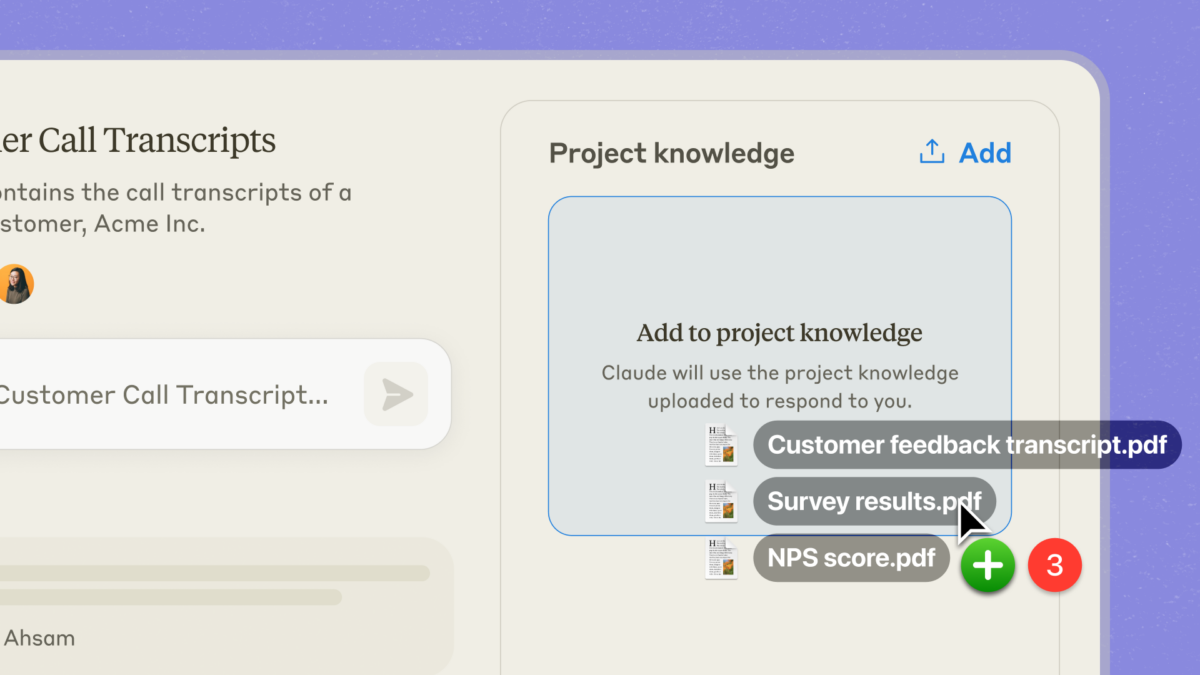
Imagine uploading 500 pages of internal documentation to an AI assistant and never having to explain your company’s context from scratch again. That is exactly what Claude Projects delivers — and after nearly a year since its launch, this feature has fundamentally reshaped how enterprise teams integrate AI into their daily workflows.
What Claude Projects Actually Is: A Custom AI Workspace, Not Just a Chatbot
On June 25, 2024, Anthropic officially launched Claude Projects for Pro and Team subscribers. The core concept is deceptively simple: each project gets a dedicated 200K-token context window — roughly equivalent to a 500-page book — where you can upload documents, code, data, and custom instructions that persist across every conversation within that project.
The problem Claude Projects solves is what many teams call “context amnesia.” Before Projects, every new chat with an AI assistant started from zero. You had to re-explain your tech stack, your coding conventions, your brand guidelines, your product roadmap — every single time. It was like hiring a brilliant consultant who showed up to work each morning with complete amnesia about everything you discussed yesterday.
Claude Projects eliminates this entirely. Upload your documentation once, set your custom instructions, and every subsequent conversation automatically carries that full context.

” alt=”Claude Projects dashboard interface showing project workspace and knowledge base”/>
The Three Pillars of Claude Projects: Why Enterprise Teams Are Switching
1. The 200K-Token Project Knowledge Base
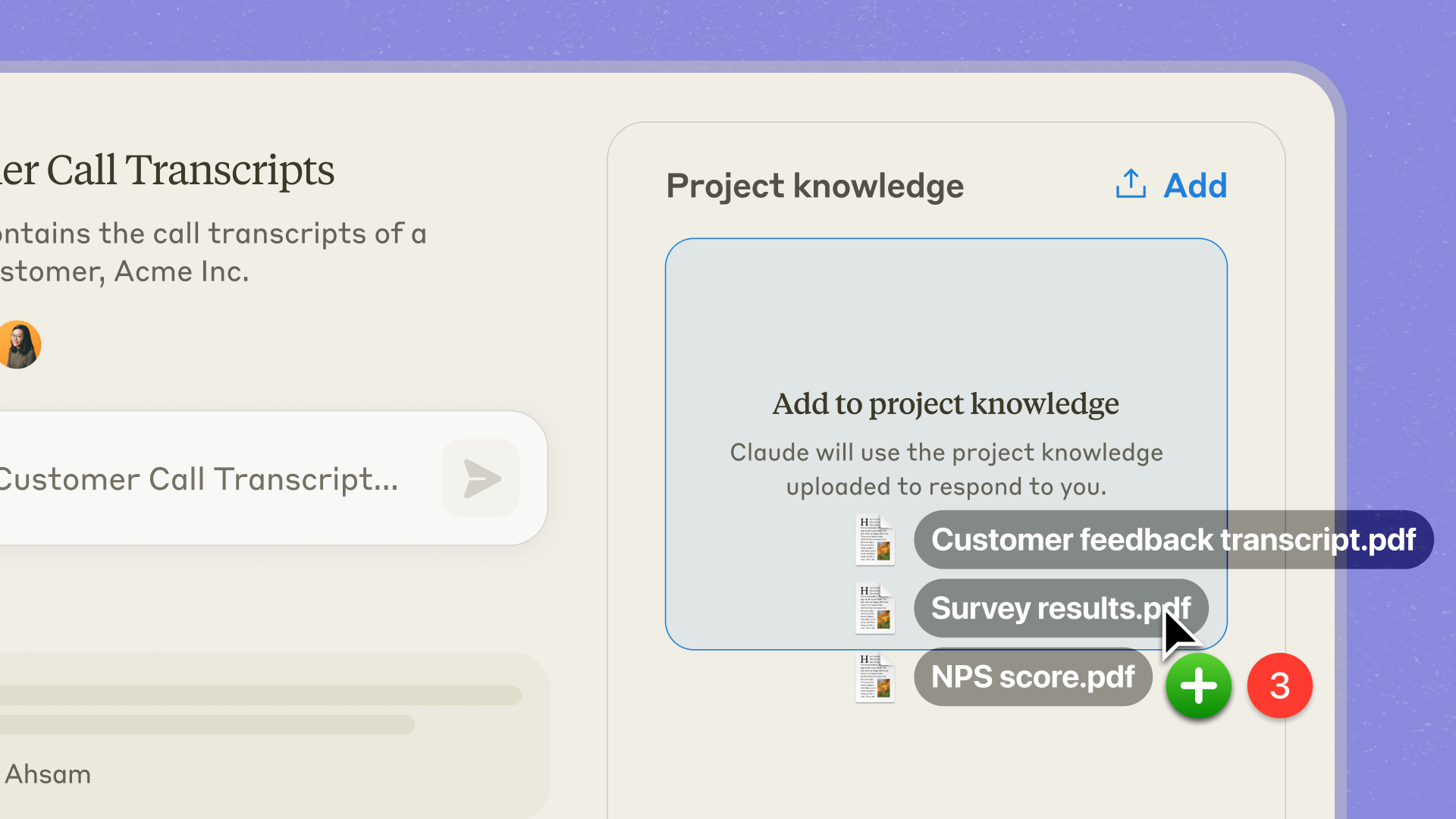
The most significant differentiator of Claude Projects is the ability to build independent knowledge bases for each project. You can upload technical documentation, API references, brand guidelines, meeting notes, compliance policies — essentially any text-based content your team works with regularly.
What makes this different from simple file upload features in competing tools? The 200K-token context window means Claude processes the entire uploaded corpus simultaneously, not through retrieval-augmented generation (RAG) that searches for relevant snippets. This enables cross-document reasoning, contradiction detection, and holistic analysis that snippet-based approaches simply cannot match.
For a software development team, this means uploading your architecture documents, coding style guide, and historical PR review patterns results in Claude providing code reviews that genuinely follow your team’s conventions — not generic best practices from its training data. A marketing team can achieve similar specificity by loading brand voice guides, past campaign performance data, and target customer personas, producing content that maintains brand consistency without extensive revision cycles.
2. Custom Instructions: Defining AI Behavior Per Project
Documents provide the “what” — custom instructions define the “how.” Claude Projects lets you set project-specific instructions that control Claude’s tone, role perspective, response format, and behavioral constraints.
For example, a legal review project might include instructions like: “Always cite the specific regulation number when referencing compliance requirements. Flag any areas of legal uncertainty with an explicit disclaimer. Use formal language suitable for board-level communications.”
A content marketing project might specify: “Write in our brand voice — conversational but authoritative. Always include a call-to-action. Target reading level: grade 8. Never use jargon without defining it first.”
The real power emerges at the team level. Instead of each team member crafting their own prompts with varying quality, custom instructions standardize the AI experience across the entire team. When a new hire joins, they simply get invited to the relevant projects and immediately benefit from months of accumulated prompt engineering knowledge.
3. Team Collaboration and Knowledge Sharing
For Claude Team subscribers, Projects becomes a collaborative workspace. The standout feature is the ability to share “best chats” — when a team member has a particularly productive conversation with Claude, they can save it to the project as a reference for others. VentureBeat called this approach a “revolution in AI teamwork,” and for good reason: it creates a self-improving feedback loop where the team’s collective AI expertise grows organically.
On the privacy front, Anthropic has been explicit: data shared within Projects is not used to train models without explicit consent. For enterprises handling sensitive internal documentation, this is not just a nice-to-have — it is a foundational requirement.
Five Real-World Scenarios: How Claude Projects Replaces Traditional AI Onboarding
Traditional enterprise AI onboarding involves months of fine-tuning, custom model development, and complex infrastructure setup. Claude Projects collapses this timeline to hours. Here are five concrete scenarios demonstrating the shift.
Scenario 1: Development Team Code Review Automation
Upload your coding conventions document, architecture diagrams, and the last six months of Architecture Decision Records (ADRs) to a project. Set custom instructions like “Review against TypeScript strict mode standards” and “Include Big-O analysis when performance issues are detected.” The result: every team member receives code reviews that align with your specific standards, not generic linting rules.
Scenario 2: Customer Support Knowledge Hub
Product manuals, FAQ databases, historical ticket resolutions, and escalation guides all go into a single project. When a new support agent encounters an unfamiliar issue, Claude instantly surfaces relevant resolution patterns from your actual support history. What previously required three months of training can potentially be compressed to weeks.
Scenario 3: Content Marketing Workflow
Brand guidelines, tone-of-voice documents, target personas, and top-performing past content create a project that ensures brand consistency at scale. Any team member — from senior strategist to junior copywriter — produces content that matches your established voice without extensive revision cycles.
Scenario 4: Legal and Compliance Advisory
Relevant regulations, internal compliance policies, and past legal review precedents form a project that assists with contract review, regulatory impact analysis, and compliance checking. While final judgment always rests with legal professionals, the preliminary research and draft preparation efficiency improves dramatically.
Scenario 5: Technical Documentation Maintenance
Upload your entire existing documentation set, and when new features ship, ask Claude to draft documentation that matches the existing style, terminology, and structure. Document consistency is maintained automatically, and authoring speed increases substantially.
” alt=”Claude Projects enterprise team collaboration knowledge base workflow diagram”/>
Claude Projects vs ChatGPT Teams: How the Enterprise AI Platforms Compare
The most frequent comparison in enterprise AI tooling right now is between OpenAI’s ChatGPT Teams and Anthropic’s Claude Projects. Here is where the key differences lie.
On context handling, Claude Projects holds a significant advantage with its 200K-token per-project context window. ChatGPT’s Custom GPTs also support file uploads, but they operate on a retrieval-based (RAG) approach — searching for relevant snippets rather than processing the entire document set simultaneously. Claude’s approach enables cross-document reasoning, inconsistency detection, and comprehensive analysis that retrieval-based systems struggle with.
For collaboration features, both platforms support team sharing, but Claude Projects’ “best chats” sharing is purpose-built for propagating best practices within teams. ChatGPT Teams counters with a broader plugin ecosystem and integrated DALL-E image generation — advantages that matter depending on your use case.
Both platforms commit to not using Team plan data for model training. Anthropic additionally emphasizes its Constitutional AI safety framework, which provides an extra layer of trust for enterprises processing sensitive data. Microsoft Copilot represents another competitor in this space, but its approach focuses on deep integration with the Microsoft 365 ecosystem rather than the document-centric knowledge base model that Claude Projects pioneered.
Practical Tips for Getting the Most Out of Claude Projects
After nearly a year of using Claude Projects in production workflows, here are the strategies that have proven most effective.
- Structure your documents before uploading. Instead of dumping files in bulk, add clear titles, section headers, and table of contents to your key documents. Claude’s reference accuracy improves significantly when documents are well-organized.
- Write specific custom instructions. “Write good code” is vague. “Follow ESLint airbnb rules, keep functions under 20 lines, include JSDoc comments for all public methods” is actionable. The more specific your instructions, the more consistent your results.
- Separate projects by purpose. Rather than creating one mega-project, create distinct projects for “Code Review,” “Technical Docs,” “Customer Support,” and so on. Focused projects produce higher-quality responses than general-purpose ones.
- Keep your knowledge base current. Outdated documents lead to outdated recommendations. Establish a regular cadence — monthly or quarterly — for reviewing and updating project contents.
- Leverage best chats actively. When someone on your team gets an exceptional result from Claude, saving that conversation as a reference chat helps the entire team learn effective prompting patterns organically.
What Comes Next: The Future of Claude Projects and Enterprise AI
As of June 2025, Claude Projects has completed its first year and established a strong position in the enterprise AI tool market. Anthropic continues to ship updates including deeper native app integrations, expanded context windows, and more granular permission controls. The combination with Claude 3.5 Sonnet has steadily improved reasoning quality within projects.
The bigger story, though, is how Projects has changed the concept of “AI onboarding” itself. A year ago, bringing AI into an enterprise workflow meant expensive fine-tuning, custom model development, or complex infrastructure builds. Claude Projects demonstrated that document uploads plus custom instructions can deliver a “ready-to-use custom AI” that meets most enterprise needs without any of that overhead.
AI tools ultimately compete on one dimension: how well they understand context. Claude Projects’ combination of a 200K-token knowledge base with customizable instructions represents the most practical enterprise AI customization solution available today — and this trajectory is only accelerating.
Looking to build AI-powered automation pipelines or optimize your enterprise AI workflow? Reach out to Sean Kim for a consultation.
Get weekly AI, music, and tech trends delivered to your inbox.






