Best Laptops September 2025: Top Picks Across Every Category and Budget
September 16, 2025
Focusrite Clarett+ 4Pre USB-C Review: 124dB Dynamic Range and ISA-Class Preamps for $749
September 17, 2025
Six months ago, AI coding assistants were glorified autocomplete engines. You’d tab-accept a suggestion, fix three bugs it introduced, and wonder if you were actually saving time. Fast forward to September 2025, and the landscape is unrecognizable. AI developer tools September 2025 have shifted from passive suggestion engines to full-blown agentic systems that plan, execute, iterate, and commit — all from your terminal. The CLI is the new IDE, and every major player is racing to own it.
Between GitHub’s Copilot CLI public preview dropping this month, Claude Code approaching its 2.0 milestone, and Google’s Gemini CLI gaining serious traction since its June launch, developers are drowning in options. I’ve spent the past few weeks testing every major AI developer tool September 2025 has to offer, and here’s the definitive breakdown of what’s worth your time — and what’s still catching up.
The Agentic CLI Era: Why 2025 Changed Everything
The defining shift of 2025 isn’t smarter code suggestions — it’s agency. These tools don’t just predict the next line; they understand multi-file codebases, create execution plans, run commands, interpret errors, and self-correct. The Model Context Protocol (MCP) has become the glue connecting these agents to external services, databases, and APIs. It’s the fastest-adopted open standard in recent developer tooling history, and every tool on this list either supports it or is racing to.
What’s driving this? Three converging forces: models are finally good enough at reasoning over large codebases, context windows have expanded dramatically, and the open-source community has built the middleware (MCP servers, sandboxing, tool orchestration) that makes agentic workflows practical. Let’s break down the seven tools leading this revolution.
1. GitHub Copilot CLI — The 800-Pound Gorilla Enters the Terminal
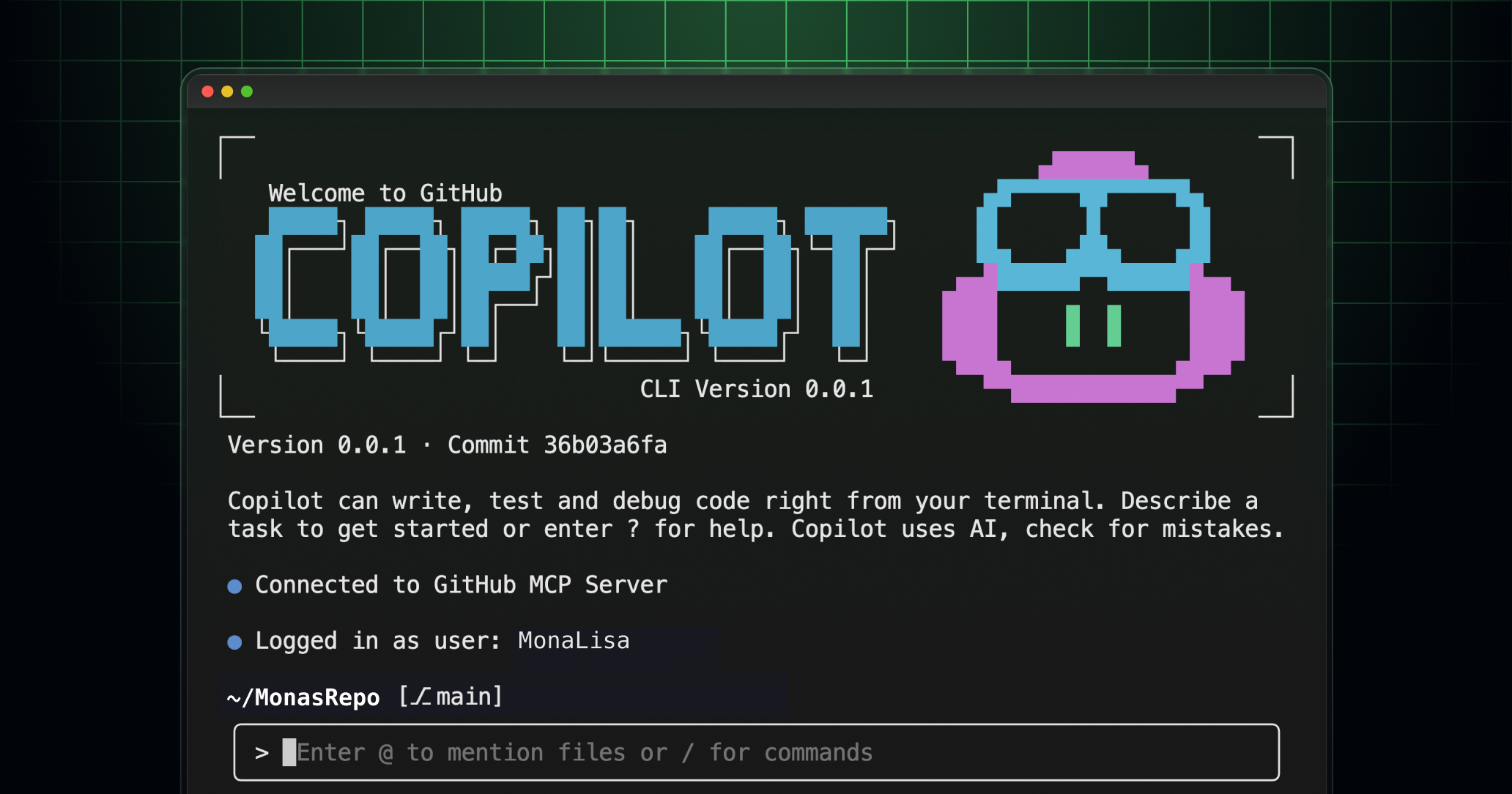
GitHub Copilot CLI launched its public preview on September 25, and it’s immediately the most significant entry in the agentic CLI space. Not because it’s technically the best — the jury’s still out — but because of distribution. With over 100 million developers on GitHub, Copilot CLI has instant access to the largest developer audience on the planet.
What makes it compelling: a plan-execute-iterate workflow that feels natural, native MCP server support for connecting to external tools, and deep integration with GitHub’s ecosystem (Issues, PRs, Actions). You can literally say “fix the failing CI test on this PR” and watch it trace the error, propose a fix, open a branch, and submit a PR. The model flexibility is there too — it supports multiple backend models, not just GPT.
Who it’s for: Teams already embedded in the GitHub ecosystem. If your workflow lives in GitHub Issues → PR → Actions → Deploy, Copilot CLI slots in seamlessly. The learning curve is minimal if you’re already a Copilot user.
Current limitations: Still in preview, so expect rough edges. The agentic capabilities trail Claude Code and Codex CLI in autonomy. Enterprise pricing details remain unclear.
2. Claude Code — The Developer’s Favorite Is Approaching 2.0
Claude Code has arguably defined the agentic CLI category. While others were still shipping autocomplete features, Anthropic went all-in on a terminal-native agent that could navigate codebases, edit files, run tests, and commit changes — with genuine reasoning about what it was doing and why.
The upcoming 2.0 release (expected late September) promises checkpoint restore for rolling back agent actions, multi-agent support for parallel task execution, native VS Code integration, and enhanced git safety features. That last one matters more than you’d think — Claude Code already has the most thoughtful approach to version control safety of any AI tool, refusing destructive git operations by default.
Who it’s for: Developers who want the most capable autonomous coding agent available today. Claude Code excels at complex, multi-step tasks: refactoring across files, debugging production issues, writing comprehensive test suites. It’s particularly strong for developers working on larger codebases where understanding context across many files is critical.
Current limitations: API costs can add up during heavy sessions. The learning curve for effective prompting is real — you get dramatically better results once you learn to give it clear, scoped instructions with CLAUDE.md project files.
3. Gemini CLI — Google’s Open-Source Dark Horse
When Google launched Gemini CLI in June 2025, many dismissed it as a me-too product. Three months later, it’s looking like one of the smartest moves Google has made in developer tooling. Why? Two words: open source.
Gemini CLI is fully open source under Apache 2.0, which means the community is already extending it in ways Google never planned. It ships with 60 requests per minute on the free tier with access to Gemini 2.5 Pro — that’s remarkably generous. Built-in Google Search grounding means it can verify its own outputs against real-time search results, reducing hallucination in a way that other tools simply can’t match. MCP support landed early, and the ecosystem is growing fast.
Who it’s for: Developers who want a capable AI CLI without the API bill. The free tier is genuinely usable for daily development. Also ideal for teams that want to self-host or customize their AI tooling — the Apache 2.0 license means you can fork it freely.
Current limitations: Gemini’s coding performance, while solid, still trails Claude and GPT-4 on complex reasoning tasks. The community ecosystem is smaller than Copilot’s or Claude Code’s. Some developers report inconsistent behavior with larger codebases.
4. OpenAI Codex CLI — Lightweight, Fast, Rust-Powered
OpenAI’s Codex CLI takes a different architectural approach. Built in Rust for speed, it’s the leanest of the major AI CLI tools. While others focus on maximum autonomy, Codex CLI emphasizes sandboxed execution and predictability. Every action runs in an isolated environment, and you can inspect exactly what it plans to do before it touches your codebase.
The multi-model support is a standout feature — you’re not locked into OpenAI’s models. You can route requests to Claude, Gemini, or local models through compatible endpoints. MCP support means it plugs into the same tool ecosystem as its competitors. The Rust foundation makes it noticeably faster to launch and execute compared to Node.js or Python-based alternatives.
Who it’s for: Developers who prioritize control and predictability over maximum autonomy. Security-conscious teams will appreciate the sandboxing approach. The lightweight footprint makes it ideal for CI/CD integration.
Current limitations: Less autonomous than Claude Code or Copilot CLI — it’s more of a powerful assistant than an agent. The community tooling ecosystem is still developing.
5. Kiro 0.3 — The Spec-Driven IDE Agent
Kiro takes a fundamentally different approach from the CLI-first tools above. Rather than dropping you into a terminal, Kiro 0.3 (released September 2025) builds around a spec-driven development workflow. You describe what you want to build at a high level, Kiro generates a structured spec, breaks it into MVP tasks, and then executes them systematically.
The September 0.3 release brought smarter diagnostics, AI-generated commit messages, and inline file references that make it easier to understand what the agent changed and why. The spec-MVP approach is genuinely different — instead of ad-hoc “fix this function” commands, you’re working at a higher abstraction level: “build a user authentication system with OAuth2 and session management.”
Who it’s for: Developers who prefer structured, top-down development. Particularly effective for greenfield projects where you’re building features from scratch. Teams that want AI to handle the architecture-to-implementation pipeline.
Current limitations: Less effective for debugging existing codebases. The spec-driven approach can feel rigid for quick fixes. Still early — 0.3 is a significant improvement, but the ecosystem is nascent.
6. Aider — The Open-Source Veteran
Aider has been quietly building the most battle-tested open-source AI coding assistant since 2023. While the big players were launching flashy products, Aider’s community was solving the hard problems: reliable multi-file editing, git integration that actually works, and model-agnostic architecture that lets you use whatever LLM fits your budget and needs.
What sets Aider apart in September 2025 is maturity. It supports virtually every major model provider, has deep git integration (auto-commits with meaningful messages), and handles pair-programming style workflows better than most commercial tools. The architect mode — where one model plans and another executes — is an elegant solution to the cost-capability tradeoff. Use a powerful model for reasoning and a cheaper one for implementation.
Who it’s for: Developers who want full control, full transparency, and no vendor lock-in. Budget-conscious developers who want to pair expensive models with cheap ones. Open-source contributors who want to shape their tools.
Current limitations: The UI/UX is purely terminal — no IDE integration. Setup requires more configuration than commercial alternatives. Performance depends heavily on your model selection.
7. Cursor — The IDE That Started It All
Cursor deserves its place on this list even as the conversation shifts toward CLI tools. As a VS Code fork with AI built into its DNA, Cursor popularized the concept of AI-native development environments. Its Tab completion, Cmd+K inline editing, and Chat sidebar set the template that everyone else is now iterating on.
In September 2025, Cursor remains the most polished AI-integrated IDE experience. The agent mode has matured significantly, supporting multi-step tasks that span file creation, editing, terminal commands, and testing. The composer feature for multi-file edits is still best-in-class for visual developers who prefer seeing changes in context rather than reading terminal output.
Who it’s for: Developers who want AI deeply embedded in a visual IDE experience. If you live in VS Code and want AI capabilities without switching to a terminal-first workflow, Cursor is the answer. Particularly effective for frontend development where visual context matters.
Current limitations: Subscription pricing adds up. Being a VS Code fork means you’re somewhat locked into that ecosystem. The agent mode, while improved, isn’t as autonomous as dedicated CLI agents like Claude Code.
AI Developer Tools September 2025: Which One Should You Pick?
There’s no single winner here, and that’s actually the point. The AI developer tools September 2025 landscape is fragmenting into distinct use cases:
- Maximum autonomy: Claude Code 2.0 — nothing else matches its ability to independently navigate, reason about, and modify complex codebases.
- GitHub-native workflows: Copilot CLI — if your team lives in GitHub, the ecosystem integration is unbeatable.
- Free tier / open source: Gemini CLI — 60 requests/min free with Gemini 2.5 Pro is hard to argue with.
- Control and speed: Codex CLI — Rust-based, sandboxed, predictable.
- Spec-driven development: Kiro 0.3 — for greenfield projects and structured workflows.
- Model flexibility: Aider — use any model, pair architect + coder, full transparency.
- Visual IDE experience: Cursor — the most polished AI-in-IDE implementation.
My recommendation? Don’t pick just one. The smartest developers I know use two or three of these tools depending on the task. Claude Code for deep refactoring sessions, Copilot CLI for quick GitHub-integrated tasks, and Cursor for visual frontend work. The MCP protocol means these tools increasingly share the same ecosystem of extensions and integrations, so switching between them is getting easier every month.
What’s clear is that September 2025 marks the inflection point where AI coding tools stopped being optional productivity boosters and became essential infrastructure. The developers who master these tools now — understanding not just how to use them, but when to use which one — will have a compounding advantage for years to come. The agentic CLI era isn’t coming. It’s here.
Building an AI-powered development workflow or need help integrating agentic tools into your team’s pipeline? Sean Kim has been architecting automation systems and AI integrations for production environments.
Get weekly AI, music, and tech trends delivered to your inbox.