


Apple TV 4K 2025 Update: A17 Pro Chip Brings AI Upscaling and Apple Intelligence to Your Living Room
October 21, 2025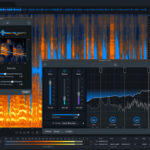
iZotope RX 12 Preview: AI Audio Repair Gets Generative Fill — 5 Features That Change Everything
October 22, 2025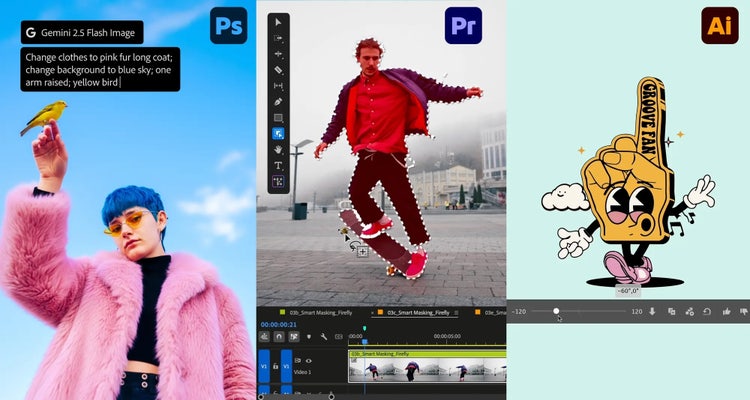
An AI image generator that nails human fingers at native 4-megapixel resolution — that alone would be headline-worthy. But Adobe MAX 2025 Firefly delivered far more than an incremental upgrade. From a timeline-based AI video editor to studio-quality audio generation and text-to-speech, Adobe just made its strongest case yet for an all-in-one AI creative platform. Here is everything that matters.
Adobe MAX 2025 Firefly Image Model 5: Native 4MP Changes Everything
Firefly Image Model 5 represents the largest generational leap in Adobe’s AI image generation history. The headline feature is native 4-megapixel resolution. Unlike previous models that generated at lower resolutions and relied on upscaling, Model 5 creates high-resolution images from the start. This is a fundamentally different approach compared to what Midjourney and DALL-E 3 currently offer.
The improvements in portrait generation are particularly striking. According to CineD’s deep dive analysis, Model 5 produces anatomically accurate portraits with natural skin textures and — critically — correct finger counts and hand positioning. Multi-layered compositions with complex lighting scenarios now render with physically plausible shadows, reflections, and depth of field. The gap between AI-generated and photographed images continues to shrink.
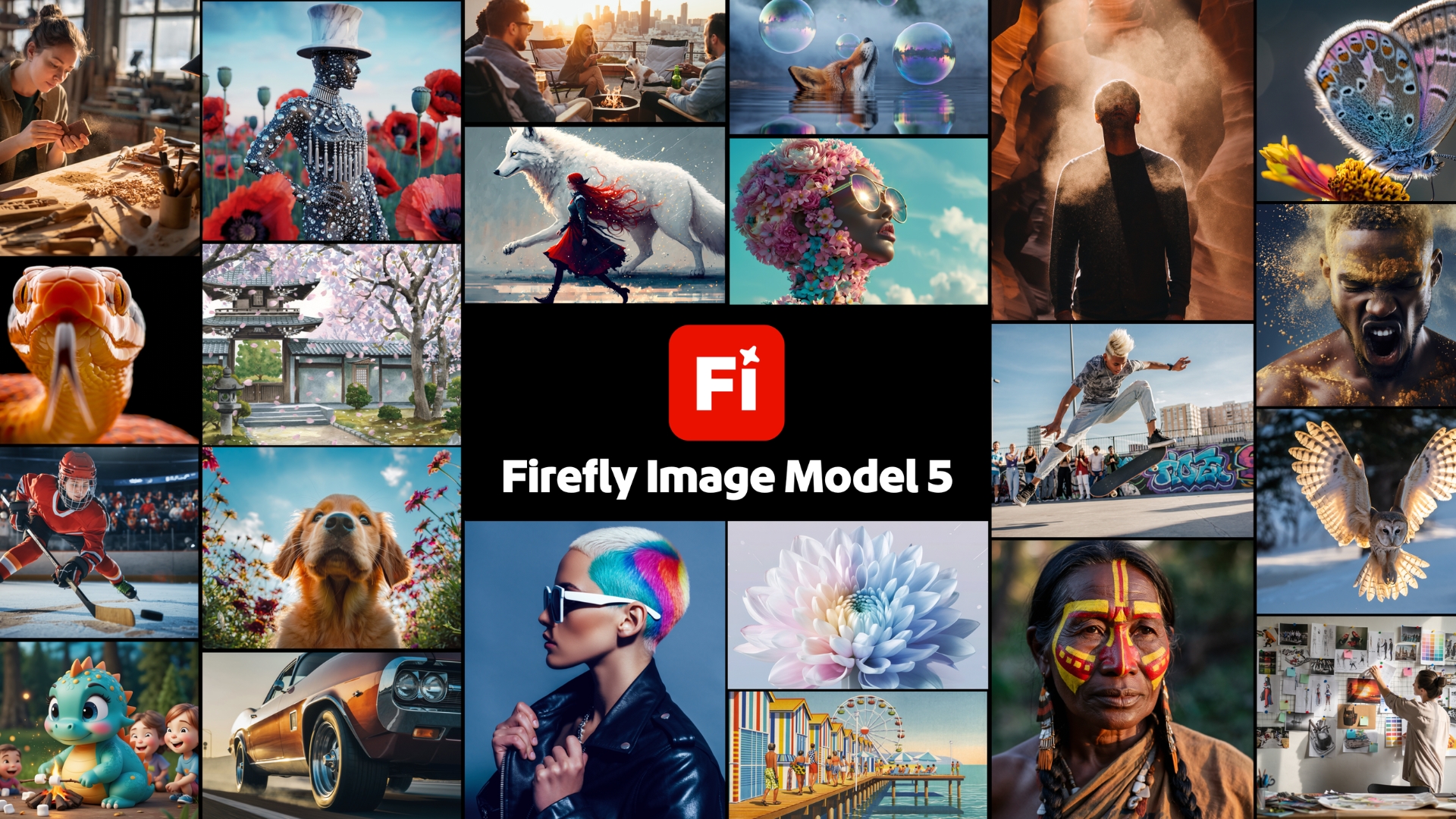
Then there is Prompt to Edit, a natural-language image editing feature that lets you modify generated images through conversational commands. Say “change the background to an autumn forest” or “make the lighting warmer,” and Firefly handles it without requiring you to open Photoshop. This bridges the gap between generation and editing in a way no competing tool has matched.
Timeline-Based AI Video Editor: Adobe Gets Serious About AI Video
Adobe has finally played its video card, and it is not a toy. The new timeline-based AI video editor, currently in private beta, goes well beyond the text-to-short-clip approach that most AI video tools offer. This is a professional editing interface with AI generation capabilities built directly into the timeline — the workflow paradigm that video editors already know and trust.
What makes Adobe’s approach strategically interesting is the multi-model integration. According to the official Adobe announcement, partner models from Google, OpenAI, Runway, and ElevenLabs are integrated alongside Adobe’s own Firefly models. Creators can choose the best model for each specific task rather than being locked into a single AI provider. This open-ecosystem approach is a significant competitive differentiator.
Generate Soundtrack: Studio-Quality AI Audio Inside Creative Cloud
Generate Soundtrack produces studio-quality background music and sound effects using AI. It analyzes your video’s mood, tempo, and emotional arc to create matching audio. Having worked in audio engineering for over 28 years, I can say that integrating this caliber of AI audio generation directly into the creative suite is a meaningful shift. The days of scrolling through stock music libraries for hours may be numbered.
Even more intriguing is Project Resonance, unveiled during the MAX Sneaks session. This experimental technology creates generative audio that adapts in real-time to a video’s emotional arc — the music literally responds to what is happening on screen. While still in the research phase, it hints at a future where audio post-production becomes dramatically more efficient.
Adobe Generate Speech: Text-to-Voice for Every Creator
Adobe MAX 2025 Firefly also introduced Generate Speech, a text-to-speech engine designed for creative production. Need narration for a video? Voiceover for a presentation? A placeholder voice track while your talent is unavailable? Generate Speech handles all of these without a recording session.
The significance goes beyond convenience. With image generation, video editing, audio creation, and now voice synthesis all living under one roof, Adobe has effectively completed its all-in-one AI creative studio vision. Every major content modality — visual, motion, audio, and voice — is now covered within the Firefly platform.
Photoshop AI Assistant: Agentic AI Enters the Creative Suite
Photoshop’s new AI Assistant is not a simple chatbot. It is an agentic AI that executes multi-step editing workflows from natural language instructions. Tell it “isolate the subject, warm up the color grading, and crop to a 1:1 aspect ratio,” and it handles each step sequentially. This is the same agentic AI paradigm that is transforming software development and data analysis — now applied to visual editing.
The companion Harmonize feature deserves attention as well. When compositing images from multiple sources, it automatically matches lighting, color temperature, and shadows across all elements. Color matching during compositing is one of the most time-consuming tasks in professional photo editing, and this tool aims to reduce it to a single click.
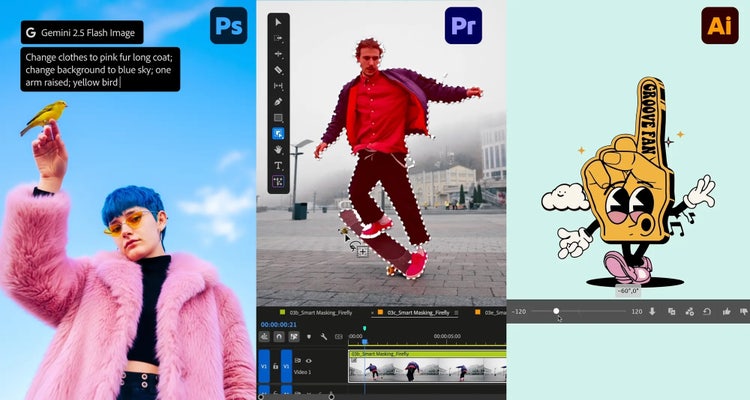
Rounding out the Photoshop updates, Generative Upscale — built in partnership with Topaz Labs — now supports upscaling to 4K resolution. The detail preservation is noticeably improved compared to previous upscaling solutions, making it viable for print-resolution output from lower-resolution sources.
Premiere Pro and Illustrator Get Major AI Upgrades
Premiere Pro receives AI Object Mask, which automatically identifies and masks specific objects within video footage. Rotoscoping — traditionally one of the most tedious tasks in video post-production — gets dramatically faster. While similar to After Effects’ Rotobrush in concept, having this capability directly in the Premiere Pro timeline removes the need for roundtripping between applications.
Illustrator introduces Turntable, a feature that generates multi-angle views from a single 2D illustration. Feed it a character design or product mockup, and it automatically creates front, side, and back views. For character designers, product visualizers, and game artists, this eliminates hours of manual drawing for reference sheets.
These updates to Premiere Pro and Illustrator reflect a broader pattern: Adobe is embedding AI capabilities directly into the tools professionals already use daily, rather than requiring them to learn entirely new applications. The friction of adopting AI drops significantly when it lives inside your existing workflow rather than requiring a context switch to a separate platform.
Generative Fill Expands with Partner Models
Adobe’s partner model strategy extends to Generative Fill as well. Google Gemini 2.5 Flash Image and FLUX.1 Kontext are now available as alternative models. The same prompt can produce distinctly different stylistic results depending on which model you select, giving creators broader creative range without leaving the Adobe ecosystem.
Firefly Creative Production: Bulk Editing at Scale
Firefly Creative Production targets enterprise-scale content workflows. The tool enables bulk editing of thousands of images simultaneously. An e-commerce team can replace backgrounds on 1,000 product photos in a single batch. An advertising agency can adapt campaign assets to dozens of formats and sizes without manual intervention.
Firefly Custom Models complement this by allowing brands to train the AI on their specific visual identity. The result is on-brand image generation at scale — consistent colors, typography style, composition preferences, and mood across thousands of generated assets. For marketing teams managing brand consistency, this is transformative.
Adobe is also offering unlimited image and video generations through December 1 for Creative Cloud Pro subscribers. It is a clear play to maximize real-world usage data and creator feedback during this critical launch period.
The Firefly Boards feature also received an upgrade with Rotate Object, allowing creators to generate different rotational perspectives of objects directly on the collaborative canvas. Combined with Creative Production’s batch capabilities, this creates a pipeline where a single concept can rapidly expand into dozens of production-ready assets — a workflow that previously required multiple rounds of photography or 3D rendering.
MAX Sneaks: A Glimpse Into Adobe’s AI Future
The annual Sneaks session at MAX always delivers the most forward-looking reveals. Beyond Project Resonance (adaptive generative audio), Project Light Touch demonstrated AI-powered relighting of already-captured photographs. Imagine adjusting studio-quality lighting on a photo after the shoot is finished — moving light sources, changing intensity, adding rim lighting. For photographers who did not nail the lighting on set, this could be a game changer in post-production.
Sneaks projects are not guaranteed to ship, but they consistently indicate where Adobe’s R&D investments are heading. The through-line this year was unmistakable: AI integration at every stage of the creative workflow, from initial concept to final delivery.
What This Means for Creators: The Key Takeaways
If you distill Adobe MAX 2025 Firefly down to a single thesis, it is this: image, video, audio, and voice generation unified in one AI platform. The era of juggling five different AI tools from five different providers may be giving way to an integrated ecosystem approach.
- Image: Firefly Image Model 5 (native 4MP, anatomical accuracy, Prompt to Edit)
- Video: Timeline-based AI video editor with multi-model support (private beta)
- Audio: Generate Soundtrack (studio-quality music and SFX generation)
- Voice: Generate Speech (text-to-natural-voice conversion)
- Scale: Firefly Creative Production (thousands of images in a single batch)
- Customization: Custom Models + partner model integration (Google, OpenAI, Runway, ElevenLabs)
- Workflow: Agentic AI assistants in Photoshop, AI Object Mask in Premiere Pro, Turntable in Illustrator
As WinBuzzer’s market analysis notes, Firefly adoption is growing rapidly, and these updates are positioned to further solidify Adobe’s ecosystem advantage over standalone AI creative tools.
The fundamental question for every creator now becomes: do you continue assembling a patchwork of individual AI tools, or do you invest in the integrated workflow that Adobe is building? After MAX 2025, the argument for the latter just got significantly stronger.
Want to build AI-powered creative workflows or automate your production pipeline? Let’s talk.
Get weekly AI, music, and tech trends delivered to your inbox.






