


Stryde Audio Swayed Review: 7 Reasons This $99 Yamaha SY77 Emulation Changes FM Synthesis Forever — Full SysEx Patch Compatibility Included
April 1, 2026
TAL-J8X Review: 7 Reasons This $69 Plugin Outshines the $2,000 Roland JX-8P Original
April 2, 2026
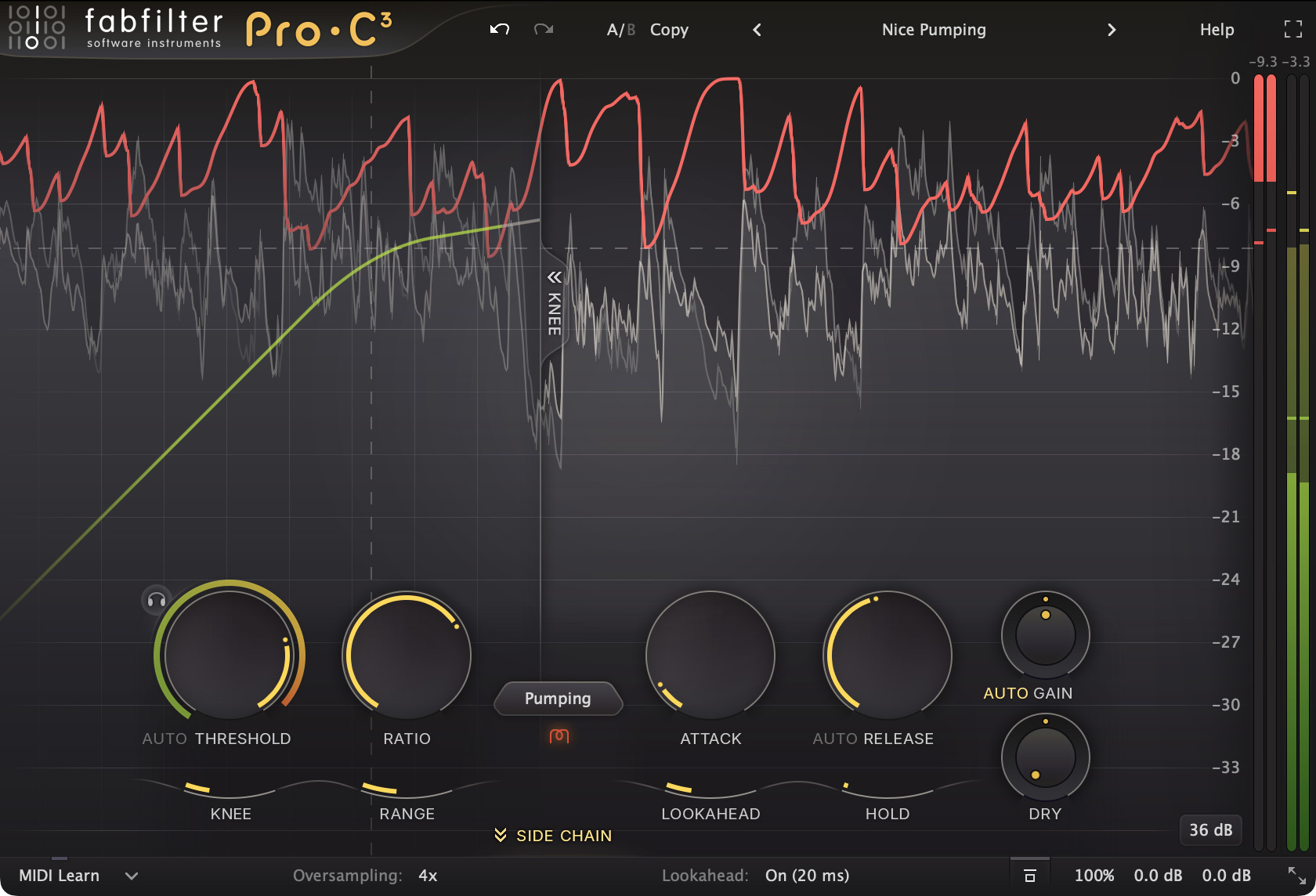
Ten years. That’s how long we waited for FabFilter to follow up on Pro-C 2, the compressor plugin that quietly became the most-used dynamics tool in professional studios worldwide. Every NAMM, every update cycle, the same question: “Is Pro-C 3 coming?” At NAMM 2026, FabFilter finally answered — and this FabFilter Pro-C 3 review will explain why the wait was justified.
What’s New in FabFilter Pro-C 3: The Complete Breakdown
The headline feature is the expansion from 8 to 14 compression styles. FabFilter kept every legacy algorithm intact while adding six new ones grouped into Modern, Classic, and Utility categories. This isn’t incremental — it fundamentally changes what Pro-C can do. Where Pro-C 2 covered the essentials brilliantly, Pro-C 3 reaches into territory that previously required dedicated third-party plugins or hardware emulations.
Here’s what each new algorithm brings to the table:
- Versatile — A modern all-rounder that delivers clean yet musical compression. Works equally well on vocals, drums, and mix buses.
- Smooth — Transparent leveling that tames dynamics without coloring the signal. Ideal for dialogue, podcast, and broadcast applications.
- Upward — A dedicated upward compression algorithm that brings up quiet details without crushing peaks. Perfect for adding presence to acoustic instruments and room mics.
- TTM (Tube/Transformer/Magnetic) — Models the nonlinear characteristics of tube and transformer circuits. Think vintage warmth with modern control.
- Op-El (Optical-Electroluminescent) — Captures the smooth, program-dependent behavior of classic LA-2A-style optical compressors. Sound On Sound’s Sam Inglis review praised its “excellent presets targeting classic LA-2A/Fairchild applications.”
- Vari-Mu — Recreates the soft-knee, gentle glue of variable-mu compressors like the Fairchild 670. Exceptional for bus and mastering duties.
According to FabFilter’s official product page, at least four of the six new algorithms fall into the “listen to this!” category — and having spent time with all of them, that’s not marketing hyperbole.
Character Mode: Where Digital Precision Meets Analog Soul
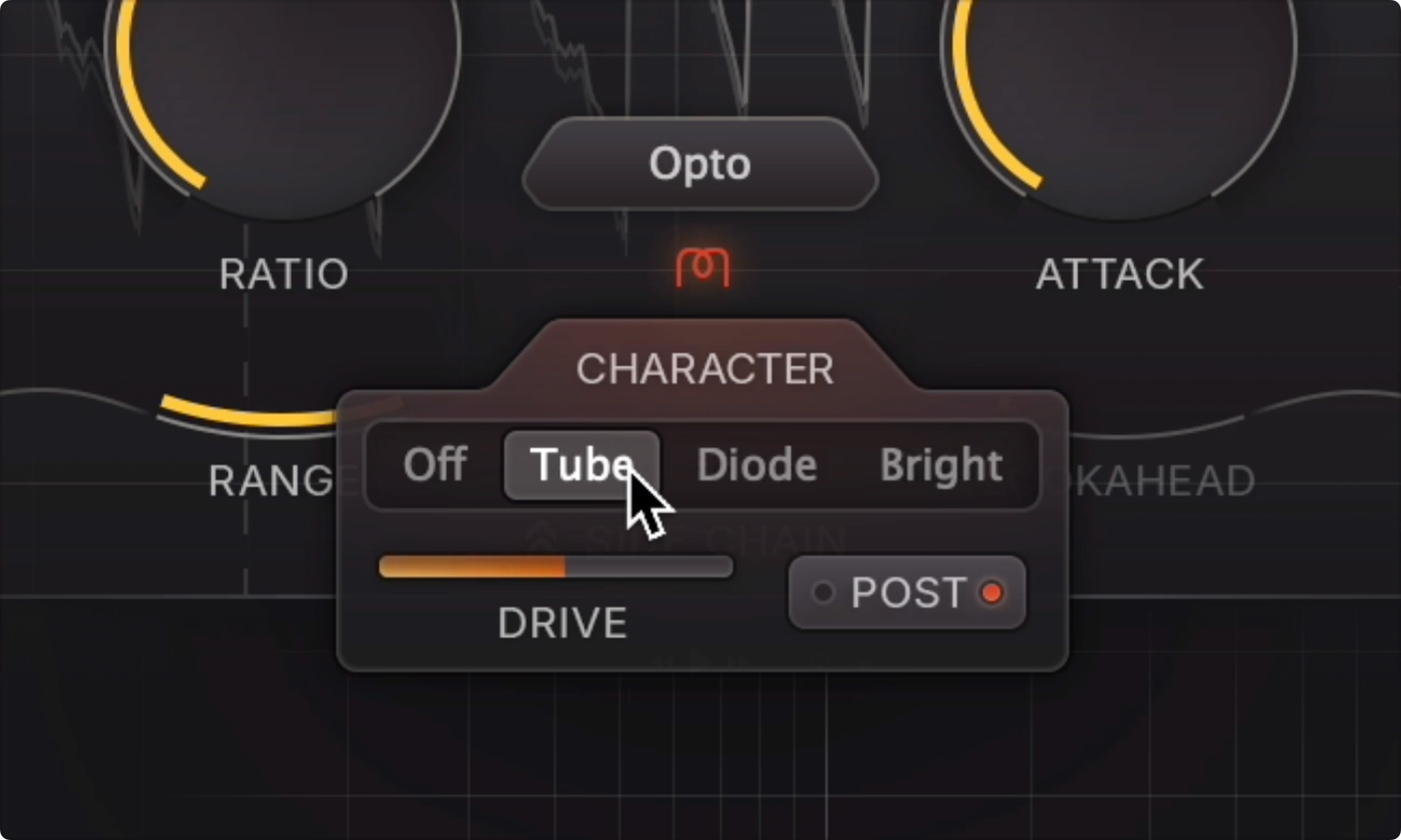
Character Mode is Pro-C 3’s boldest addition. It introduces three saturation types — Tube, Diode, and Bright — controllable via a dedicated Drive knob. MusicTech reported that Character Mode “adds analog saturation, coloration, and drift” to an already capable compressor.
Why does this matter? FabFilter has built its reputation on surgical transparency. Pro-Q is the scalpel of EQs. Pro-C 2 was the clean, precise compressor you reached for when you needed dynamics control without color. With Character Mode, FabFilter is declaring that they can do both — and they’re right. Toggle Character off and you have the same pristine Pro-C experience. Toggle it on and suddenly you’re in vintage territory, with harmonic richness that responds dynamically to your input signal.
Sidechain EQ and Dolby Atmos: Pro Workflow Essentials
The sidechain EQ has been doubled from 3 bands to 6, with Mid/Side processing available per band. This means you can, for example, set your vocal compressor to ignore sibilance frequencies in the side channel while still responding to them in the center. The GUI has been completely redesigned to make experimentation quick and intuitive — a detail that matters more than specs suggest when you’re deep in a mix session.
Dolby Atmos support covers up to 9.1.6 format natively. As immersive audio becomes standard in music production (Apple Music Spatial Audio, Dolby Atmos Music), having a compressor that handles these formats without workarounds is increasingly essential. Pro-C 3 processes all channels with proper spatial awareness, maintaining the integrity of your immersive mix.
Consider the practical implications: if you’re mixing a Dolby Atmos music project with 40+ objects and beds, having to use separate mono or stereo compressor instances for each element creates a nightmare of inconsistency. Pro-C 3’s native immersive processing means one instance handles the full 9.1.6 bed with coherent dynamics control across all channels. That’s not a nice-to-have — for studios doing immersive work regularly, it’s a fundamental workflow requirement.
Auto Threshold and Smart Features
Auto Threshold is one of those features that sounds simple but changes how you work. It automatically adjusts the threshold to deliver consistent compression regardless of input level. Sound On Sound’s review highlighted how this “makes level-independent compression practical for dynamic sources like vocals” — no more constantly riding the threshold when your vocalist moves between whisper and belt.
Host Sync locks compression timing to your DAW’s tempo, enabling rhythmically-aware pumping effects with surgical precision. Combined with 32x oversampling that minimizes high-frequency artifacts, Pro-C 3 delivers mastering-grade transparency when you need it.
The Adjustable Maximum Lookahead feature also deserves mention. Previous compressor plugins forced you to choose between zero-latency monitoring and the best possible transient handling. Pro-C 3 lets you dial in exactly how much lookahead you need, balancing latency against compression quality in real-time. During tracking, set it to zero for instant response. During mixing, increase it for optimal transient preservation. During mastering, push it further for the most transparent possible result. This level of control over the latency-quality trade-off is something I haven’t seen executed this elegantly in any competing plugin.
FabFilter Pro-C 3 vs Pro-C 2: Is the Upgrade Worth It?
If you own Pro-C 2, you’re asking the obvious question. Here’s my straight answer: if you’re a working engineer, upgrade. Three reasons.
First, the six new algorithms aren’t padding — they’re genuinely useful. Op-El and Vari-Mu alone cover vintage compression territory that previously required separate plugins. Second, Character Mode transforms Pro-C 3 into a fundamentally different tool. You get two compressors in one: the surgical Pro-C you know, plus an analog-flavored character compressor. Third, the 6-band sidechain EQ with Mid/Side is a workflow accelerator that you’ll notice in complex mixing scenarios.
Pricing is $199 new, approximately $99 for the upgrade. For existing Pro-C 2 owners, that $99 is a no-brainer investment.
What about alternatives? Waves C6, iZotope Ozone’s dynamics module, and Tokyo Dawn Labs’ Kotelnikov all occupy overlapping territory. But none of them combine FabFilter’s interface design, algorithm variety, and immersive audio support in a single package. The closest competitor in terms of workflow polish is probably Sonnox Oxford Dynamics, but it lacks the vintage algorithm variety and Atmos support that Pro-C 3 now offers. For producers who rely heavily on sidechain pumping, Xfer’s LFOTool remains specialized for that use case, but Pro-C 3’s Host Sync mode now covers rhythmic compression natively.
My Take: What 28 Years in Audio Taught Me About This Plugin
After 28 years in the audio industry, I’ve watched countless compressor plugins come and go. When Pro-C 2 launched in 2014, I remember thinking it would reset the standard for software dynamics processing — and it did. I’ve used it on virtually every project since, from K-pop vocal chains to film scoring sessions.
What impresses me most about Pro-C 3 is Character Mode. In my daily workflow, I’ve always maintained a strict separation: FabFilter plugins for transparent processing, UAD and Waves vintage models for color. Pro-C 3’s Character Mode collapses that divide. Being able to toggle between clinical precision and vintage warmth within the same interface — without switching plugins, without losing your settings — is a genuine workflow improvement that saves real time in sessions.
The Op-El algorithm deserves special mention. It captures a significant portion of the feel I associate with hardware LA-2A units I’ve used for vocal tracking over the years. No, it’s not a 1:1 replacement for real hardware — nothing is — but it’s at the point where I’d confidently reach for it in a session without hesitation. Combined with native Dolby Atmos support, which matters enormously as spatial audio projects become routine in my studio, Pro-C 3 earns its place as a daily driver.
One honest criticism: the new algorithms are more CPU-hungry. Running 32x oversampling with Character Mode engaged creates noticeable load. In large sessions, you’ll want to be strategic — use lower oversampling during mixing and bump it up for final bounces. It’s a fair trade-off for the quality on offer, but worth noting if you’re running sessions with 50+ tracks.
Where I see Pro-C 3 making the biggest impact is in studios transitioning to immersive audio. The combination of world-class stereo compression algorithms with native Atmos support means you don’t need to rebuild your entire plugin chain when you start doing spatial audio work. Your compression presets, your sidechain setups, your workflow — it all carries over. That kind of continuity matters enormously when you’re already juggling the learning curve of immersive mixing itself.
FabFilter Pro-C 3 Review Verdict: A New Standard for 2026
FabFilter Pro-C 3 isn’t just an update — it’s a redefinition of what a compressor plugin can be. Fourteen algorithms covering everything from transparent bus compression to vintage character, native Dolby Atmos support up to 9.1.6, and a Character Mode that bridges the gap between digital and analog. The smartest approach is to make Pro-C 3 your default compressor and use the algorithm and Character Mode combinations to give each project its own sonic identity.
Need professional mixing, mastering, or Dolby Atmos spatial audio production? Let’s talk at Greit Studios.
Get weekly AI, music, and tech trends delivered to your inbox.






