SoundID Reference Room Calibration 2025 Update: 500+ Headphone Profiles and the Mobile Ecosystem Push
April 23, 2025
Canva Visual Suite 2.0 Magic Studio — AI Video, Voice, and Code Tools That Replace Your Entire Creative Stack
April 24, 2025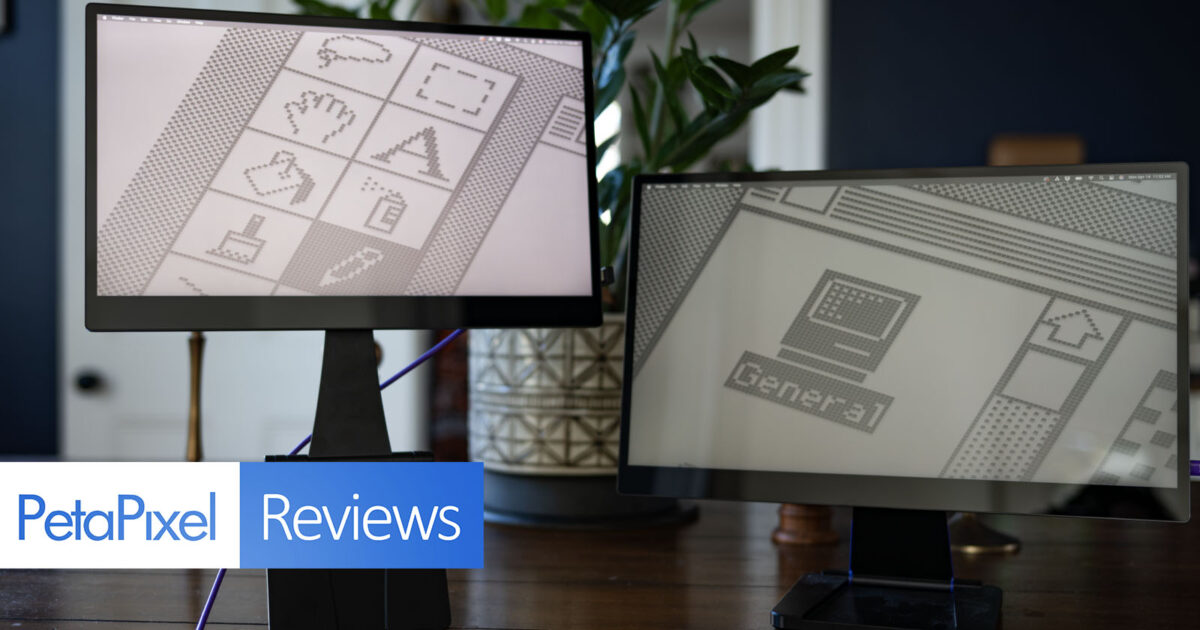
You just sat down at a coffee shop in Lisbon, opened your laptop, and realized you’re about to spend the next four hours squinting at a 13-inch screen while juggling Slack, a spreadsheet, and a design file. Sound familiar? In 2025, remote work isn’t a trend anymore — it’s the default. And the single biggest upgrade you can make to your mobile setup isn’t a faster processor or more RAM. It’s a second screen you can fold up and toss in your bag. After testing and researching the best portable monitors 2025 has to offer, here are the seven USB-C displays actually worth your money.
Why Portable Monitors Matter More Than Ever in 2025
Multiple studies have confirmed what most of us already feel: dual-monitor setups can boost productivity by up to 42%. But until recently, that meant being chained to a desk. The latest generation of best portable monitors 2025 has changed the equation entirely. USB-C DisplayPort Alt Mode means a single cable handles video, data, and even power delivery. Panels have gotten thinner, lighter, and sharper — we’re now seeing 4K OLED portable displays weighing under 1.5 pounds. Whether you’re a developer who needs terminal windows side by side, a creative professional color-grading on the go, or a remote worker who simply wants more screen real estate at the Airbnb, there’s a portable monitor built for you.
The 7 Best Portable Monitors 2025: Full Breakdown
1. ViewSonic VX1655-4K-OLED — Best 4K OLED for Color-Critical Work
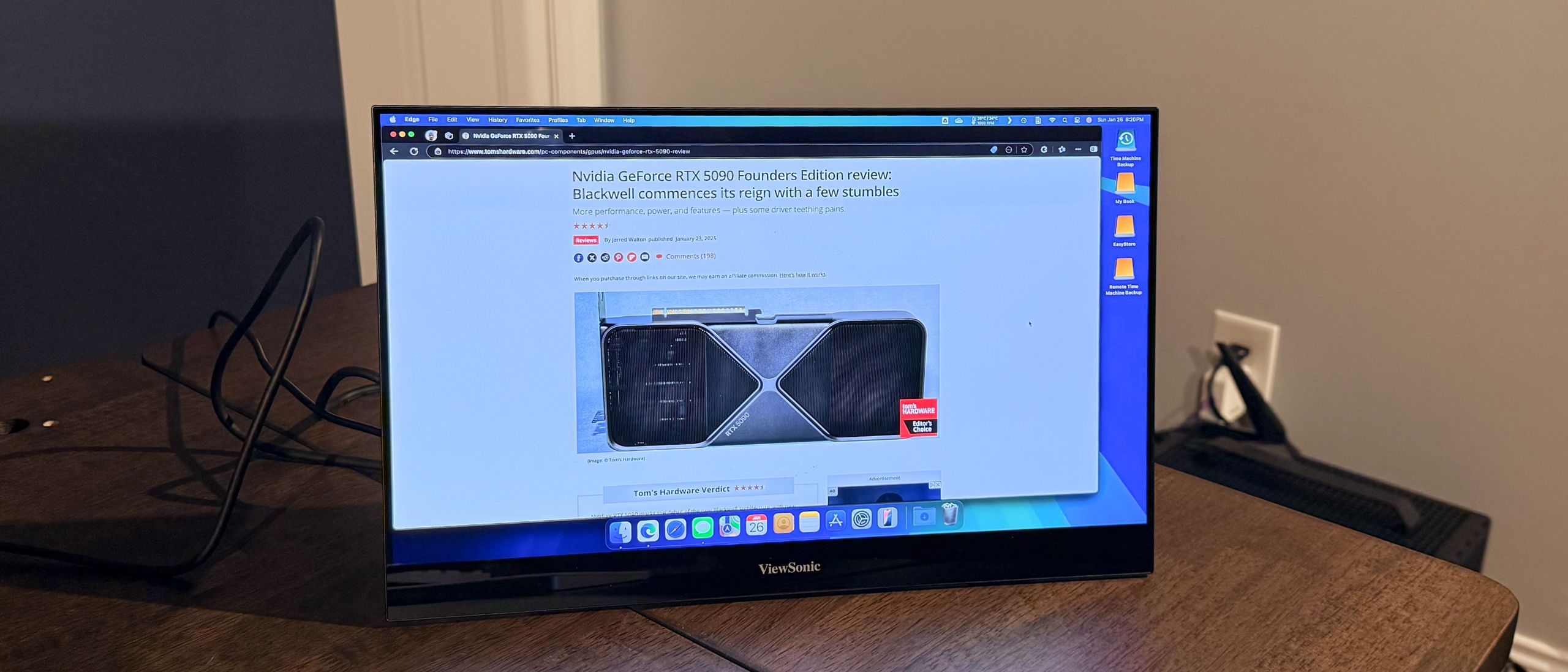
If color accuracy is non-negotiable, the ViewSonic VX1655-4K-OLED is the portable monitor to beat. This 15.6-inch display packs a true OLED panel at 3840×2160 resolution with 275 PPI, delivering the kind of per-pixel contrast and HDR performance you’d expect from a desktop reference monitor. At just 1.5 lbs and under 0.6 inches thick, it disappears into a laptop bag. Connectivity includes dual USB-C ports with 60W passthrough charging, a mini-HDMI input, and a 3.5mm audio jack. Tom’s Hardware praised its excellent color accuracy and HDR rendering in their full review.
- Panel: OLED, 3840×2160, 60Hz
- Weight: 1.5 lbs (680g)
- Connectivity: 2x USB-C (60W PD), Mini-HDMI, 3.5mm
- Price: $519.99
- Pros: Stunning OLED contrast, true 4K, lightweight, passthrough charging
- Cons: Glossy screen prone to reflections, premium price point
2. Espresso Display 15 Pro — Best Premium Pick for Mac Users
The Espresso Display 15 Pro is what happens when a portable monitor is designed with the same obsessive attention to detail as the devices it pairs with. This 15.6-inch 4K IPS panel hits 550 nits of brightness with a 1500:1 contrast ratio — bright enough to use comfortably outdoors. The single-cable USB-C setup is as clean as it gets, and the optional magnetic Stand+ offers precise height and tilt adjustments without adding bulk. PetaPixel called it “brighter, lighter, better” in their April 2025 review.
- Panel: IPS, 3840×2160, 60Hz
- Weight: 1.76 lbs (800g)
- Brightness: 550 nits
- Connectivity: USB-C (single cable)
- Price: $499
- Pros: Excellent brightness, premium build, magnetic stand system, Mac-optimized
- Cons: Expensive when you add the stand, IPS rather than OLED
3. ASUS ZenScreen MB16AHG — Best Portable Gaming Monitor
Gaming on a portable monitor used to mean compromising on refresh rate. The ASUS ZenScreen MB16AHG throws that tradeoff out the window with a 15.6-inch IPS panel running at 144Hz with FreeSync Premium support. At 0.92 kg, it’s remarkably light for a gaming-capable display. Dual USB-C and mini-HDMI inputs make it compatible with laptops, consoles, and handheld gaming PCs. ASUS’s own buying guide positions it as their go-to recommendation for gaming on the move.
- Panel: IPS, 1920×1080, 144Hz
- Weight: 0.92 kg (2.03 lbs)
- Connectivity: 2x USB-C, Mini-HDMI
- Price: $229.99
- Pros: 144Hz + FreeSync Premium, lightweight, versatile inputs
- Cons: 1080p resolution, IPS panel (not ideal for dark scenes)
4. LG gram +view 16MR70 — Best 16:10 Productivity Monitor
The LG gram +view makes a compelling case for going bigger. At 16 inches with a 2560×1600 WQXGA resolution in 16:10 aspect ratio, you get noticeably more vertical space than typical 15.6-inch models — a real advantage for coding, writing, and spreadsheet work. The DCI-P3 99% color gamut coverage means it doubles as a capable display for photo editing. The folio-style cover stand keeps things simple, and as PCWorld noted, it’s one of the most well-rounded portable monitors for productivity users.
- Panel: IPS, 2560×1600 (WQXGA), 60Hz
- Weight: 990g (2.18 lbs) with stand
- Color Gamut: DCI-P3 99%
- Connectivity: USB-C
- Price: $349.99
- Pros: 16:10 aspect ratio, wide color gamut, larger 16-inch size
- Cons: Slightly heavier, single port limits flexibility
5. Plugable 15.6-inch USB-C Monitor — Best Budget Pick
Not everyone needs 4K or OLED. The Plugable 15.6-inch portable monitor proves that a great second screen doesn’t have to break the bank. What sets it apart at this price point is its hub functionality: three USB-C connections (10Gbps data) with 85W passthrough charging mean it can serve as a mini docking station. Plug in your laptop, charge it, and connect peripherals through the monitor itself. At around $200, it’s the best value proposition in the portable monitor market right now.
- Panel: IPS, 1920×1080, 60Hz
- Weight: ~1.7 lbs
- Brightness: 300 nits
- Connectivity: 3x USB-C (10Gbps, 85W PD), Mini-HDMI
- Price: $199.99
- Pros: Excellent value, USB-C hub functionality, 85W passthrough
- Cons: 1080p only, 300 nits isn’t great outdoors
6. ASUS ZenScreen MB16ACV — Best Ultralight Daily Carry
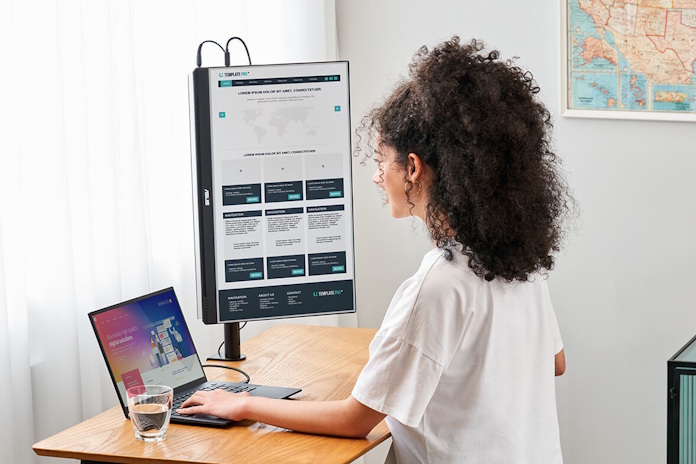
At just 0.83 kg (1.83 lbs), the ASUS ZenScreen MB16ACV is one of the lightest portable monitors you can buy. It’s a no-frills 1080p IPS panel built for people who carry their office everywhere and prioritize weight above all else. The antibacterial surface coating is a thoughtful touch for a device that gets handled constantly. USB-C hybrid-signal connectivity keeps cable management simple, and the built-in kickstand folds flat for transport.
- Panel: IPS, 1920×1080, 60Hz
- Weight: 0.83 kg (1.83 lbs)
- Connectivity: USB-C hybrid-signal
- Price: $249.99
- Pros: Ultralight, antibacterial coating, foldable kickstand
- Cons: Limited connectivity options, average brightness
7. INNOCN PU15 Pre — Best Value 4K OLED with Touch
The INNOCN PU15 Pre delivers 4K OLED quality with DCI-P3 100% color coverage and touch support at $120 less than the ViewSonic. If you want OLED-level contrast and color for creative work but don’t want to spend over $500, this is the monitor that closes the gap. Touch input adds versatility for presentations, design work, or anyone who likes the option of directly interacting with their content. USB-C and mini-HDMI inputs cover the connectivity basics.
- Panel: OLED, 3840×2160, 60Hz
- Color Gamut: DCI-P3 100%
- Connectivity: USB-C, Mini-HDMI
- Price: $399.99
- Pros: 4K OLED at a lower price, touch support, full DCI-P3
- Cons: Less established brand, build quality not as premium
Best Portable Monitors 2025: Quick Comparison Guide
Choosing the right portable monitor comes down to three questions: What’s your priority (color accuracy, refresh rate, weight, or budget)? What devices will you connect? And how much are you willing to spend?
- Best overall for creators: ViewSonic VX1655-4K-OLED ($520) — unmatched OLED color and contrast
- Best for Mac users: Espresso Display 15 Pro ($499) — premium build, bright panel, clean single-cable setup
- Best for gamers: ASUS ZenScreen MB16AHG ($230) — 144Hz + FreeSync at under a kilogram
- Best for productivity: LG gram +view 16MR70 ($350) — 16:10 aspect ratio with DCI-P3 99%
- Best budget: Plugable 15.6-inch ($200) — USB-C hub + 85W passthrough = unbeatable value
- Best ultralight: ASUS ZenScreen MB16ACV ($250) — 830 grams with antibacterial coating
- Best value OLED: INNOCN PU15 Pre ($400) — 4K OLED + touch at the most competitive price
One critical tip: before you buy, confirm your laptop supports USB-C DisplayPort Alt Mode. Not all USB-C ports carry video signal. Check your manufacturer’s specs — this is the single most common compatibility issue with portable monitors.
My Take: What 28 Years in Tech Taught Me About Second Screens
I’ve been working with screens of every size for nearly three decades — from CRT monitors in recording studios to calibrated reference displays for mastering sessions. And I’ll be honest: the jump in portable monitor quality over the past two years has been staggering. When I first started using a portable display for mobile production work around 2019, it was a compromised experience — dim panels, wobbly stands, flaky USB connections. Today’s options are genuinely usable as professional tools.
For my workflow, which bounces between audio production, coding, and content creation, the sweet spot is a 4K panel with accurate color and USB-C power delivery. I don’t need 144Hz — that’s a gaming priority. What I need is reliable color when I’m checking visual content, enough brightness to work near a window, and a single cable so I’m not carrying a bag of adapters. The ViewSonic OLED and LG gram +view hit that mark from different angles — the ViewSonic if color is paramount, the LG if vertical real estate matters more.
Here’s the insight most reviews miss: portable monitors aren’t just about adding screen space. They fundamentally change how you work when you’re mobile. With a second screen, you stop context-switching between apps and start actually working the way you do at your desk. That productivity gain isn’t theoretical — it’s something I measure in hours saved every week. If you’re doing any kind of professional work on the road, a portable monitor isn’t a luxury. It’s the most cost-effective upgrade per dollar you can make to your mobile setup.
Want more gear breakdowns, tech deep dives, and productivity tips? Get them delivered weekly.
Get weekly AI, music, and tech trends delivered to your inbox.